
How to Apply to Sixth Form or College with ApplicaaOne
This guide will walk you through the process of applying to a Sixth Form or College via ApplicaaOne.
Whether you're familiar with the application process or it’s your first time, we’ve broken down each step to help you navigate the platform with ease. By the end of this guide, you’ll be ready to submit your application confidently. Let's get started!
Once you’ve selected the school you wish to apply to, check if it supports the 'Quick Apply' feature. If it does, simply click on the 'Quick Apply' button to begin your application.

You should see the following pop-up. Click on 'Continue' to proceed.

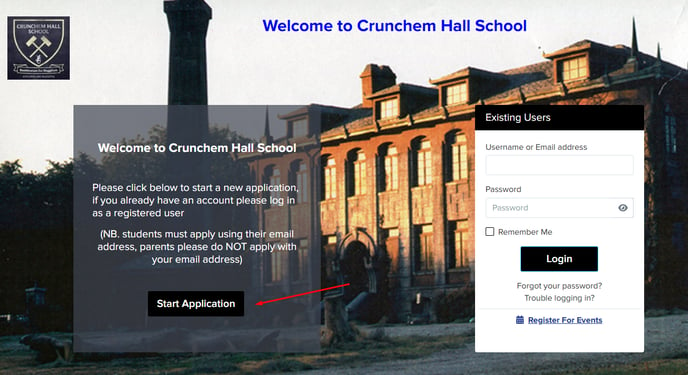
You will then be directed to the school's Admissions+ landing page. If you already have an application at this school, simply log in with your credentials.

Otherwise, click on 'Start Application' to begin.
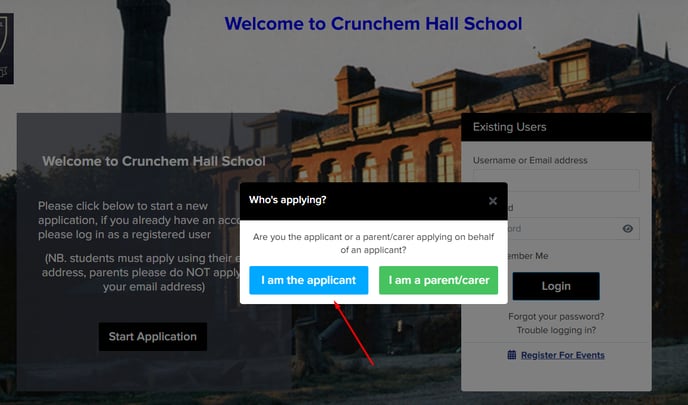
Select whether you are the student applying, or the parent/carer of a student who wishes to apply.
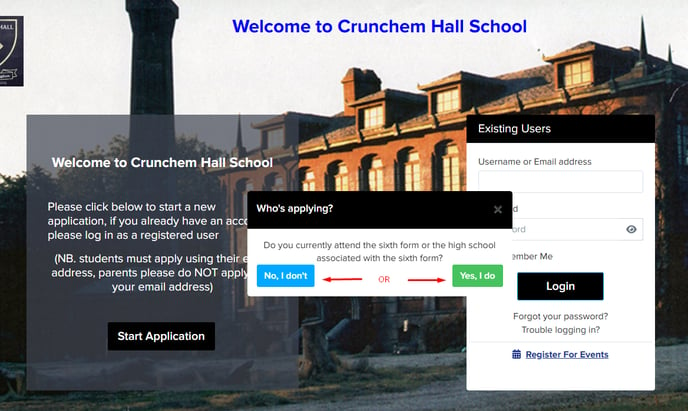
Indicate whether you currently attend the school or not.
Enter the email address associated with your ApplicaaOne account and hit 'Next'.

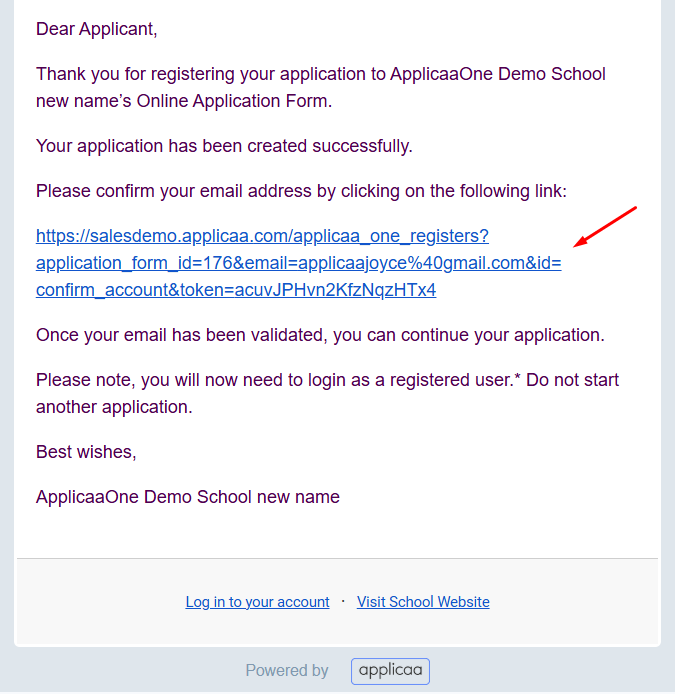
A confirmation email will be sent to the provided address.

Check your email and click on the confirmation link to verify your account.
Select 'Continue with my basic ApplicaaOne Profile' and click 'Next' to proceed.

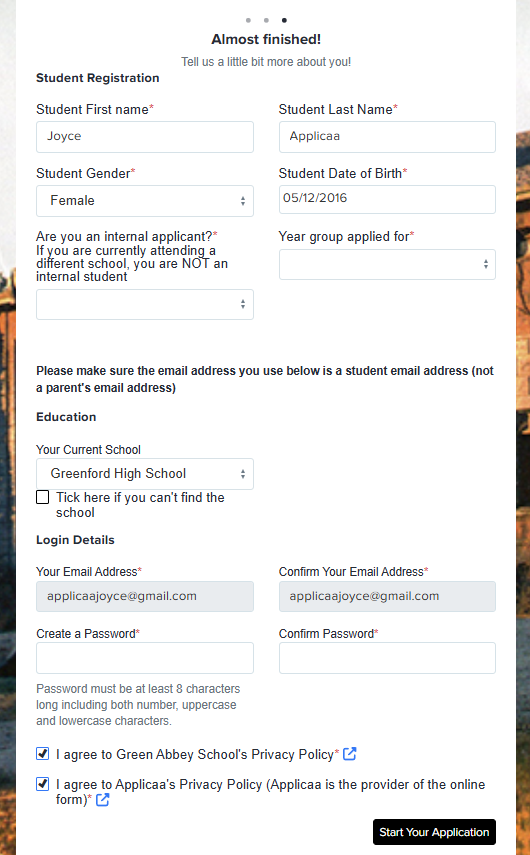
You will then be directed to the school's registration form. Complete the required fields, agree to the privacy policies, and click 'Start Your Application' to continue.
You are now logged in to your account for the school you selected. You will see the application form, along with other phases of the application process, depending on the school. Additional information, such as events and the school calendar, may also be available.

Click on 'Application Form,' complete the form, and submit it when you're ready.

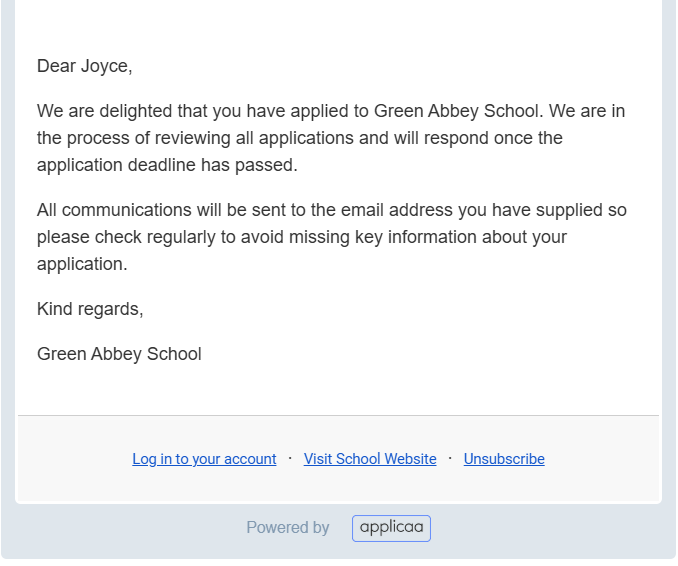
Once submitted, you will see the 'Application Form' marked as completed. Please wait for updates from the school regarding your application. Typically, they will send a confirmation email shortly after you submit your application.

Thank you for using our guide. We hope you found it helpful.
Was this article helpful?