
To create this chaser email, navigate to Communications > Automated Messages.
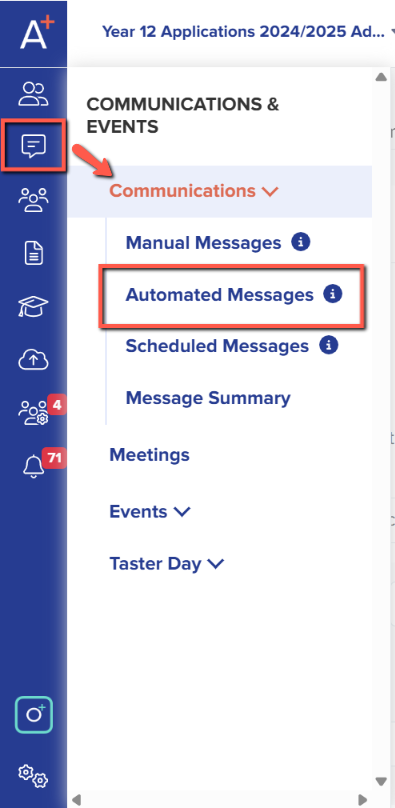
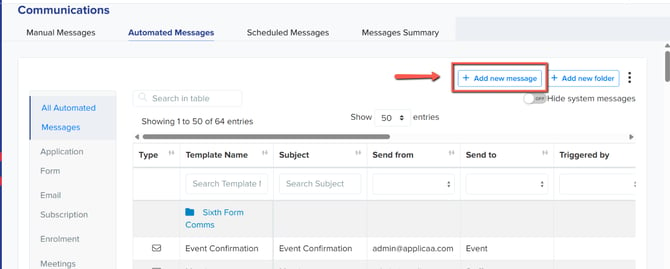
In Automated Messages, click on the "+Add new Message" button to create a new template.
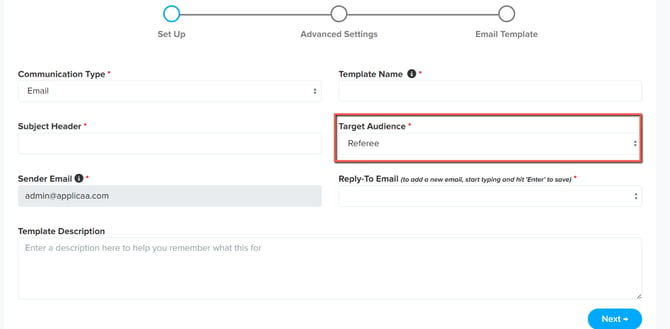
Fill in the required information and under the Target Audience, select Referee in the drop down. Click "next" to proceed.
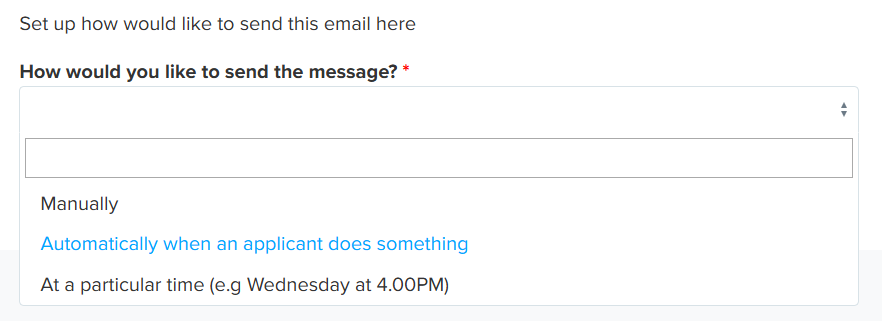
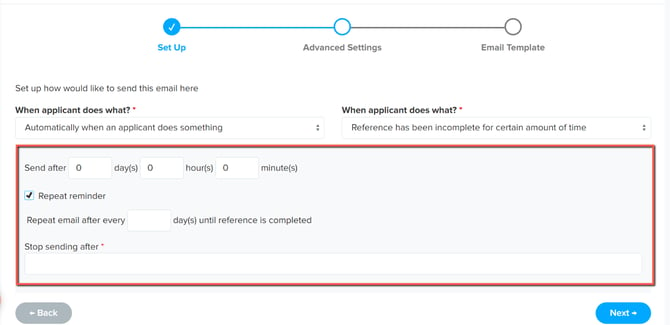
In Advanced Settings under "How would you like to send the message?" select on the drop down "Automatically when an applicant does something".
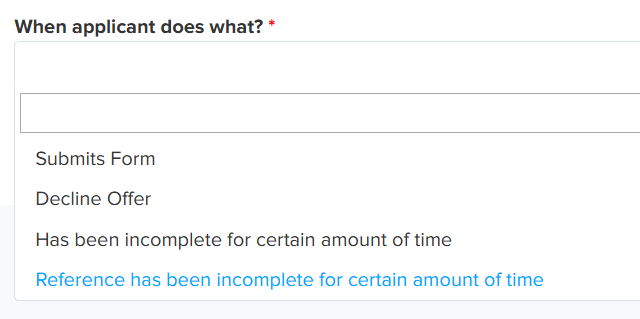
Under "When Applicant does what?" select on the drop down "Reference has been incomplete for certain amount of time".
Set the start date for when the email should begin sending and the end date for when the automated emails should stop (for example, after the deadline for reference form submissions has passed). You can also make the reminder email keep sending after every set number of days until the reference has been completed.
Finally, create the content of the reminder email and click on save.
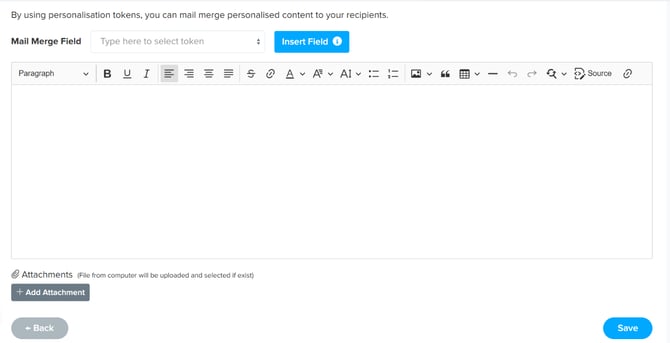
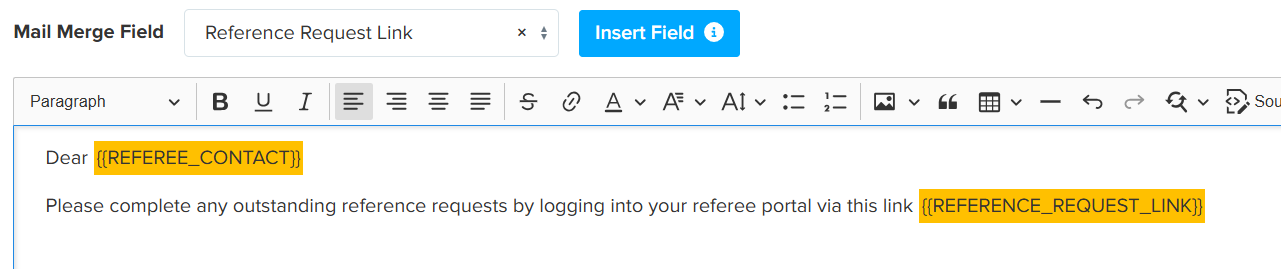
You are able to insert mail merge tokens to personalise the message and provide the referee with the required information to complete your request.
Once the automated email template has been created, reminder emails to referees who have not yet completed the reference request for a student will be sent after the set number of days have passed.