
Let's have a look at how to edit a course or a qualification once it's already made.
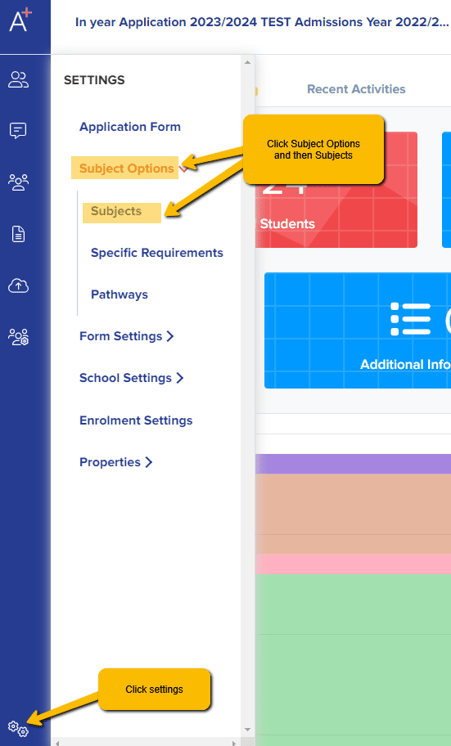
Please go to > settings > subject options > subjects, where you will see your subjects listed.
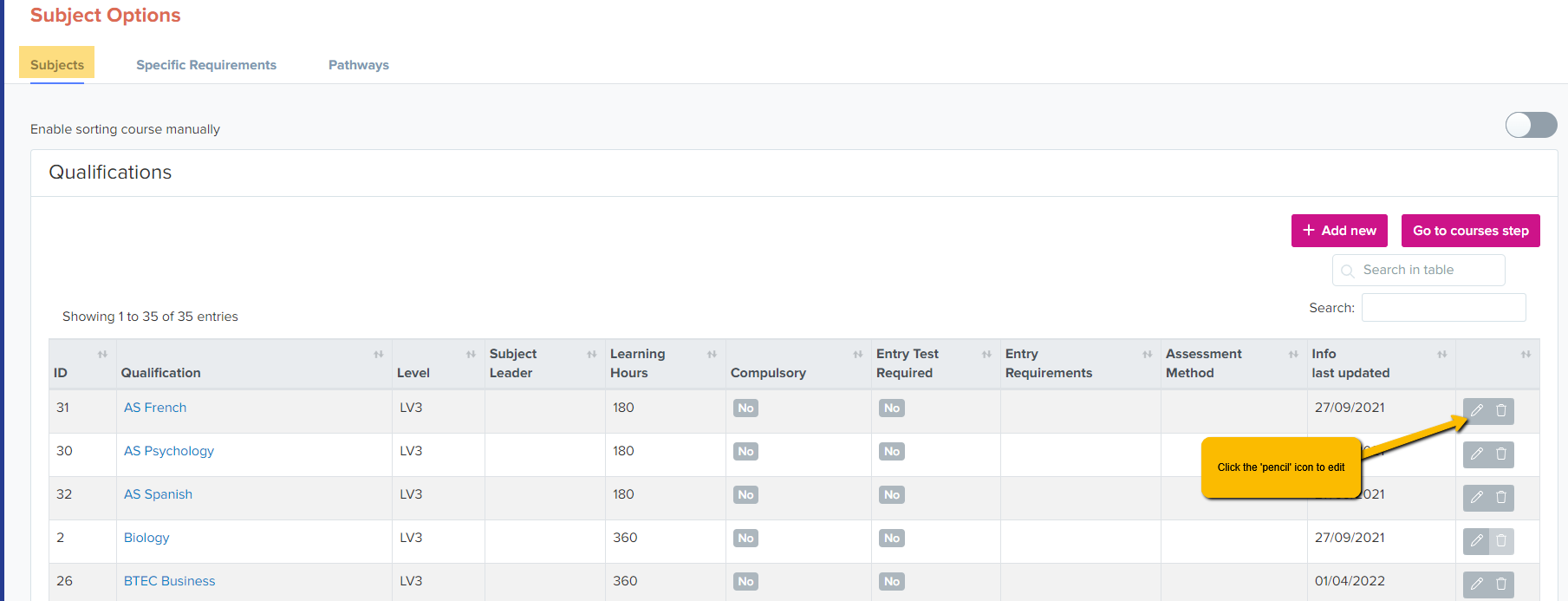
To change the summary or the number of learning hours or other details, plese click on the pen icon.
You can add a description, general requirements, classes and blocks. You can also add specific requirements. These can be updated at any time and will be applied with immediate effect.
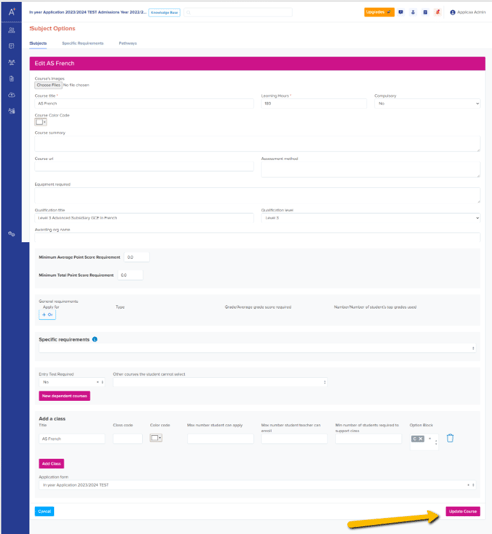
When done, please click on update to save the changes.