
The guide will show you how you can close your bursary form and then switch it on again for the new cycle.
If your Bursary+ landing page says "applications deactivated"
This message means new applicants cannot register for this form. The registration switch controls this access.
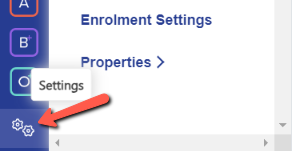
Go to Settings > Bursary > Application Form.
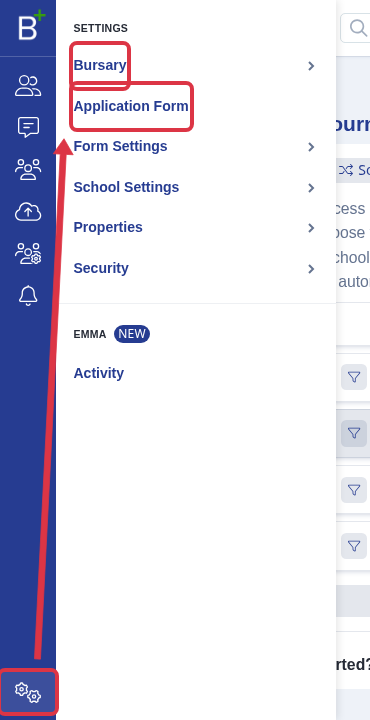
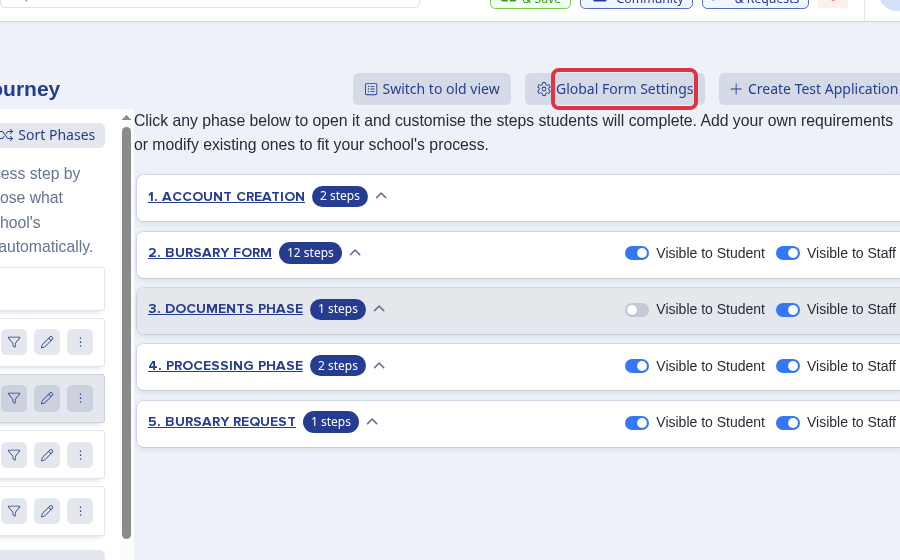
Select Global Form Settings.
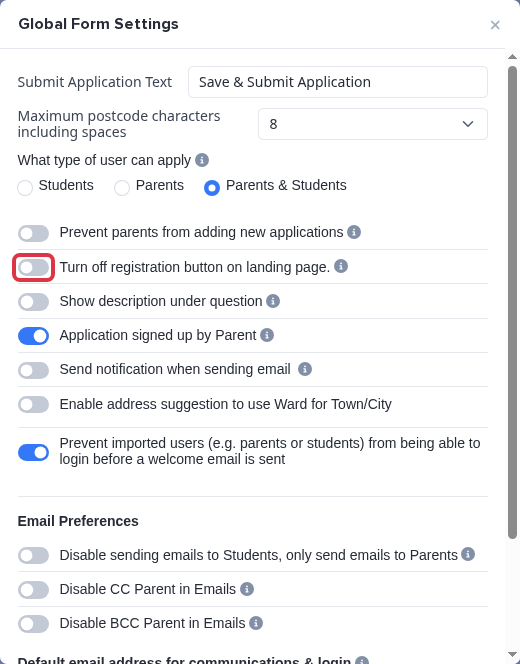
Clear "Turn off registration button on landing page." to activate applications. The change saves when you change the switch.
A staff user can change this setting.
Opening and closing dates
Bursary+ does not have opening or closing dates. Use the registration switch when you need to stop or start new applications. You cannot set an application deadline on a Bursary+ form.
Closing your old form
Navigate to settings > application form > global form settings and turn on “stop new students from applying”.
There is also a setting to "prevent parents from adding new applications", which you can use if parents are the ones with access to your platform.


You can also prevent anyone who already has an account on your old form from proceeding any further with it or making any changes.
Navigate to settings > application form > phase view and click the pencil icons to "lock form after submission" and "disable submissions".

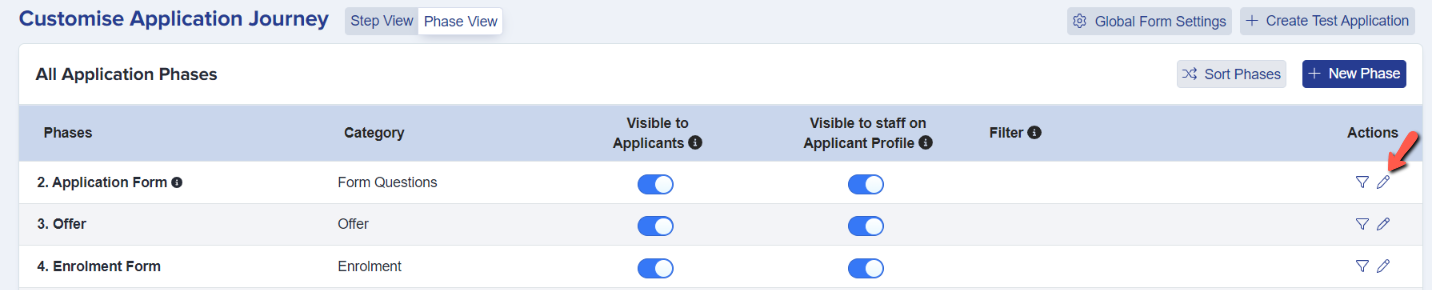
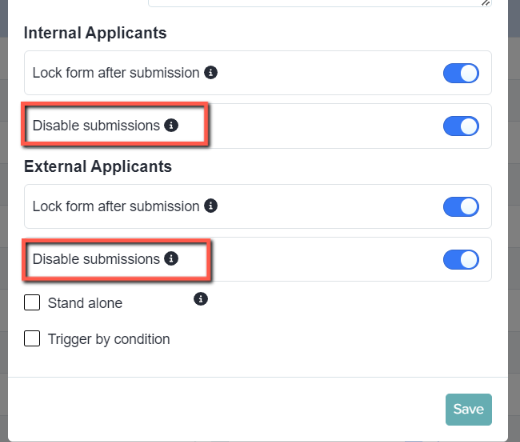
You can also prevent parents that already have accounts to add enquiries for new children to their parent home page. To do this, please navigate to Settings > Form Settings > Parent Homepage, scroll to the bottom and toggle off the "Show Add New Application Button"

Opening your new form
When you are ready to launch your new cycle, you need to ensure applicants are able to access your system and apply.
Visit the Global Forms Area and Phase View areas as outlined above, to ensure new students and/or parents can apply, that submissions are not disabled, and that the application form is visible to students.


Visit settings > form settings > landing page and click to edit, to ensure your new application block and new application button are both visible.


If you have opted to stop existing parents from adding an enquiry for a new child, you need to remember to toggle the "Show Add New Application Button" on for the Parent Homepage:

Testing your new form
We recommend carefully reviewing your form and possibly creating a test account for yourself and/or previewing the application form to walk through your process and ensure you are capturing all necessary data.


Related articles
If you need help with another Bursary+ form setting, ask Emma in your application or use the helpdesk.