
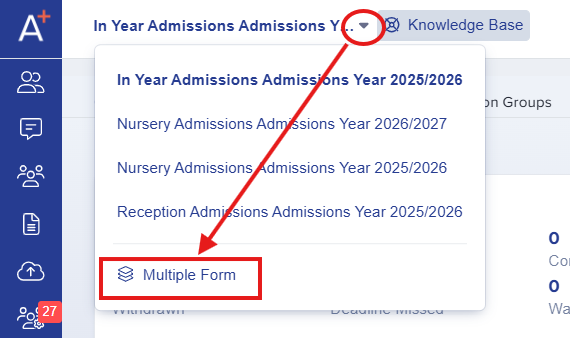
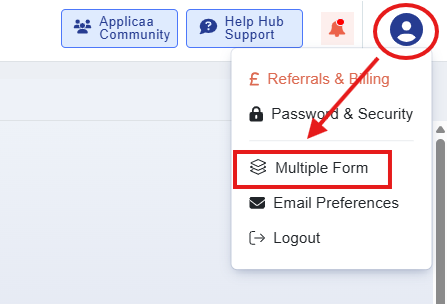
Navigate to your Forms area, either from the forms dropdown or within your profile settings.
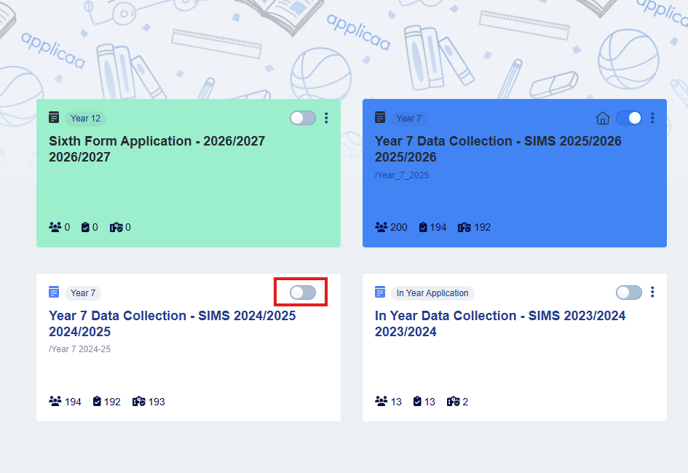
Ensure the form you want to archive is switched off (the slider should be grey); otherwise, it won’t be available for archiving.
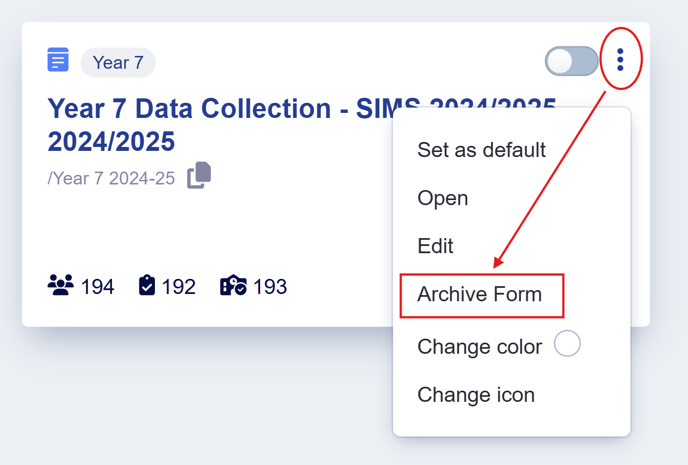
Click on the three dots on the right top corner of the form and select the ‘Archive form’ from the dropdown.
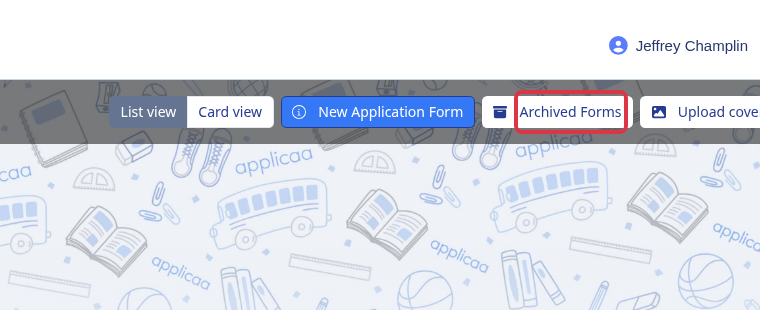
After a form has been archived, you can still access it at any time by clicking on the Archived Forms button.
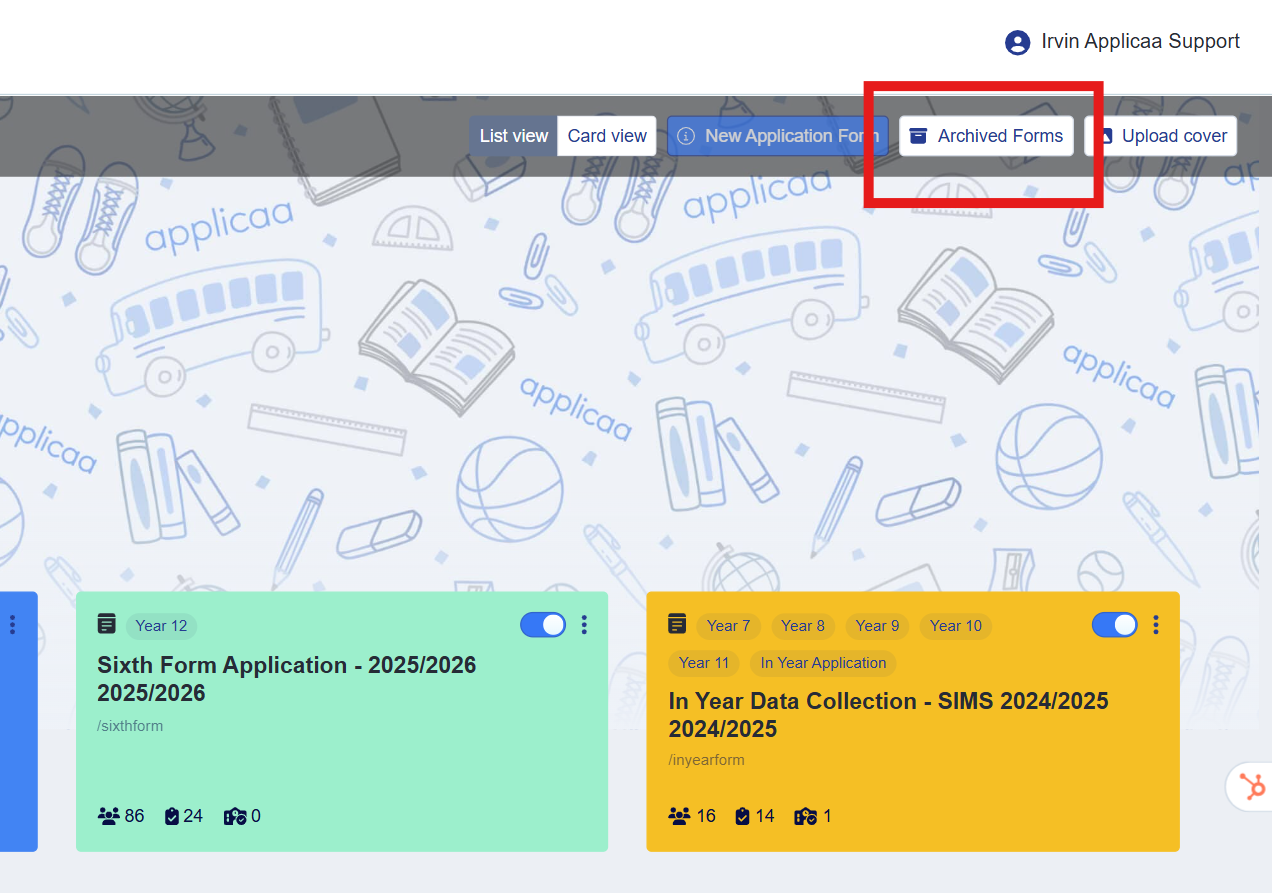
In the Forms Area, select "Archived Forms" to find forms that have been archived.
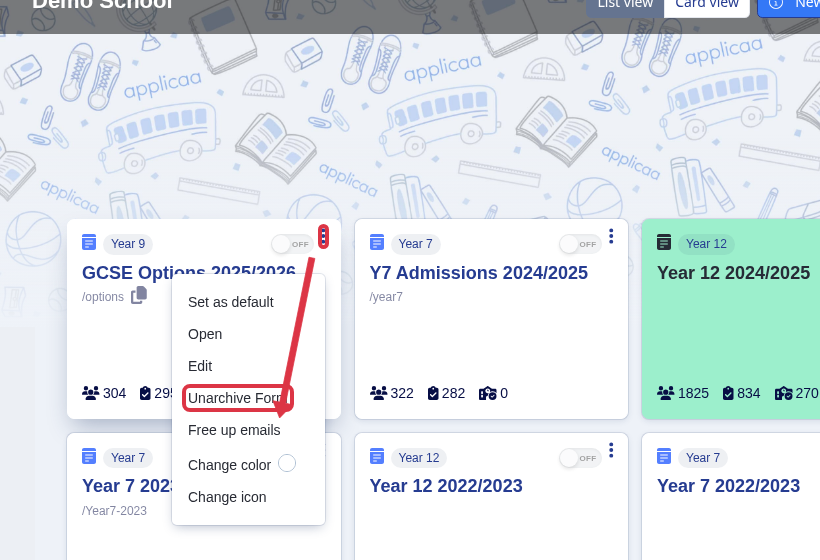
On the form you want to restore, open the three-dot menu and select "Unarchive Form". The form returns to the Forms Area.
You may contact support either by phone or via live chat if you’d like to permanently delete the form.
Please note that deleting the form will require to delete all students within that form, otherwise, it wont be deleted.