
You can grant an additional parent the permission to access and update an application for a student.
This works the same whether the student is still applying or has already been enrolled and is now a current student. The permission lives on the student's own profile, not on their application, so granting or removing it does not depend on where they are in the admissions process.
To do this, navigate to the profile of the student, click on the Application Form or Admission Form tab then Parent/Carer.
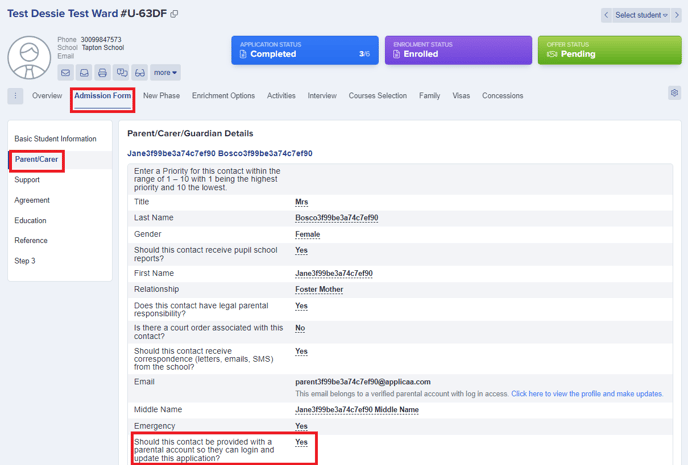

From there locate the parent's profile information and go to the property 'Should this contact be provided with a parental account so they can login and update this application?'. Change the answer to "Yes" and then tick to confirm.
Note: If this field isn't visible on their profile, you may check this via Settings > Application form > Parent Carer.
Under the sections of Parent Carer Contact Details and Additional Contact Basic Details - enable the 'visible on profile' button.
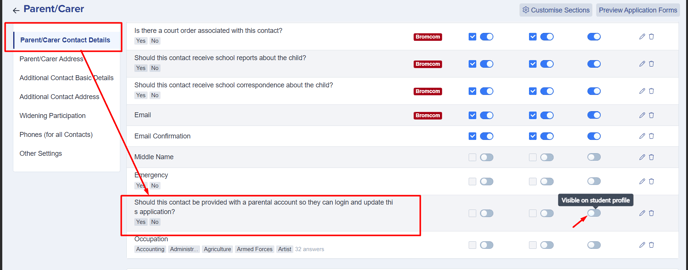
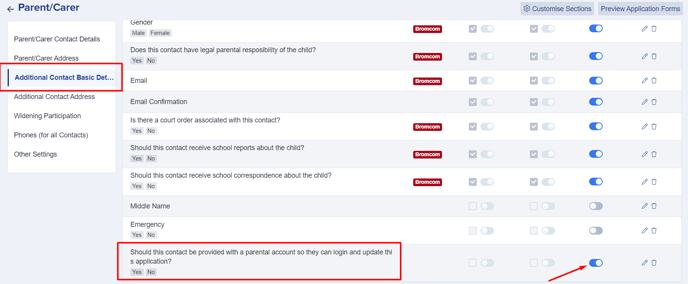
Once activated, you may now go back to their student profile and make the necessary changes.
Once a contact has been given access as described, they will receive an automated email notifying them of their access and providing their login credentials to them.
This email is sent automatically every time you change this answer to "Yes" - including if you switch it off and back on again later. It is not sent for anything else you do on the student's application form: entering or updating the rest of the parent's or student's answers does not email the parent, so you can fill in or correct their information without triggering another notification.
Filling in the application form yourself, on behalf of a parent
You do not have to give a parent a login to get their application form completed. If a parent is unable to fill in the form themselves, a staff member can enter and update every answer directly from the student's profile, without the parent ever logging in.
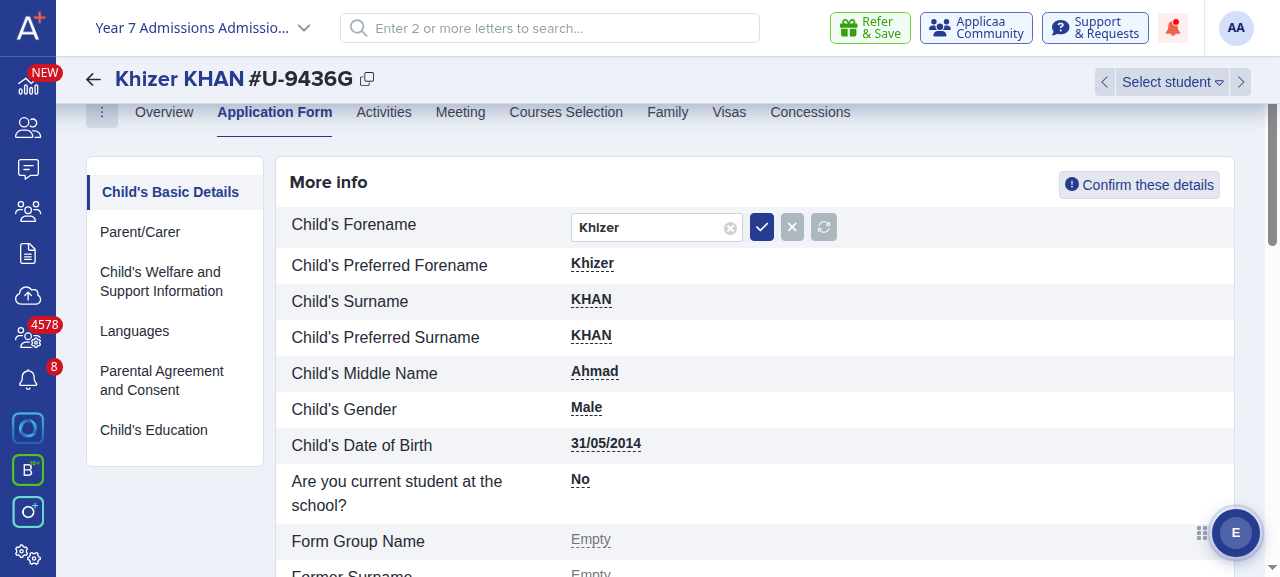
Open the student's profile and select the Application Form (or Admission Form) tab. Use the list of steps on the left, such as Child's Basic Details, Parent/Carer and Child's Welfare and Support Information, to move through the whole form.
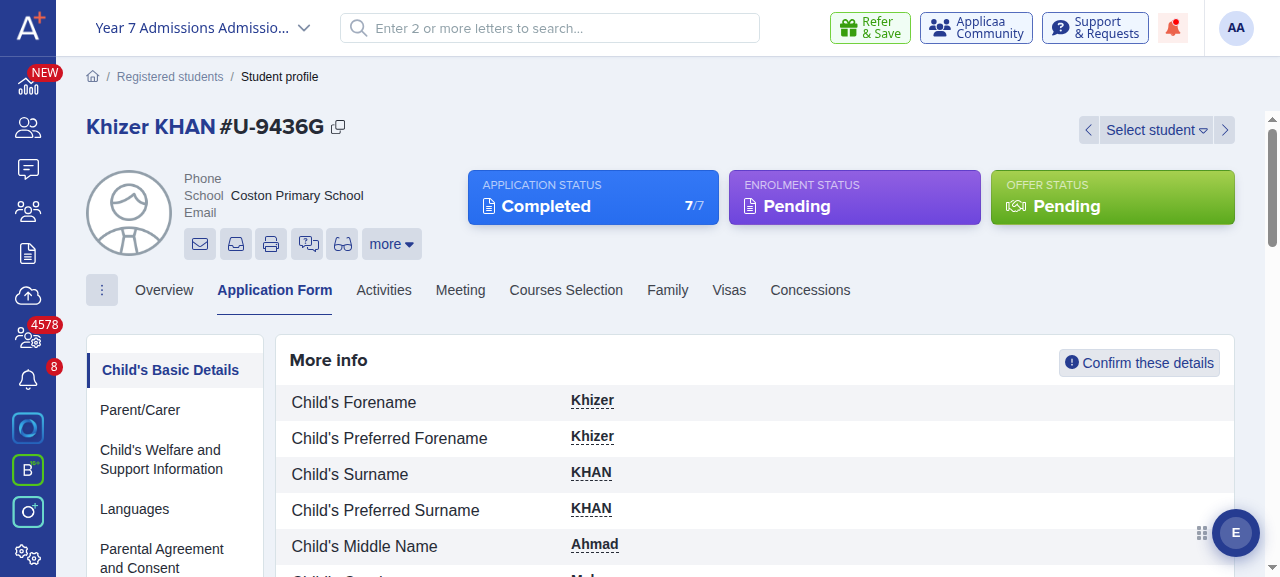
To complete or change an answer, click the value next to any question. The answer turns into an editable box; type the answer and click the blue tick to save it. Each answer is saved on its own, so you can work through the form one question at a time.
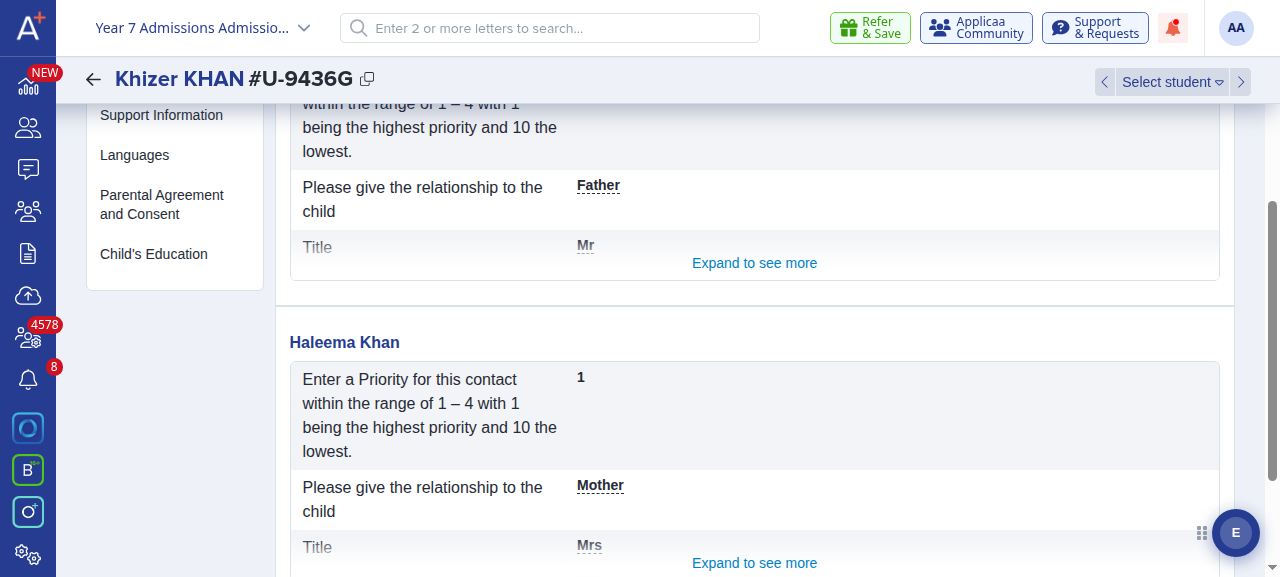
Open the Parent/Carer step to record the parent or carer's own details, such as their relationship to the child, their contact details and their consent answers, in exactly the same way. This is where you complete the parent's information for them when they cannot do it themselves.
When you have finished a step, click Confirm these details at the top of that step to mark it as checked.
Note: You can only edit a student's application form if your staff role includes permission to edit students. If the answers show as plain text and no editable box appears when you click them, ask your school's Admissions+ administrator to check your role permissions.