Use this process when a colleague leaves and a new staff member needs an Admissions+ account. A staff member who can manage users can create the account and send the sign-in details.
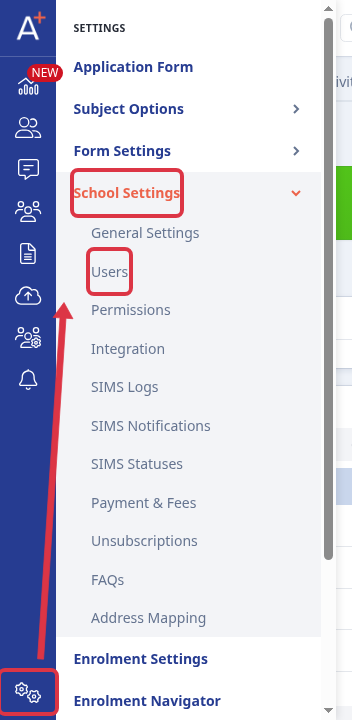
Go to "Settings" > "School Settings" > "Users".
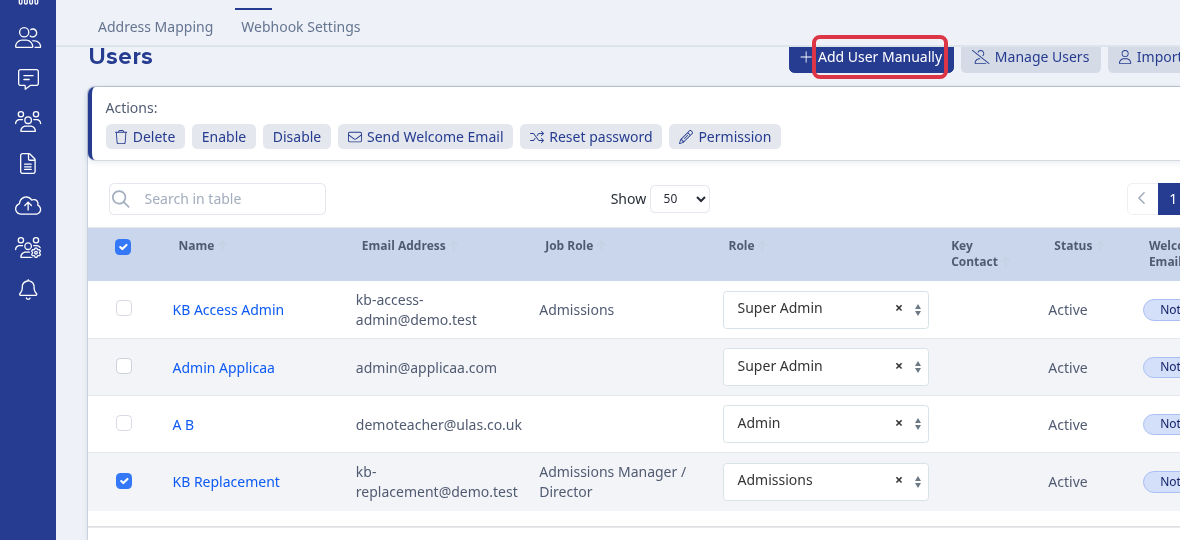
On the "Users" page, select "Add User Manually".
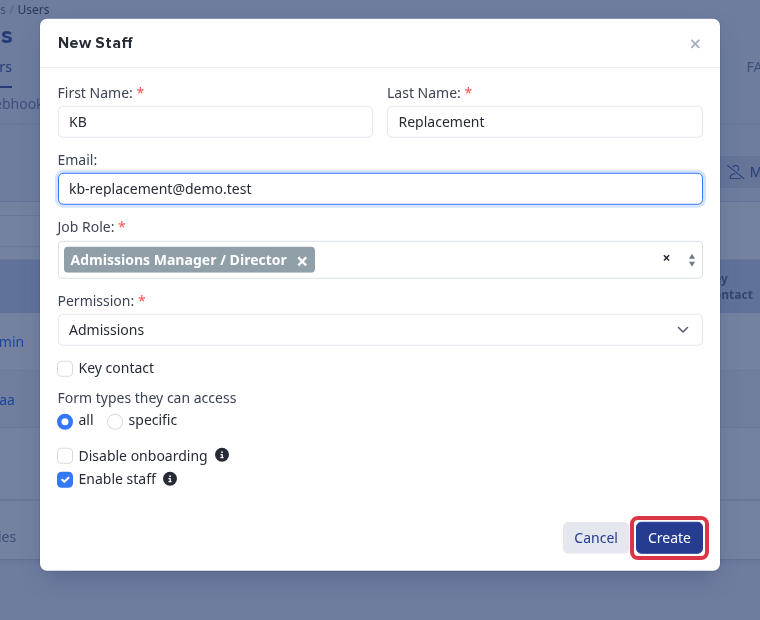
Enter the staff member's first name, last name, and email. Select their "Job Role" and "Permission", keep "Enable staff" selected, then select "Create". Admissions+ shows "Staff created successfully!" when it creates the account.
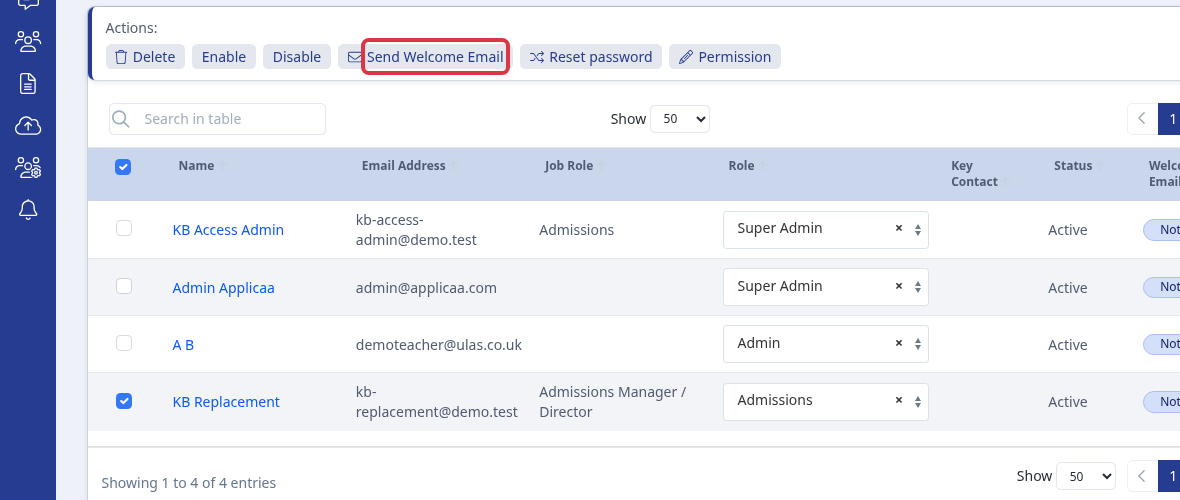
In the "Users" table, select the new staff member and select "Send Welcome Email". Admissions+ shows "Email has been sent!" and sends the staff welcome email with the sign-in details.