
The Bromcom student export sends a fixed set of fields from Admissions+ to Bromcom - you can't add or remove columns from the UI. This article covers what the standard export carries for sibling data, and how to send a school-specific field the standard map doesn't cover.
What the standard export sends
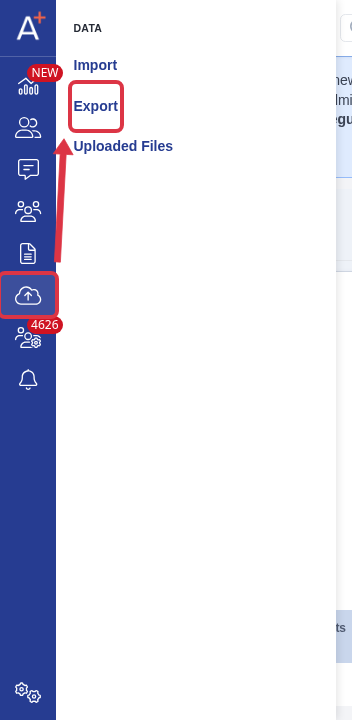
Open the application form, go to "Data" > "Export", then start or open a Bromcom student export.
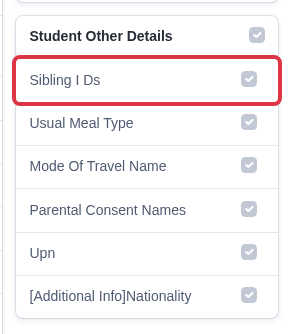
On the field-mapping step, the "Student Other Details" section lists a "Sibling I Ds" row. This row has no source field in Admissions+ and no dropdown to map it to one - it is always sent empty.
- Admissions+ does record a student's siblings on the application (current and former siblings), but that data is not part of the Bromcom export field map.
- This is true for every Bromcom export, regardless of which filters or export options you choose - there's no setting that turns sibling export on.
Adding a field the standard map doesn't cover
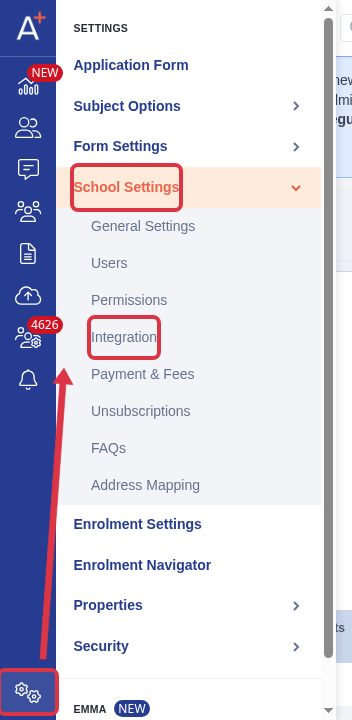
A field outside the standard map - for example a new census category your school has added in Bromcom - can still reach the export, but it has to exist in Bromcom first. Go to "Settings" > "School Settings" > "Integration".
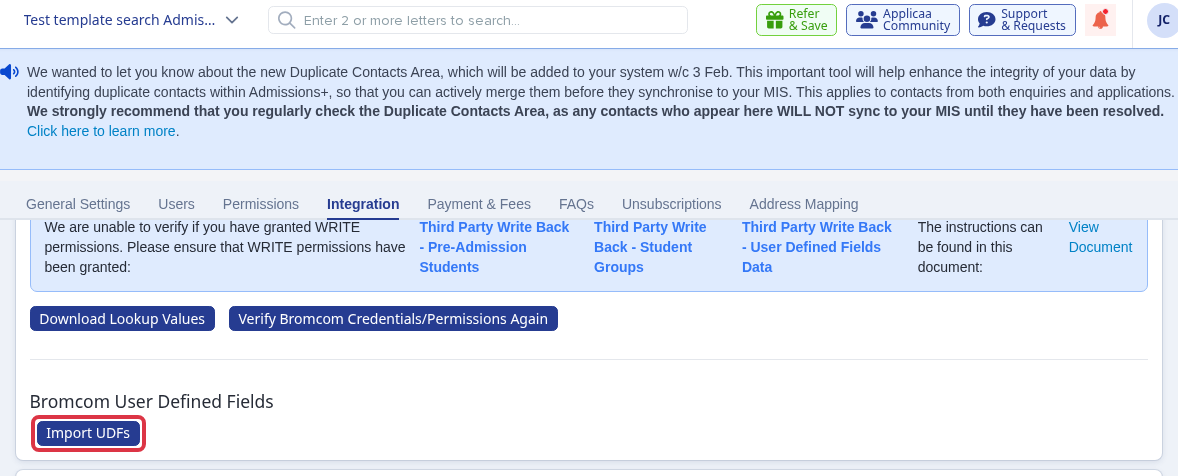
On the Bromcom tab, select "Import UDFs". This pulls in the User Defined Fields already set up on your school's Bromcom and adds them to Admissions+ as a "Bromcom User Defined Fields" property.
Add the imported property as a custom field on your application form. It then appears under "Bromcom User Defined Fields" on the export's mapping step, where you pair it with the matching field for that student.
What it does not do
- Admissions+ has no built-in field for a new census category such as Kinship Care - it must first exist as a User Defined Field on your school's Bromcom before you can import and map it.
- "Sibling I Ds" in the Bromcom export always stays empty; there is no option, setting, or import that populates it.