
You can enter a missing subject manually and record a BTEC First Extended Certificate correctly in a student's achieved grades.
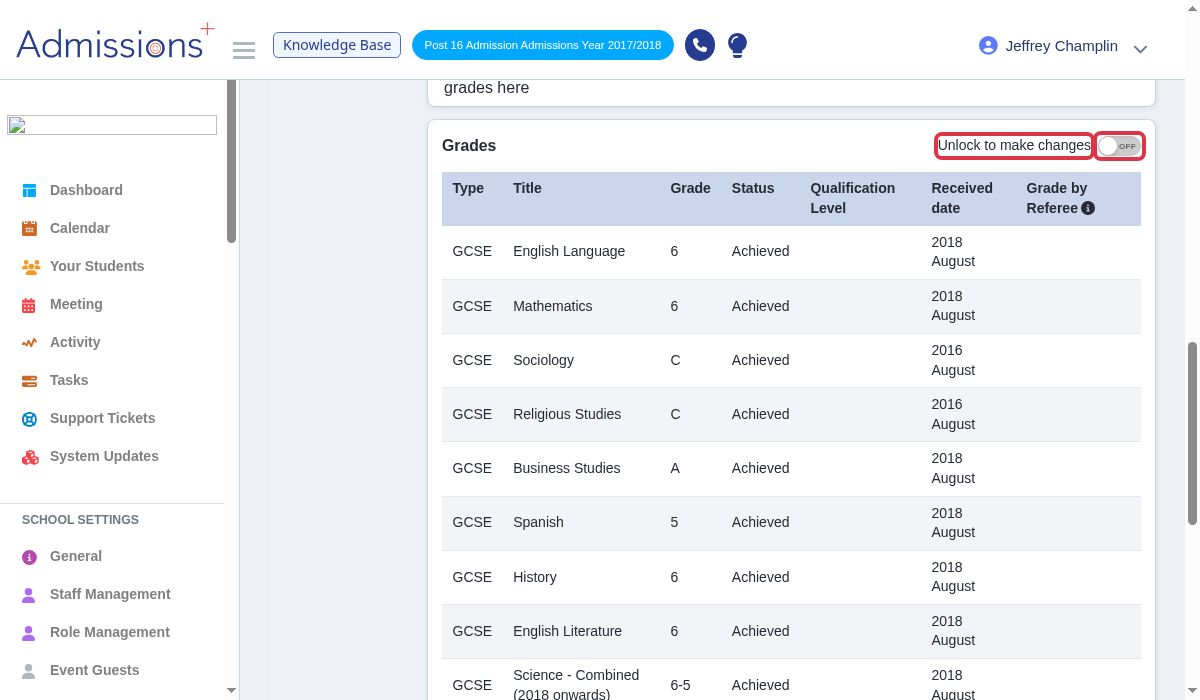
In the student's "Education" page, turn on "Unlock to make changes" in the "Grades" panel.
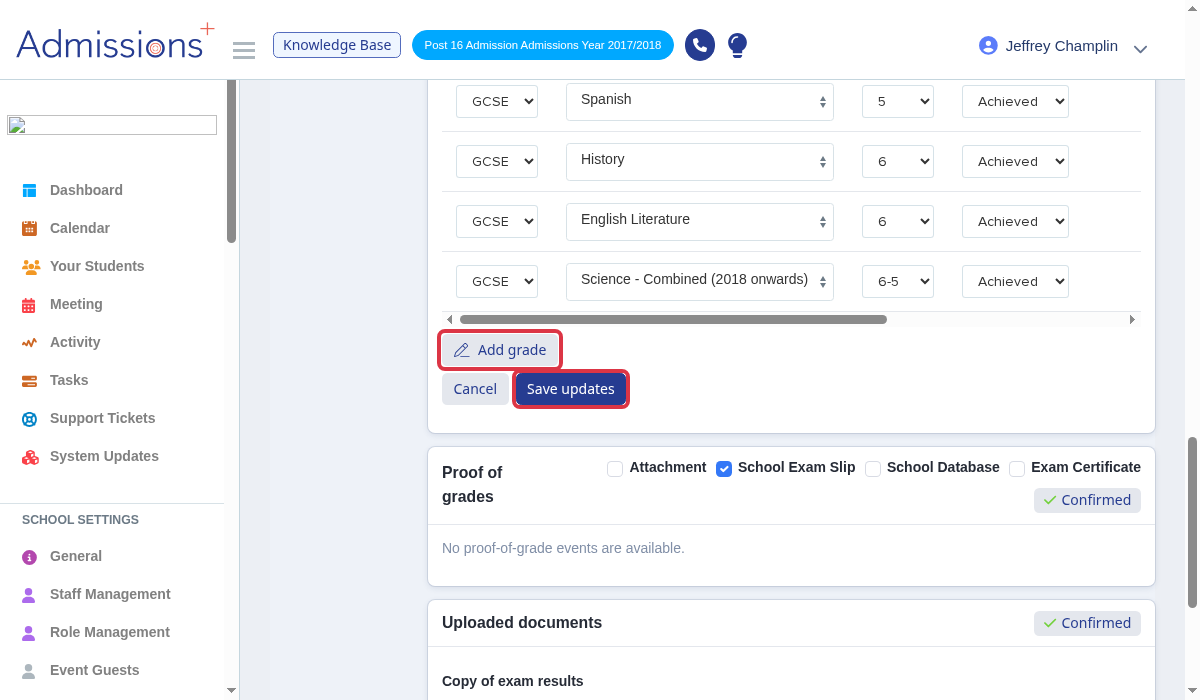
Select "Add grade".
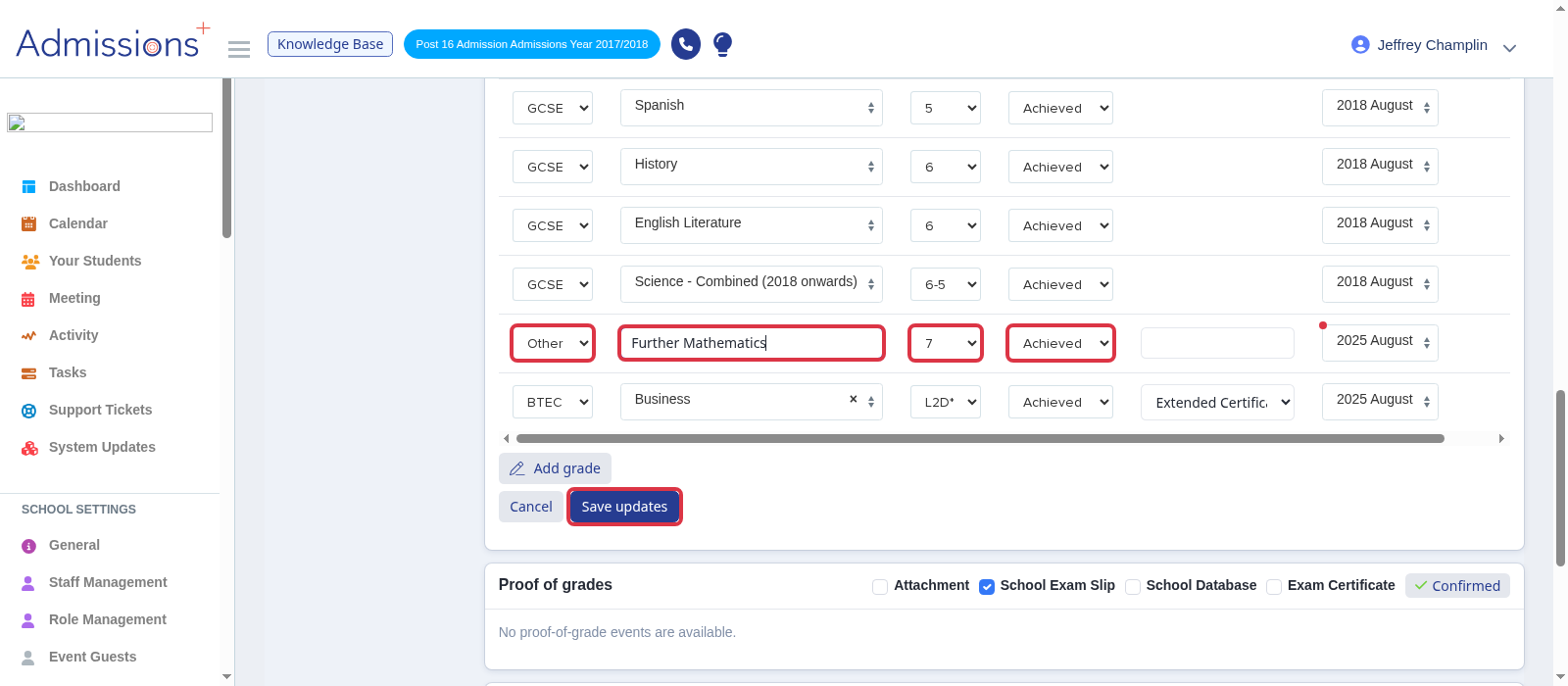
When a GCSE subject is absent from the title list, select "Other" in "Type". Enter the full subject title, such as Further Mathematics, set the grade and "Achieved" status, then select "Save updates".
For a BTEC First Extended Certificate, select "BTEC", select the qualification title and "Extended Certificate", then enter one grade and select "Save updates". Do not add two grade rows. The system counts an Extended Certificate as two awards.
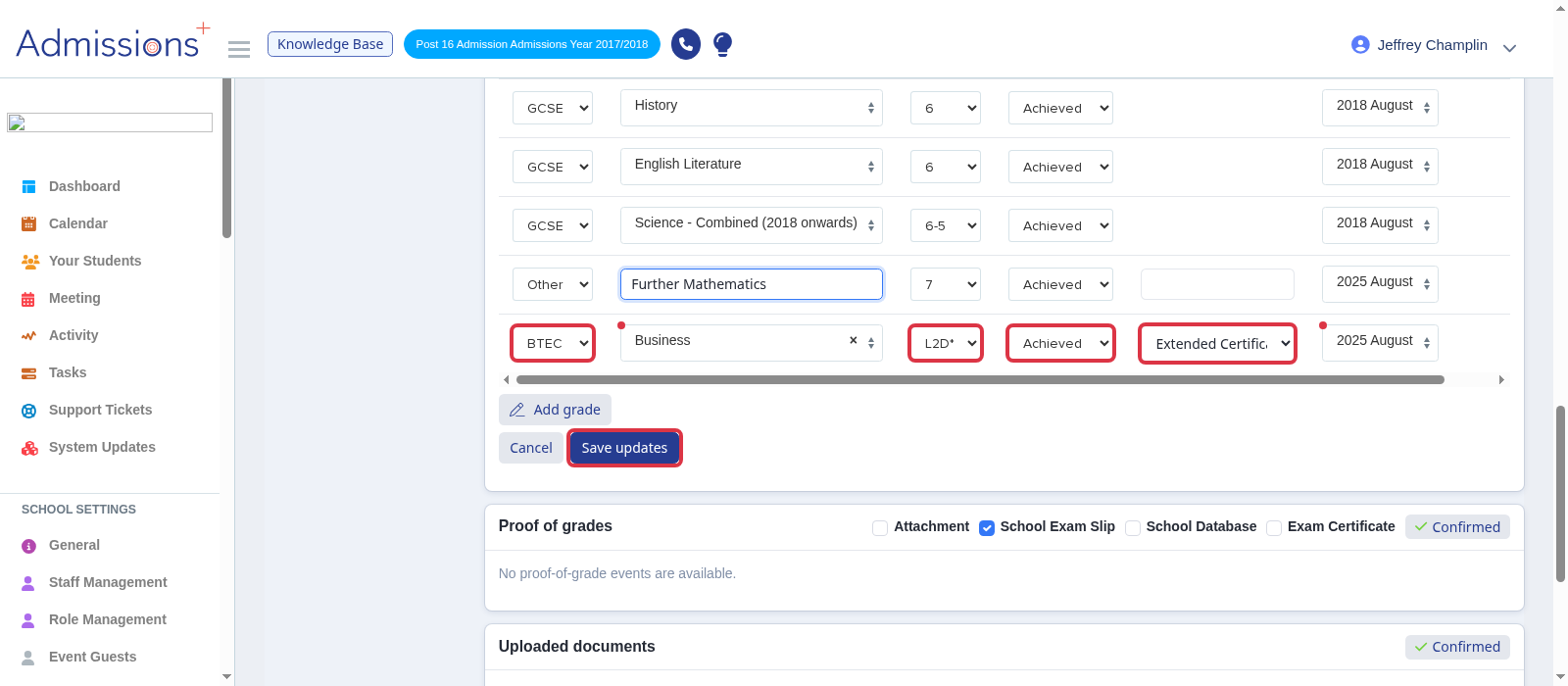
- An achieved grade needs a received date before you save it.
- Use "Other" only when the required title is absent from the list.
If you need help with a grade, ask Emma from the product or use the helpdesk.