
This guide will tell you how to control which applicant has access to particular phases in the application form.
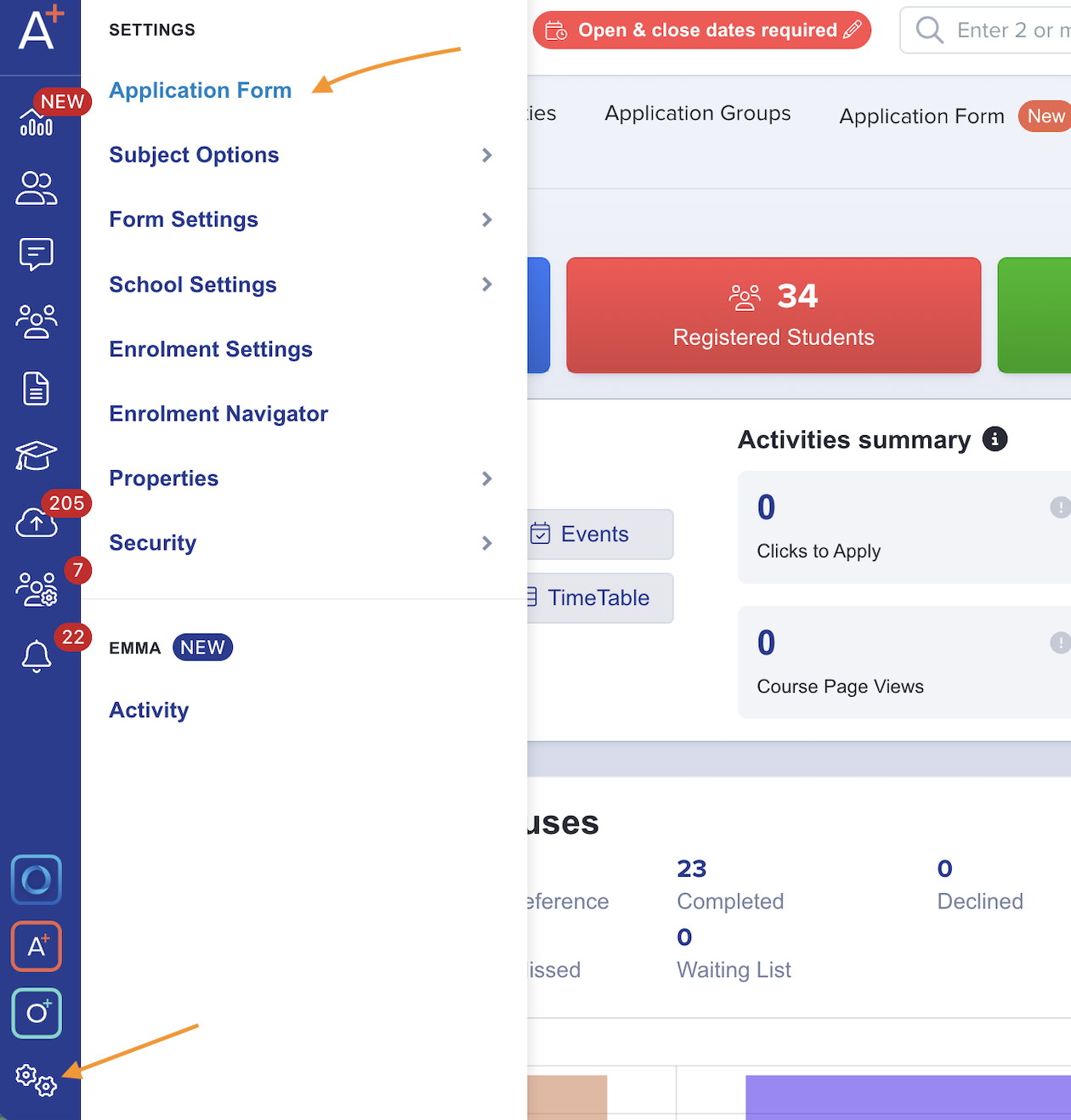
To access this you will need to go to Settings > Application Form.
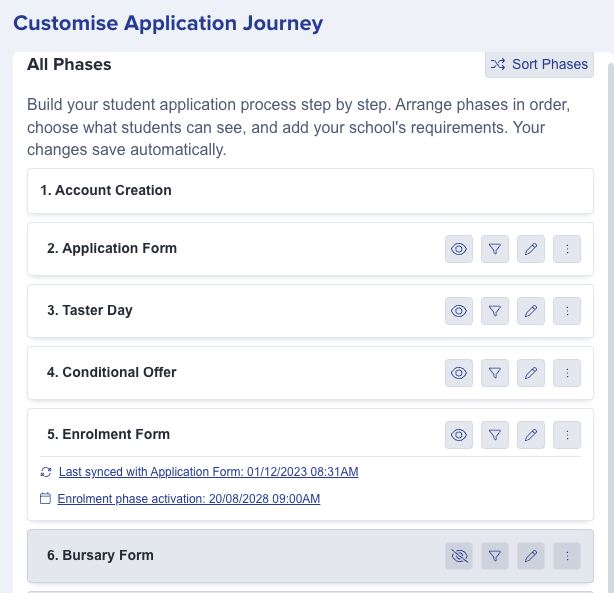
Phases which are visible to the applicants are coloured white in the left-hand panel, and the eye icon is open to indicate the phase is enabled. Grey phases, with the eye crossed through, are disabled and not currently visible to the applicant.
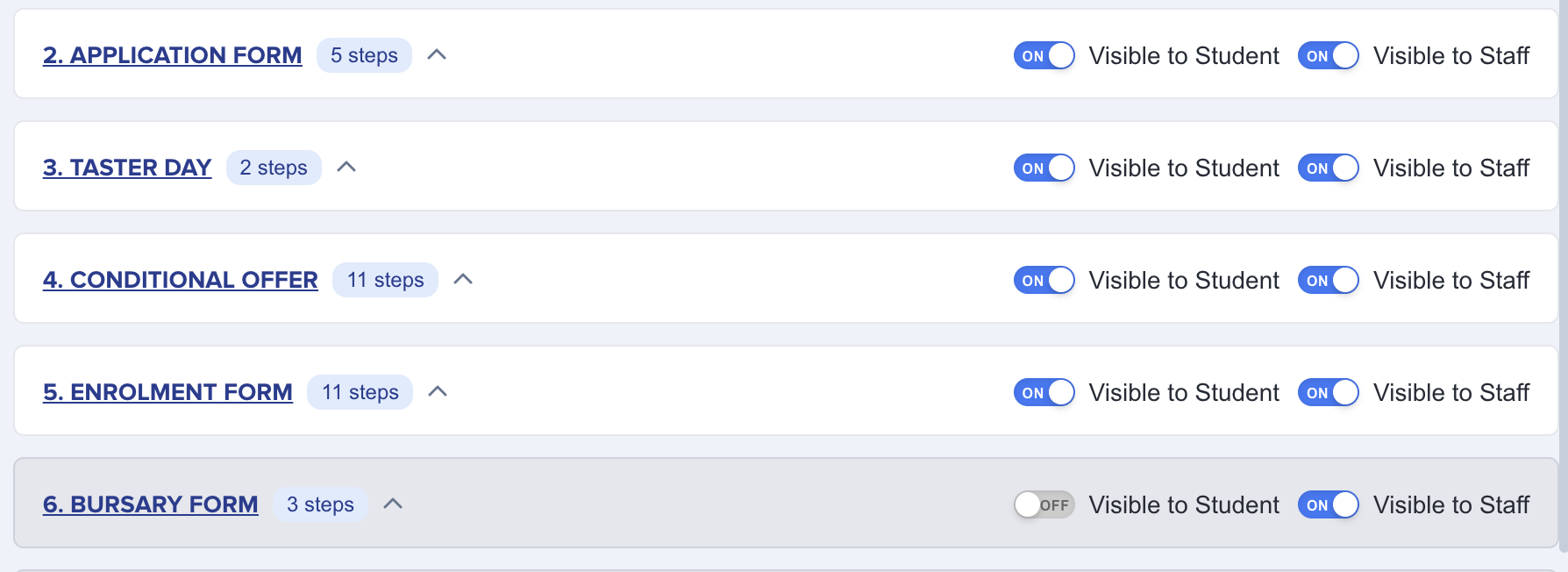
The right side of the screen also indicates the same information, and you can confirm which phases are / aren't visible to either applicants or staff by checking the toggle switches.
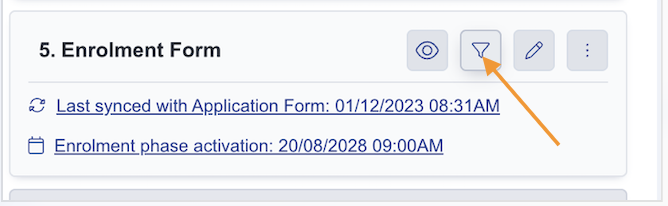
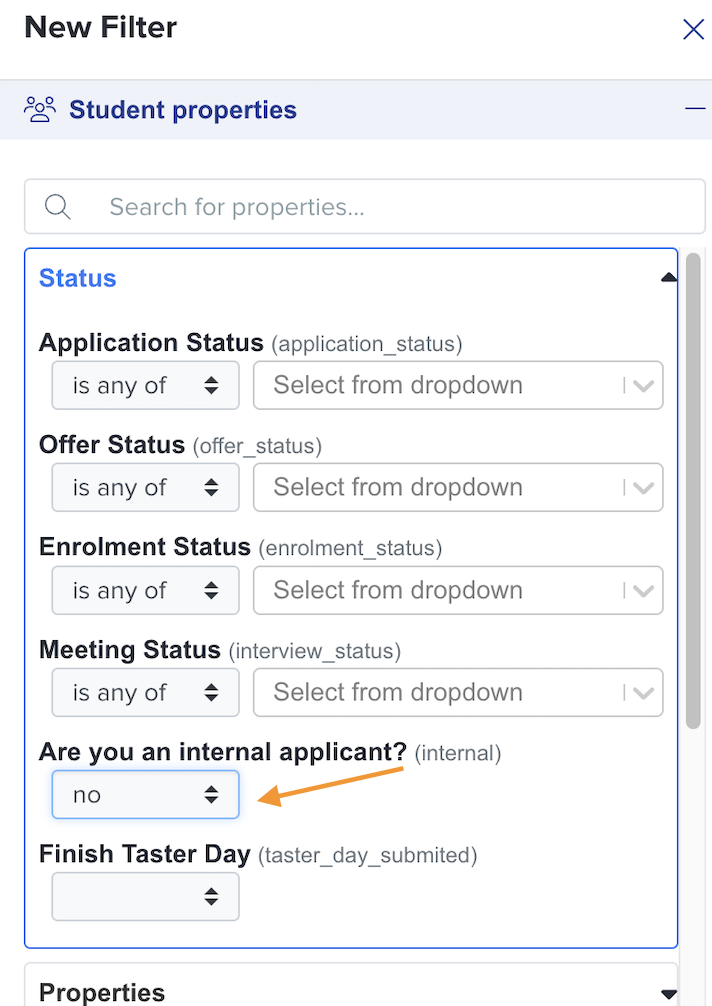
The filter feature enables you to set specific parameters that can define which applicants can actually see or access the phase when it is active. Let's say for example you'd like to switch a particular phase on but only grant access to applicants who do not currently attend your school (Externals) what you could do is apply a filter.
Within the pencil icon for any phase, you can control the settings such as whether the phase is locked after submission, or completely locked to all (disable submissions).

You can control these settings independently for internal and external applicants. And if you hover on the ⓘ icon you will be given more information about it.
How to delete a phase
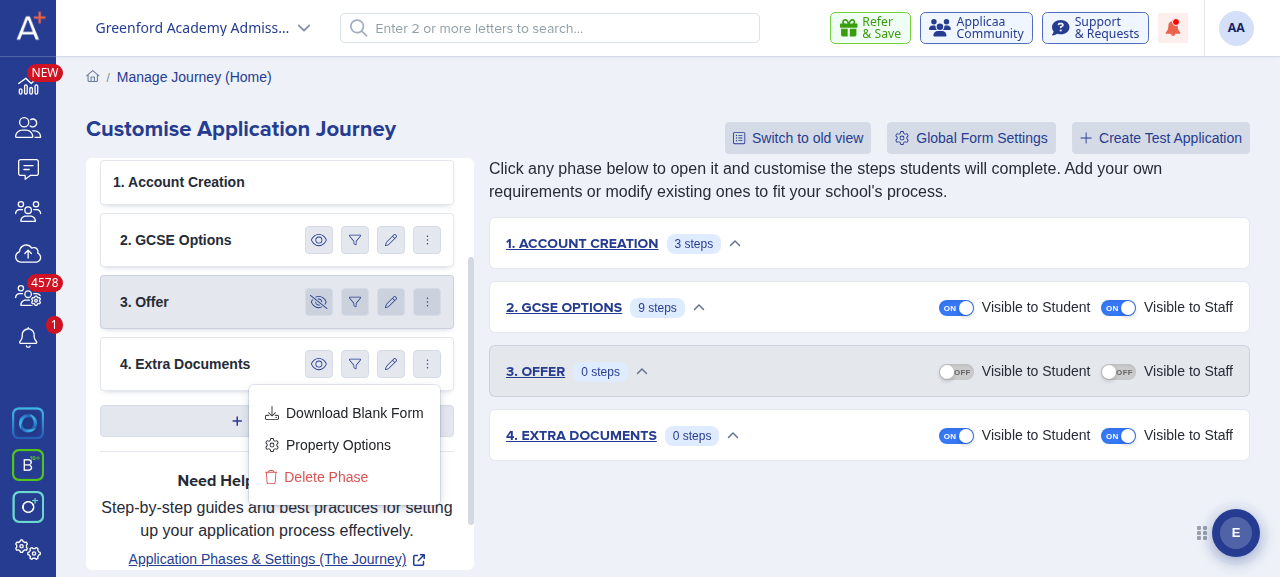
If you added a phase to your application journey and no longer need it, you can remove it. Go to Settings > Application Form and click the three-dot (kebab) menu next to that phase and choose "Delete Phase".
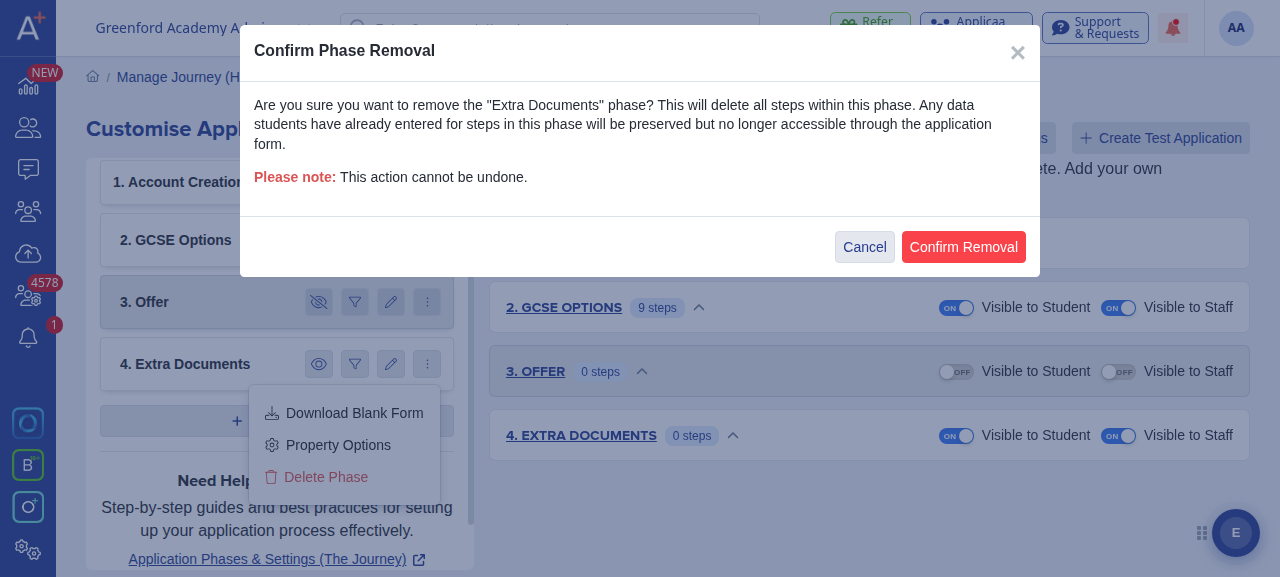
A confirmation window opens. It reminds you that removing the phase also deletes the steps within it and that this action cannot be undone. Any data applicants have already entered for those steps is preserved, but it is no longer accessible through the application form. Click "Confirm Removal" to delete the phase, or "Cancel" to keep it.
You can only delete phases you have added yourself, and only once they contain no steps. Core phases such as "Account Creation", "Offer" and "Enrolment" cannot be deleted, so they do not show a delete option. If the phase you want to remove still has steps, delete or move those steps first and the delete option will appear.
If your aim is to make a phase optional or reachable outside the normal journey rather than removing it, you can make it stand alone instead, which is covered in the related article below.