
Use an event's registration settings to stop a guest's registration from creating an enquiry record or asking a linking question, and to restrict who can register to parents only.
Stop registration from creating an account or linking to a student record
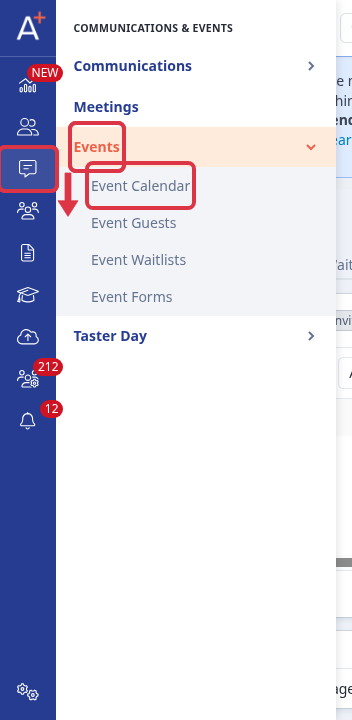
Go to "Communications & Events" in the left-hand rail, open the "Events" drawer, then select "Event Calendar".
Open the event, then go to its "Enquiry settings" card. Set "Automatically create enquiry record for student event guests" to "No - do not create enquiry records".
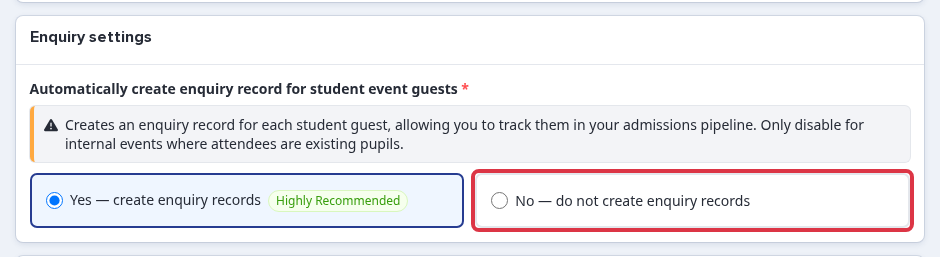
- "Yes - create enquiry records" is the default. It creates an enquiry record for each student guest so you can track them in your admissions pipeline.
- "No - do not create enquiry records" stops that enquiry record from being created for this event's guests.
On the same event, go to the "Email & questions" card and untick "Mandatory" next to "Enable prospective pupil question when parent apply".

- Ticked, a parent registering is asked to link the registration to an existing pupil record.
- Unticked, that question does not appear, so a parent registering is never asked to link to a student record.
Restrict registration to parents only
Every event's registration form carries a question that asks whether the attendee is an adult or a child/student, with two answers: one for parents and one for students. Go to "Communications & Events" > "Events" > "Event Forms", open the event's question form, then edit this question.
In the options table, untick "Active" next to the student answer, then select "Save question".
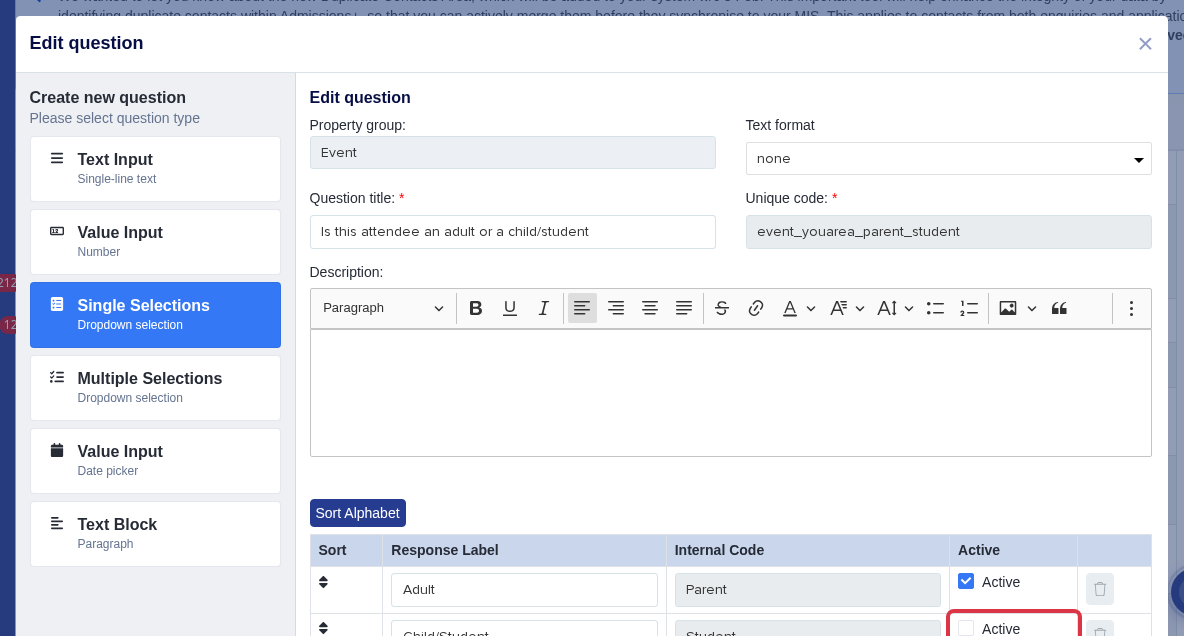
- With the student answer inactive, only the parent answer remains selectable, so only a parent can complete registration.
- Re-tick "Active" on that row at any time to allow students to register again.
Things to know
- These three settings are independent. Turn off enquiry-record creation, turn off the linking question, and restrict to parents only in any combination the event needs.
- Even with enquiry-record creation and the linking question both off, the system can still match a guest's registration to an account created later elsewhere, using the email address on the registration. There is no setting to turn this matching off.
- These settings apply to Admissions+ State and Admissions+ Independent schools. They do not apply to Bursary+ or Bursary16+ schools, which do not have an events area.