
This guide will show you how to upload policies or consent for your parents/students to have read and agree to.
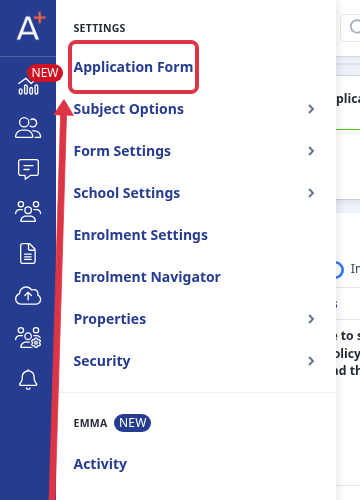
First, go to settings > application form.

Once you are in the application form area, look for the 'Agreement' step under the phase "Application Form" (any steps can be renamed to something more preferable to you; just click on the pencil icon to edit the title of the step). Click the settings cog or the step name to access the sections of the step.
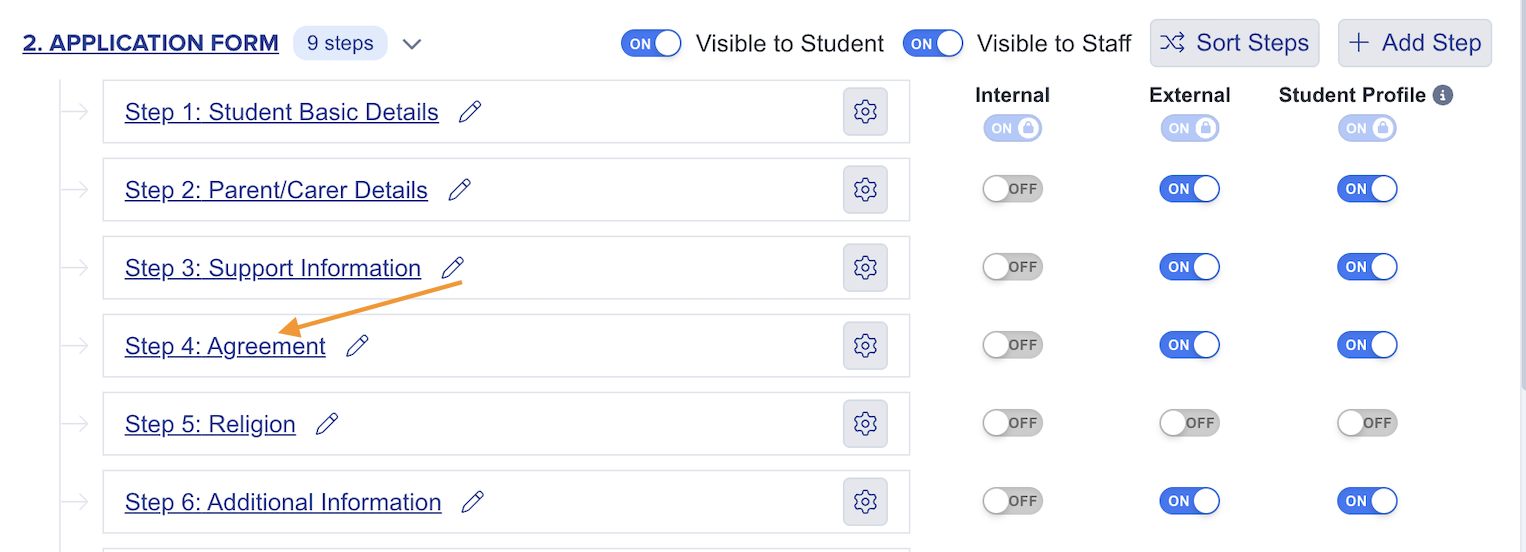
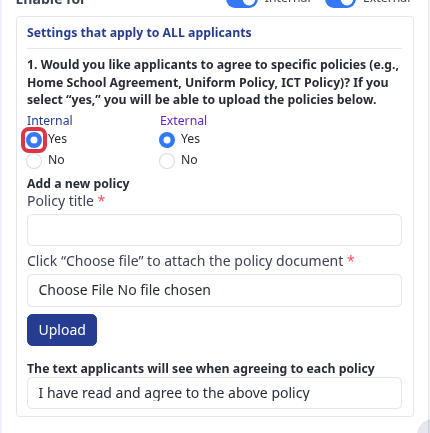
Once there, select "yes" for at least one of the internal/external choices and this will activate the policies section. You can upload as many policies as needed here. Give your policy a title, then choose a file and click 'upload' button. You can also customise the agreement wording if desired - the same text will be applied to all uploaded policies.
Note: It is recommended to convert each policy document to a PDF format before uploading.
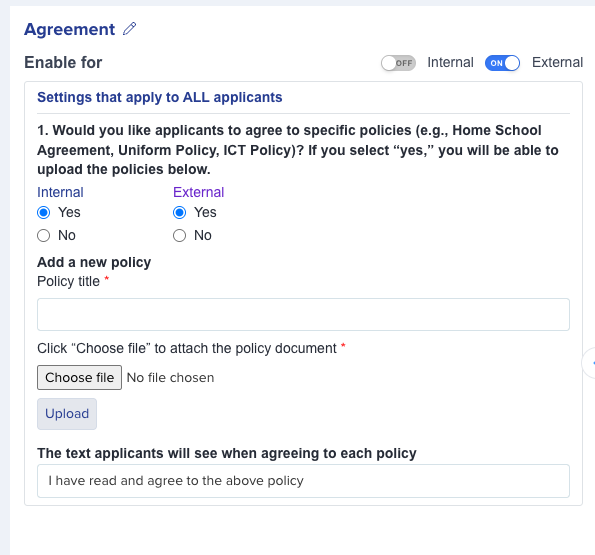
Once done, you may preview your application form to see how it looks.
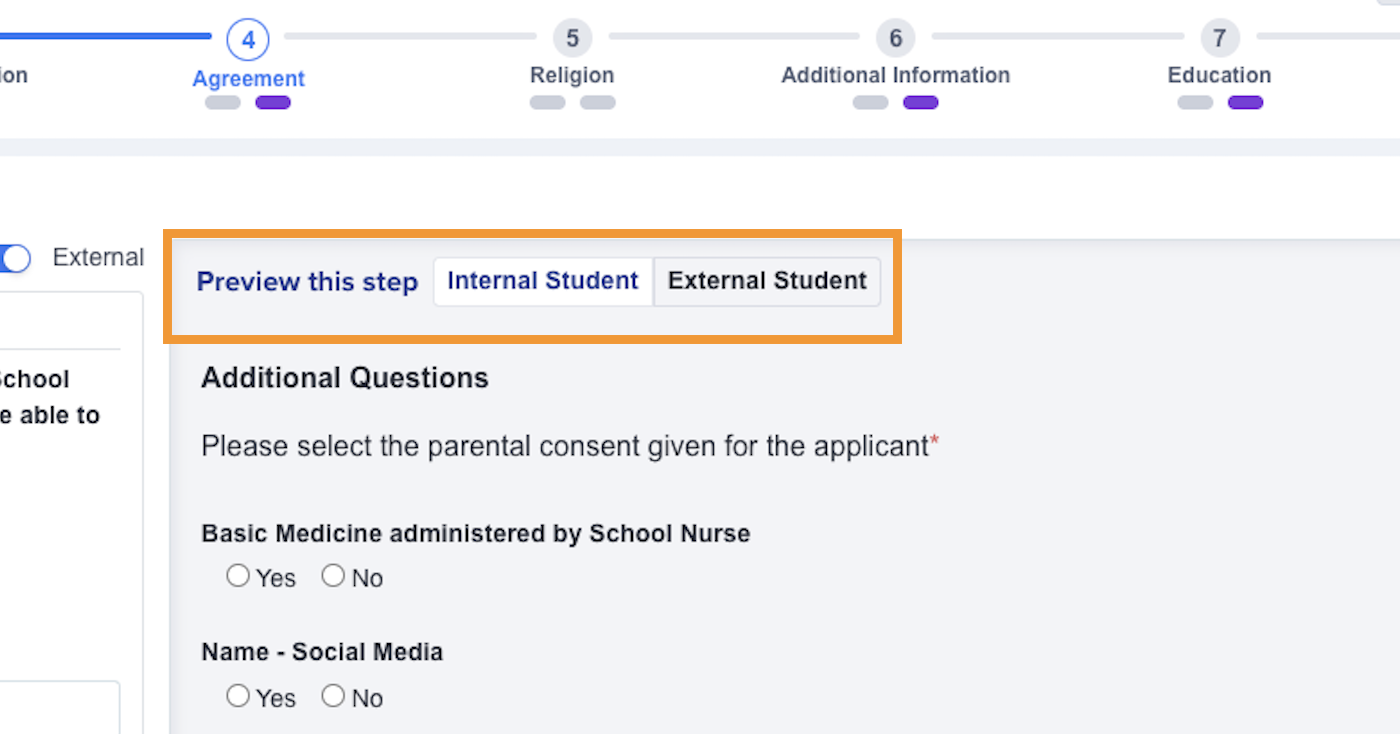
See sample below:

Removing a policy or consent
If a consent or policy is no longer needed, you can remove it from the same "Policies" area of the "Agreement step" where you uploaded it. Every policy you have added is listed there, each with a bin icon beside its name. Click the bin icon for any policy you wish to remove.
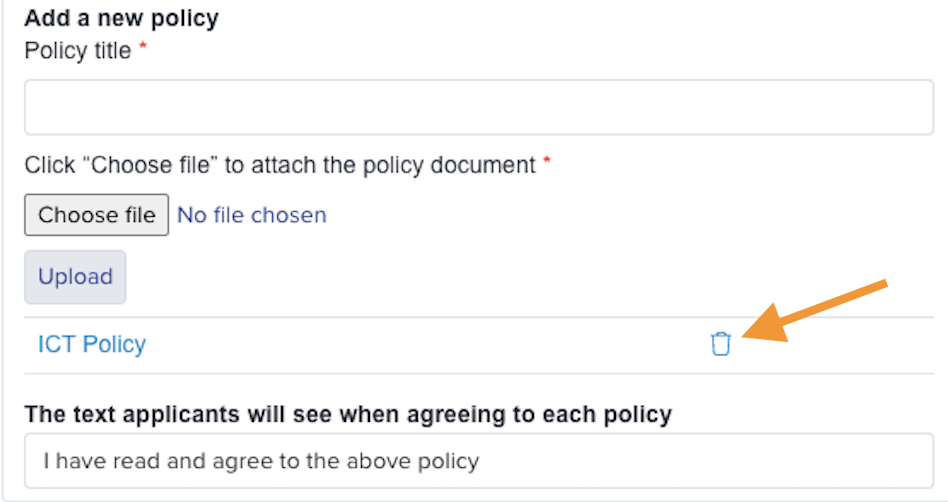
A confirmation message appears asking "Are you sure? You won't be able to revert this!". Click "OK" to confirm. The policy is removed straight away and disappears from the list, so applicants will no longer see it or be asked to agree to it.
Note: Removing a policy is permanent and cannot be undone. If you might need the document again later, keep a copy before you delete it.
If you only want to stop collecting policies for now without deleting them, switch off the "Enable for" toggle for your Internal and/or External applicants at the top of this step. This hides the policies section from those applicants while keeping your uploaded documents in place.
Upload a policy document
Go to Settings > Application Form and open the Agreement step.
Select Yes for each applicant type that must read and agree to your policies. This shows the policy upload controls.
Use a consent that comes from Arbor
An uploaded policy document is separate from an Arbor consent question. The policy upload controls do not add an Arbor consent to the form.
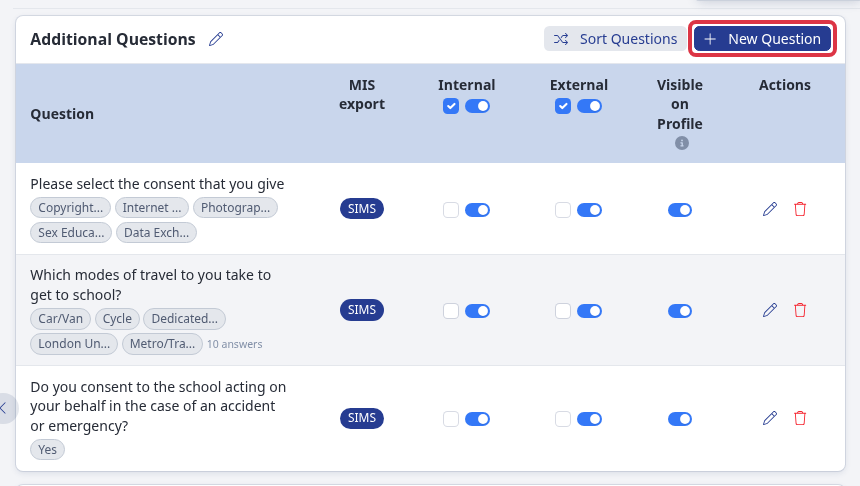
When you need a consent question, select New Question in the Additional Questions section.
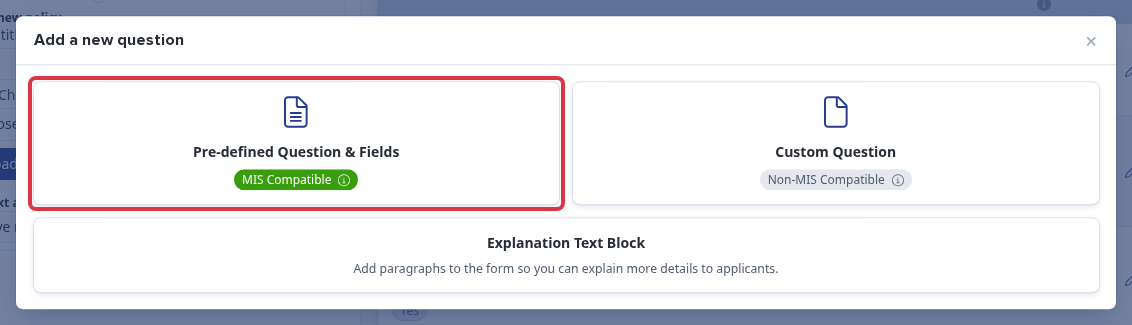
Select Pre-defined Question & Fields with MIS Compatible.
Under Additional Questions, select Please select the consent that you give, then select Add selected questions.
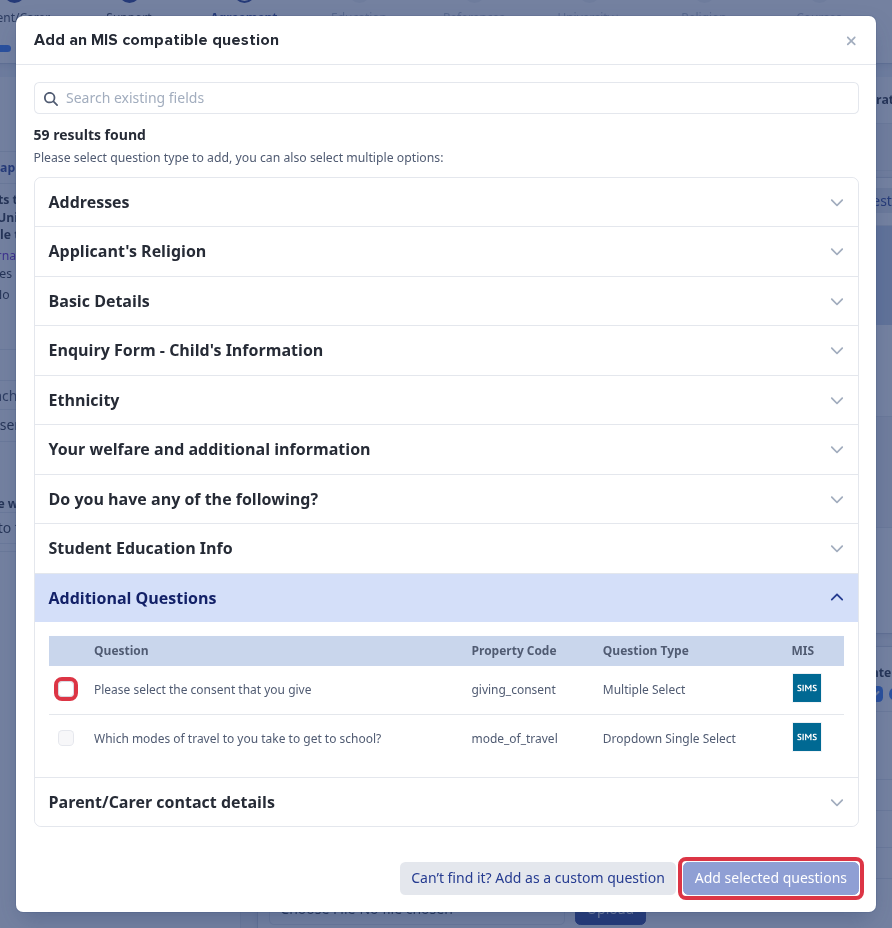
Applicaa imports active Arbor consent types into this question. An archived consent in Arbor becomes inactive in Applicaa. New consent types can stay hidden on existing questions when your MIS lookup setup hides new values.
What it does not do
- Adding an Arbor consent question does not upload a policy document.
- Uploading a policy document does not create an Arbor consent type.
Questions staff ask
My new Arbor consent is not available.
Check that the consent is active in Arbor. If it is still missing after the Arbor lookup updates, ask Emma or contact the helpdesk.