
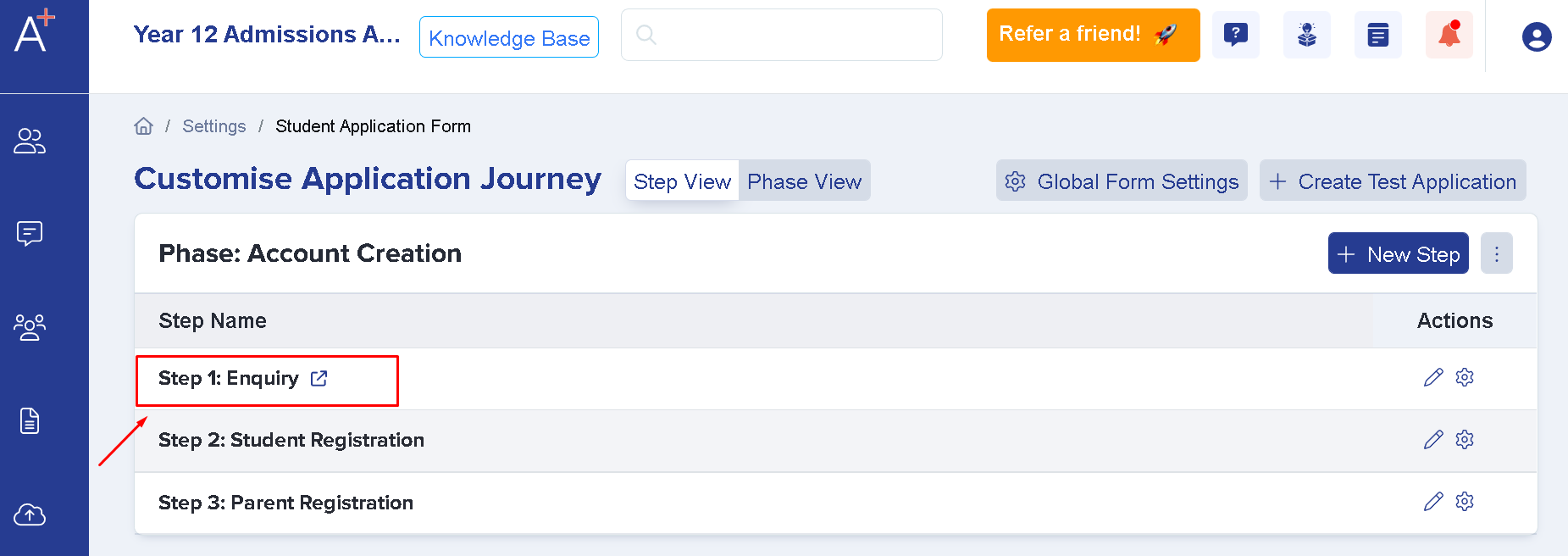
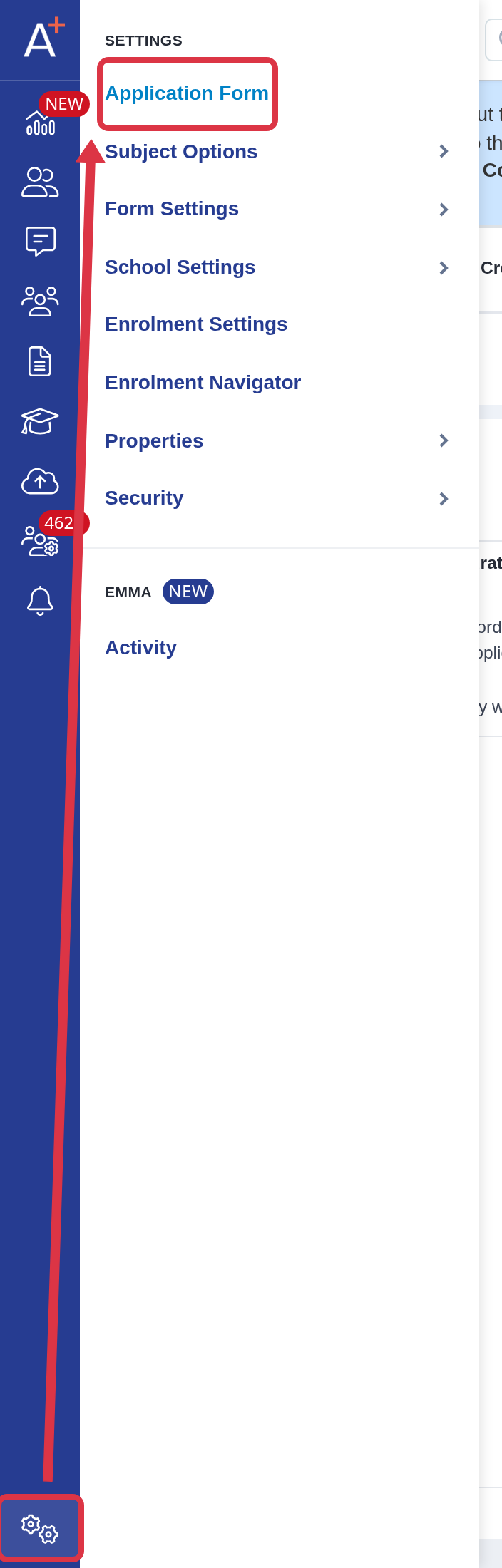
This setting is found by clicking on Settings on the lower left part of the screen > Application Form. It will then show you Account Creation, please select the wording Enquiry
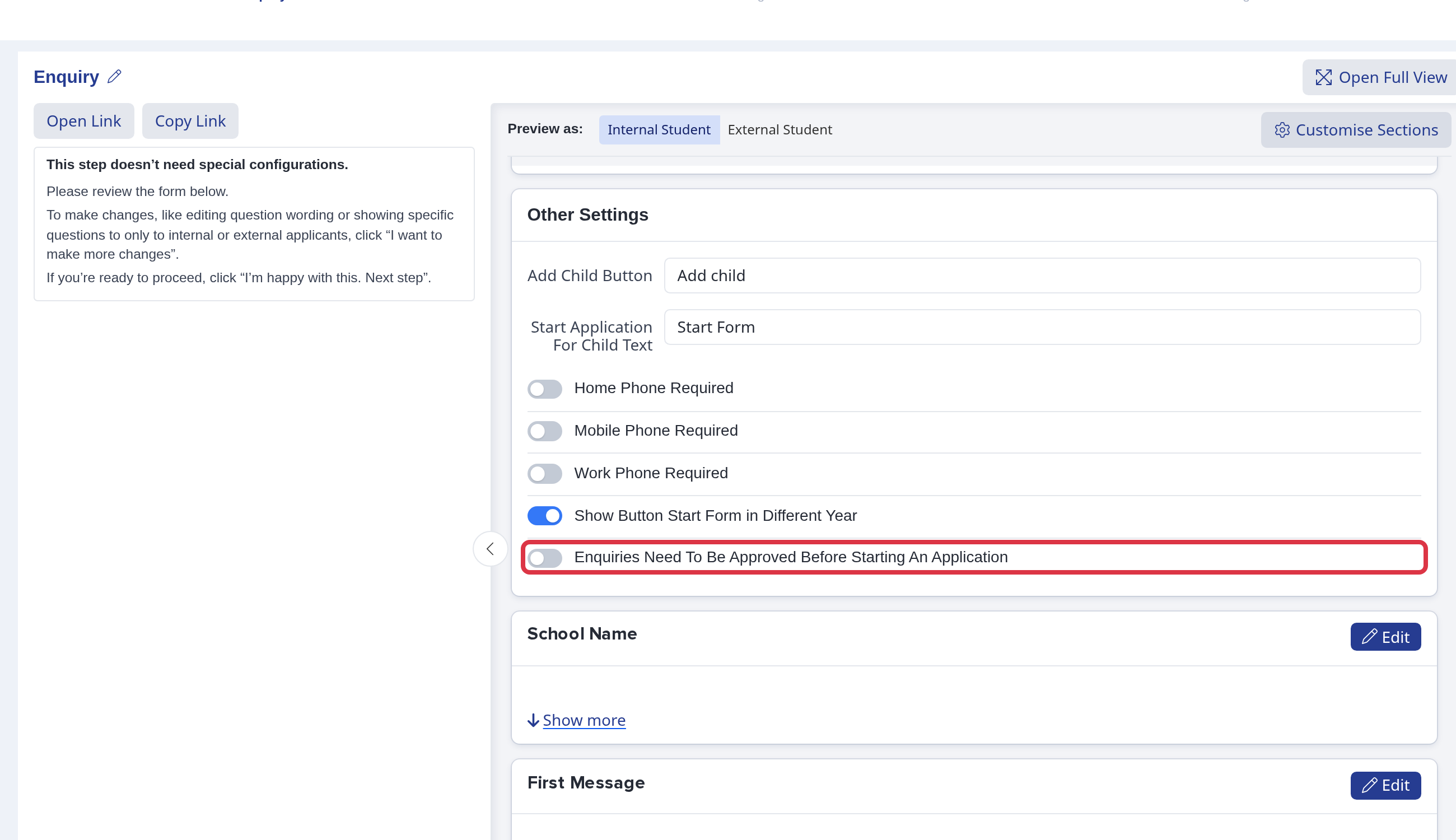
Scroll down to the bottom part of the new window where you will see the toggle which says "Enquiries Need To Be Approved Before Starting An Application"
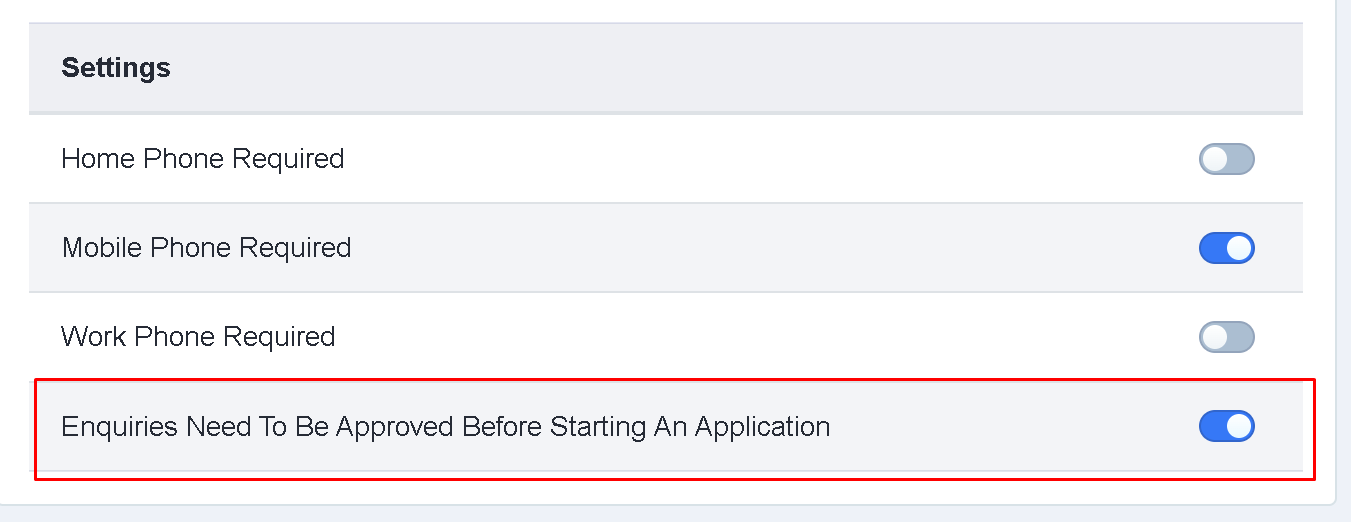
Once you've turned that on anyone who wishes to make an application would have to make an enquiry first and would need to be approved.
When the toggle is on, two more options appear below it. In "Select year groups", choose the year groups whose enquiries need approval; year groups you leave out do not need approval. In the "Enquiries Need To Be Approved Message" box, type the message that parents see on their enquiry while they wait for approval, then click away from the box to save it.
Now once a parent has submitted an enquiry, here's how you can approve them. There are two ways of approving an enquiry
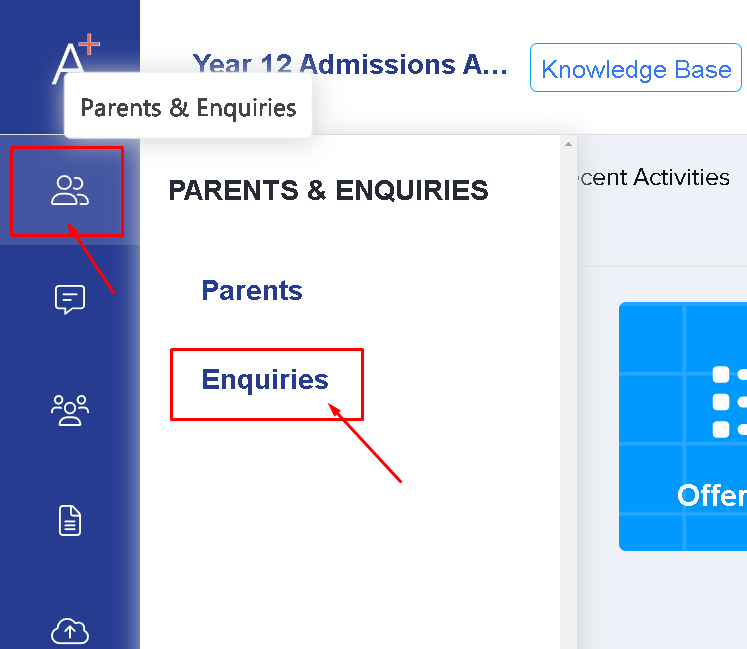
First - Go to parents and enquiries, select enquiries then a list of all the enquiries will show (you may filter pending to see only the ones that needs approving) -
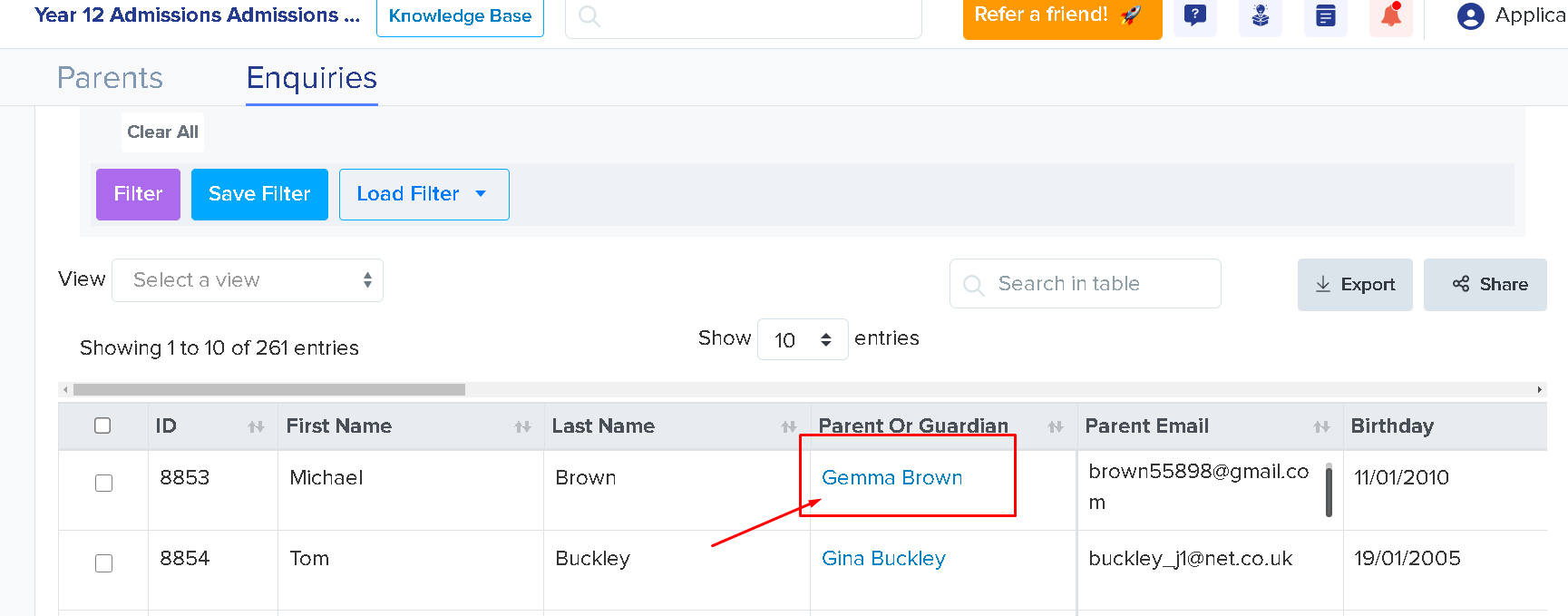
Click the name of the parent you'd want to approve. This will bring you to the parent profile, you'll then be able to change the enquiry status from pending to approve.
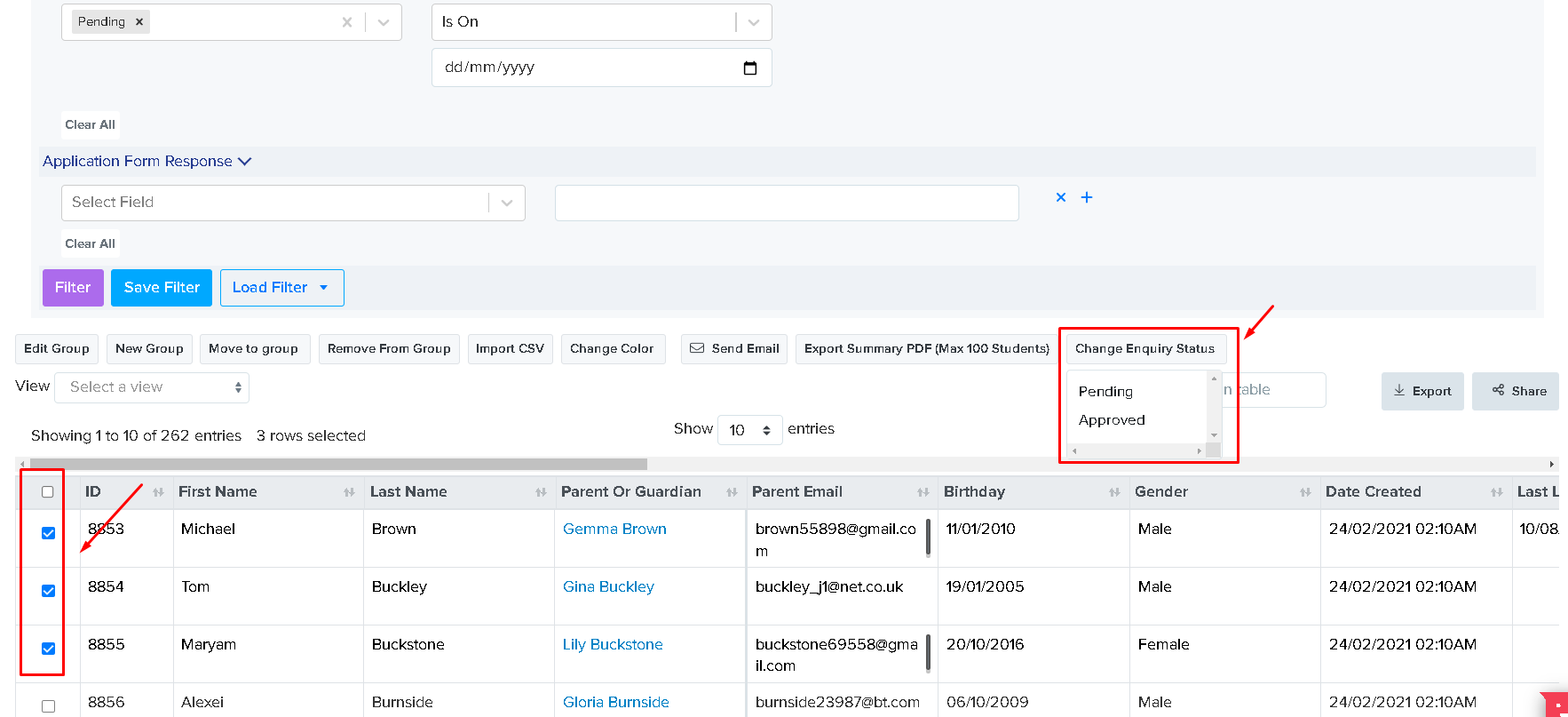
Second - selecting the parent's tick box from the table (you may also choose more than one to bulk approve enquiries) then a list of actions will show and select 'change enquiry status'.
What happens when you turn this option off?
Go to "Settings" > "Application Form", open the relevant form, and select the "Enquiry" step.
Under "Other Settings", turn off "Enquiries Need To Be Approved Before Starting An Application".
- Parents still create an enquiry.
- After they submit the enquiry, they can start an available application without staff approval.
- The parent start button can still be unavailable when no application form is available for the child.
There is no school-facing setting called "Enable Create Application Without Enquiry". This is an Applicaa platform setting. Contact Applicaa Support if you need to change whether the parent start button opens an enquiry or a direct application.