
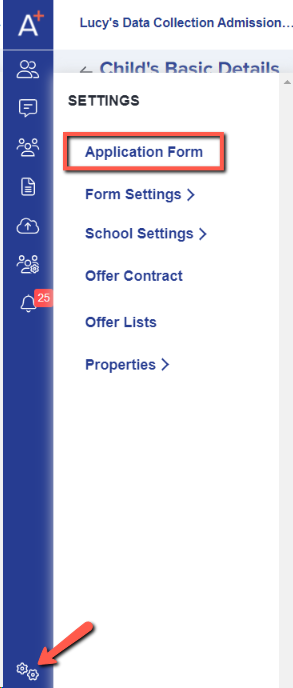
To access the Date of Birth Range setting, navigate to Settings > Application Form > Student Basic Details/Child's Basic Details.
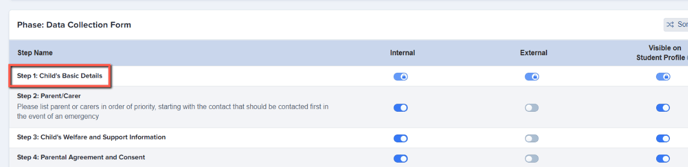
Click I want to make more changes in order to access the list of fields and edit them.
The Age Range switch will be off by default; turn the switch to blue to activate and then click the pencil icon to edit the range.
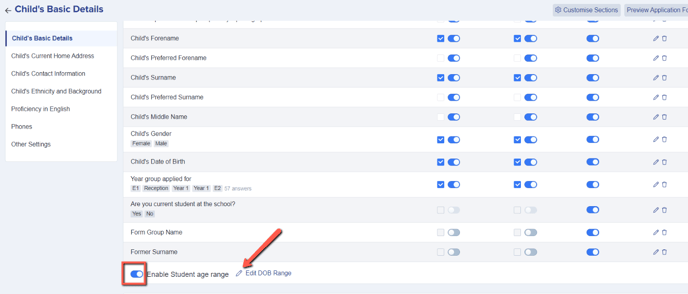
Enter the start and end dates of your range and only dates which fall between those two points will be available for parents and/or students to choose when completing the Date of Birth field in your form.
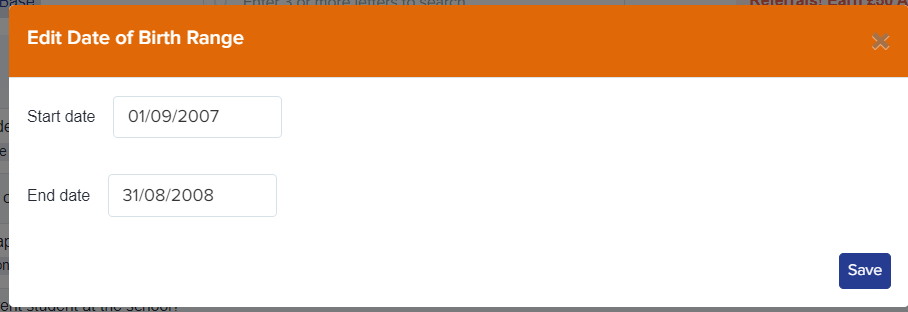
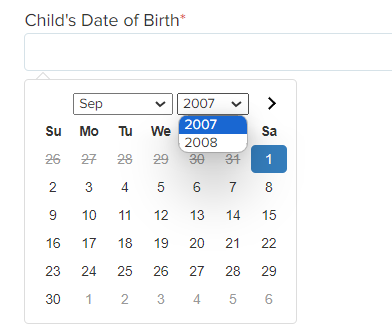
Each new cycle, remember to edit your dates to reflect the range which is applicable for the new intake each year.
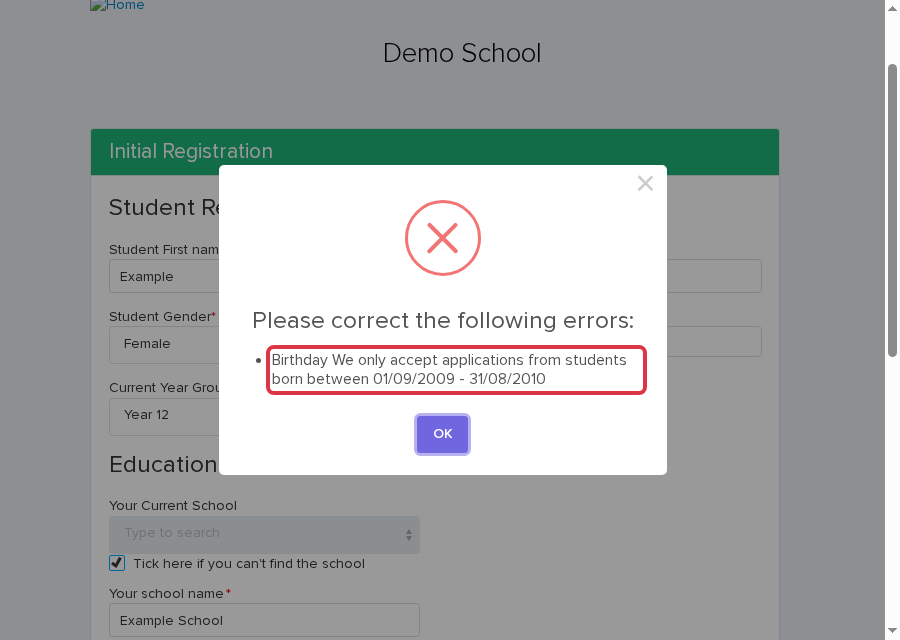
When an applicant submits a date of birth outside the range, the form shows “We only accept applications from students born between [start date] - [end date]”. The dates are the range you set.
Change the range on a different form
The Date of Birth Range applies to one application form only. If your school runs more than one form at the same time, for example a separate form for new external Year 11 applicants, switch to that form first.
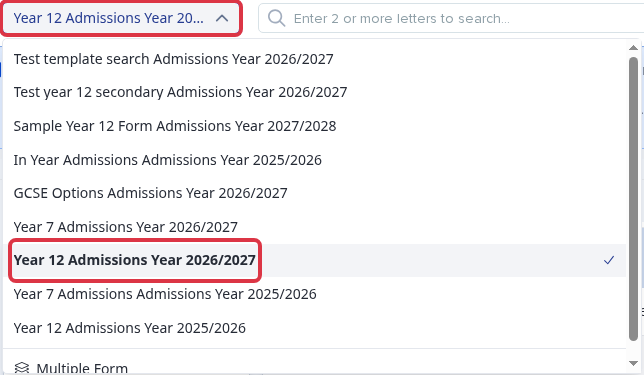
Use the form switcher at the top of the page to pick the form. Then repeat the steps above on that form's own Student Basic Details/Child's Basic Details step. Each form keeps its own switch and its own range. Saving the range on one form does not change the range on any other form.
What it does not do
The Date of Birth Range checks a date of birth only when someone starts a new application. It does not search or report on applicants who already applied.
To find applicants who already applied by age, open your list of applicants and add a new filter. Under Student properties, open Properties and choose Age. You can filter for an exact age, an older age, a younger age, or whether the date of birth is known.
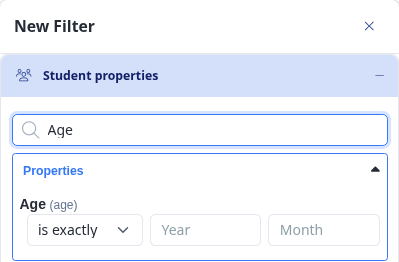
See Filtering Applicants for how to build and combine filters on your applicant list.