
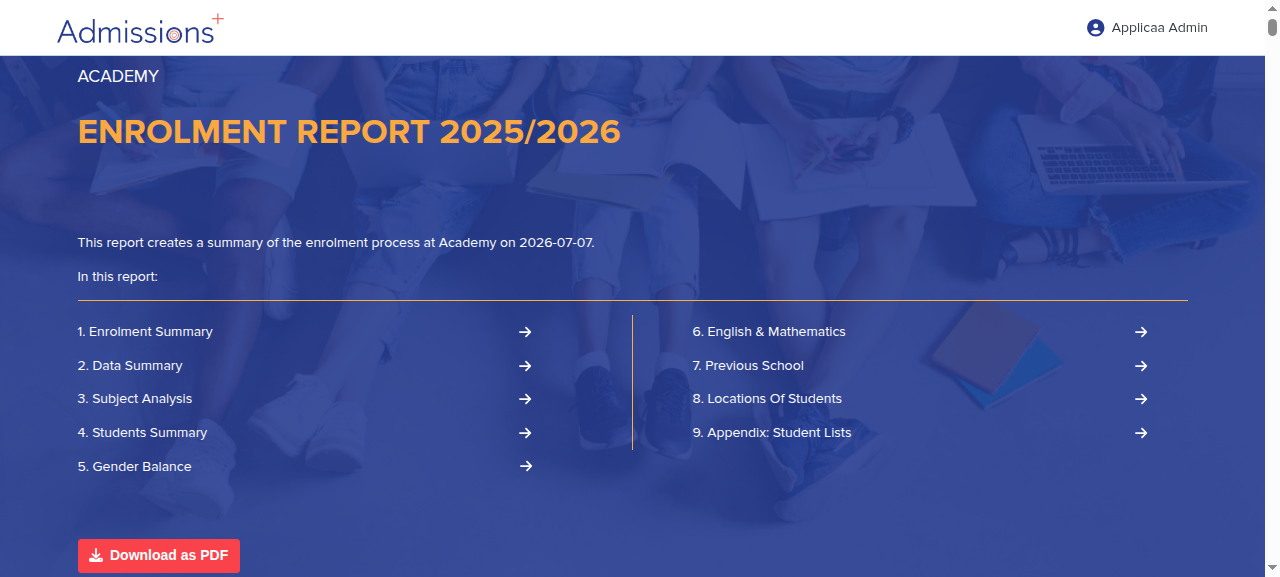
Your Enrolment Report Page produces a live summary of key enrolment data, which you can view on the page and also download as a PDF.
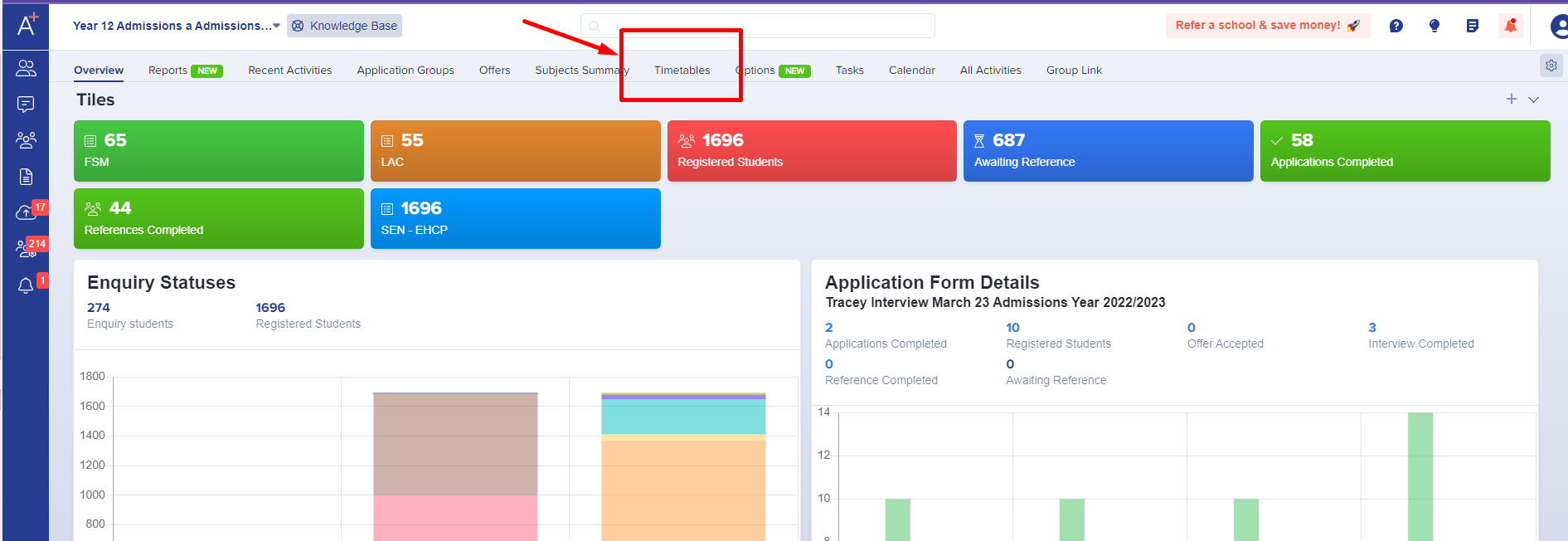
To access the Enrolment Report Page, click on the Timetables area from your main dashboard and then click the "Enrolment Report Page" tab.
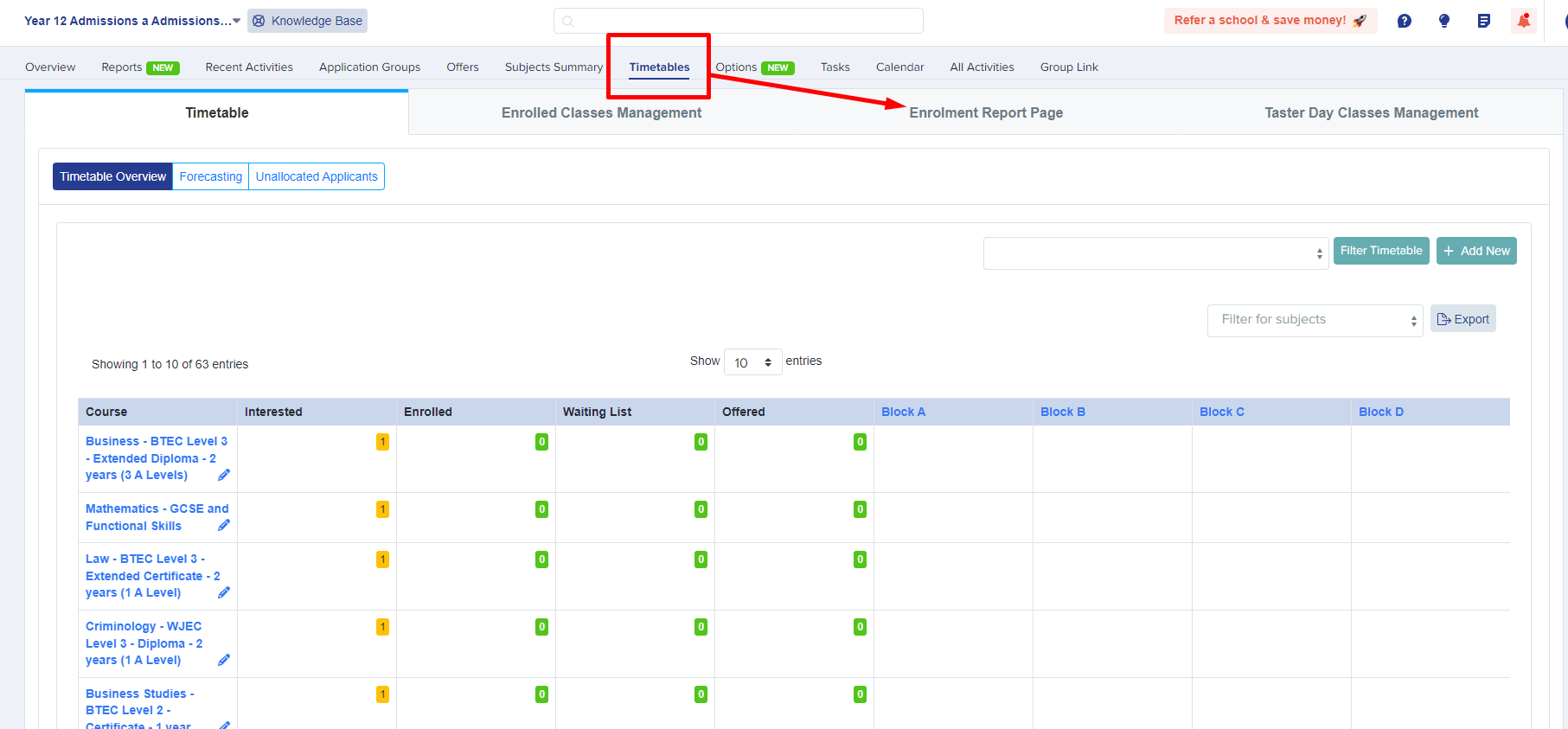
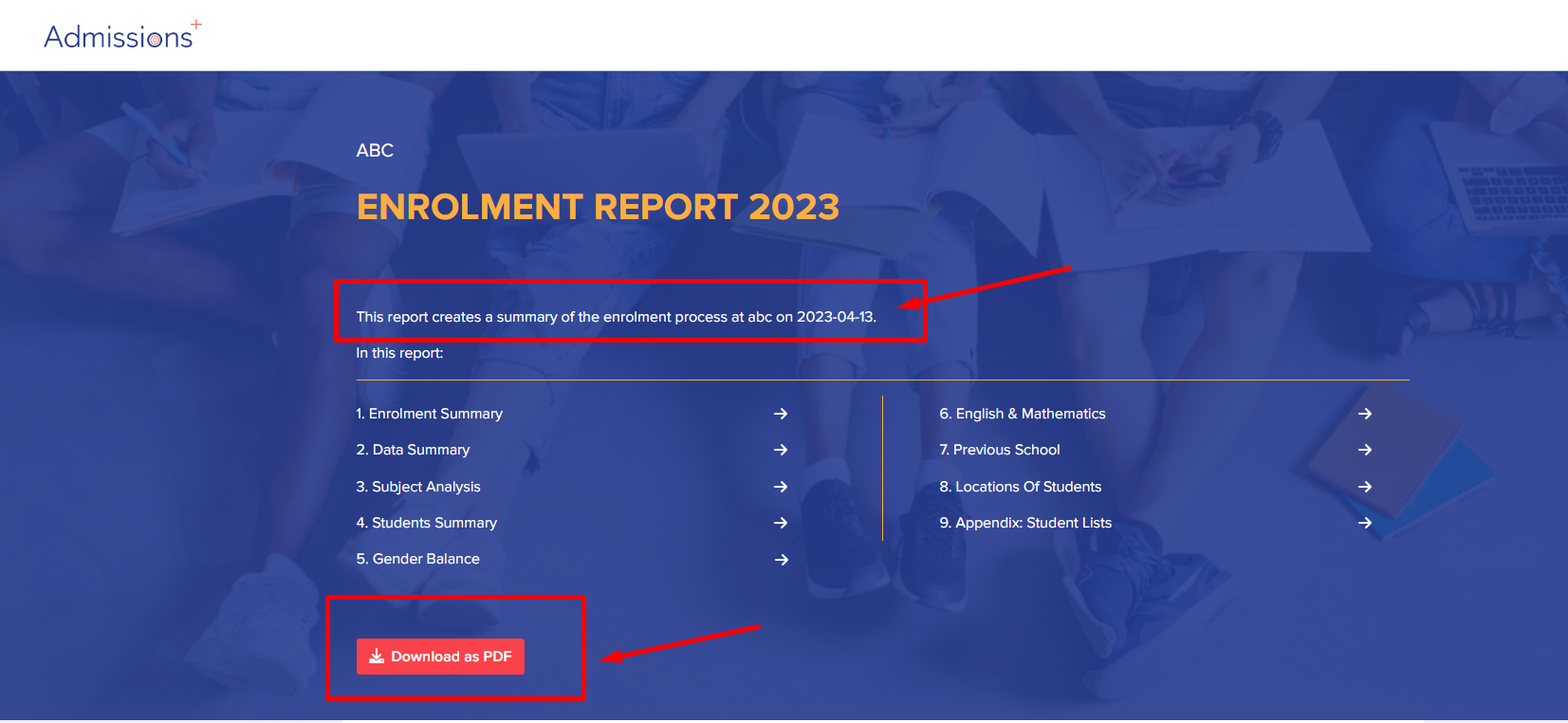
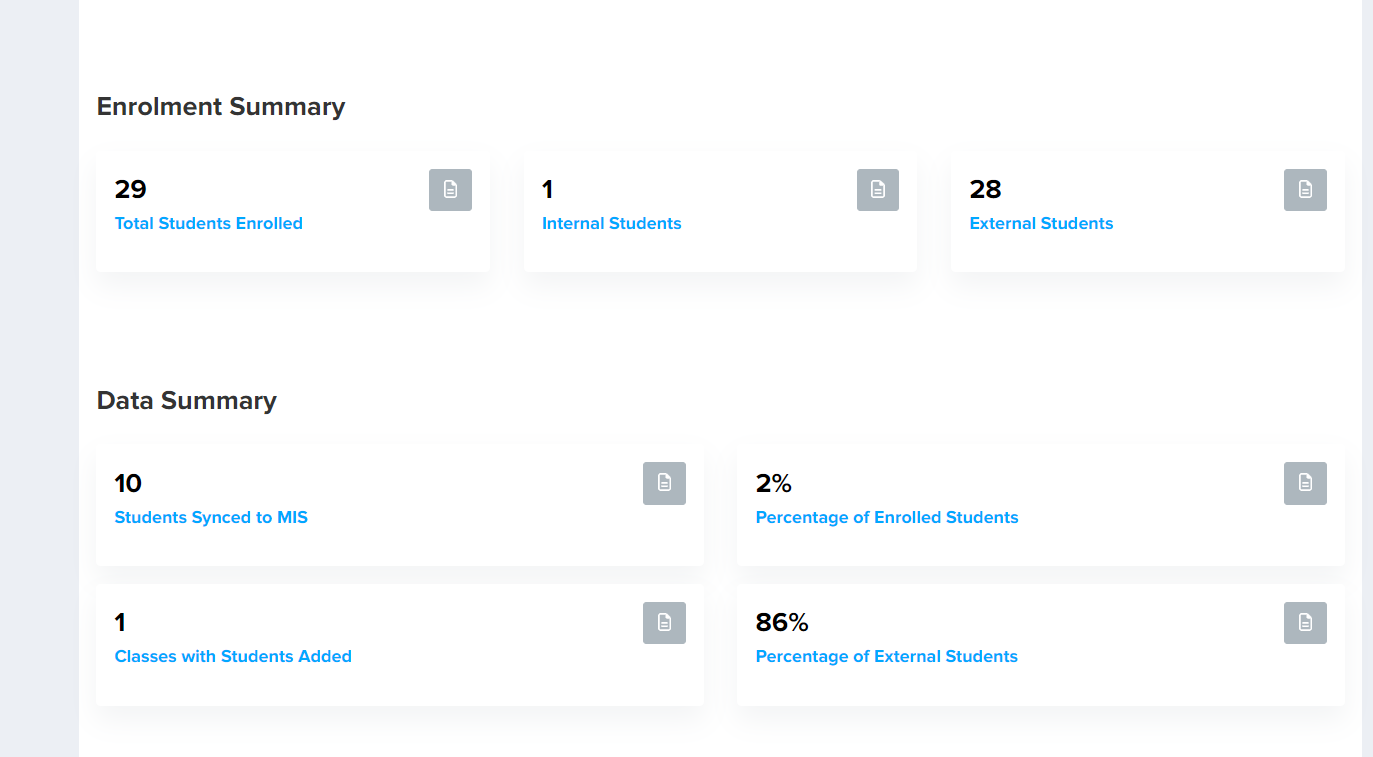
This will generate your enrolment report, which is a summary of your enrolment data at the time of clicking - this is date-stamped.
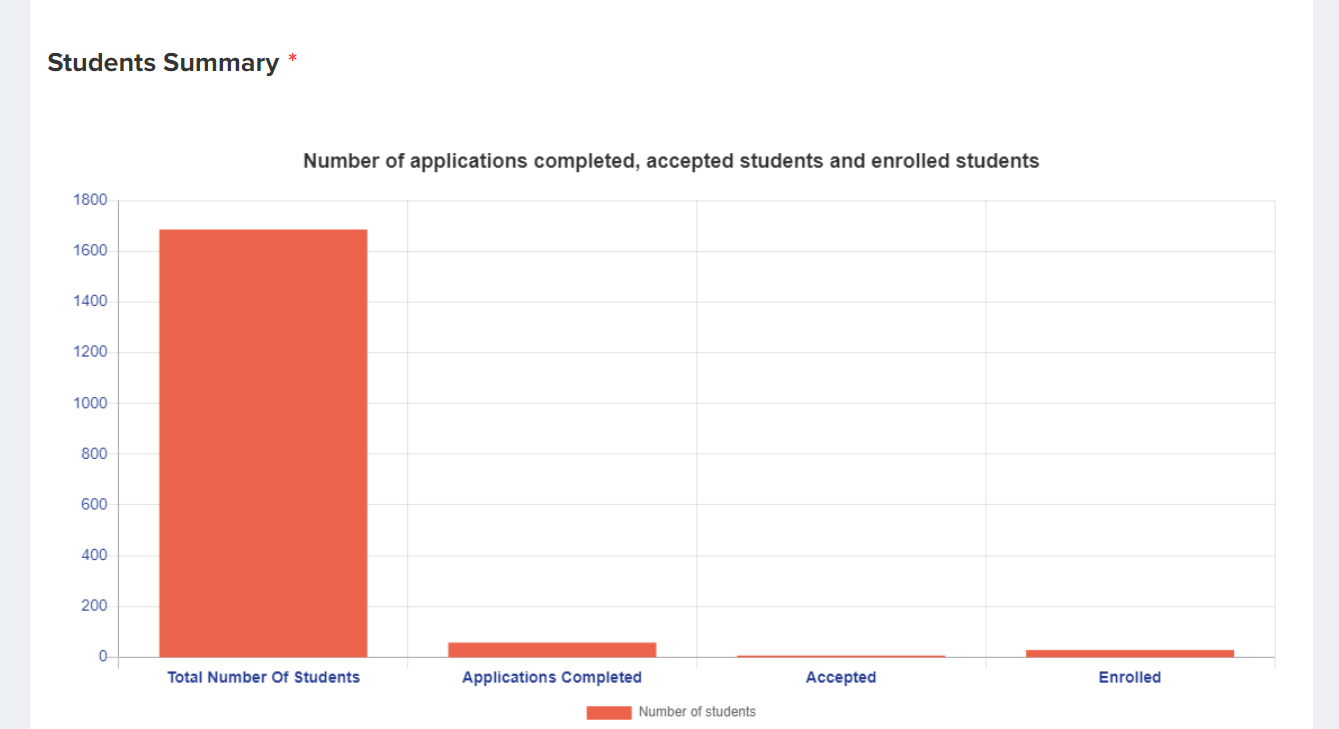
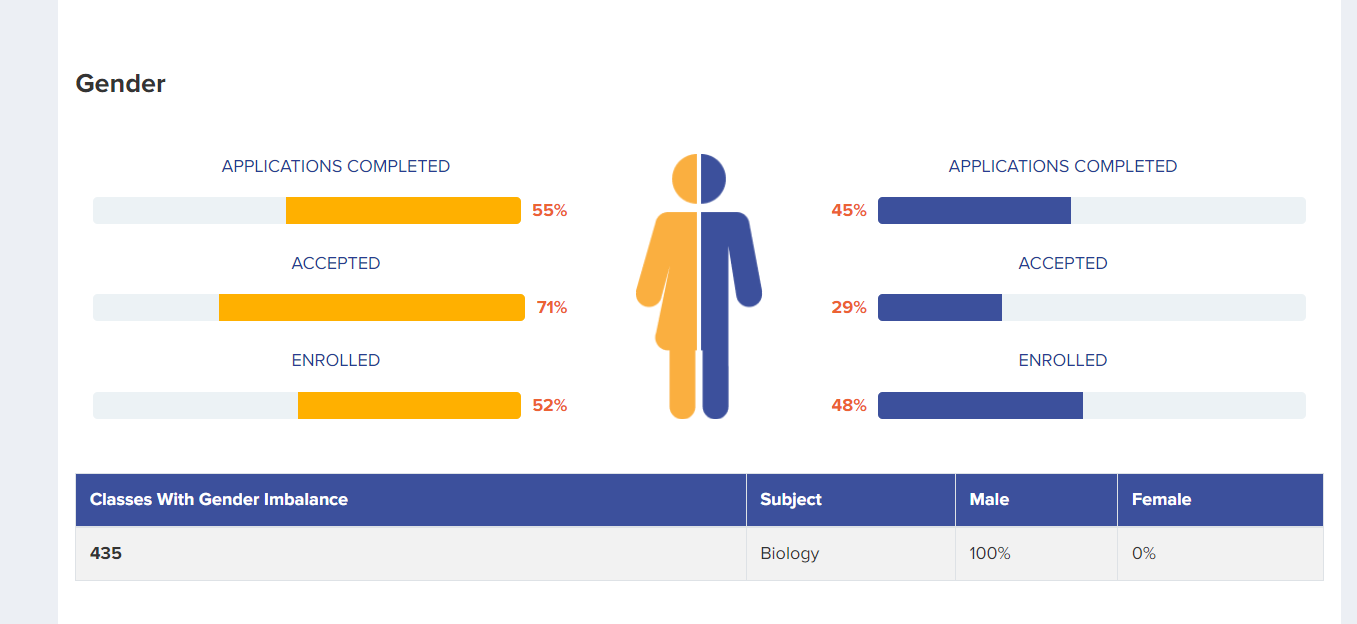
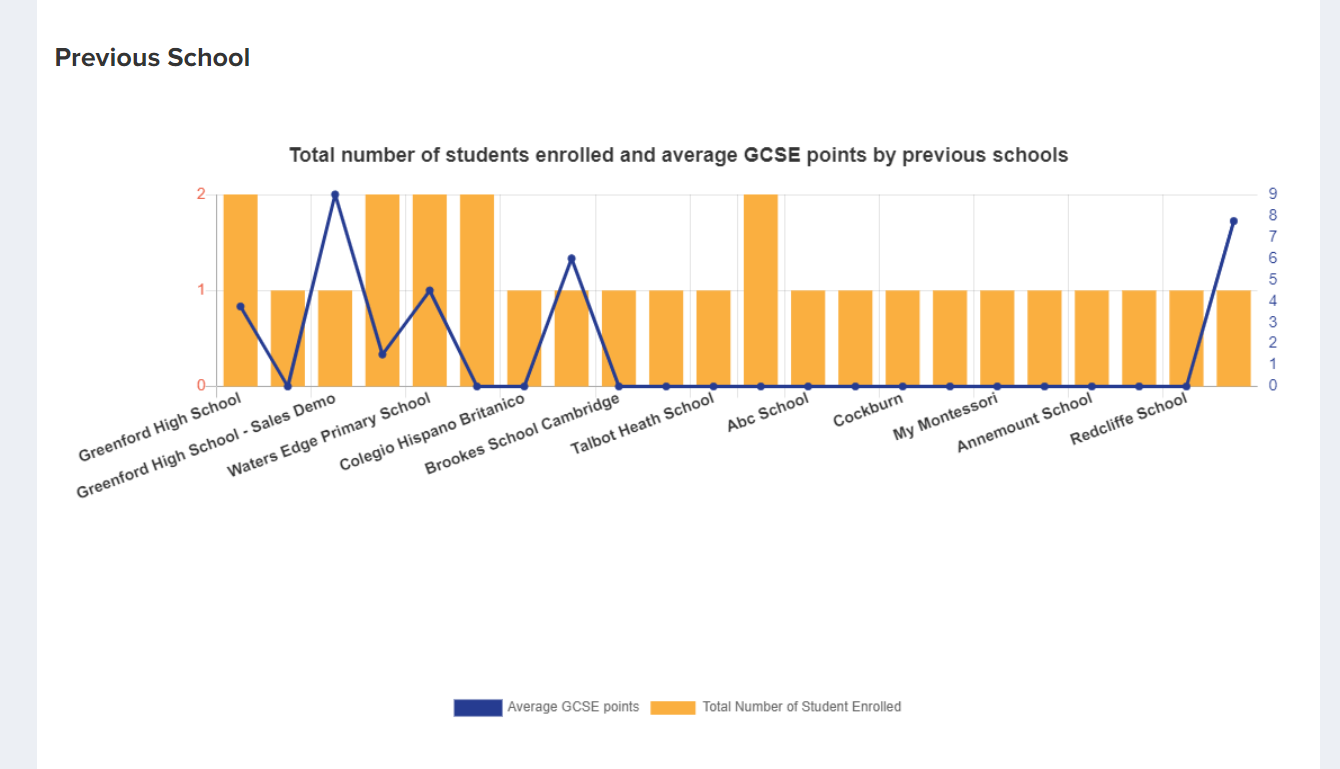
Data includes a subject analysis, gender balance, summary of students' English and Maths grades (including a list of any students who did not achieve these at Grade 4 or above).
These reports can be generated as often as needed and will always display the most current data - useful for your analysis and reporting.
Seeing how many students are enrolled on each subject
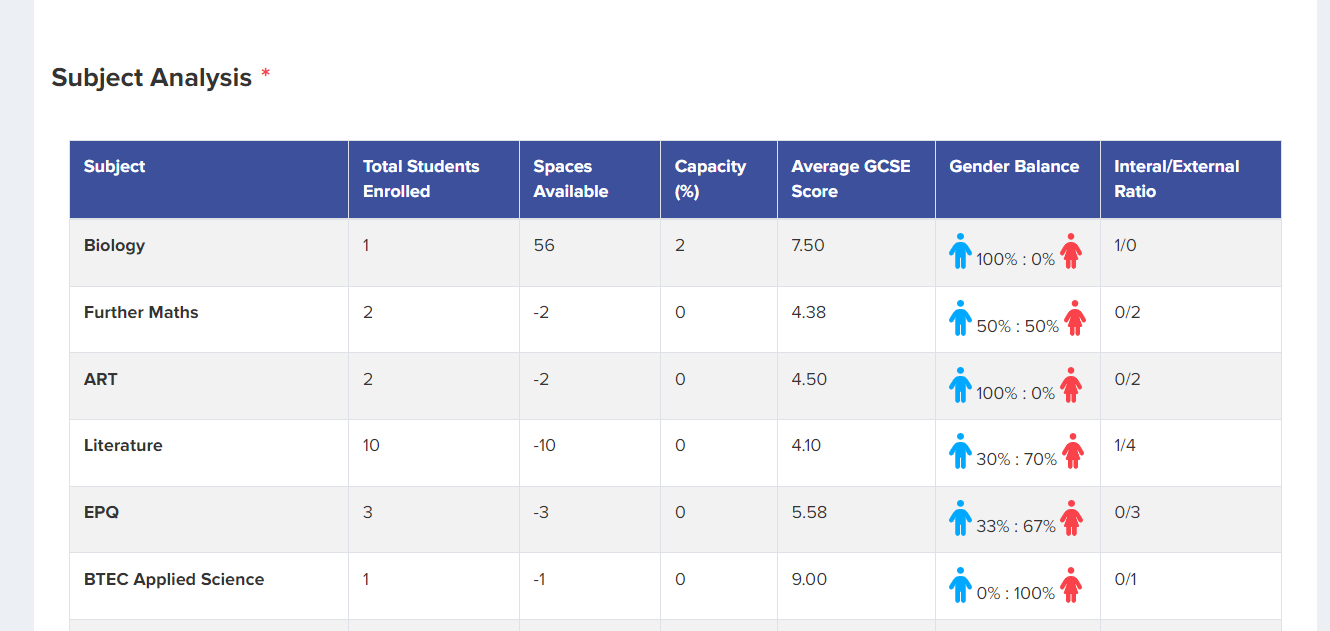
To report on subject numbers after enrolment, scroll to the "Subject Analysis" section. It lists every subject with the total number of students enrolled on it, alongside the spaces still available, the percentage capacity, the average GCSE score, the gender balance and the internal/external ratio.
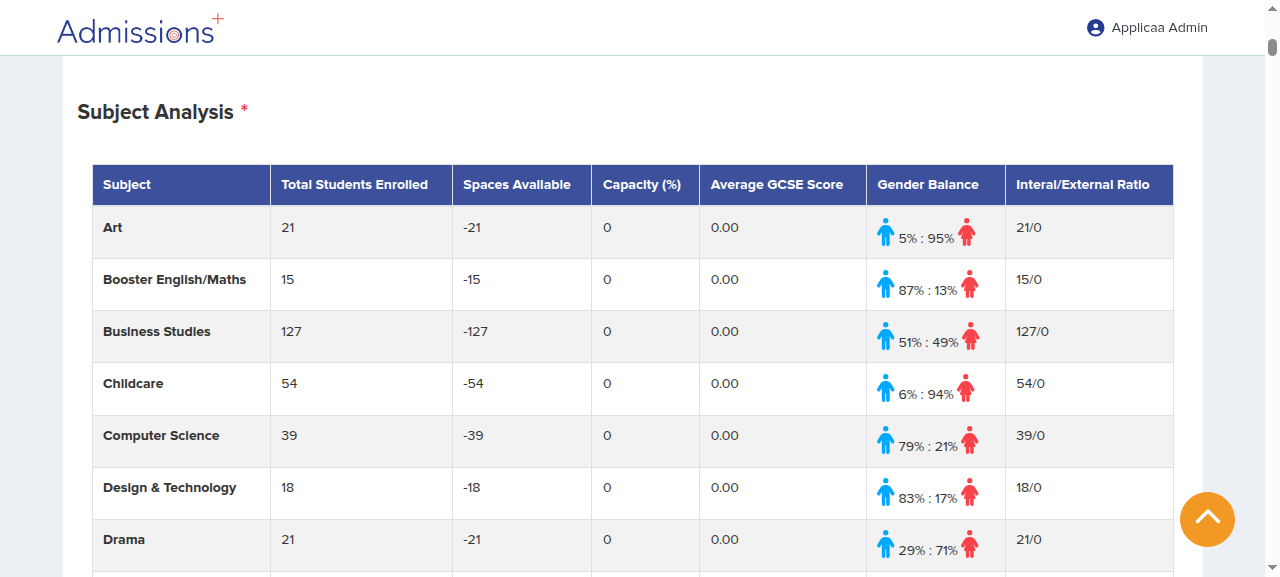
The "Spaces Available" and "Capacity (%)" columns show how full each subject is for schools that set class sizes on their courses, so you can see at a glance which subjects are close to or at capacity.
Downloading the report as a PDF
To keep or share a copy, click the "Download as PDF" button at the top of the report. The PDF captures the report exactly as it appears on the page at the moment you download it, with its date stamp.
Downloading the underlying student lists
The "Appendix" section at the bottom of the report lets you download supporting student lists as CSV files, so you can work with the data in a spreadsheet.
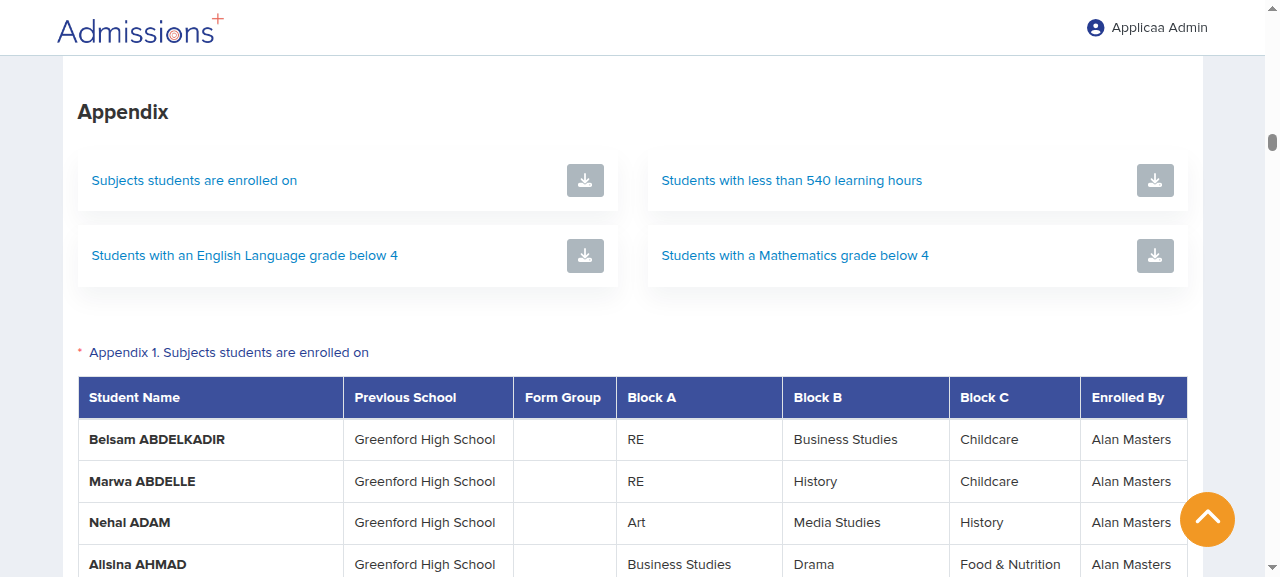
The downloads available here are:
- Subjects students are enrolled on
- Students with less than 540 learning hours
- Students with an English Language grade below 4
- Students with a Mathematics grade below 4
Creating a tailored enrolment export
Use a CSV export when you need one row for each student, selected subject columns, and extra student fields. The Enrolment Report appendix has fixed columns. It does not filter by Application Group.
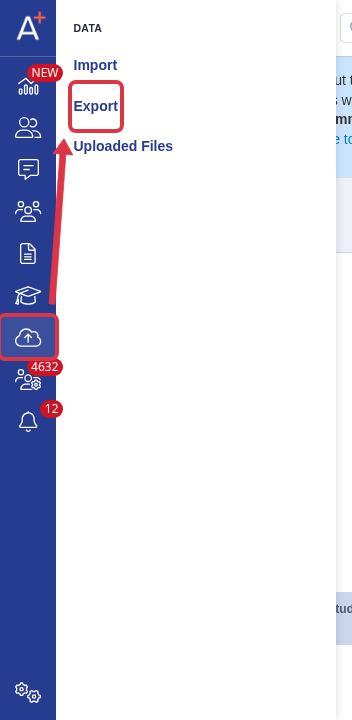
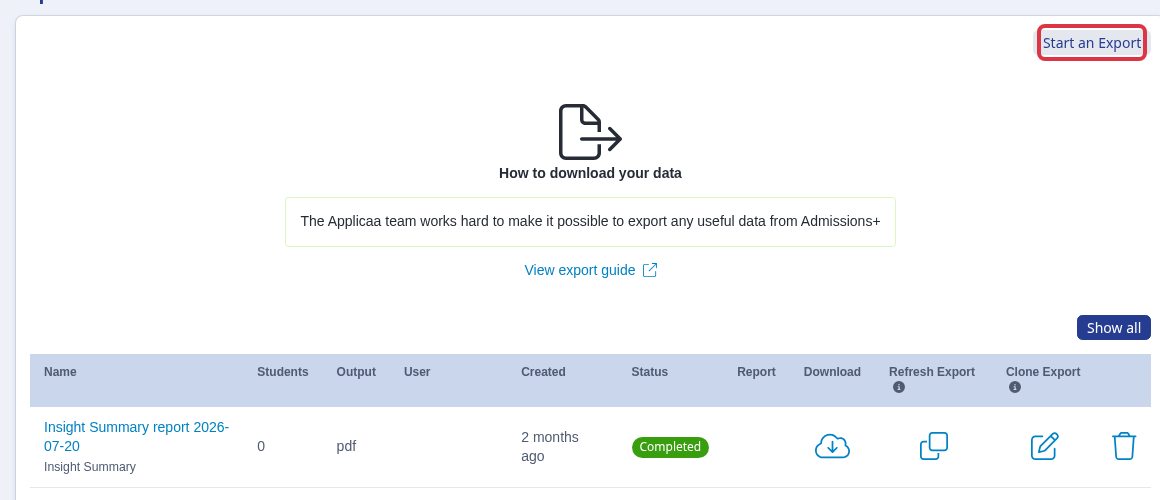
Go to Data > Export.
Select Start an Export.
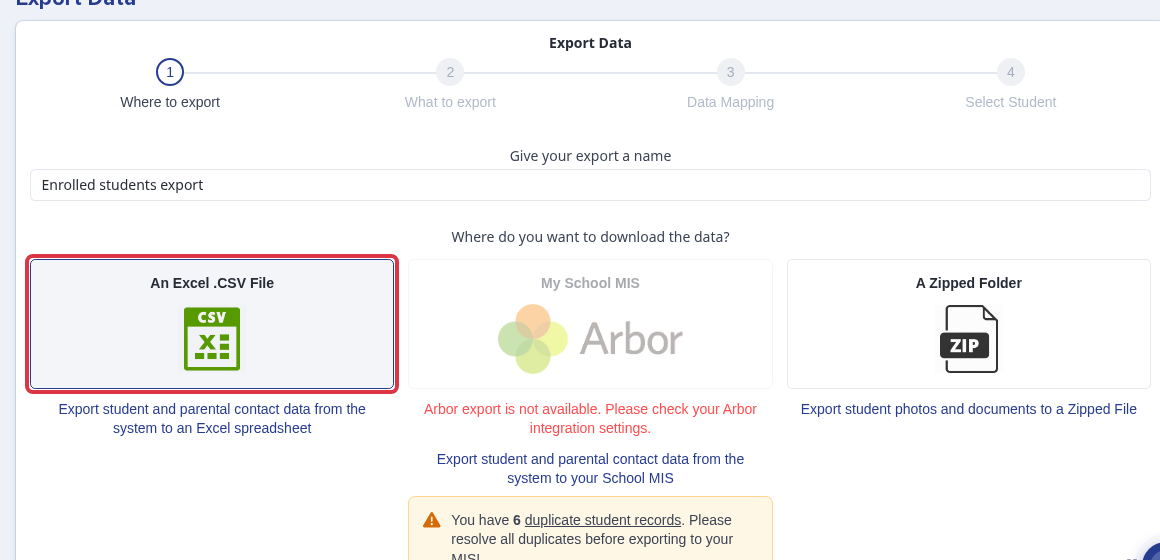
Enter an export name and select An Excel .CSV File.
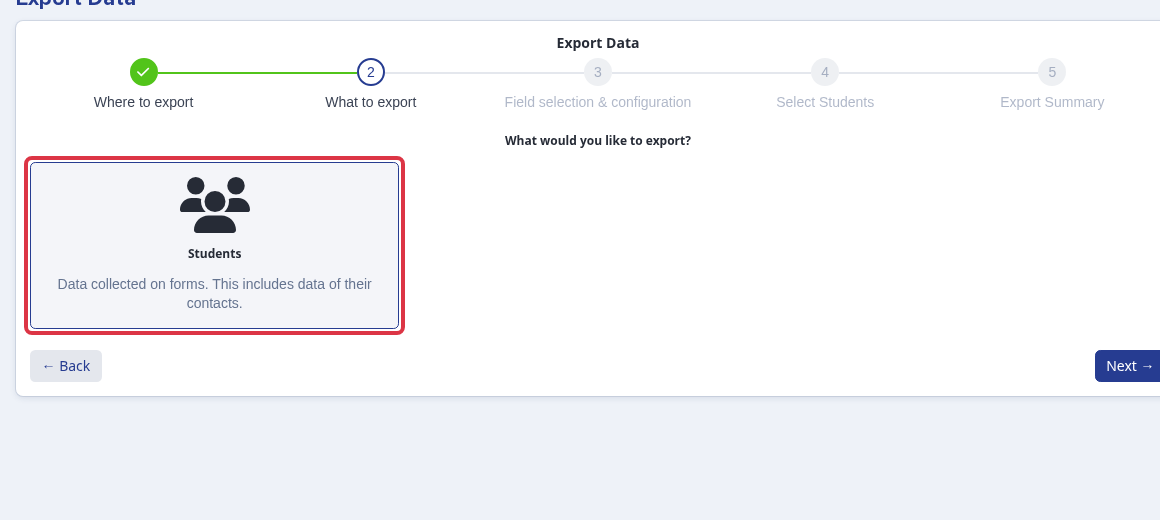
Select Students, then select Next.
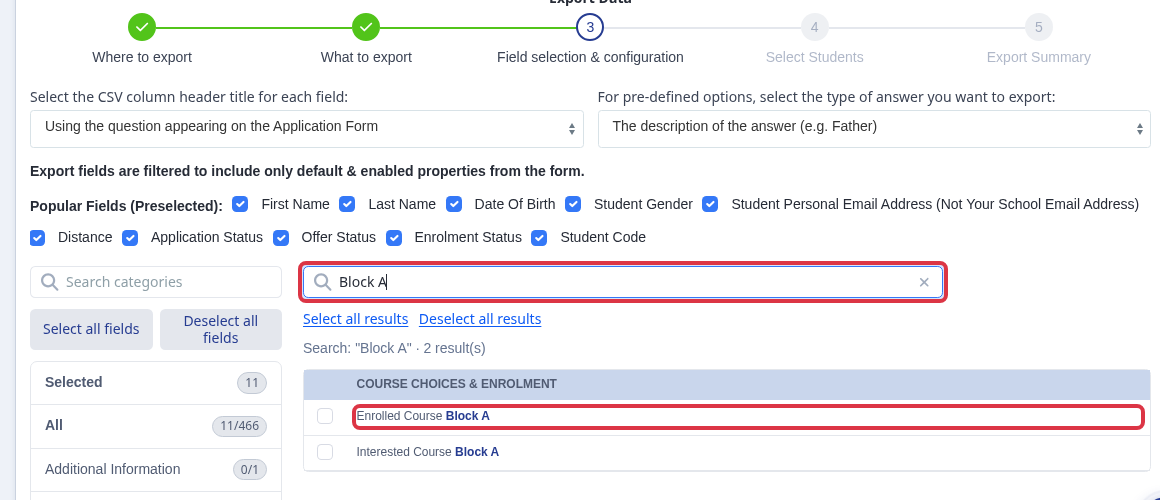
In Field selection & configuration, search for and select each Enrolled Course Block that you use. Add Date Enrolled, Time Enrolled, Previous School, Last Name, and any other fields you need.
In Select Students, use Edit Filter. Set Enrolment Status to Enrolled. Under Properties, set Application Group when you need one group only.
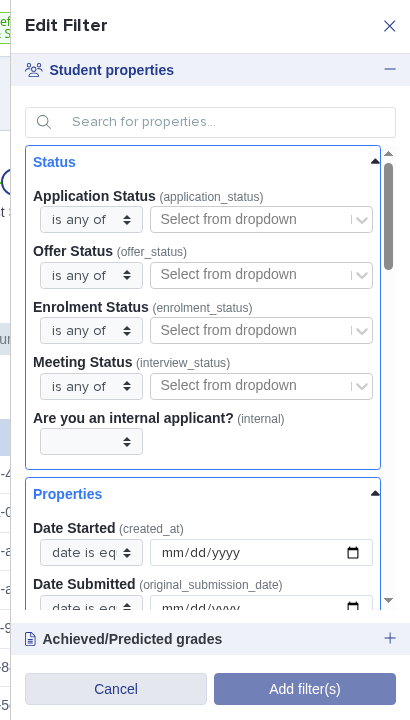
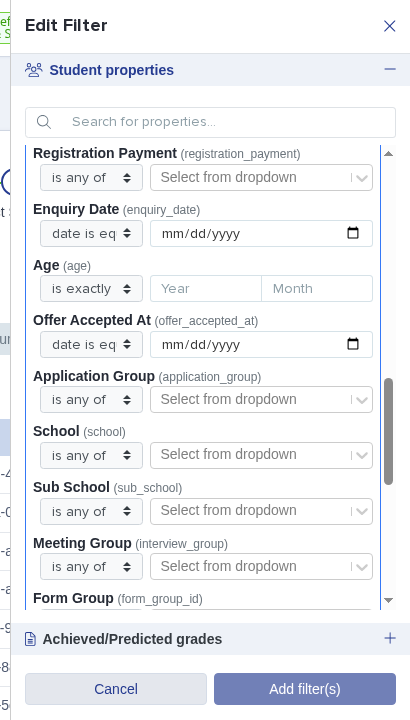
The CSV has a separate column for each selected course block. Filter a course column in your spreadsheet to find students in one subject and see their other choices. Sort the Last Name column to list students by surname.
- The tailored CSV can include subject blocks, previous school, enrolment date and time, and other selected fields.
- The Enrolment Report appendix remains useful for its fixed enrolled-student list.
Filtering a tailored enrolment export
Before you start the export, select the application form for the admission year you need. For 2027/2028, select the form that shows that admissions year.
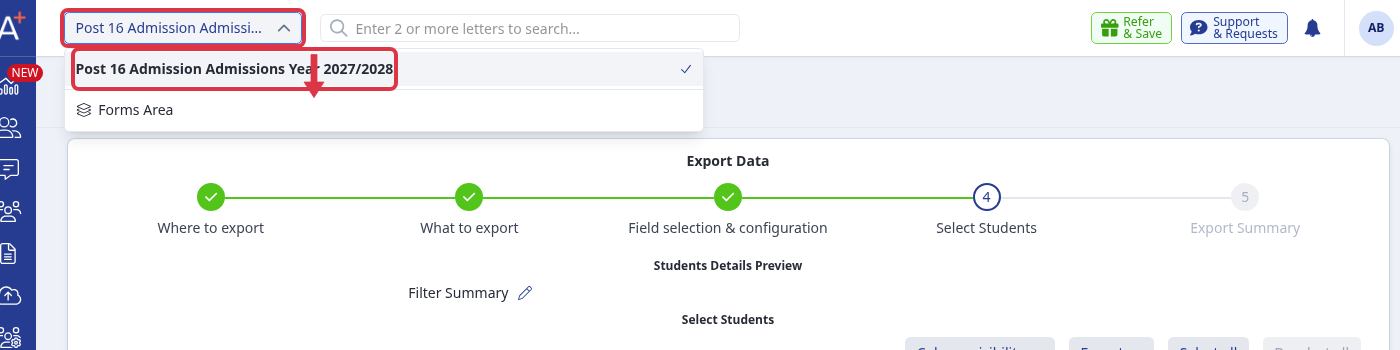
On the "Select Students" export step, select "Edit filter".
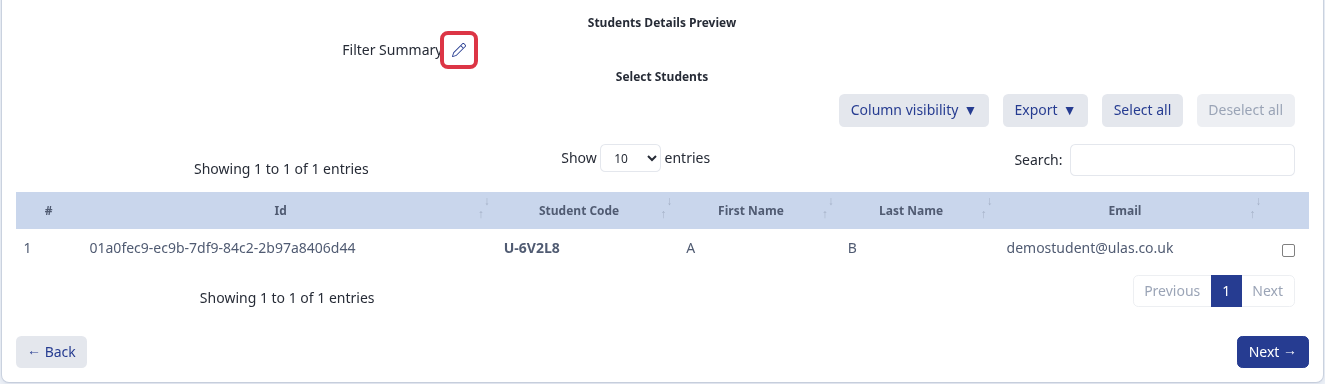
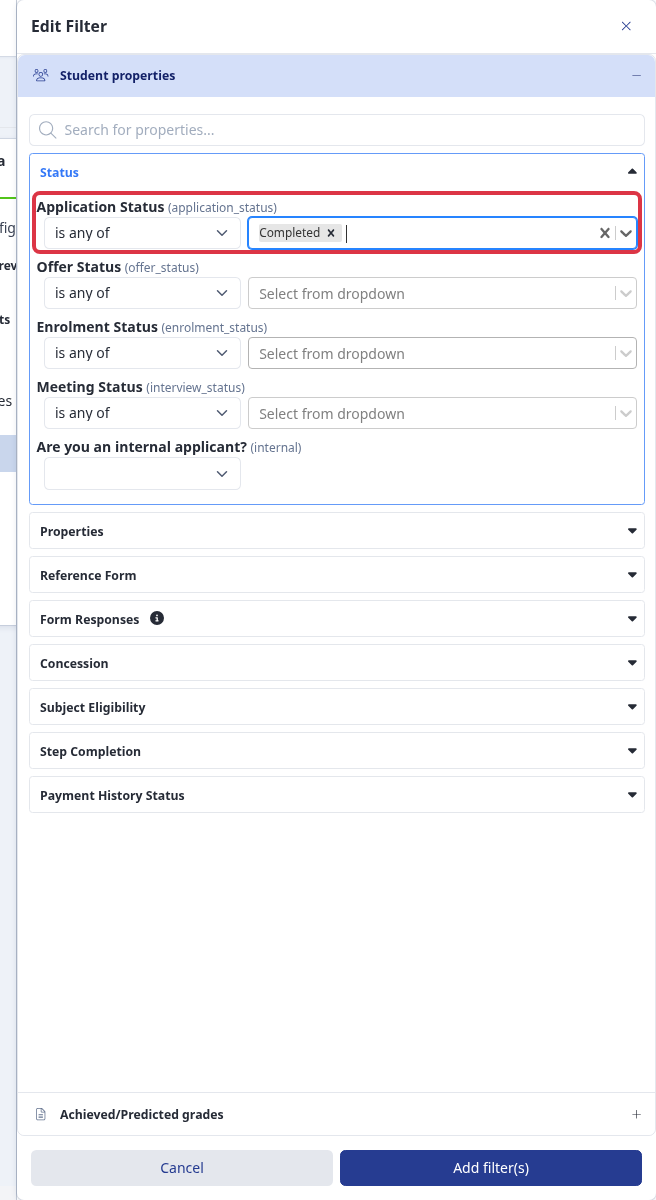
In "Status", set "Application Status" to "Completed". Do not use "Enrolment Status" when you need completed applications that are not yet enrolled.
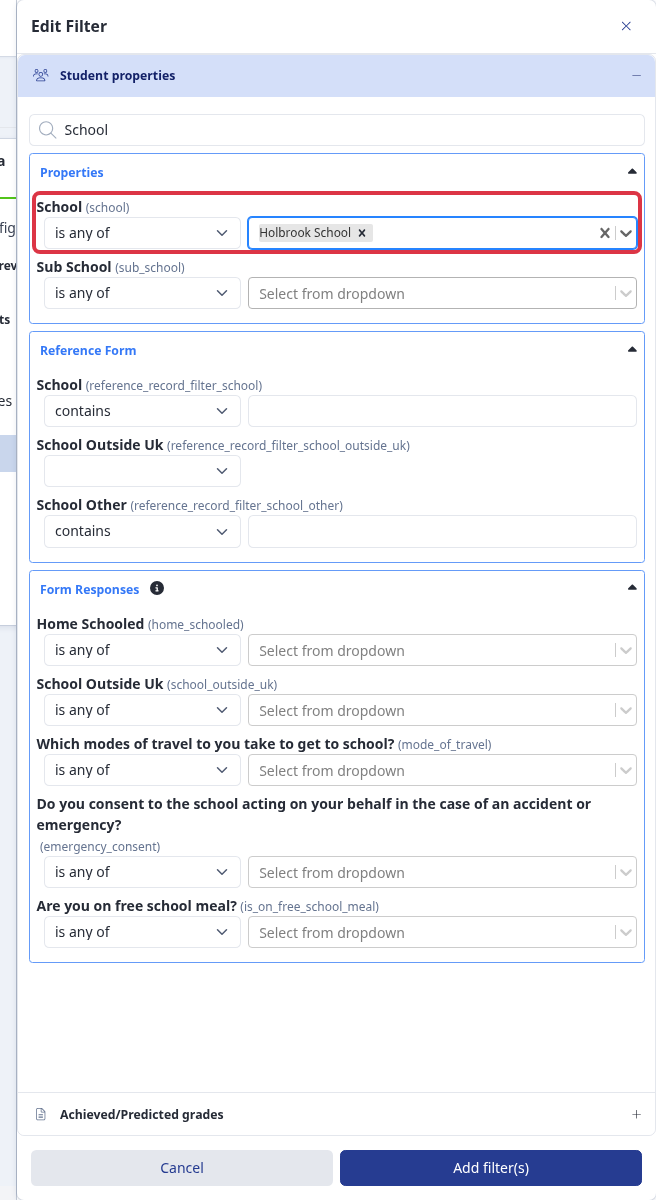
In "Properties", set "School" to the feeder school, such as "Holbrook School".
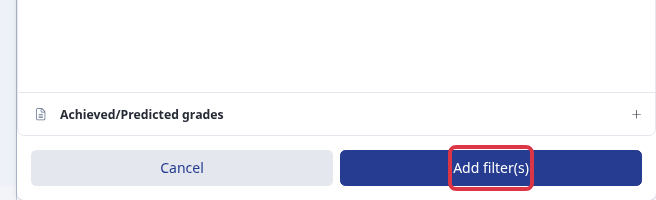
Select "Add filter(s)". The preview keeps only students that match every filter you add.
- The selected application form limits the export to applicants on that form.
- Use "Previous School" as an export field when you need the feeder-school value in the spreadsheet.
- "Date Enrolled" is not entered on a student application. Admissions+ records the date and time automatically when staff enrol the student.
Related articles
- Subjects Summary- see which students have selected which courses, broken down by internal/external and by application/enrolment stage.
- How to enrol students & check numbers- enrol students and check the number of enrolled students per class.