
Sometimes an applicant may apply on the incorrect form and it is necessary to move them elsewhere within your platform
In Admissions+, each admissions cycle is its own application form, so an academic year and a form are the same thing. If an applicant has registered on last year's form, on next year's form, or on a form for the wrong year group, you move them by changing the application form on their profile.
Check which cycle you are working in
The form selector at the top of the page shows the form you are currently viewing, with its admissions year next to the name and a tick against the active one. Use it to confirm which cycle you are in before you move anyone.

Move the applicant to the correct form
Search for the applicant in the search bar at the top of the page and click to load their profile.

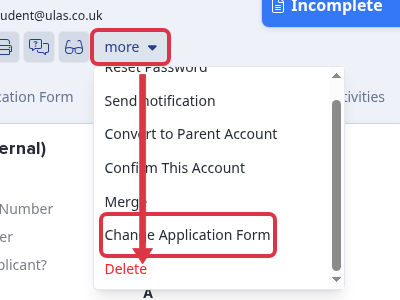
On their profile, select "more", then select "Change Application Form".

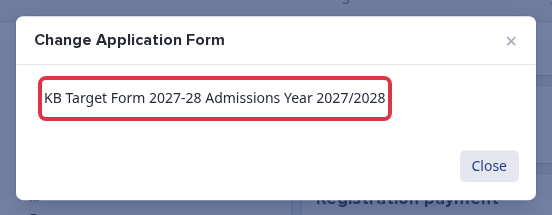
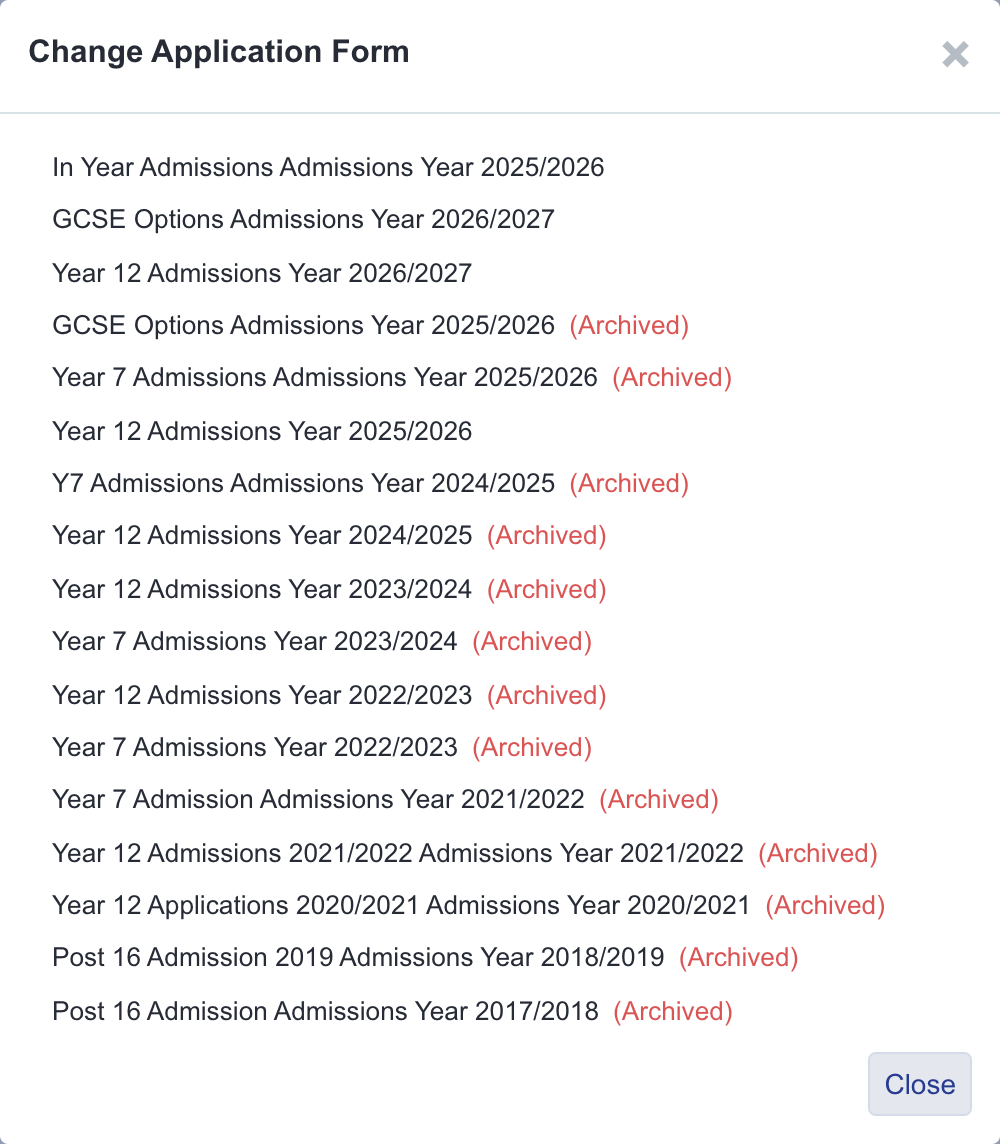
Every other form on your platform is listed, and each one shows its admissions year after the form name - for example "Year 7 Admissions Year 2026/2027". That year is how you identify the correct cycle when two forms share a name. Forms you have archived are listed as well, marked "(Archived)" in red. Select the form you want to move the applicant to.
Confirm the move
A confirmation panel lists what the move will change. To complete it, type "YES" into the confirmation box and select "Change Application Form".
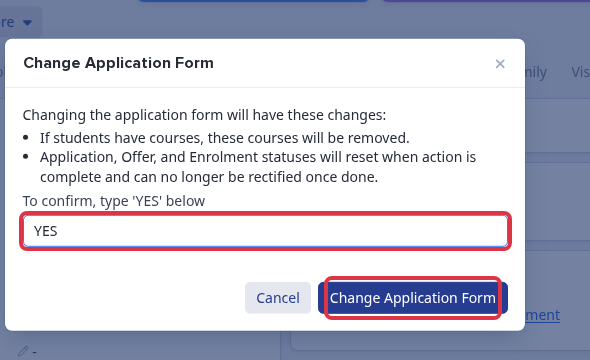
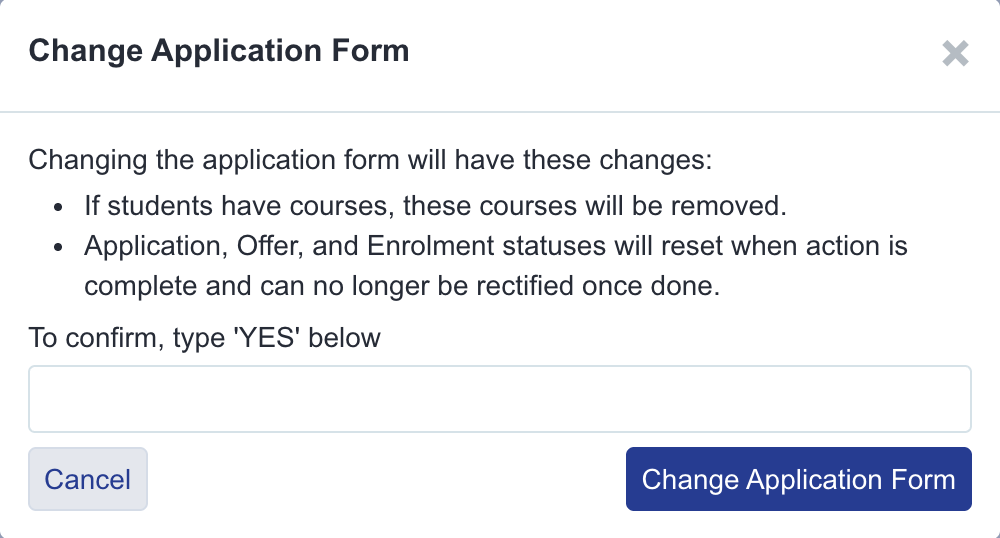
Moving an applicant is not reversible, and it resets their progress on the new form:
- Their application status is set back to "Incomplete" and their enrolment status back to pending.
- Any offer they have been made is removed.
- Course choices, class registers and taster day attendance are removed.
- Group memberships are cleared.
Because statuses reset, the applicant will normally need to complete and resubmit the form for the new cycle.
Check the year shown on Overview
Changing the application form does not change the applicant's separate "Year of entry" or "Year group" values. The Overview shows those saved values. If it still shows 2026/2027, that is the applicant's current Year of entry value, not the selected application form.
A parent can sign in and continue the application after the move. Their home page uses the applicant's current application form and its phases. The application status changes to "Incomplete", so the parent must complete the correct form and submit it again.
Moving several applicants at once
There is no single action that moves a whole group of applicants to a different form in one go. If an entire year group or box of students registered on the wrong form, repeat "Move the applicant to the correct form" above for each student individually.
If that is impractical because many students need moving, ask Emma in the bottom right of your platform, or contact our support team to request the change. This is not a self-service bulk action in Admissions+ today.
Moving an applicant to an archived form
If you select a form marked "(Archived)", you see a different warning. As well as resetting statuses and removing courses, moving an applicant onto an archived form releases their email address and clears any linked MIS ID, so that they can register again in the future without the old record blocking them.
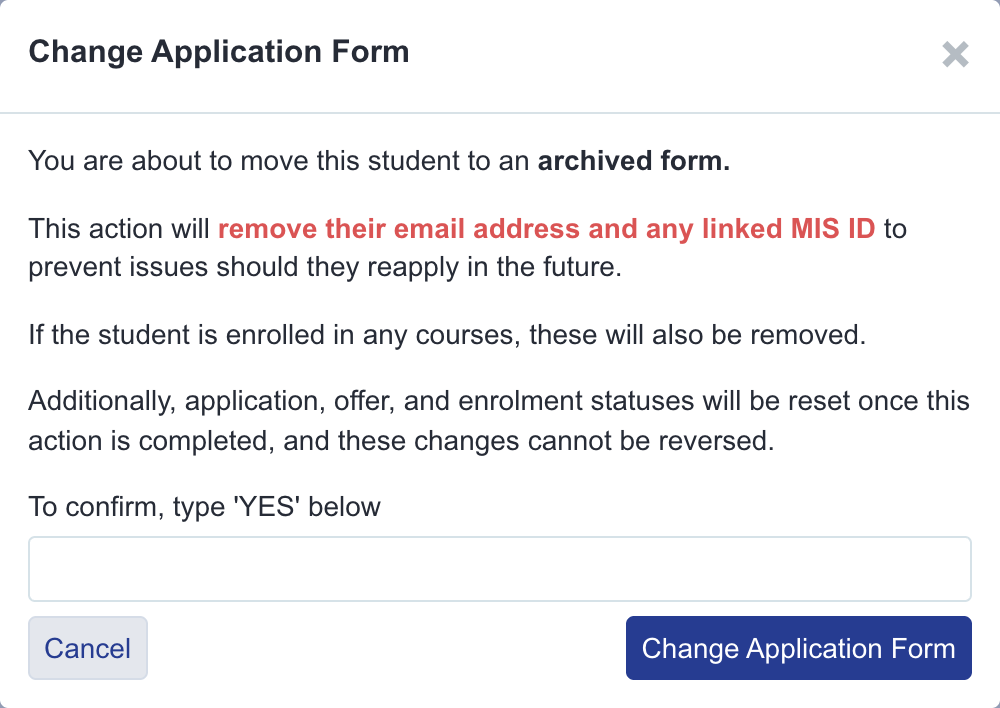
Use this only when you are deliberately retiring an application into an old cycle. If you want the applicant to keep their MIS link and email address, move them to an active form instead. This cannot be undone.
If the correct form does not exist yet
You can only move an applicant to a form that already exists on your platform. If the form for the correct academic year has not been created, please contact us to request the creation of your new form.
Notify the student of the change and the need to resubmit, if appropriate.
If you are not sure which form an applicant should be on, ask Emma in the bottom right of your platform, and we will check it with you.
Rename an application form
On the Application Forms page, find the form you want to rename. Select its three-dot menu, then select "Edit".
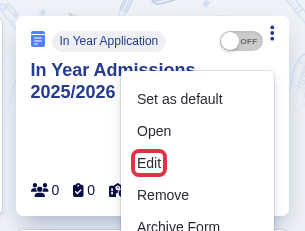
In "Edit Application Form", replace the value in "Form Name" with the name you want to use.
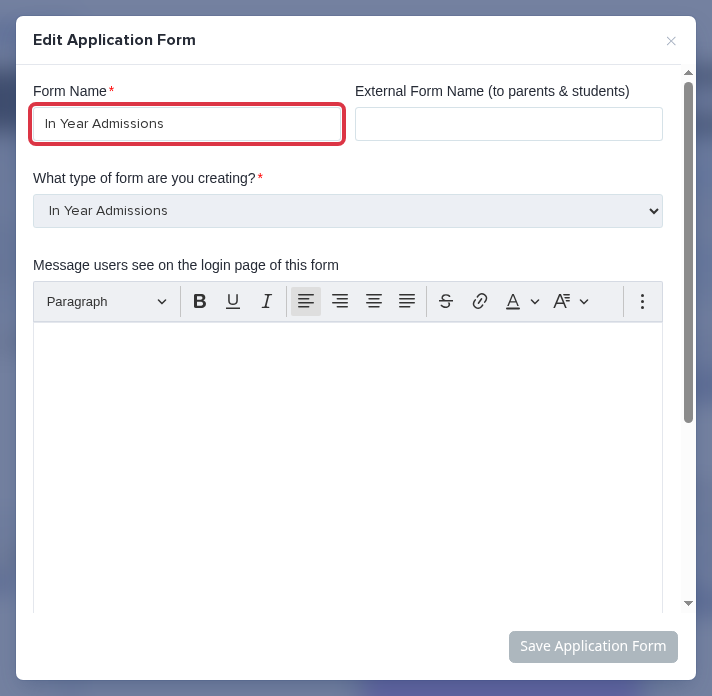
Select "Save Application Form".
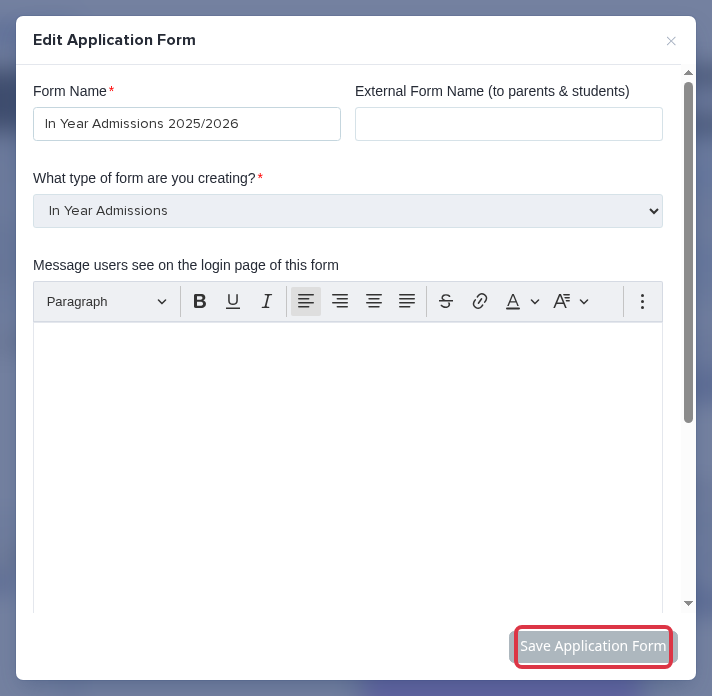
The new name appears throughout Admissions+ for this application form.