
To do so, go to the Schools & Settings Tab which you may access on your Main Dashboard.

You may also access this via settings > bursary > schools & settings.

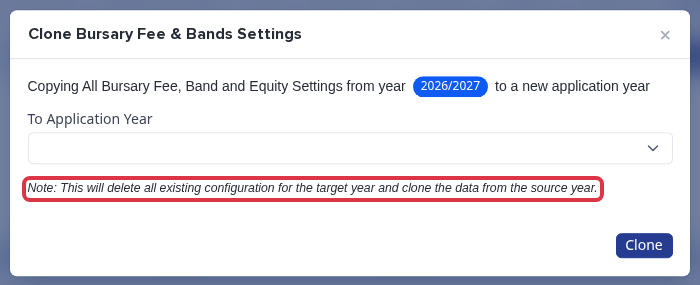
Once you are in the Bands Area, you may choose to clone your last year’s Bands by clicking the “Clone Bursary Fee & Band Settings from this Year to a New Year” and there will be a pop up preview then change the application year to the following year.

If you see this error notice while cloning your bands, ensure that your Band settings and Child allowance Band on the new year where you are copying it is empty.

Here is an example of how it will look if the bands are currently empty (before cloning)

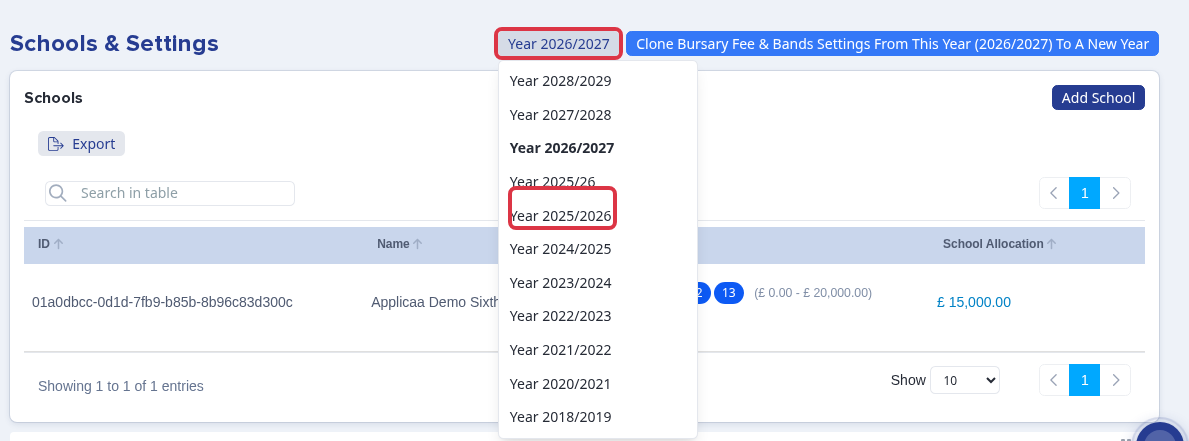
To switch from one academic year to another, click each year and it will show you previous years' bands.

Once you have successfully cloned your bands, you can tweak the bands if needed, and enter the total allocation you have for this academic year.

In this area you can also set or update an allowance for dependent children; if you would like the platform to reduce the ‘household income’ where there are a large number of children in the household, you may do so here -

Why it behaves this way
The Year selector on Schools & Settings controls which application year you are viewing and editing - it is not the same as the platform's live "current" academic year shown elsewhere. Before you check or enter a School Allocation or Band figure for the next cycle, confirm this selector is on the year you mean to update.
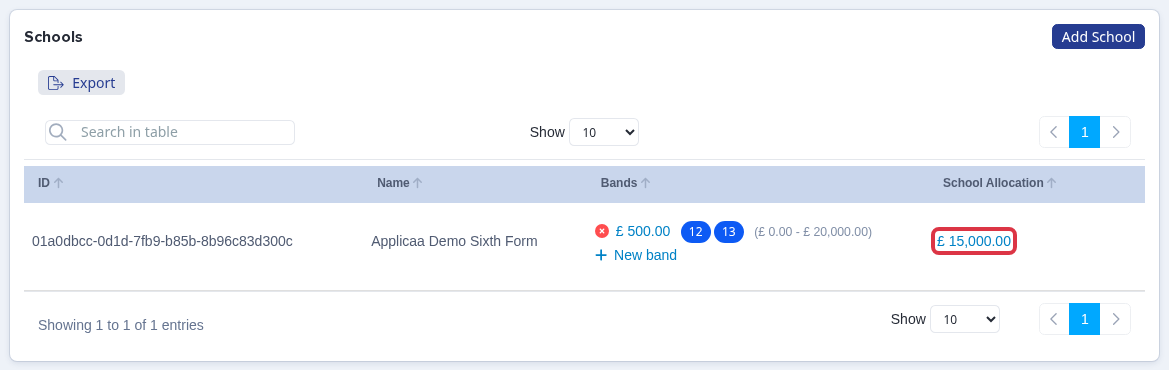
The School Allocation figure for each school is entered in the "School Allocation" column of the schools table, for whichever year is selected above. It is saved against that year only.
"Clone Bursary Fee & Bands Settings" deletes every Band, School Allocation, Child Allowance and other year-specific bursary setting already saved for the destination year, then copies in the source year's data. If you run Clone again after entering a School Allocation for the new year - for example to bring across a Band you missed - it deletes the Allocation you just entered along with it. Always clone first, then make any manual changes to Bands or School Allocation for the new year, not the other way round.
A school with a School Allocation set but no recorded spending yet for the selected year does not appear on the main Dashboard's "School Expenses" chart - that chart only lists a school once it has spending recorded against the selected year. This is expected: check the School Allocation figure on Schools & Settings directly rather than the Dashboard chart until spending starts for the new cycle.
Related articles