
Use Enrolment Navigator before enrolment day to check that applicants can access the right form at the right time. This check helps you find an embargo or enrolment-phase setting that can stop applicants from completing enrolment.
Check access before enrolment day
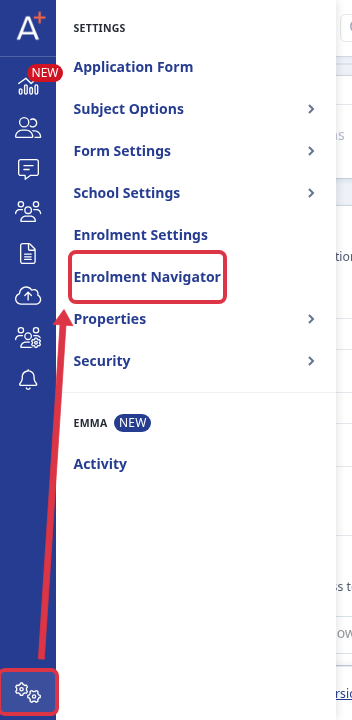
Open your application form. Go to Settings > Enrolment Navigator.
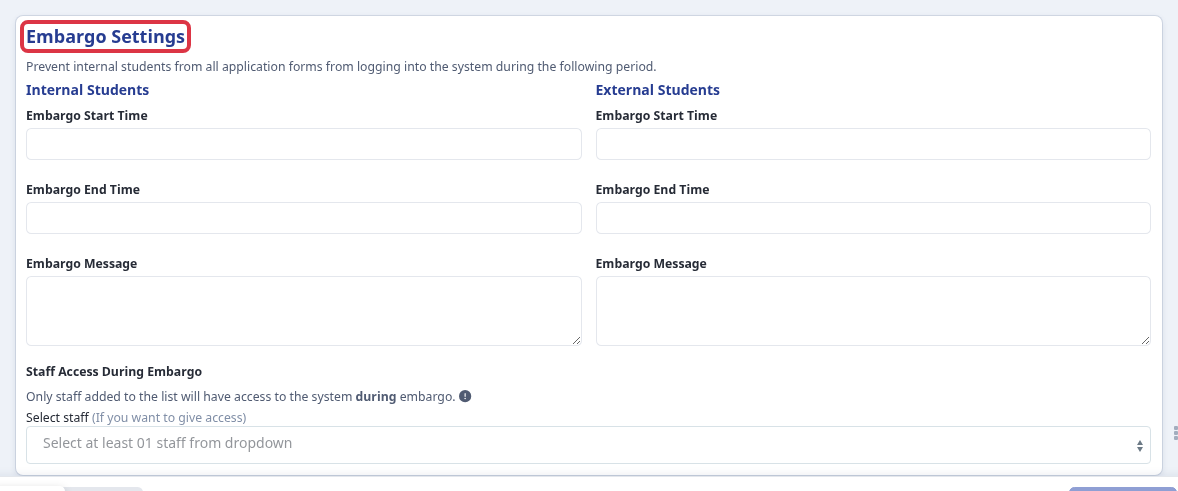
Select 7 Embargo. Check the Internal Students and External Students embargo start and end times, and check Staff Access During Embargo. An embargo prevents that group from logging in to all application forms during its time window. Only staff in this list can access the system during an embargo. Leave a window empty when you do not need to block that group. A Super Admin updates the staff list when your school needs named staff access. If you enter a start time after an end time, the form shows “School internal embargo start time must be earlier than end time” or “School external embargo start time must be earlier than end time”.
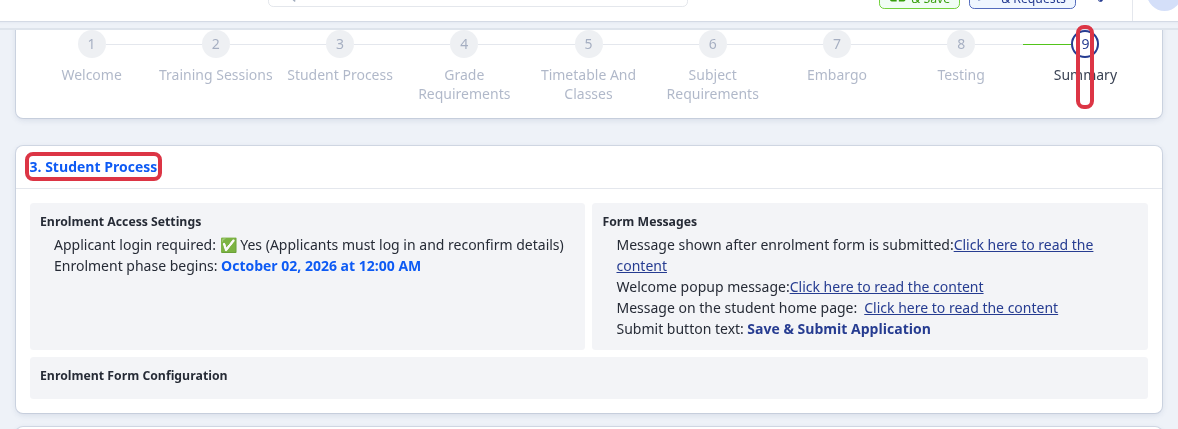
Select 9 Summary. Under Student Process, check that Applicant login required is Yes and that Enrolment phase begins shows the intended date and time. A No result means applicants do not need to log in and reconfirm their details. An N/A date means the active enrolment phase has no start time.
What this check tells you
- The embargo settings show whether internal or external applicants are blocked from access.
- The staff access list shows who can work during an embargo.
- The summary shows whether applicants must log in and when the enrolment phase begins.
What it does not do
Enrolment Navigator checks readiness. It does not configure every application-form field, course, or phase for a new admissions year.
Related articles
- Getting your application form ready for a new admissions year- use this guide to update the wider application process for 2026/27 or another new admissions year.
If a readiness check does not match the process your school expects, ask a Super Admin to review the form settings or ask Emma in Admissions+ for help.