
Applicaa's contingency plan for enrolment day: an on-premise app that lets you continue enrolling seamlessly if there are any issues with our system performance or your school's internet connection.
Download the Enrolment App
Applicaa Enrolment Application v1.5.0.0
What you need to do now
- Download the installer and run it on the device of every staff member who will be enrolling students.
- Follow the setup guide and confirm the app opens and logs in correctly.
- Do not leave this to the last minute. Install and test it well before Enrolment Day.
The Enrolment App installs on Windows only, using the EXE installer above. There is no Mac or Chromebook version of the Enrolment App, so a device must run Windows to use it on enrolment day.
Slides for Enrolment App
Webinar Recording - Enrolment App and Matching Hub (read about the Matching Hub here)
Sync Data from the Enrolment Server
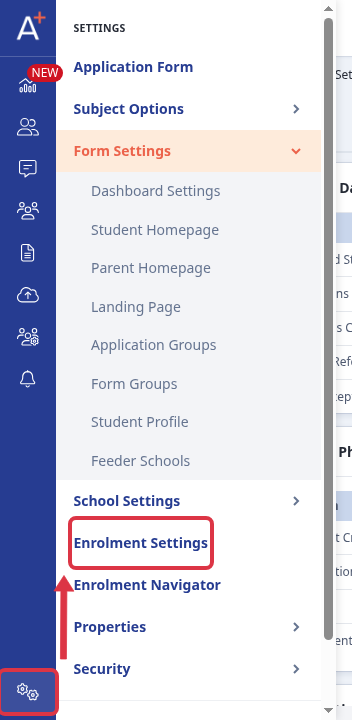
Schools using the Enrolment App see a "Sync Data from the Enrolment Server" option on their Admissions+ system. Go to Settings > Enrolment Settings.
On the Enrolment Settings page, this appears as a toggle: "Turn this setting on to automatically save changes made by staff on the Applicaa Enrolment App back to your Applicaa Admissions+ Platform." Switching it on means any change staff make in the on-premise Enrolment App is automatically saved back to Admissions+. Switching it off stops that automatic save: changes made in the Enrolment App stay in the Enrolment App and are not pulled into Admissions+ until the setting is switched back on.
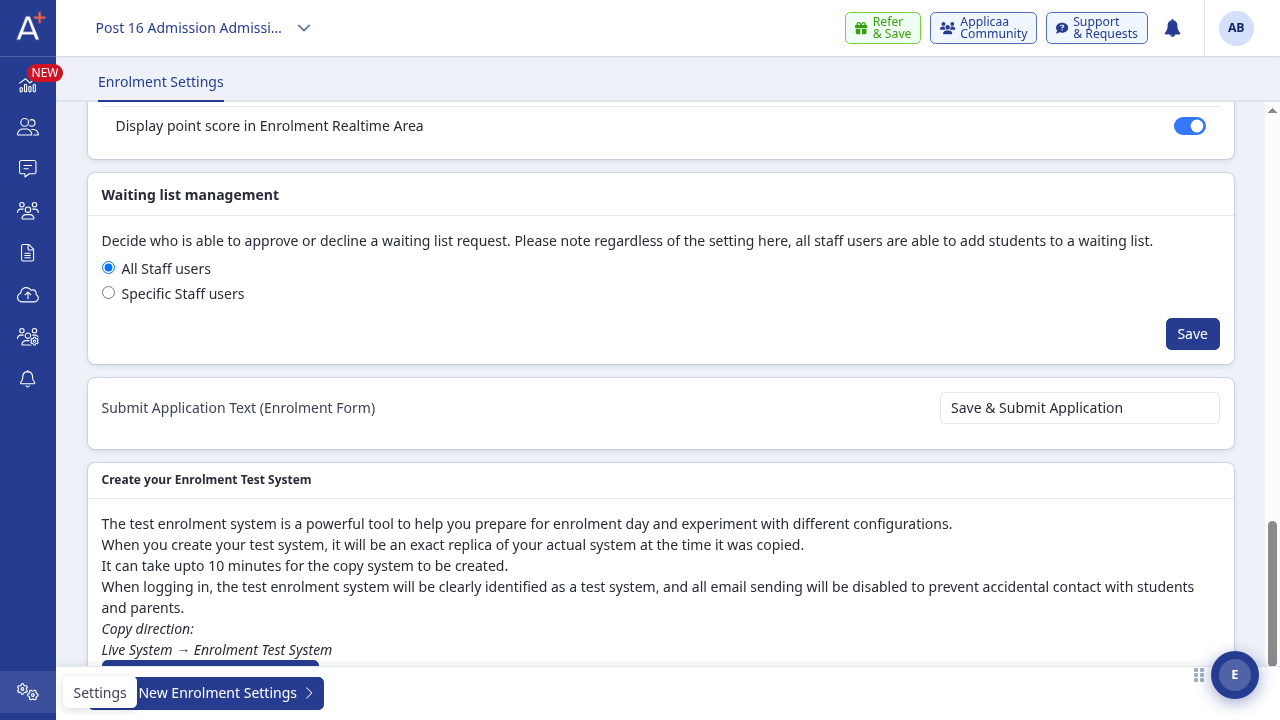
- This setting only controls syncing between the on-premise Enrolment App and Admissions+. It does not control syncing between Admissions+ and Applicaa One - that runs on its own, separate setting and is not affected by this toggle.
- If there are unsynced changes waiting on the Enrolment Server, Admissions+ shows a callout warning that enabling the setting will overwrite your real data with that unsynced (often test) data, so turn it on only when you are ready for that overwrite.
- A "Reset Enrolment Server Data" button is also available here, for Applicaa staff and school Super Admins. It reloads the Enrolment Server fresh from your live Admissions+ data, discarding whatever was on the Enrolment Server before (useful after testing).
- A "Push Enrolment Settings To Enrolment Apps" button sends your current Admissions+ enrolment settings out to the Enrolment App, so staff using the app pick up the latest configuration.
Questions staff ask
If I turn off "Sync Data from the Enrolment Server", does that stop updates reaching Admissions+ and Applicaa One?
It stops updates reaching Admissions+: changes made in the Enrolment App are no longer pulled in automatically. Applicaa One is not affected either way, because it is not driven by this setting.
Can you not use the Enrolment App on a Mac or Chromebook?
Correct - the Enrolment App is Windows-only. Use a Windows device for enrolment day, or enrol through Admissions+ in your browser instead.
If you have any other questions about the Enrolment App, ask Emma in Admissions+ or contact Applicaa support.