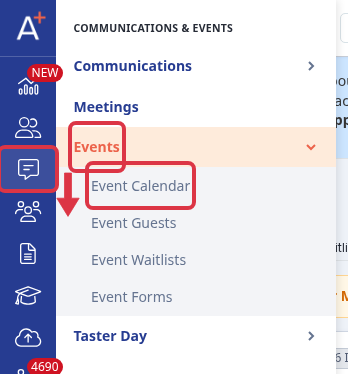
The events list shows the events that you saved for the intake that you have open. To open it, go to "Communications & Events" > "Events" > "Event Calendar".
The list belongs to one intake. The name of the open intake is at the top left of the page. Select it to move to a different intake. An event that you created under a different intake is not in this list.


Actions Column
Pencil Icon will allow you to edit the created and saved event.
Kebab Menu - Clicking this option will give you options to review, duplicate, publish/unpublish, cancel and delete an event.


Date - Date and time of the event.
Event - Name of the created event.
URL - This is the URL that can be used to link on your school website.
Location - This is the location of the event.
Visibility - This shows if an event is either Published or Unpublished.
Limit - Number of attendees or registrants allotted by the school
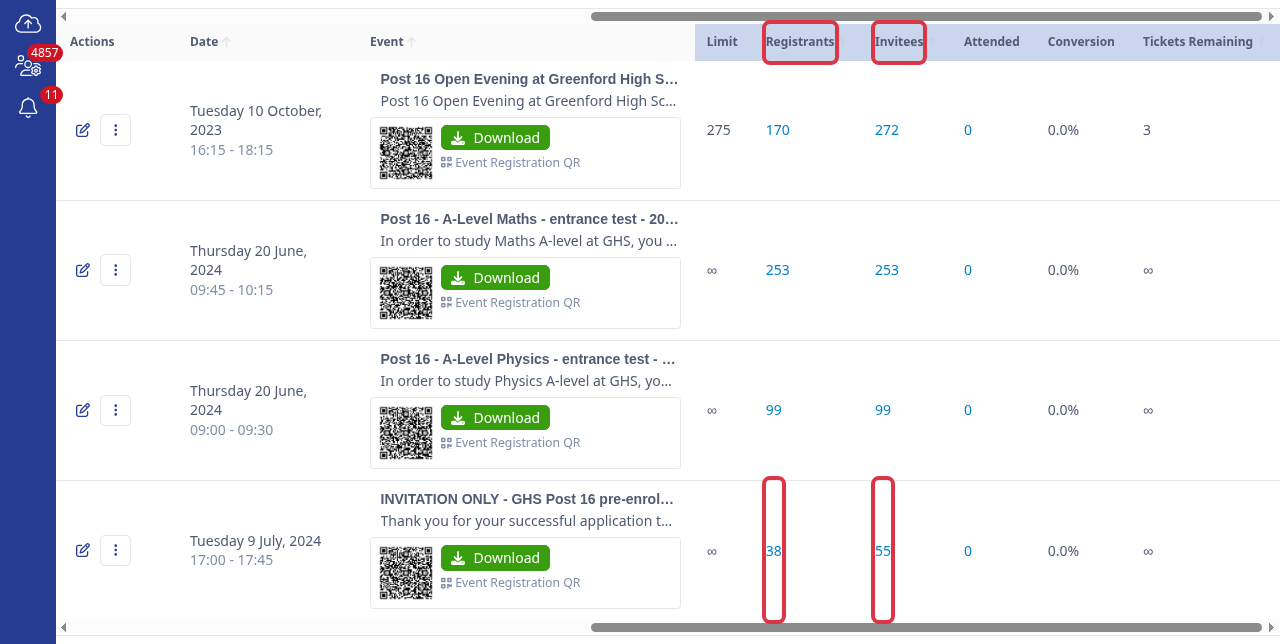
Registrants – This shows the number of completed bookings for the event. Each registrant counts once, no matter how many people they bring with them.
Invitees – This is the total number of people covered by the event’s bookings: every registrant plus everyone else on their booking. Invitees is always equal to or higher than Registrants, and it is the number checked against "Limit".
Attended - value on this column will show once an event has concluded and registrant has been marked attended.
If you cannot find an event that you saved
Turn on "Show Past Events" in the filter bar. When this setting is off, the list hides each event that ended more than one month ago. Each intake has its own setting, and it is off until you turn it on.
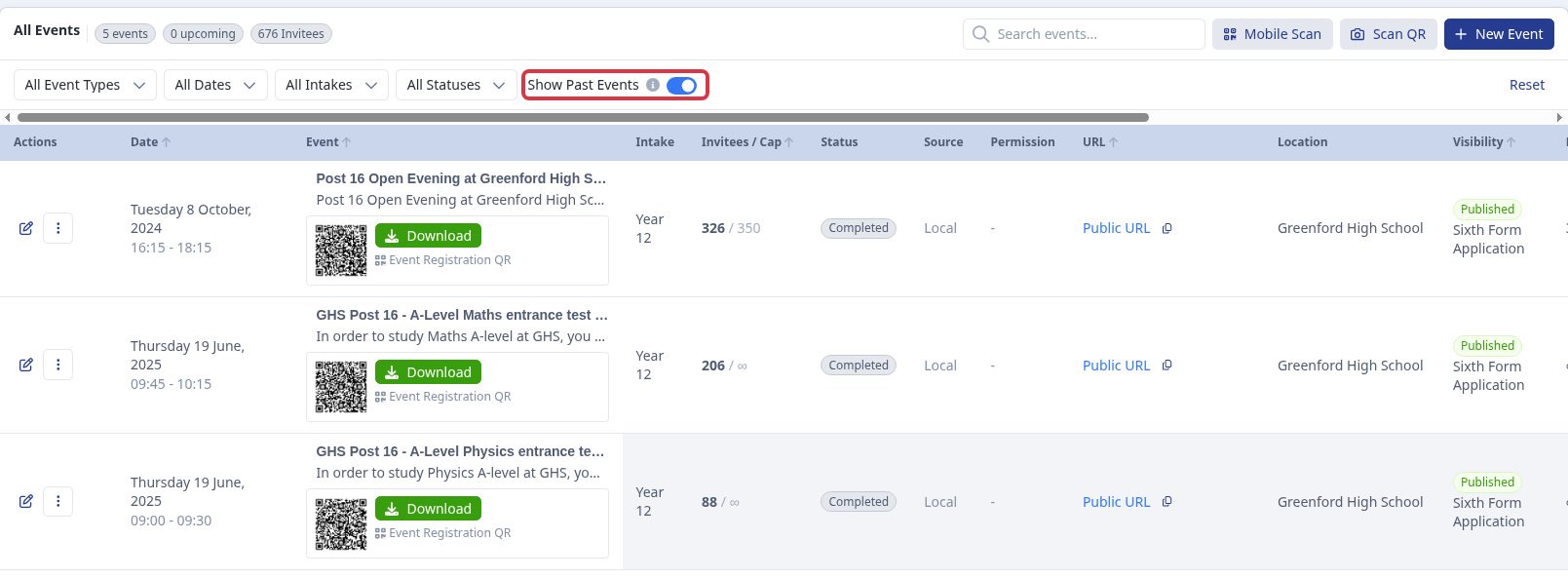
Then clear the filters and the search box. "All Event Types", "All Dates", "All Intakes" and "All Statuses" make the list shorter, and "Search events..." shows only the events that match your text. Select "Reset" to show all the events again.

- An event is in the list only after you save it. If you close the new event form before you save, the system keeps no record.
- A cancelled event stays in the list with the status "Cancelled". The system does not delete it.
- "Visibility" tells you what parents and students see. An unpublished event is still in this list for your staff.
- Your staff permissions control this area. If the "Events" menu is not in your sidebar, ask your system administrator to give you access.
If you still cannot find the event, ask Emma in the app, or select "Support & Requests" at the top of the page to contact the Applicaa team.
Questions staff ask
What's the difference between Invitees and Registrants?
A registrant books a place at the event. "Registrants" counts these bookings, one per registrant, no matter how many other people they bring.
"Invitees" counts every person covered by all of the event's bookings: each registrant plus everyone else on their booking. This number is always equal to or higher than "Registrants", and it is the number compared against the event's "Limit".
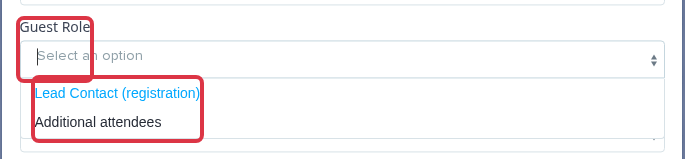
To see this breakdown for one event, open the event's guest list and use the "Guest Role" filter. "Lead Contact (registration)" shows the one registrant per booking; "Additional attendees" shows everyone else they brought.