This guide will cover how you can download a blank of your application form or enrolment form into a PDF copy
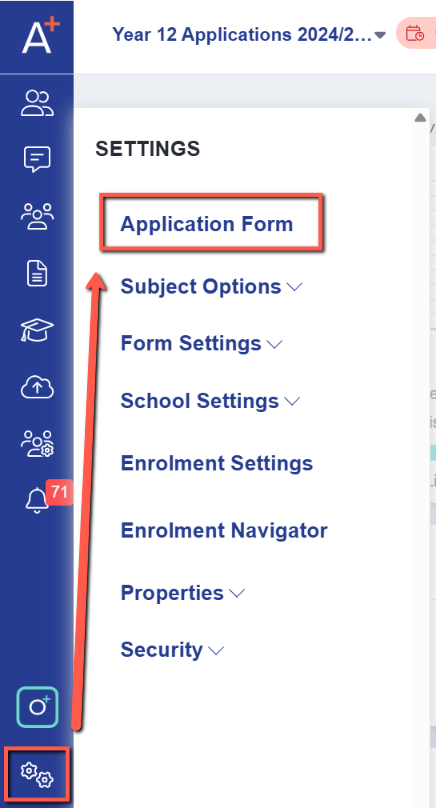
You can download a blank copy of your form by going into Settings > Application Form.
image-png-Sep-29-2025-07-26-24-4381-AM.png72.8 KB
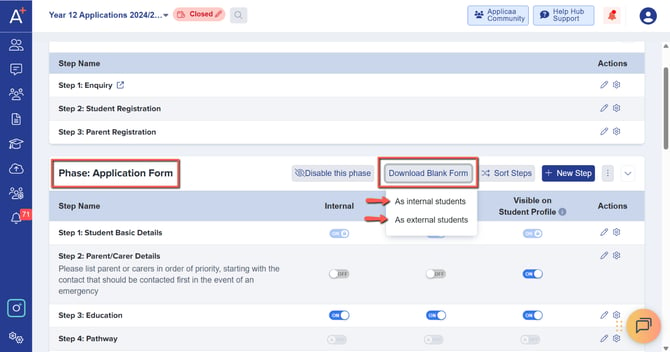
In the Application Form page please look for the phase that you would like to download a blank copy of, then please click on 'Download Blank Form' and select between Internals or Externals.
image-png-Sep-29-2025-07-29-31-7905-AM.png32.6 KB
A pop up should appear notifying you that your blank form is ready to download.
image-png-Sep-29-2025-07-30-03-6892-AM.png5.94 KB
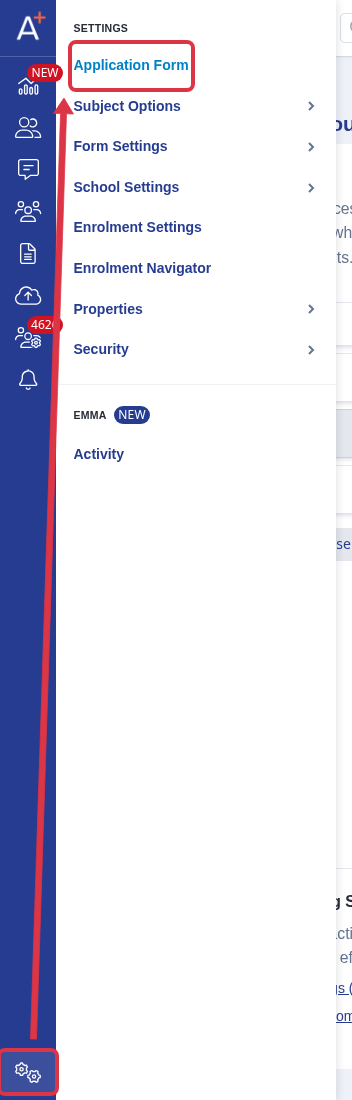
Can't find "Application Form"?
Go to "Settings" > "Application Form". This option appears only when your form type allows it and your staff role can customise the application form. If it is missing, ask your school administrator to check your role access.
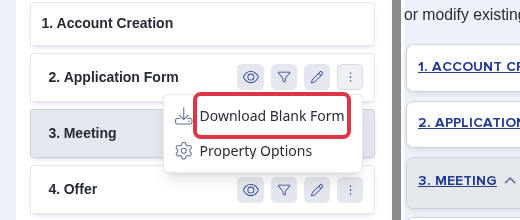
edit-blank-application-form-1.png45.3 KB
On the "Application Form" page, find the phase you need. Select "More phase actions", then select "Download Blank Form".