
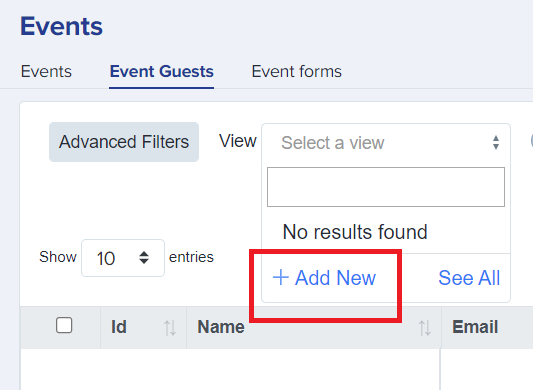
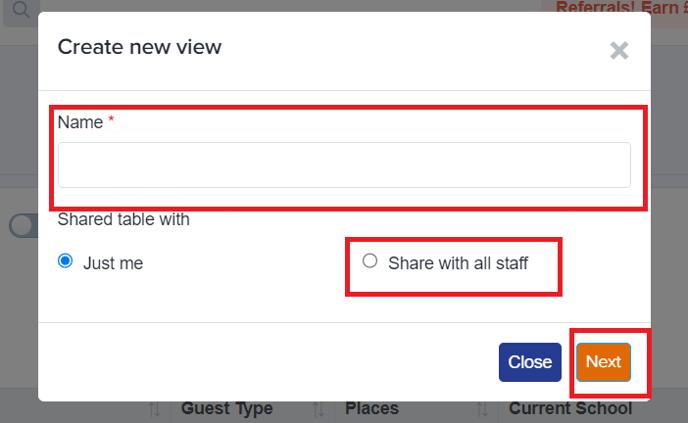
You can now have more information on your table of Events Guests by adding columns and customising what information you want to view. To create a view, click on '+Add New' , create a name and tick 'Share with all staff' if you also wish for others to be able to see the specific view that you are creating and then click 'Next'.
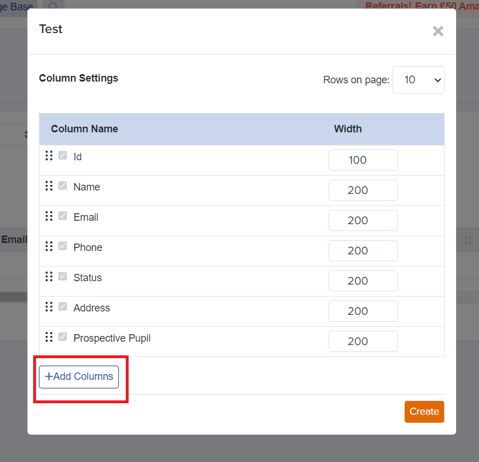
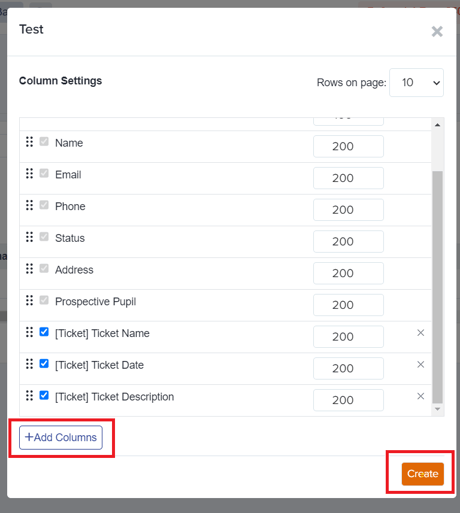
You can also add columns for a specific view on this table by clicking on '+ Add Columns' button.
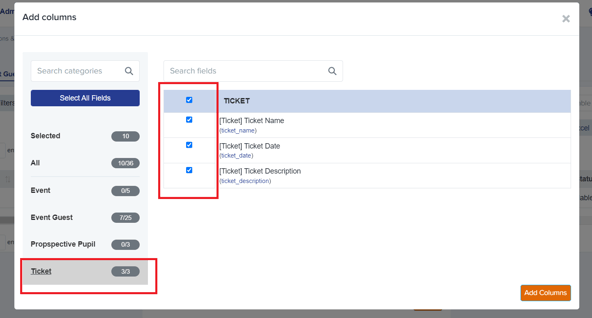
On the next window, select categories or search for the fields that you want to add to your table, click the 'Add Column' button and then the 'Create' button.
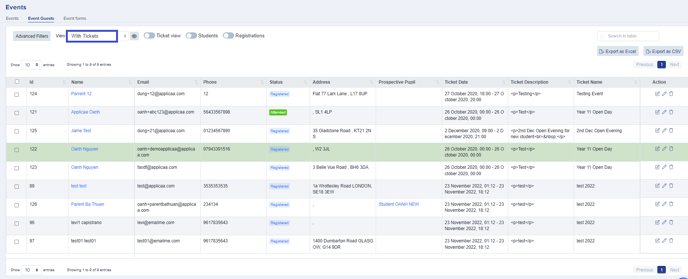
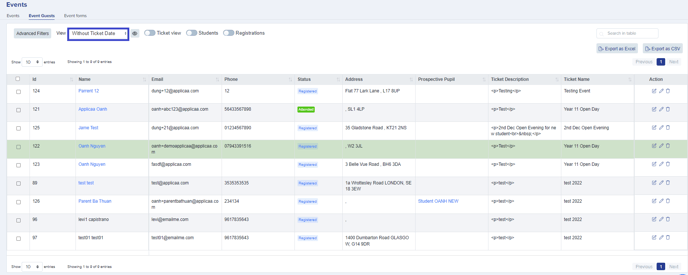
You can also export the information from a specific view that you have created as a csv file. Once you have created and saved a view, you will then have the ability to apply that view each time you visit your Event Guests table, without needing to recreate it each time.

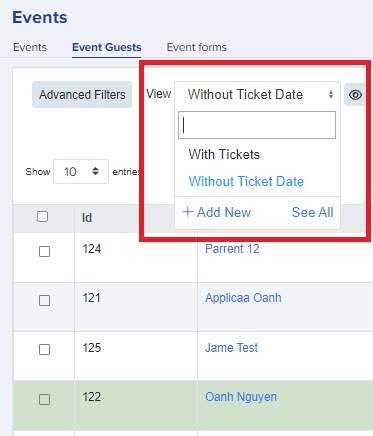
Note: You can create as many custom views for your tables as you wish.
Why can't I see a guest's date of birth?
The Event Guests table shows a fixed set of default columns, and Date of Birth is not one of them. It stays hidden until you add it to a view, so a brand-new table will not display it.
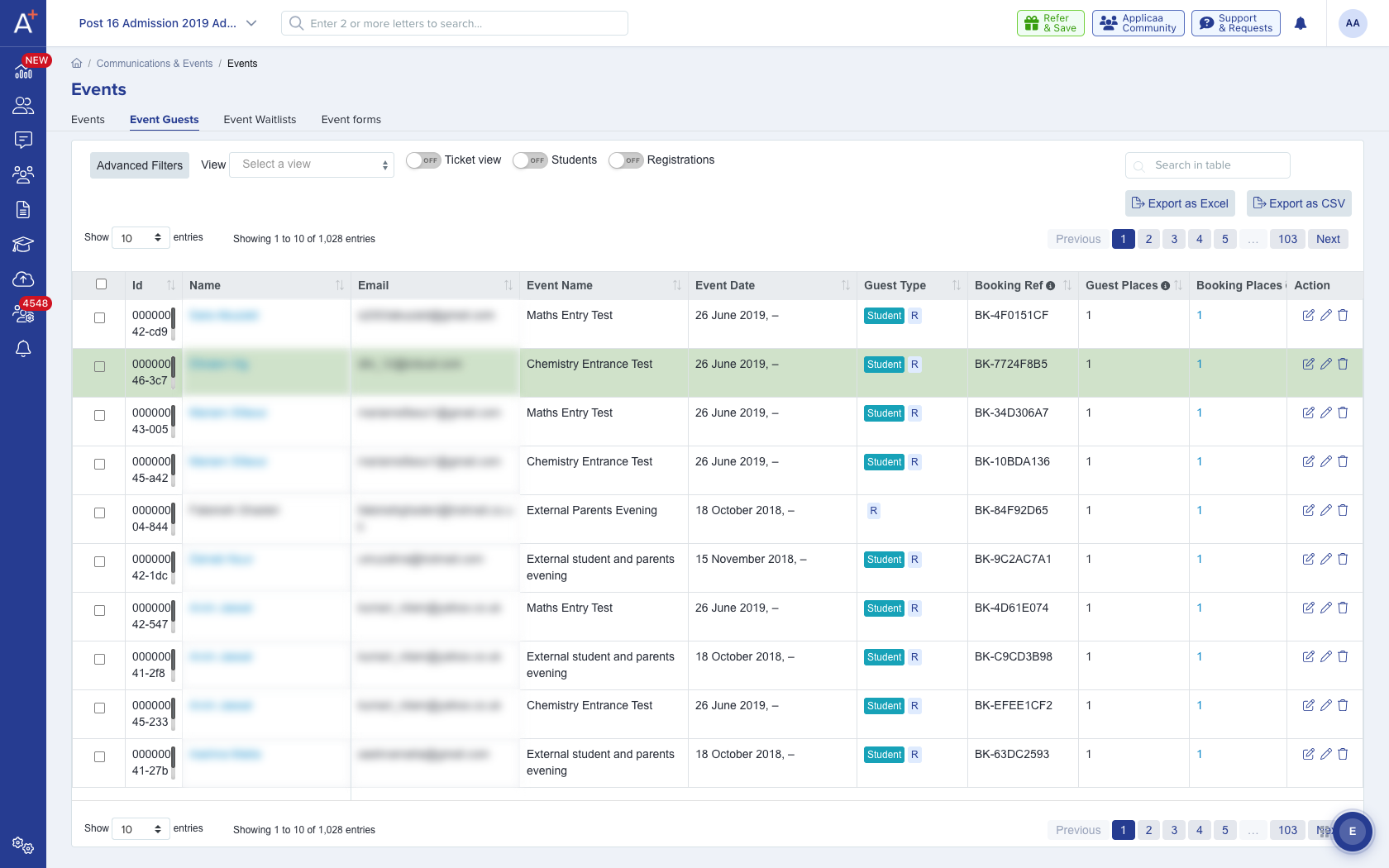
To add it, open the 'View' selector and create a new view or open an existing one. Click the '+ Add Columns' button, search for 'Date of Birth', tick '[Event Guest] Date of Birth', then click 'Add Columns' followed by 'Create'. Once the view is saved, Date of Birth appears as a column, and it is included whenever you export that view as a CSV.
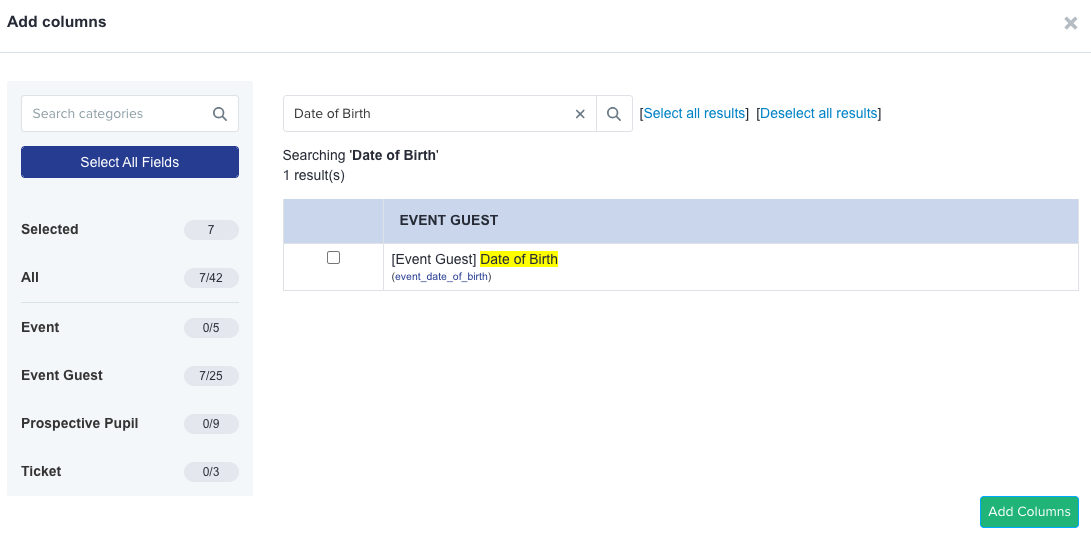
Date of Birth is only available to add if your event registration form actually collects it. If you cannot find it in the Add Columns list, add a Date of Birth question to the event form first, then return to your view and it will be available to add as a column.
If you are still unsure where a guest's date of birth is, ask Emma in the bottom-right of your dashboard, or search this helpdesk.