
Every application in Admissions+ keeps an activity history. It records key actions, when they happened, and the actor recorded for the action. You can also preview each application-form step as an internal or external student.
Open the student's profile and select "Activities".
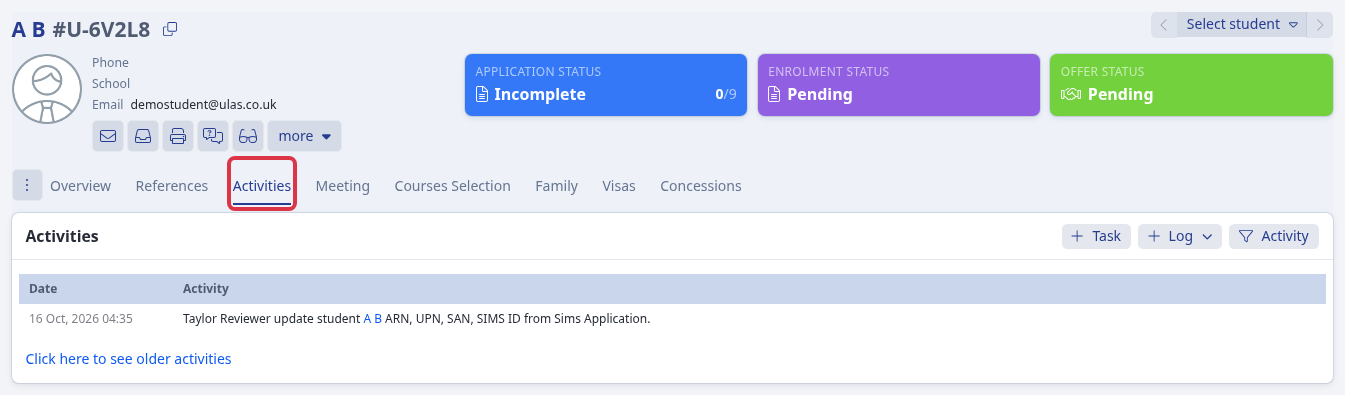
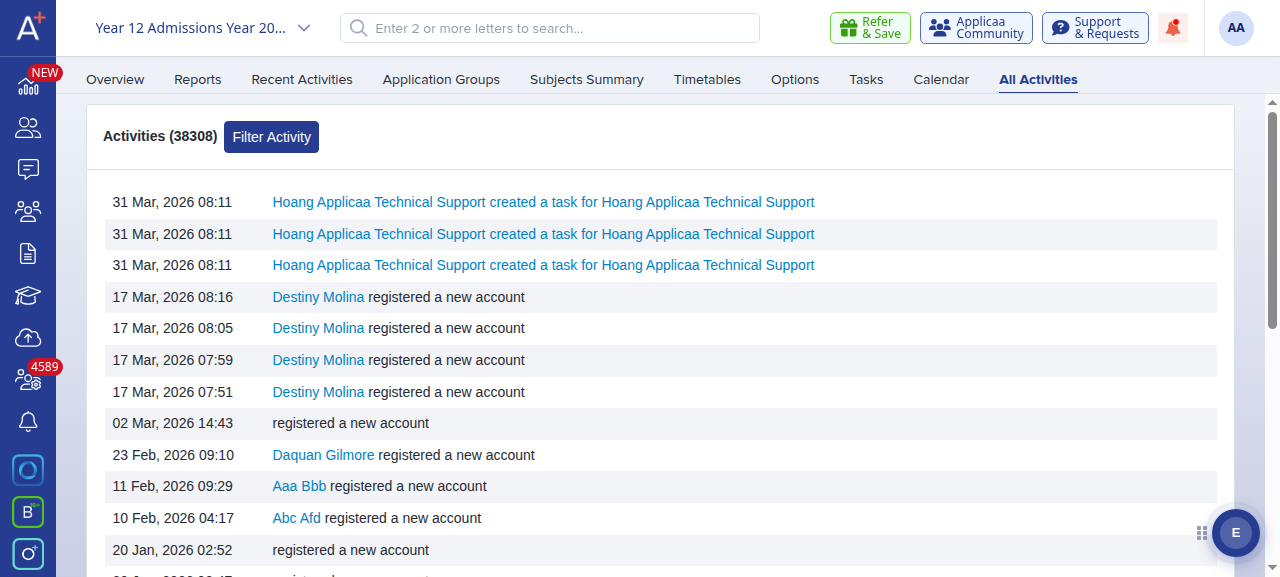
The activity history records actions such as:
- Form progress, when an applicant or parent completes or saves a step, or completes a phase.
- Status changes, including the previous and new application, enrolment, or bursary status.
- Communication, such as emails, SMS, calls, and other logged contact.
- Staff actions, including notes, grouping, tasks, offers, references, and meetings.
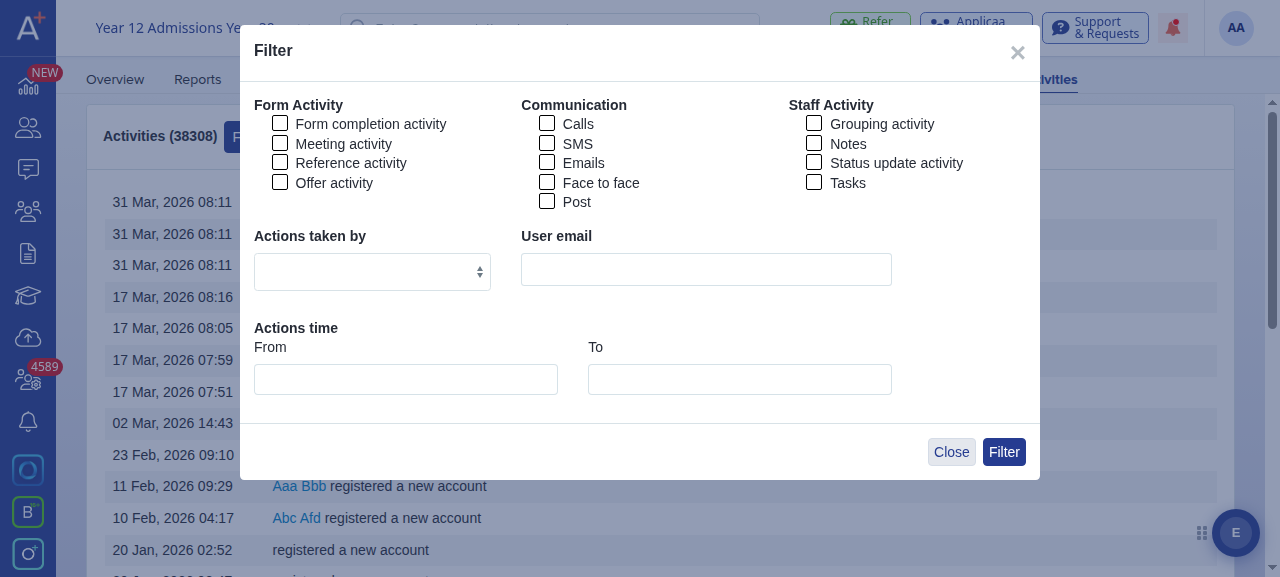
To find a specific action, select "Activity", choose one or more categories, and select "Filter".
Find out who made a change
Read the activity entry for the action. When an entry names a staff member, that person is the recorded actor. For example, an entry for a SIMS update names the staff member who sent that update to Admissions+.

An automated or integration entry can name the system instead of a person. The activity history does not identify who changed data in the source system or who started an import.
Check recorded changes
The activity history can show recorded changes to an application's status and completion progress, including the previous and new values. It does not provide a field-by-field history for every answer to a custom question on the application form.
Read the activity entry to check the recorded actor and change. Ask Emma in the app, or use "Support & Requests", when you need help with a specific form-answer change.
View a form step as a student
Open the form's "Manage Journey" page and select the step that you want to check.
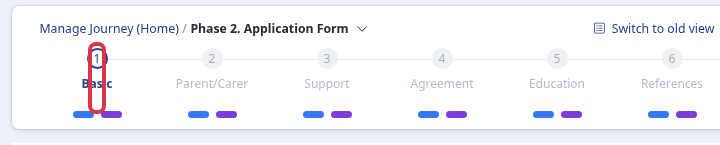
Select "Internal Student" or "External Student" to preview the selected step for that audience.
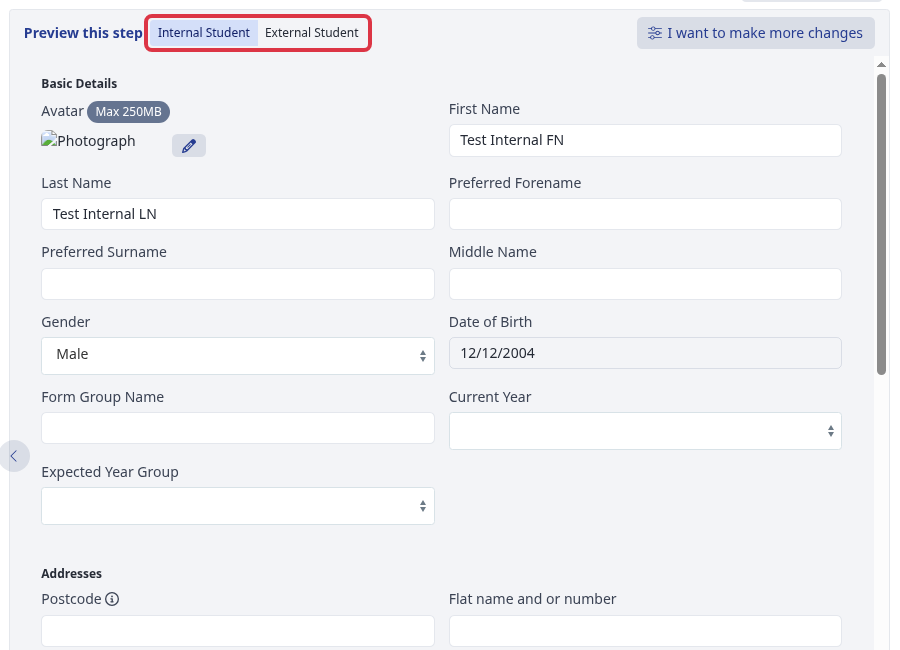
The preview shows the selected step. It does not show a specific applicant's completed form or their saved answers.