
Use the Application Form editor to change the questions that parents and applicants complete. Select the application form and step before you change a question.
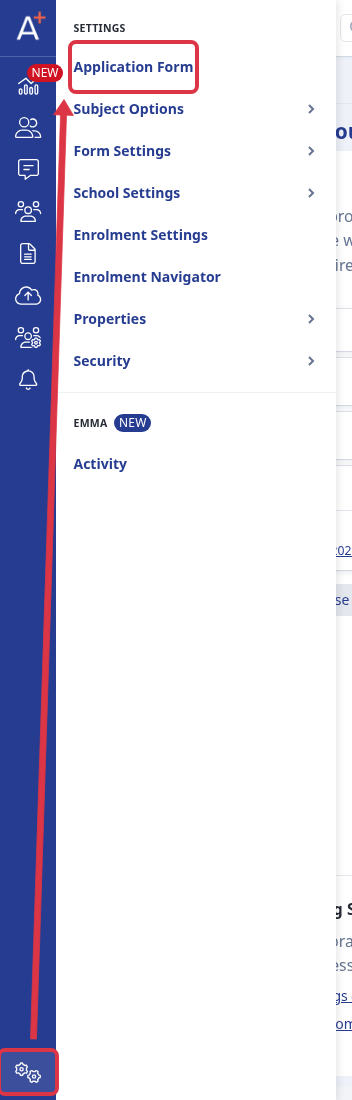
Go to Settings > Application Form.
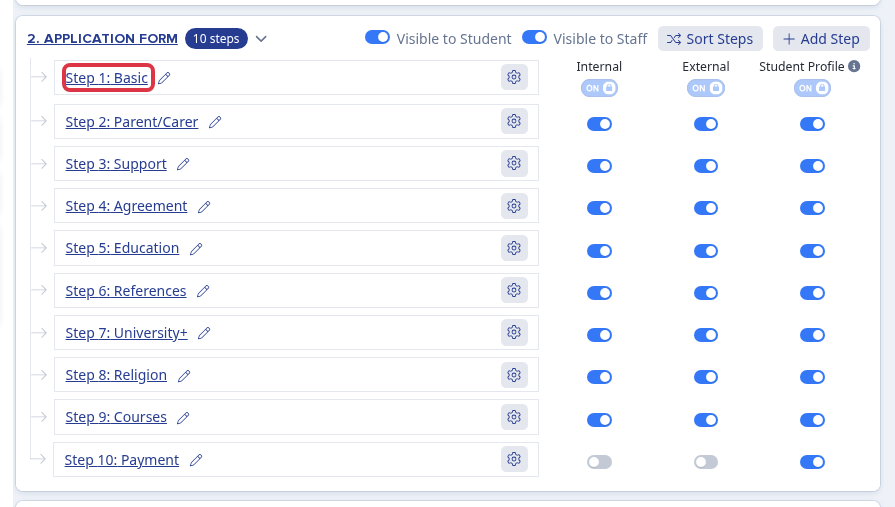
In the Application Form phase, select the step that contains the question that you want to change. The step opens its preview.
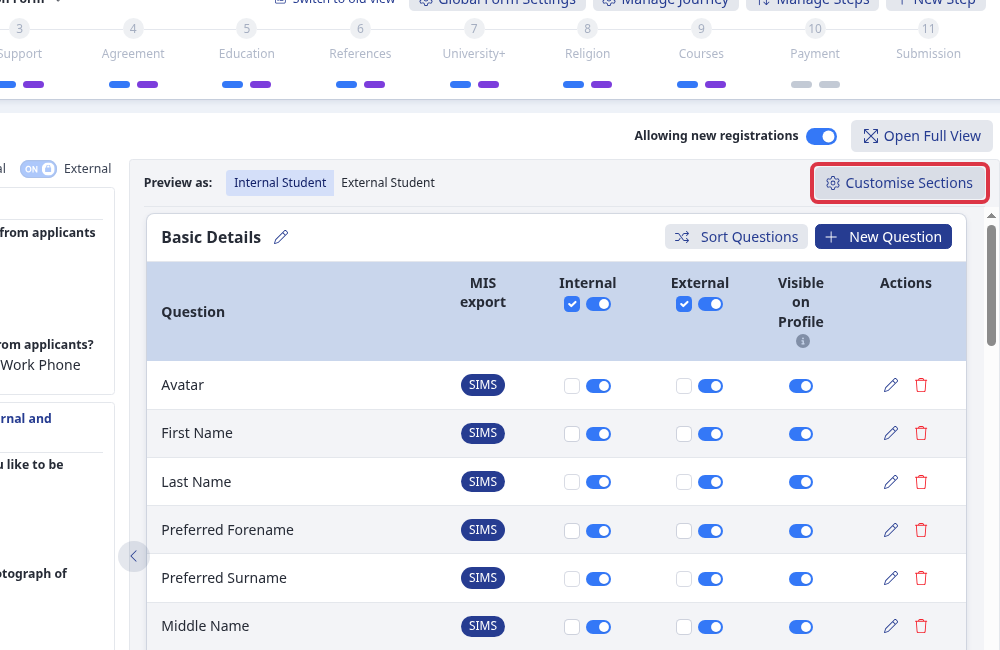
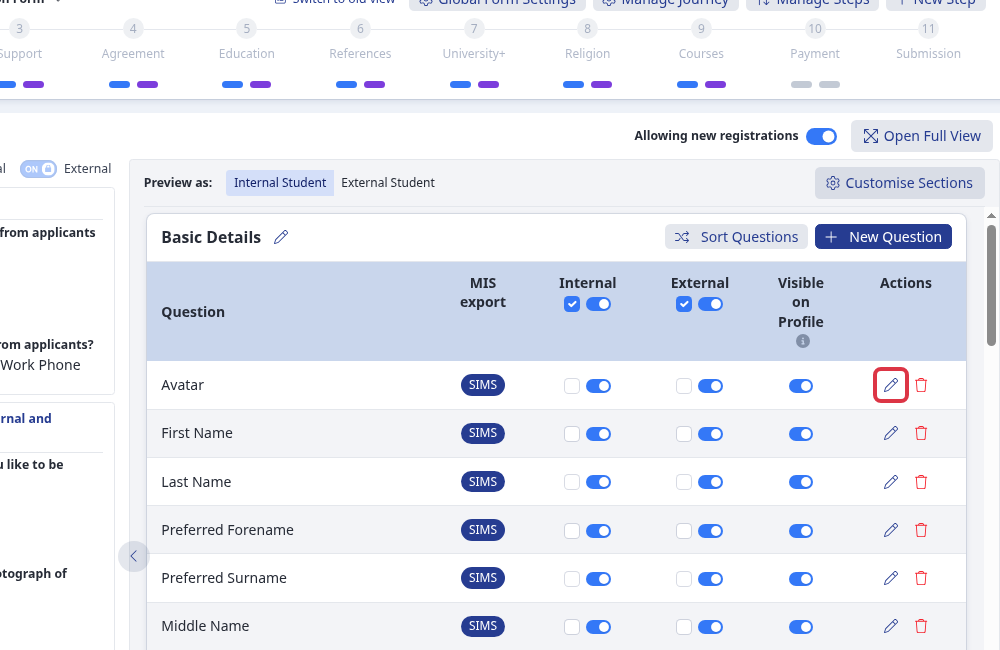
Select Customise Sections to open the question editor for the selected step.
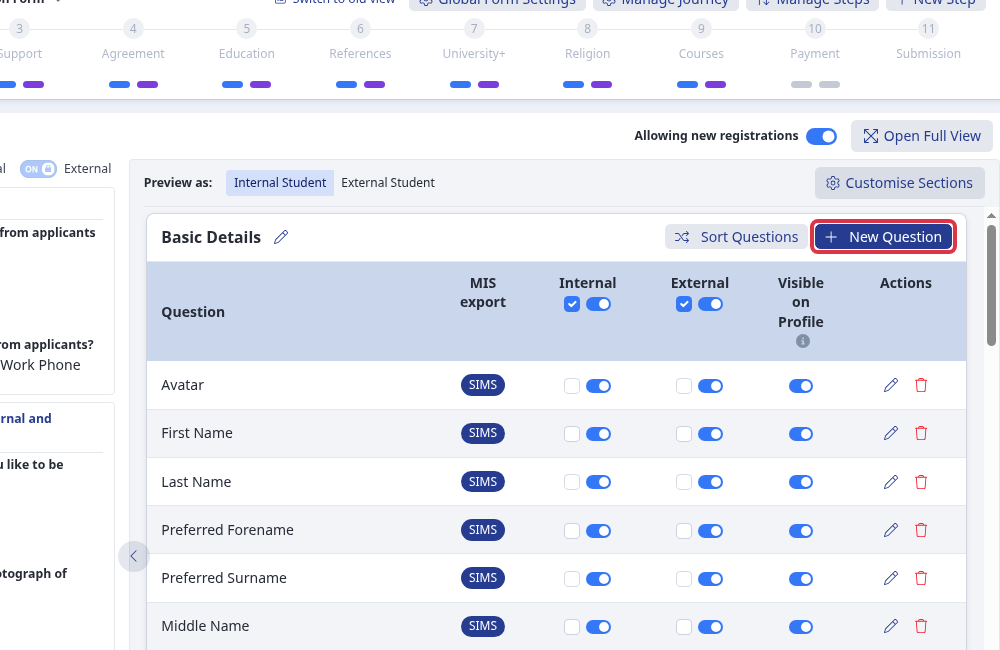
To add a question, select New Question. The question-type selector opens for the selected section.
To change a question that already exists, select its Edit question pencil control.
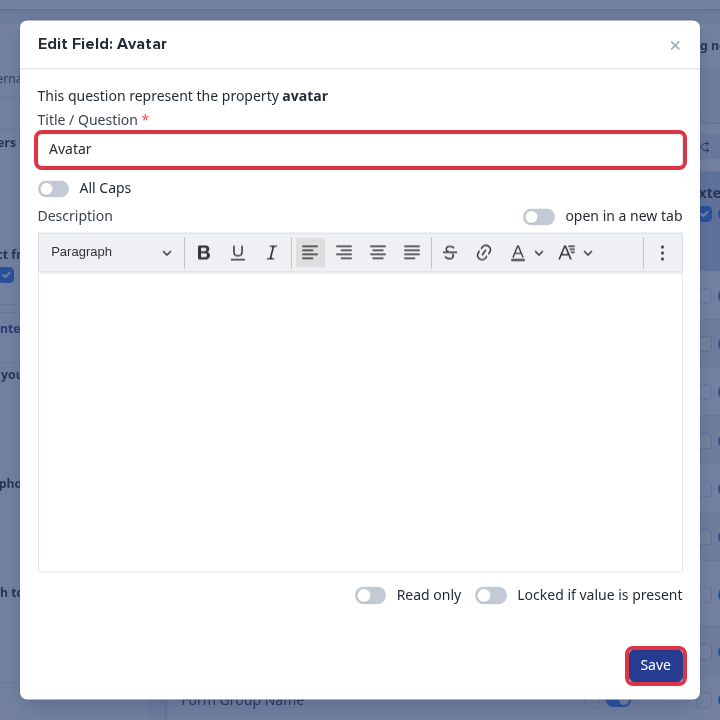
Change Title / Question and select Save. Applicants see the new title in this form step. A blank title cannot save. The error message is Custom name can't be blank.
Questions staff ask
Can I show different questions to internal and external applicants? Yes. The question table has separate Internal and External required and visible controls.