
If your school already has Admissions+, you can just link the A+ system to the Bursary platform and students will be redirected to your bursary sytem to login with the same credentials; they will not need to register a new account.
For those schools who do not have an A+ system, students will need to create an account; this article looks at the questions you ask when students register.
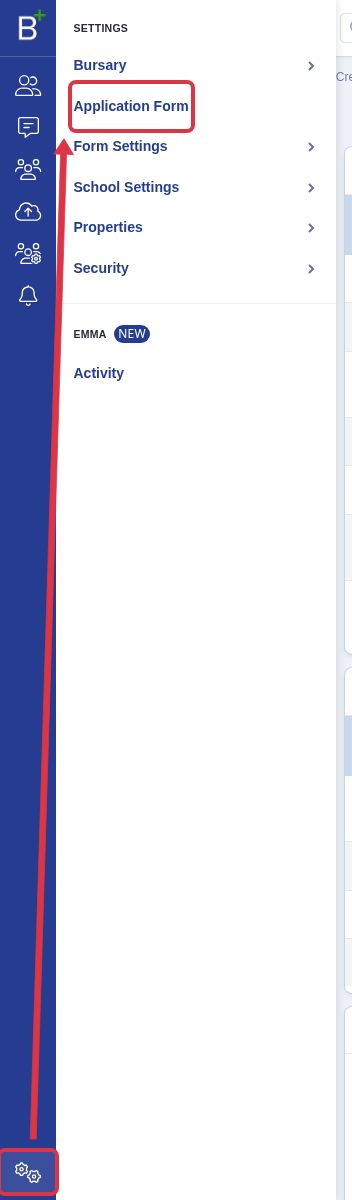
Go to Settings->Application Form ->Student Registration


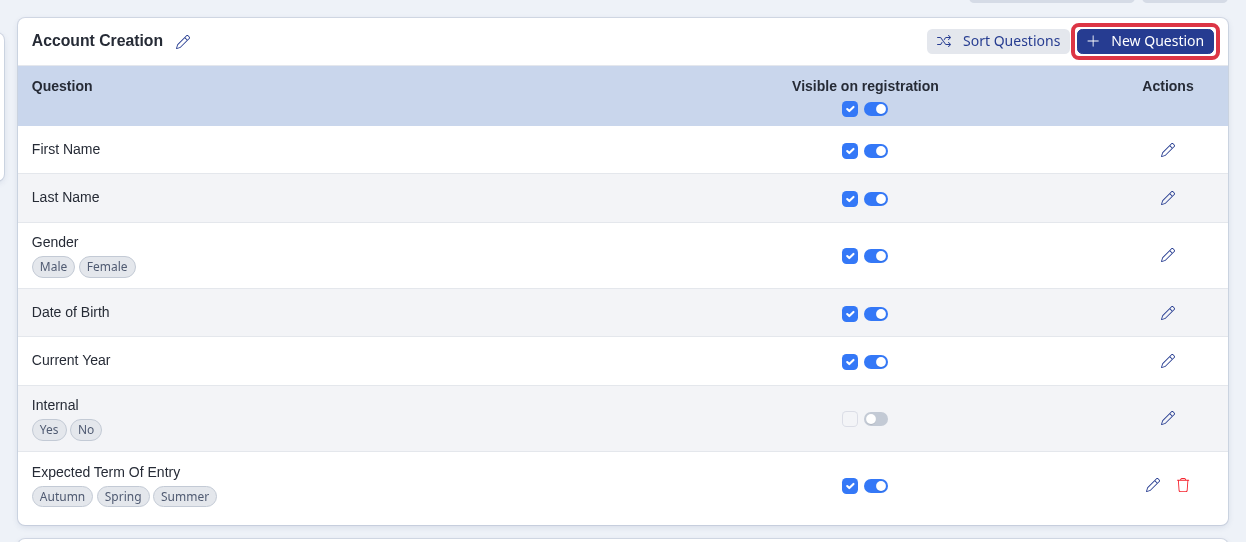
You can edit, add questions, make a question required (tick the box) or optional (blue sliders on, box unticked)

There will also be a text highlighted in red which states "This Bursary Form is only available to students currently at your school" (meaning they have applied to your sixth form through the Admissions+ platform.)
If your school is not using Admissions+, this instruction needs to be deleted as per the screenshot below. Once done editing/deleting, press Save.

Adding a message near Login Details
The Login Details email and confirmation fields are fixed. You cannot edit their labels or add text inside them. Add an Explanation Text Block in the editable Account Creation section to show a message above Login Details.
Go to Settings > Application Form > Student Registration.
In the Account Creation section, select New Question.
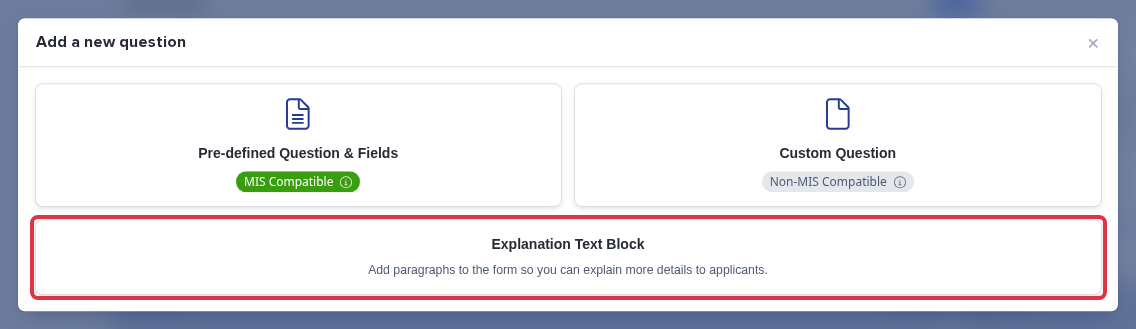
Select Explanation Text Block.
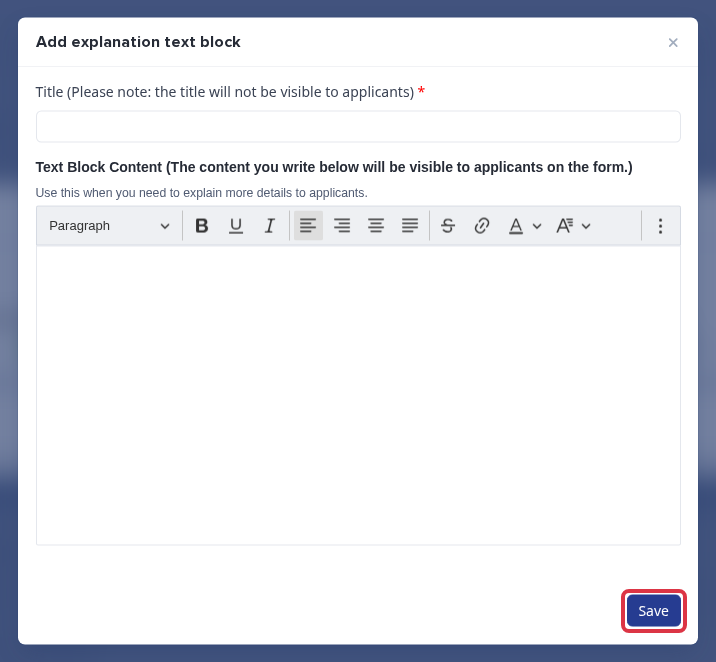
Enter a title and the message. The title does not show to applicants. Select Save.
Changing the name your students see (your school name)
The name students see when they register and sign in - and the name used on page titles, headers and the emails your platform sends - comes from your Display school name setting, not from the registration questions above. If your school has been renamed and you need to update what students see (for example changing from a former name to your current sixth form name), you change it in your school settings.
Go to Settings > School Settings > General Settings and open the Basic School Information section. You will see two name fields: School Name, which is your official DfE establishment name, and Display School Name, which is the name students and parents actually see.
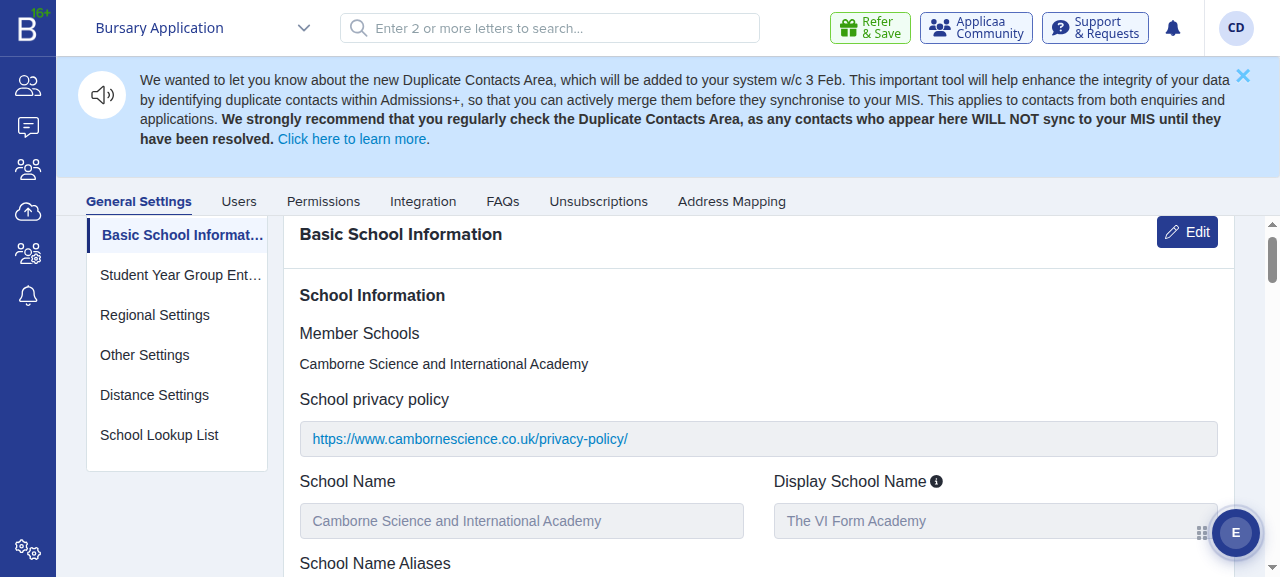
Click Edit. The School Name field is greyed out and cannot be changed here, because it comes from your official DfE record. Type the name you want students to see into the Display school name field.
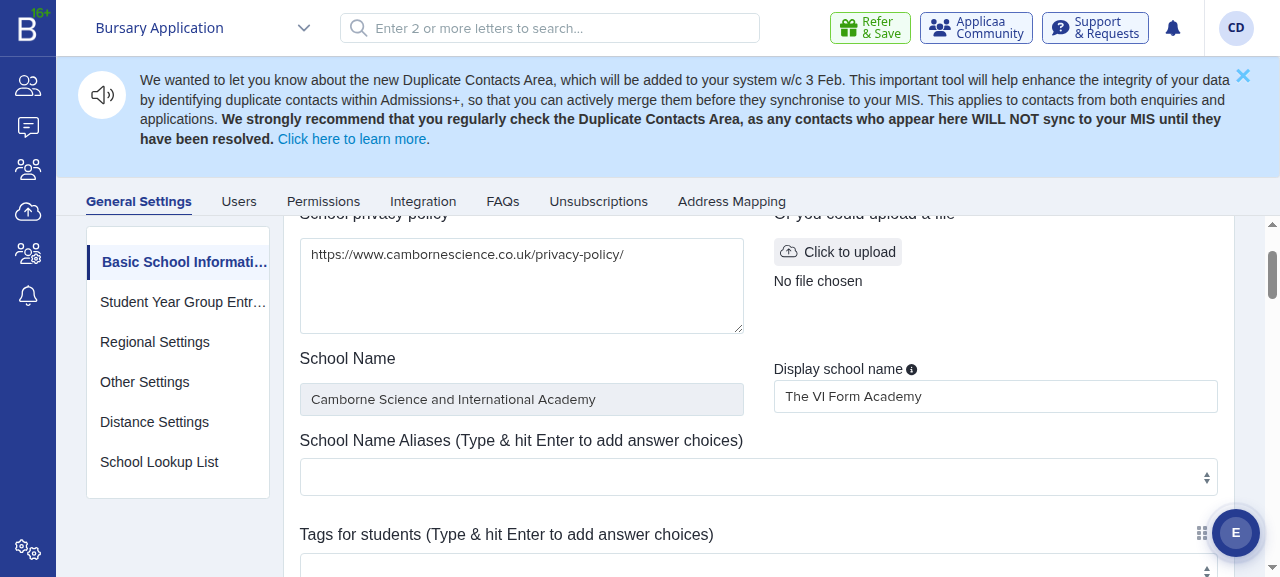
Click Save. Your new display name takes effect straight away, everywhere students see it - the registration and sign-in screens, page titles, headers and emails.
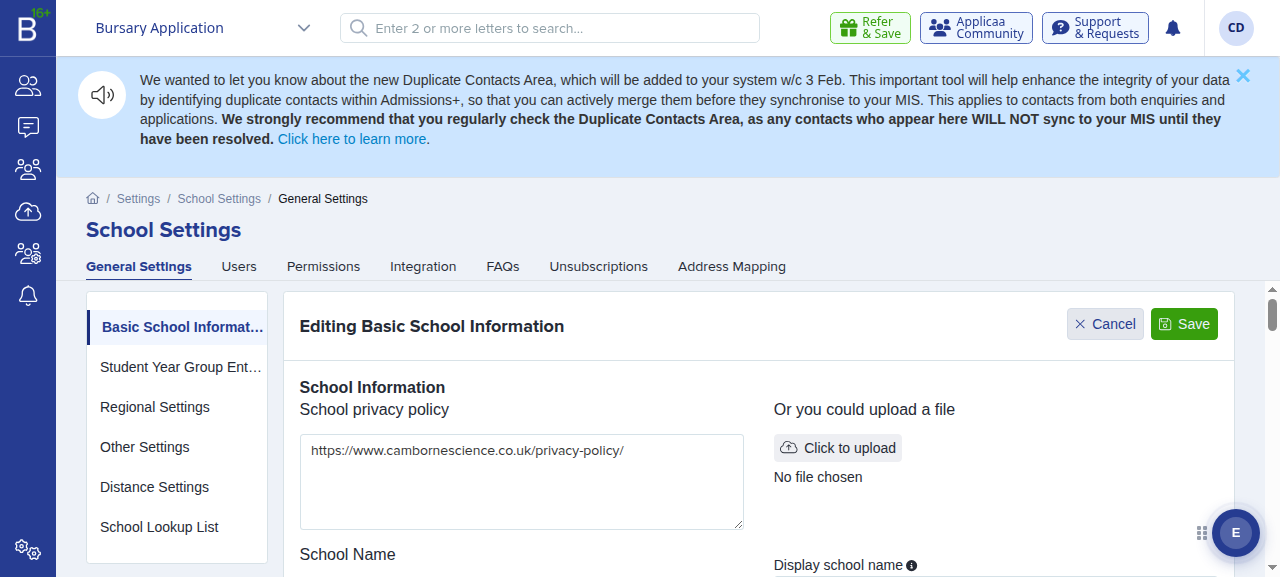
- School Name- your official DfE establishment name. This is fixed and cannot be edited from this screen.
- Display School Name- the name shown to students and parents. Leave it blank to fall back to the official School Name.
Changing the school name needs the relevant permission. If you cannot see the Edit button, ask a Super Admin at your school to make the change or to give you access.