
Use these steps when enrolled students cannot see the Bursary Form. Configure every Bursary Application form that the affected students use.
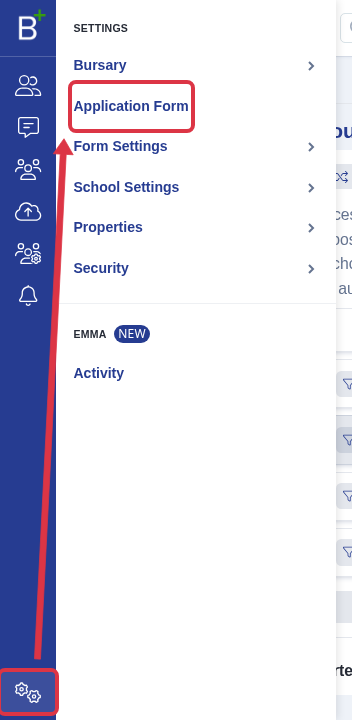
Go to Settings > Application Form on the Bursary Application form.
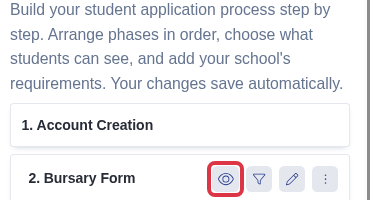
Find Bursary Form. An open-eye button means that the phase is active. If the button shows a closed eye, select it to enable the phase.
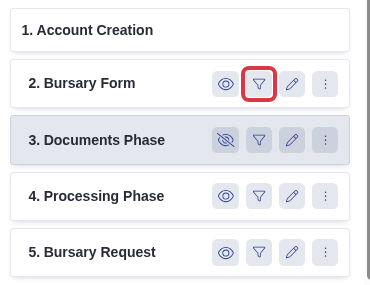
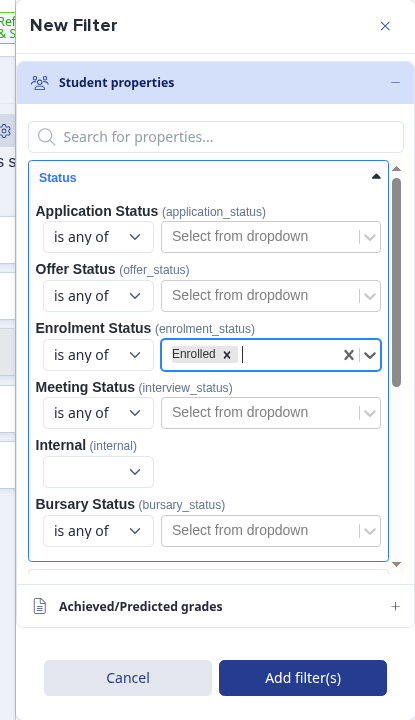
Select the filter button on the Bursary Form row.
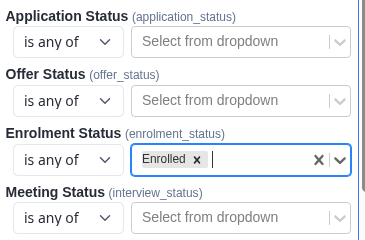
Under Student properties > Status, leave Enrolment Status set to is any of and select Enrolled.
Select Add filter(s). The Bursary Form is then available only to students whose enrolment status is Enrolled.
What it does not do
- An enrolment phase activation time controls an Enrolment phase only. It does not control the Bursary Form.
- The filter does not move a student to another Bursary Application form. Check that you changed the form that the student uses.
Related articles
Ask Emma in Admissions+ if you need help to check which Bursary Application form a student uses.