
Firstly, go to your Communications & Events area > Communications and you can either select Manual, Automated or Scheduled messages as it will still apply to all the templates.
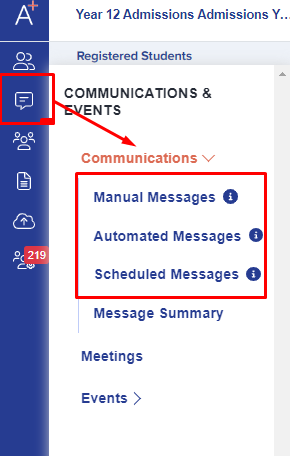
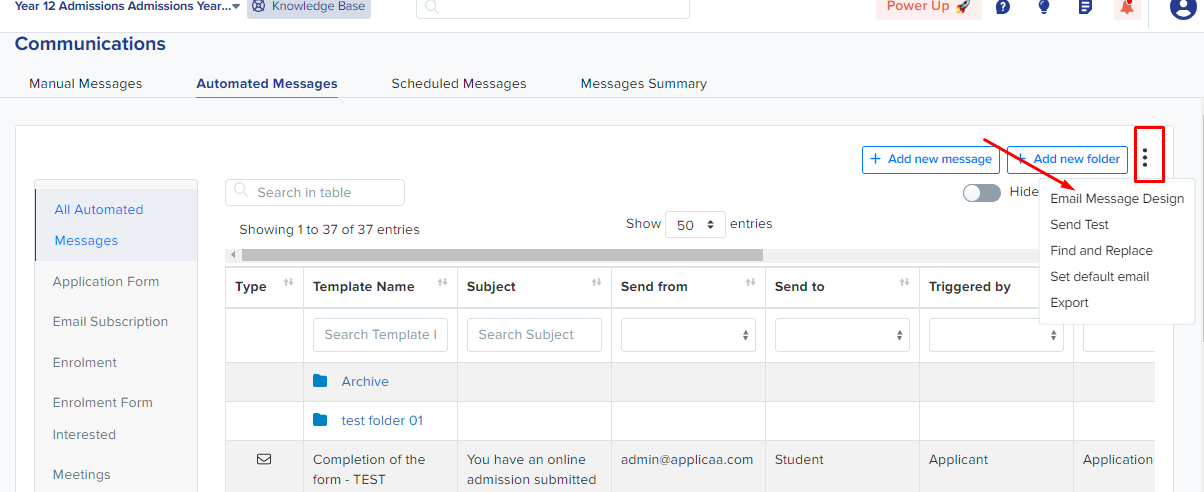
If your Communications area has a kebab menu beside "add new folder", you are on the classic workflow: click it then click "Email message design" from the dropdown menu.
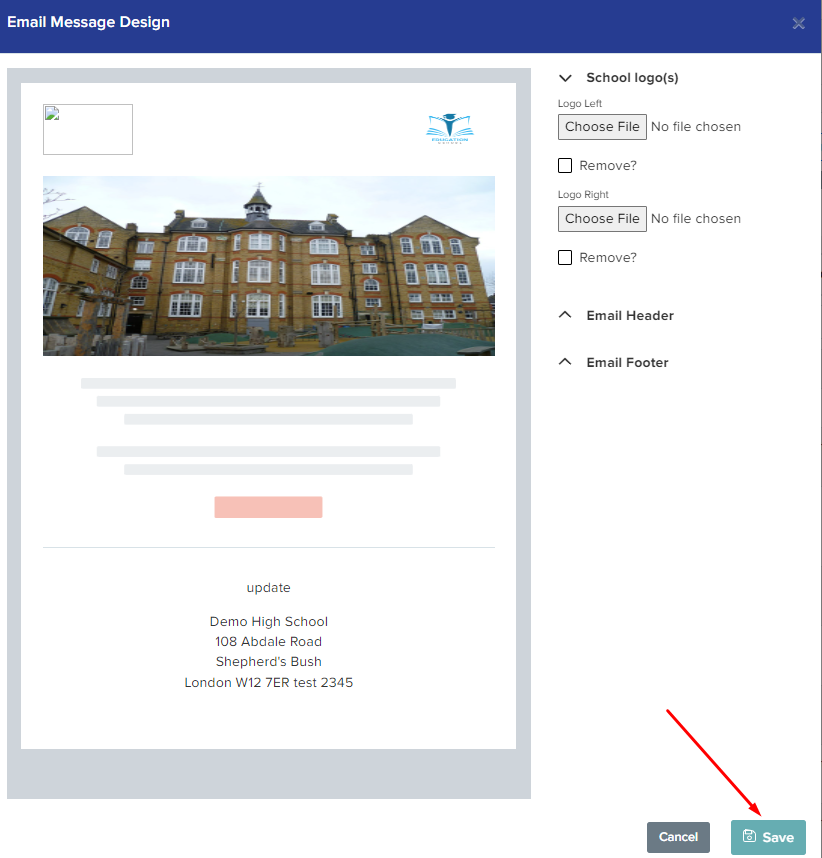
You will be able to add your school logo, email header & footer as well and you will see a preview of your email template on the left side of the page. Once done, you may click the Save button.
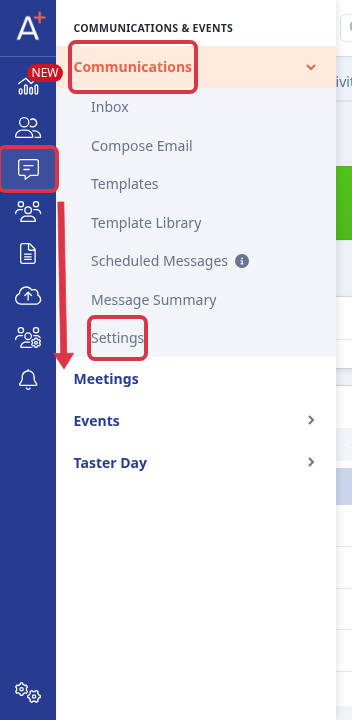
If your school uses the newer Communications settings area
Some schools see a "Settings" link in the Communications drawer instead of the kebab menu above. If so, click the rail icon for Communications & Events, open the "Communications" drawer item, then click "Settings".
Select the "Template Defaults" tab in the left-hand panel. This page holds the same school logo, header and footer controls as the classic workflow above, grouped as the "School logo(s)", "Email Header" and "Email Footer" sections.
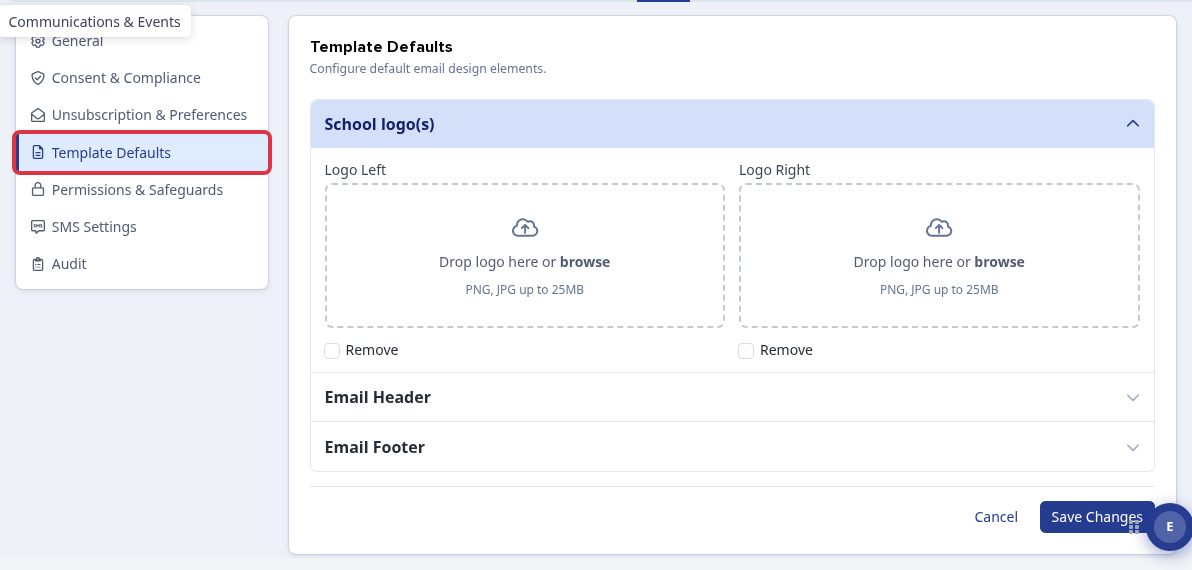
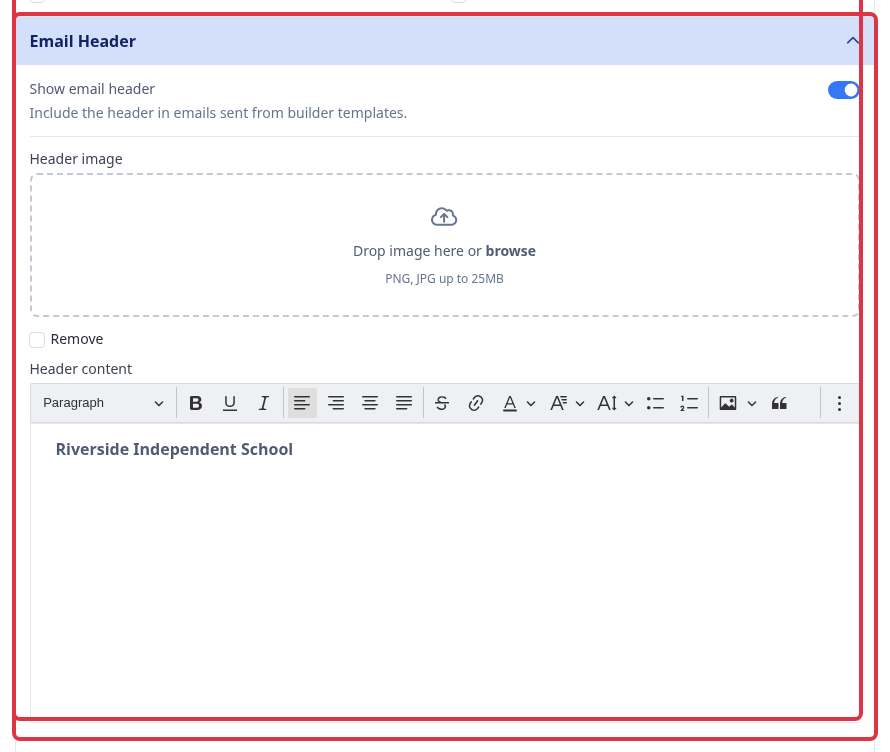
Expand "Email Header", turn on "Show email header", upload a header image if you want one, and type your header text into the "Header content" box.
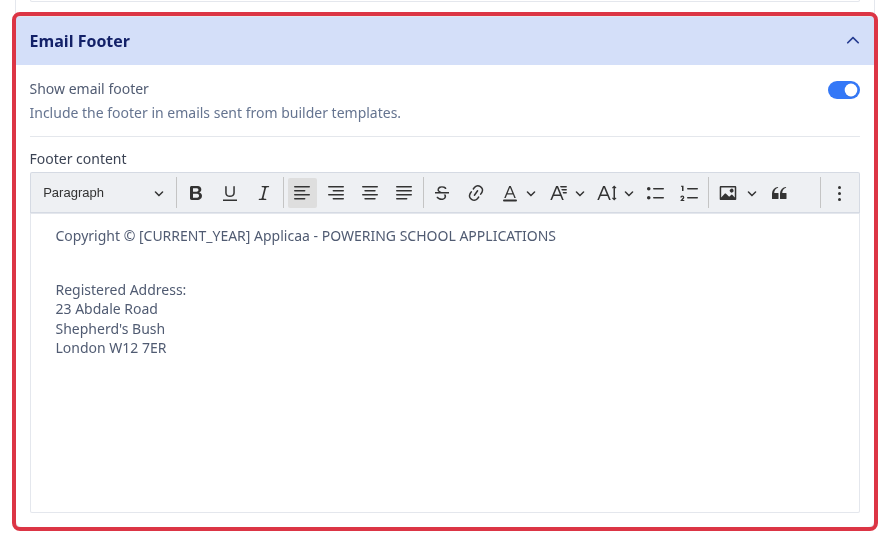
Expand "Email Footer", turn on "Show email footer", and type your footer text into the "Footer content" box.
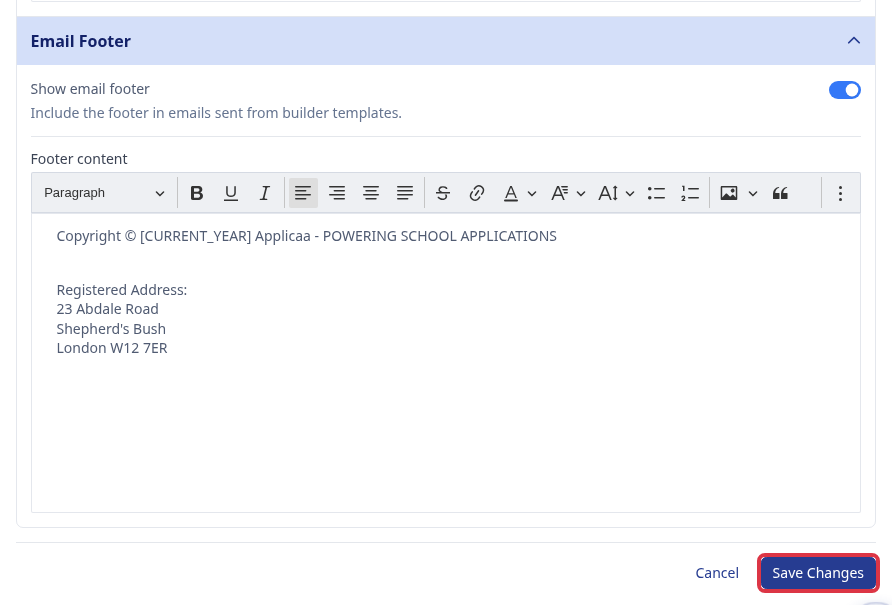
Click "Save Changes" once you are happy with the header and footer.
What changing this default does and does not affect
This header and footer is the default for the application form you are editing. Saving it changes two things straight away: every new message you create from now on starts with this header and footer, and automatic emails your system sends (for example application confirmations) always use the current default.
It does not change a message you already built. That message keeps the header and footer it had when you created it, because the design is saved into the message itself at that point, not read fresh each time it sends.
Updating the header or footer on messages you already built
To change the header or footer text on existing messages without opening each one, use "Find and Replace". Click the kebab menu on your templates list, choose "Find and Replace", then search for the old header or footer wording and replace it with the new wording across every matching message in one pass.

New messages you create after saving the default, and automatic emails your system sends, use the updated header and footer. Use Find and Replace to update the wording on messages you already built.
Related articles