
Navigate to settings > application form > courses and activate this setting:

This will mean you are able to add courses to a student's 'offer list' on their profile. These offered subjects can then be used as mail merge fields in your offer email template.
On a student’s profile, click on their “courses selection” tab and you will see the subjects they applied for.
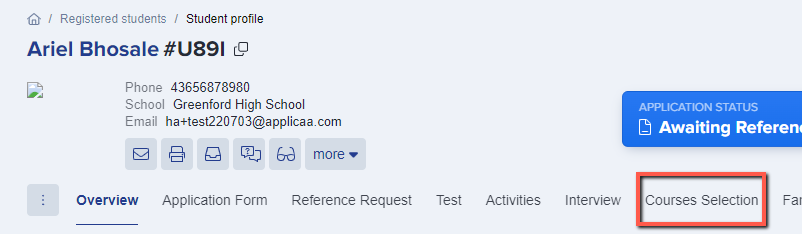
You can then add the courses you wish to offer the applicant in the offer list:

Note: the offer list is used to offer courses to students on a broad level and is NOT option block-specific. For example, if you want to offer them Chemistry and this runs in Block B, the offer to the student will only say "Chemistry" and will not specify which block this will take place in.
Blocks only show (if you've got option block view activated) in the Application Form Subjects and Enrolment Form Subjects areas.
Put the offered courses at the top of the enrolment form
Go to Settings > Enrolment Navigator and open Timetable And Classes. Select Pre-select the courses offered to the student.
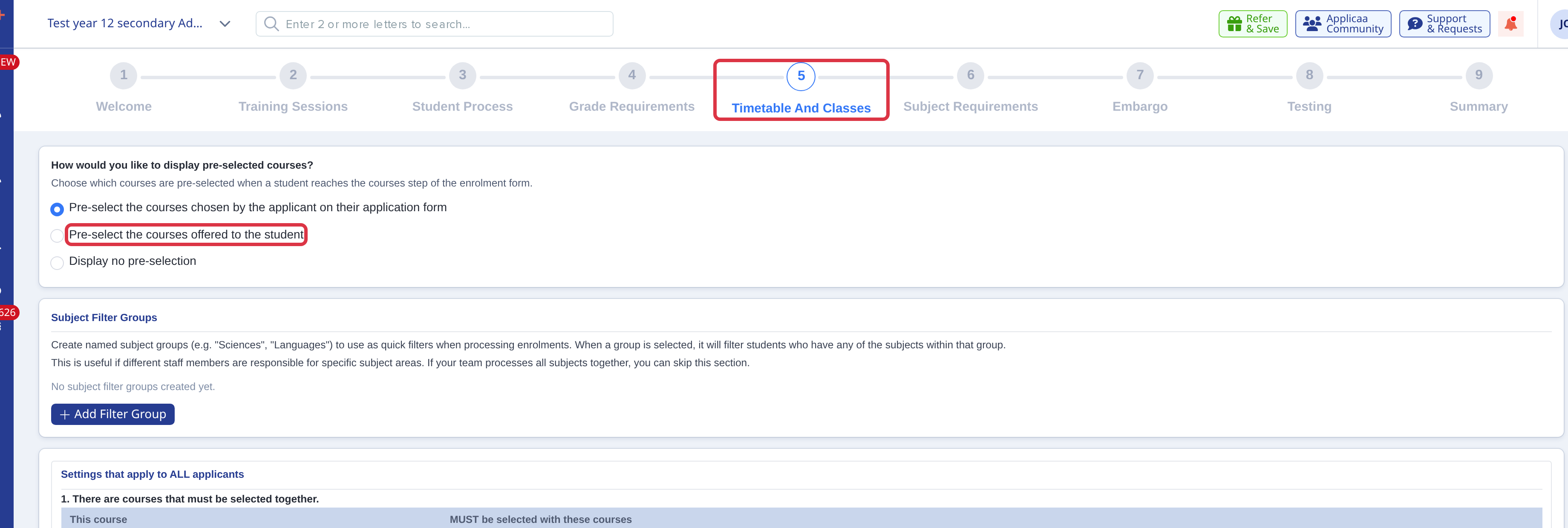
- The offered courses then show at the top of the enrolment form list.
- The Course change icon shows in Details to be checked only when Offer Courses is enabled and the offered course list differs from the enrolment course list.
- The pre-selection of the offered courses does not change the entry requirement result of the student.
- Use the offered list to set the subjects for an offer. Use the enrolment list to record the subjects the student confirms.