
Access the Forms Area/Multiple Form Area to find the form you wish to copy. A new form is a separate application form within your system, so it does not change any settings on existing forms.
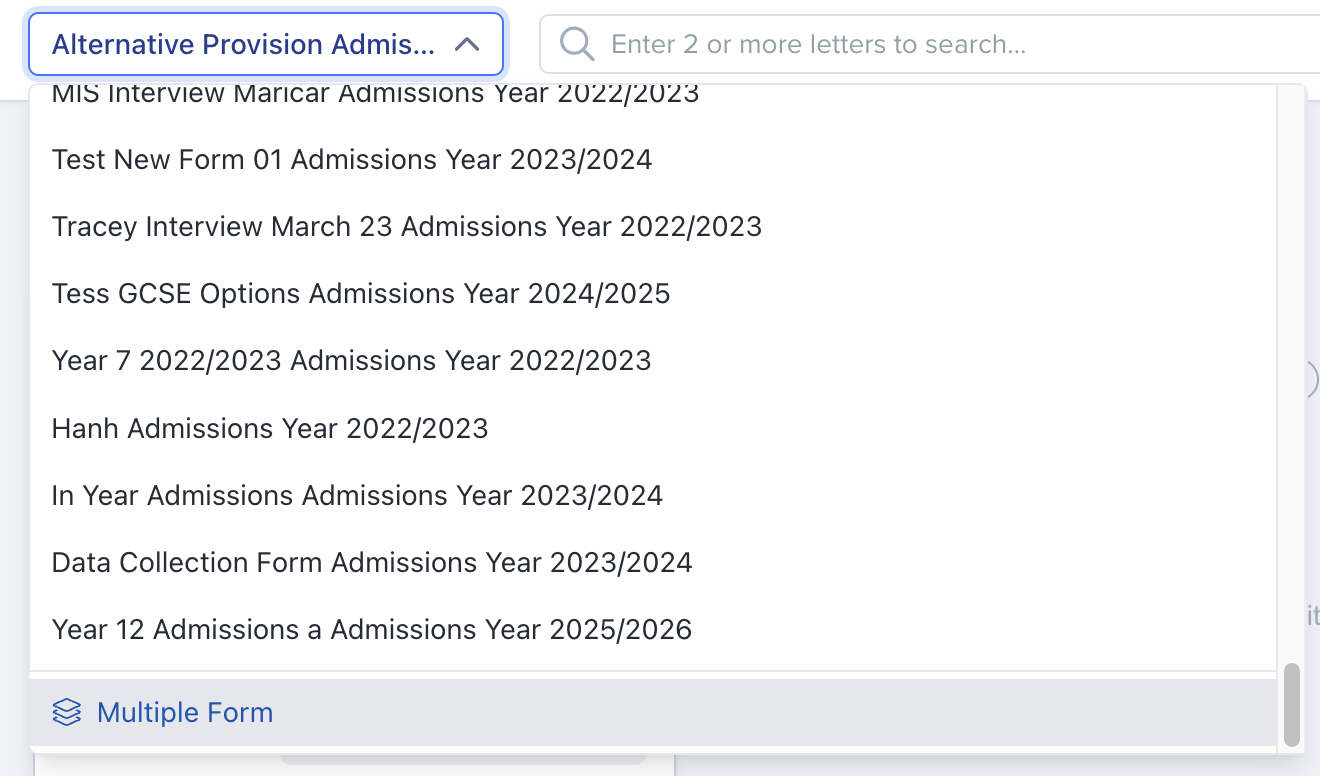
Open the Forms Area and identify the source form by its name and admissions year. For example, "In Year Admissions 2026/2027".
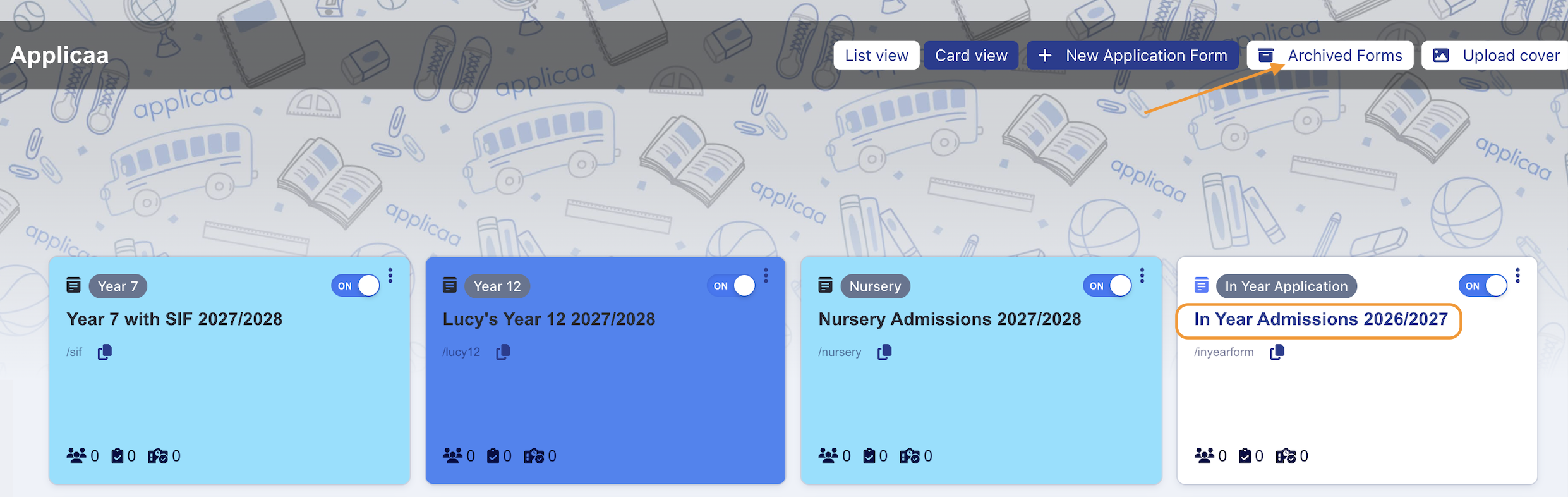
Select "Archived Forms" if your source form is from a previous cycle.
In the Forms Area, the "New Application Form" button is greyed out for most schools. Hover over it and you will see why: Applicaa creates new application forms in advance of the next academic year on your behalf, so you do not build a new-cycle form yourself. This is the button to check first if you are looking for a form for a new entry year, such as 2027 Entry, and cannot find it.

Applicaa creates new application forms for you. Ask Emma to request a copy of the form you have identified, and give the name of the source form, the target intake for the new form, and the target admissions year of the new form. This helps Applicaa to ensure the correct form is copied, and that your new form is set up correctly.
The Agreement step of an Application Form can be used to display the policies that belong to that form, and in each form you will need to add the policies manually. Copying a form will not copy the policies section.
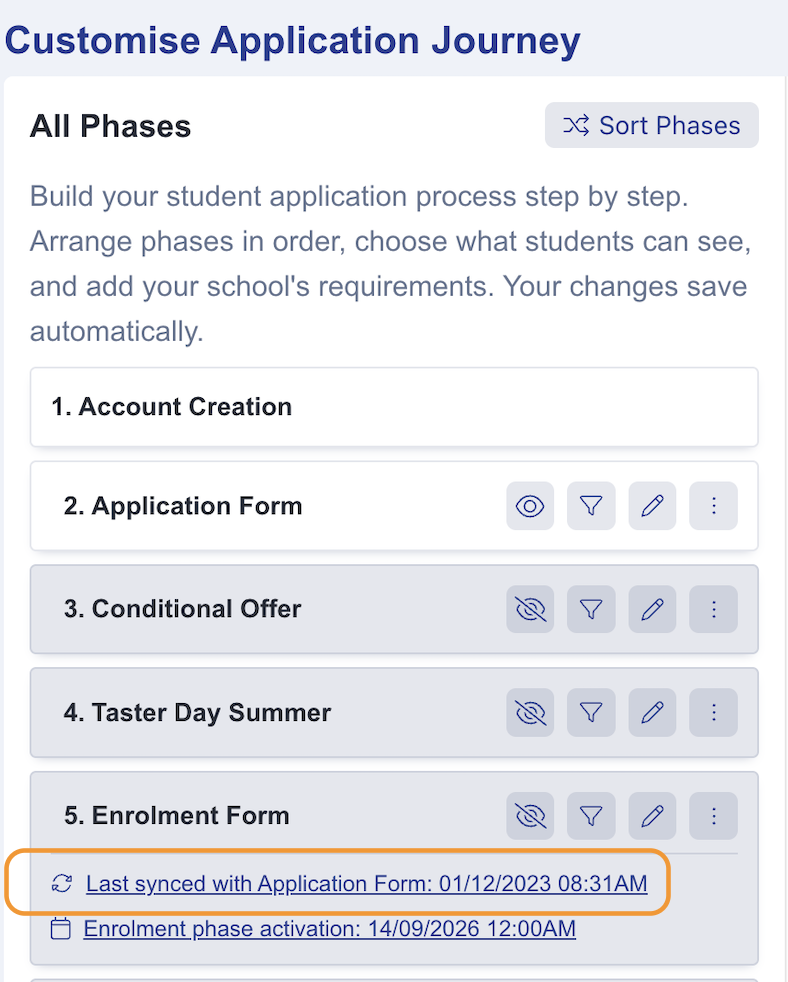
Within an application form which has an Enrolment Form phase, you can choose to "Sync with Application Form" if you wish. This control replaces the whole Enrolment Form configuration with a copy of the Application Form configuration. It does not copy only one step, and it cannot be undone. Use this only when you want the whole Enrolment Form to match your Application Form.
Questions staff ask
Can I copy just some tiles or steps from another form, not the whole form?
No. Every way of copying in Admissions+ moves a whole form, or a whole phase, in one go - there is no option to pick out a single tile or step from a different form and bring across only that. Requesting a copy of a form, as above, brings across every phase, step, and tile from the source form. "Sync with Application Form", as above, replaces a whole Enrolment Form phase, not one step within it. After a copy, remove or edit the individual tiles and steps you do not need on the new form.