
Use these checks when a parent cannot sign in because a reset email or two-factor code does not arrive. You can also send a new confirmation email when the parent's confirmation link does not work.
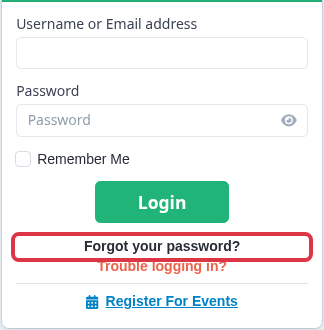
On the parent sign-in page, select "Forgot your password?".
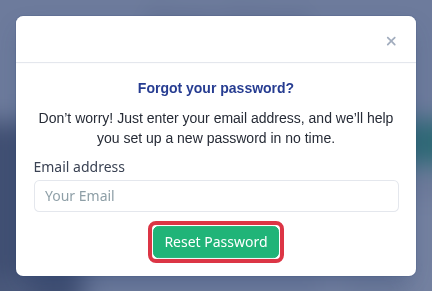
Enter the parent's registered email address and select "Reset Password". The system shows "Check your email" when it processes the request.
- Ask the parent to check their junk or spam folder.
- The same confirmation appears when the address does not match an account. Check the email address on the parent record before you try again.
- A password reset link expires after six hours. The parent must request another reset link after that time.
Send a new parent confirmation email
If the sign-in message says "You need to confirm your account first", open the parent profile. Under "Actions", select "Resend Confirmation". Admissions+ sends the parent a new confirmation instruction.
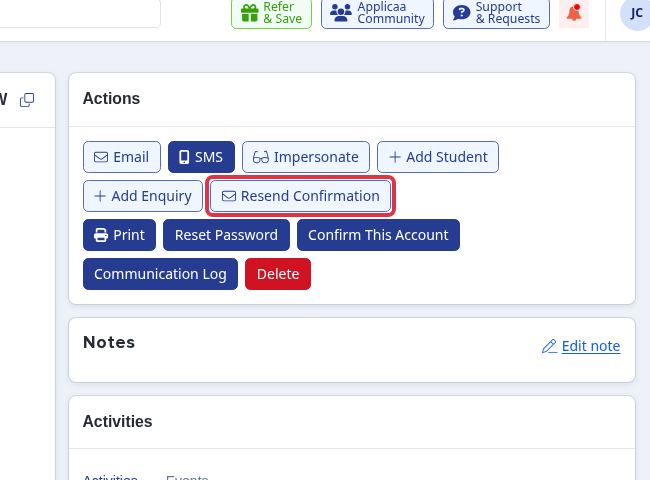
- "Resend Confirmation" is available only before the parent confirms the account.
- The parent must use the confirmation link from the new email.
Send a two-factor code again
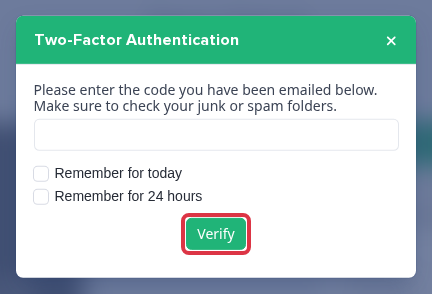
When the two-factor prompt opens, select "Email". Admissions+ sends a code to the email used for sign-in.
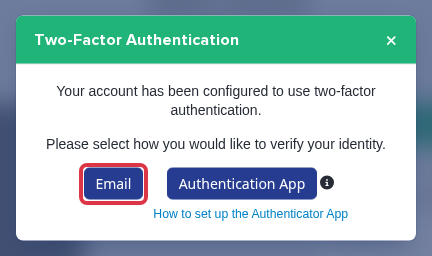
Ask the parent to check their junk or spam folder. They enter the emailed code and select "Verify". The system shows "Invalid Code" when it cannot accept the code.
Questions staff ask
Why did the parent not get a reset email? Confirm the email address on the parent record. The password reset screen does not say whether the address matches an account.
Why does the confirmation link not work? Send a new confirmation instruction from the parent profile. The parent uses the link in that new email.