
If applicants tell you the link on your school website takes them to last year's form, or lands them on a login page that is not the one you expected, the link is pointing at the wrong form. Every form in Admissions+ has its own URL ending, and an ending can only belong to one form at a time - so when you launch a new cycle on a new form, your website button keeps pointing at the old form until you move the ending across.
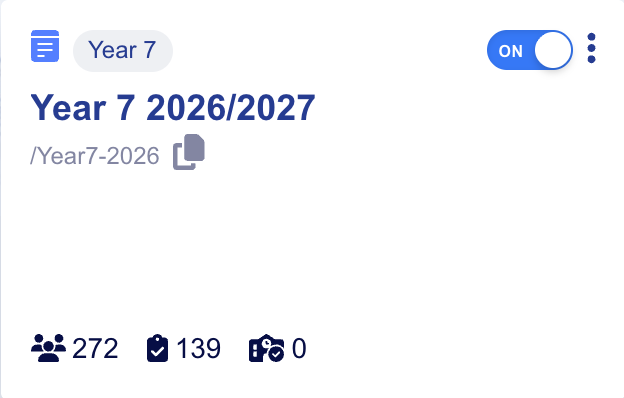
Start in your Forms Area ("Multiple Forms" if you are on a multiple forms subscription). Each card shows the form name, the URL ending printed underneath it, and an "ON" / "OFF" switch.

Find the form for this year's cycle, hover over the URL ending shown under the form name, and click the copy icon to copy the full link.
Compare that link with the one behind the button on your school website. If they do not match, either update the button on your website, or move the ending onto this year's form so the existing button keeps working.
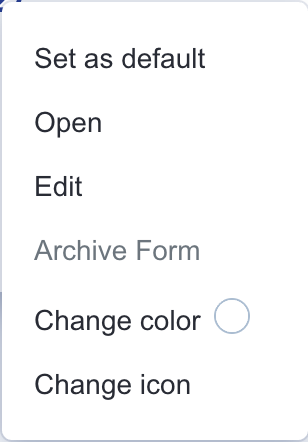
To move the ending, open the three-dot menu on this year's form card and choose "Edit".
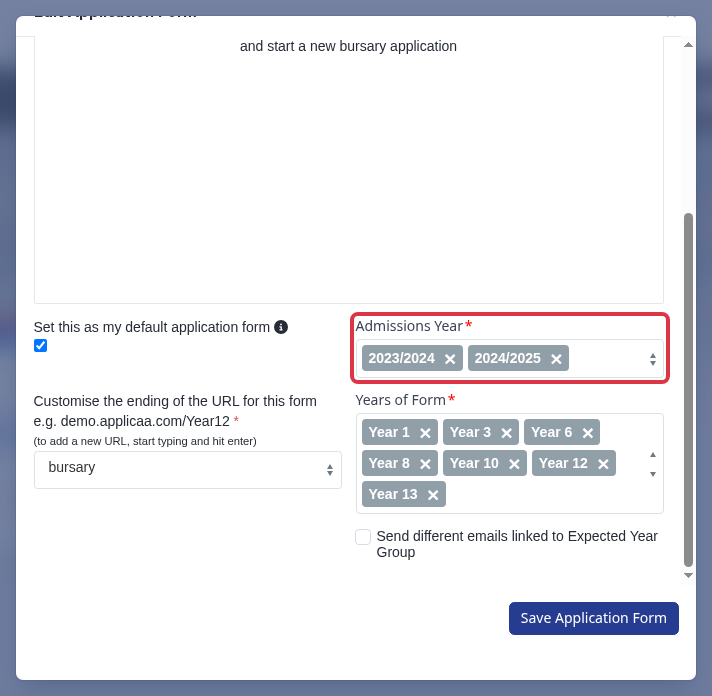
While you are on this page, also check the "Admissions Year" field, just above the URL ending. Every form's name - on its Forms Area card and in the welcome message heading staff see when they edit it - always shows this field's years next to it. An old year left selected here is what makes applicants, parents or pupils tell you the application "is for a previous year", even when the link itself is correct. This matters most for Bursary+ and Bursary16+ forms: a bursary school keeps one application form running across every cycle, it is never regenerated into a new form the way other Admissions+ forms are, so this field is the only place the year gets updated.
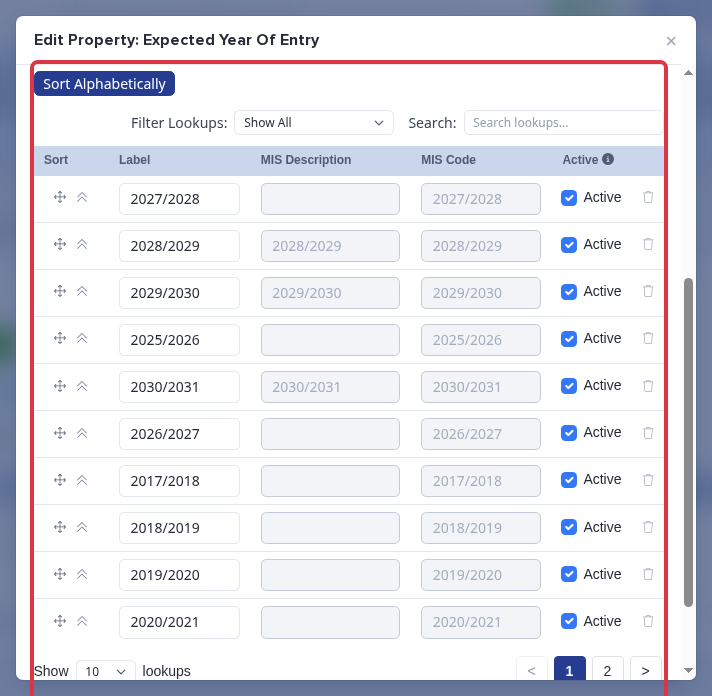
If the year you need is not in the list, add it to the "Expected Year Of Entry" question first, from Application Form > Properties. On a school with no MIS connection, open that question and use "Add New Answer" to add the year yourself. On a school with an MIS connected (for example SIMS), this question's answer list is MIS-managed instead - there is no "Add New Answer" button, so ask the Applicaa support team to add the missing year rather than looking for a hidden control.
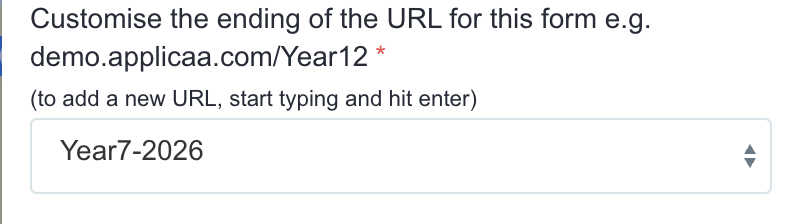
Scroll down to "Customise the ending of the URL for this form". Pick the ending you want from the list, or start typing a new one and press enter.
Click "Save Application Form".

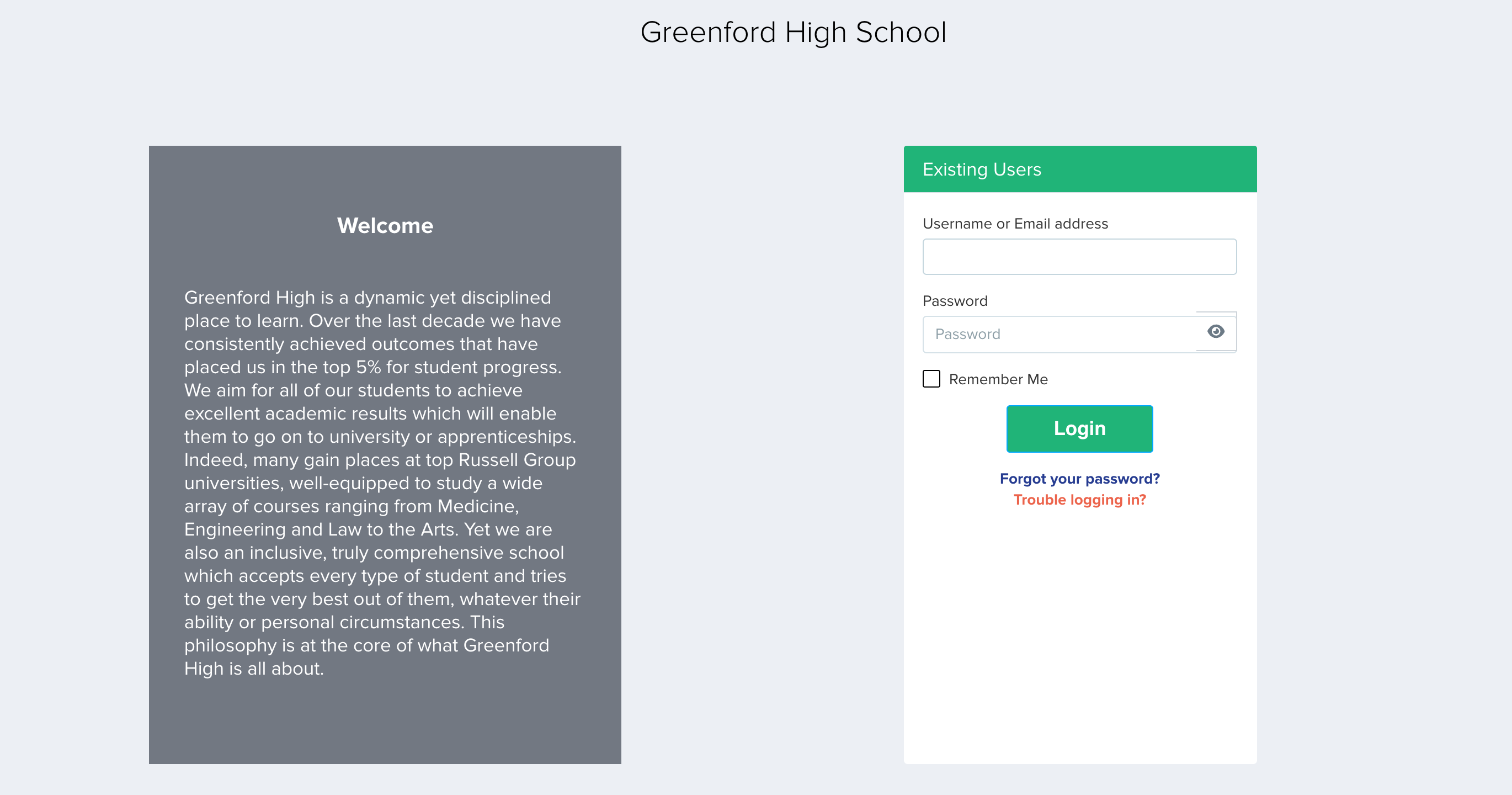
Now test the link in a private browsing window, so that you are not signed in as staff. You should land on the welcome and login page for the form you expected.
Things to know
- An ending belongs to one form at a time. If you give this year's form an ending that last year's form is already using, the ending is taken off last year's form and its old link stops working.
- Endings are case sensitive. "/Year7-2026" and "/year7-2026" are not the same link.
- If no form is using the ending in your link - because it was moved, renamed or simply mistyped - applicants are not shown an error message. They are quietly sent to your school's default form login page instead. This is why the problem is usually reported as "the link goes to the wrong year" rather than as a broken page.
- The "ON" / "OFF" switch marks which form is active. Switching a form off does not stop its link working, so it is not the way to close a form to applicants - use the open and close settings for that.
- If the correct landing page loads but applicants still cannot start or continue an application, the cause is a form setting rather than the link.
- Bursary+ and Bursary16+ forms are not cloned into a new form each cycle the way other Admissions+ forms are, so check the "Admissions Year" field on these forms first whenever last year's year is still showing anywhere.
If the link still does not behave as you expect, ask Emma from any page in Admissions+, or raise it with the support team through the helpdesk.