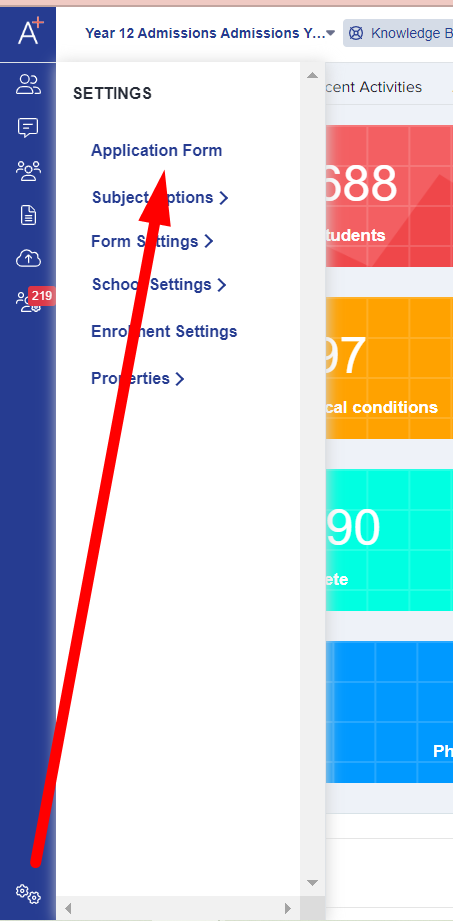
First, kindly go to your settings > Application form > Education step.
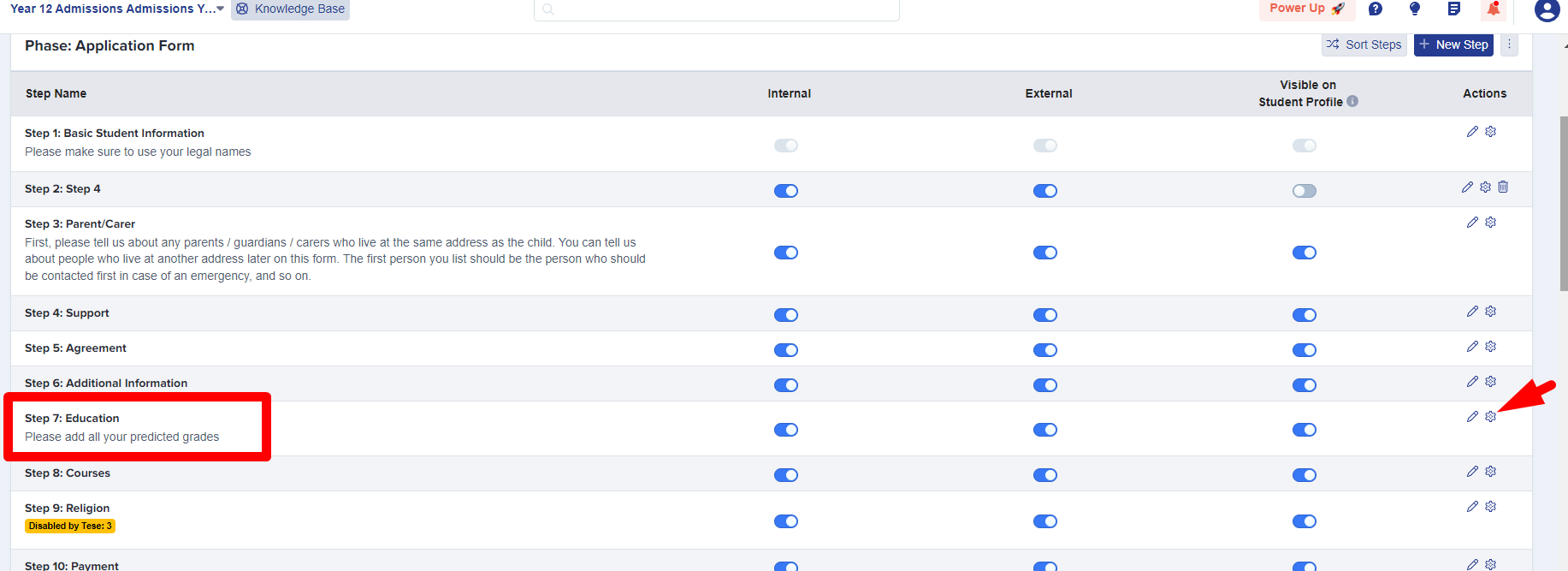
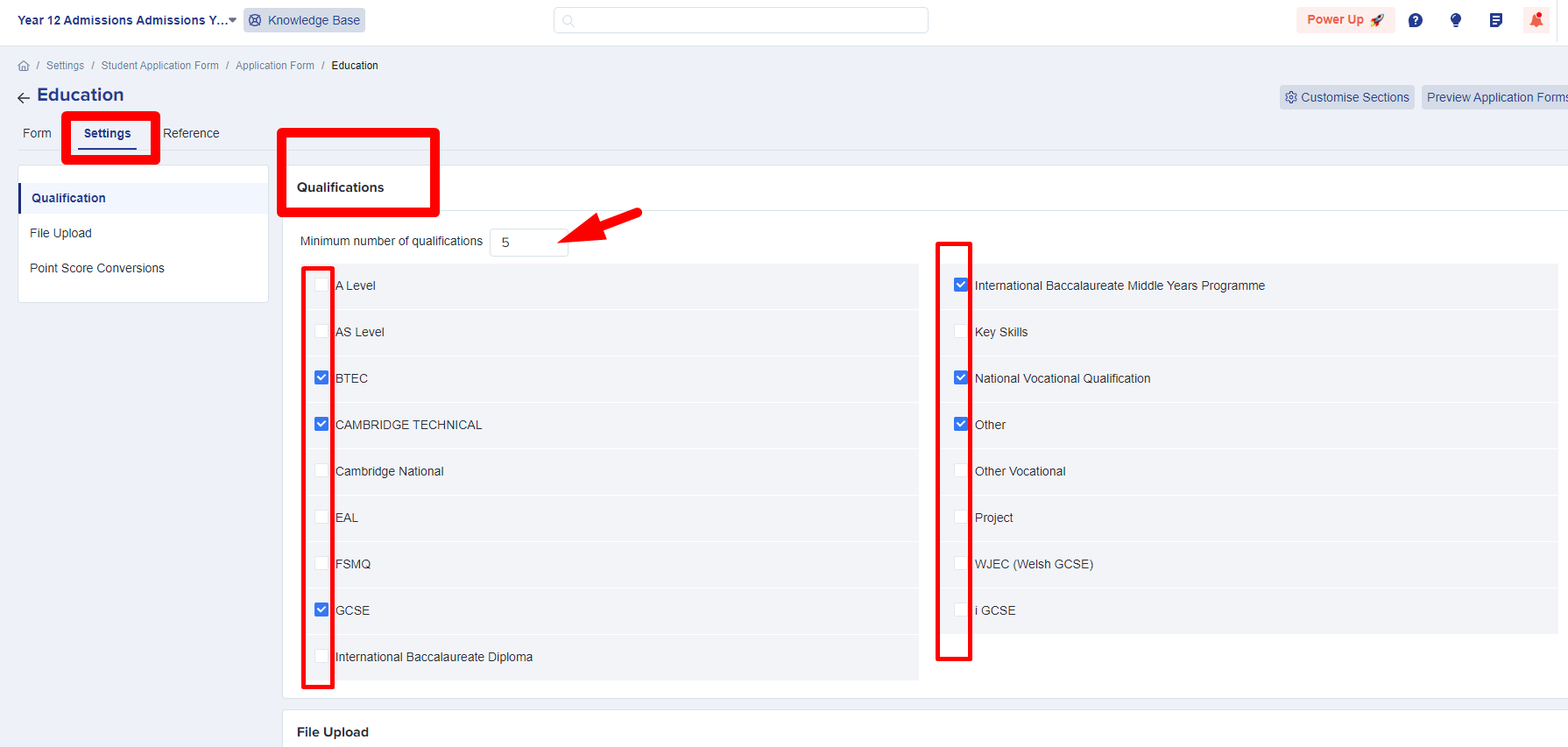
Once there, click on the 'settings' tab then you may now set the minimum number of qualifications you require and tick to select all of the different qualification types you accept at application. Applicants will only be able to list qualifications which you have ticked to activate here.
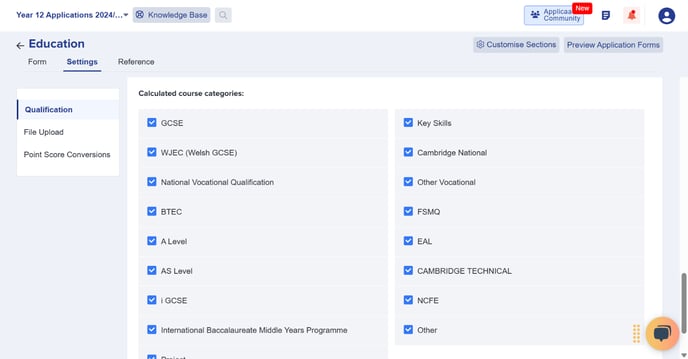
After selecting the qualification type, scroll down to 'Calculated Course Categoes' and check that the same qualifications you enabled above are ticked so they are calculated as part of their grades.