
Use this when a school, local authority or parent/carer needs to refer a child to an alternative provision (AP) or special school managed by a multi-academy trust. You open a link the trust has published, fill in one form, and you never need to create an account.
Open the referral link your school, local authority or the trust gave you. It opens straight onto the referral form, with no sign-in.
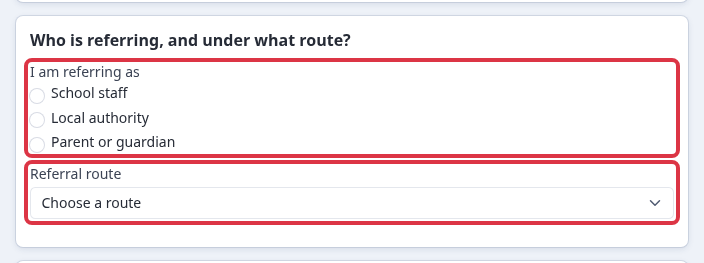
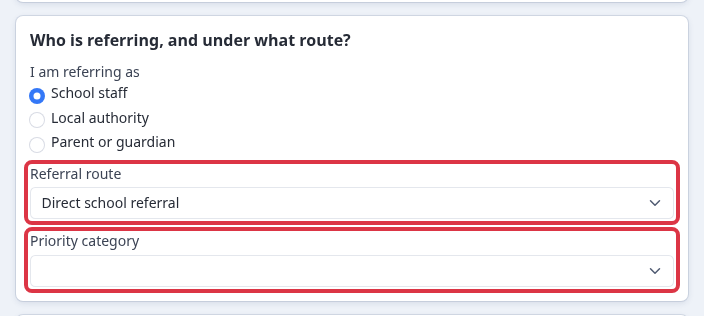
Under "Who is referring, and under what route?", choose who you are referring as (school staff, local authority, or parent/carer), then choose the referral route. You do not choose which school the child goes to: the link you were given already belongs to the receiving trust, and a panel there reviews every referral and decides the destination.
- Single Panel decision- the trust's standard route for a place that goes to panel.
- Direct school referral- a referral sent straight from a school.
- EHCP consultation (special school)- use this when the referral is part of an Education, Health and Care Plan consultation.
- Sixth-day statutory, after permanent exclusion- the statutory route that applies from the sixth school day after a permanent exclusion.
- Commissioned place- a place already agreed and commissioned with the trust.
- Missing in education- use this when the child is currently missing from education.
If you are not sure which route fits, ask whoever gave you the link - the form only shows the routes open to the "who is referring" option you picked.
Each route asks a short set of extra questions related to that route - for example a permanent-exclusion route asks for the exclusion date. Answer the questions that appear under the route you chose.
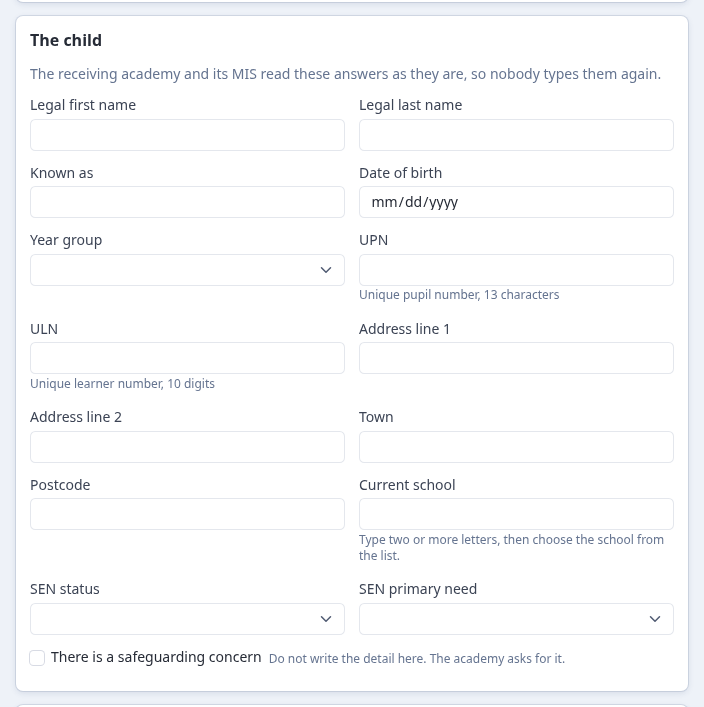
Fill in "The child": legal name, preferred name, date of birth, year group, and, where you have them, the child's UPN or ULN, address, current school and any SEN status or primary need. Fill in what you know - fields you cannot answer stay blank.
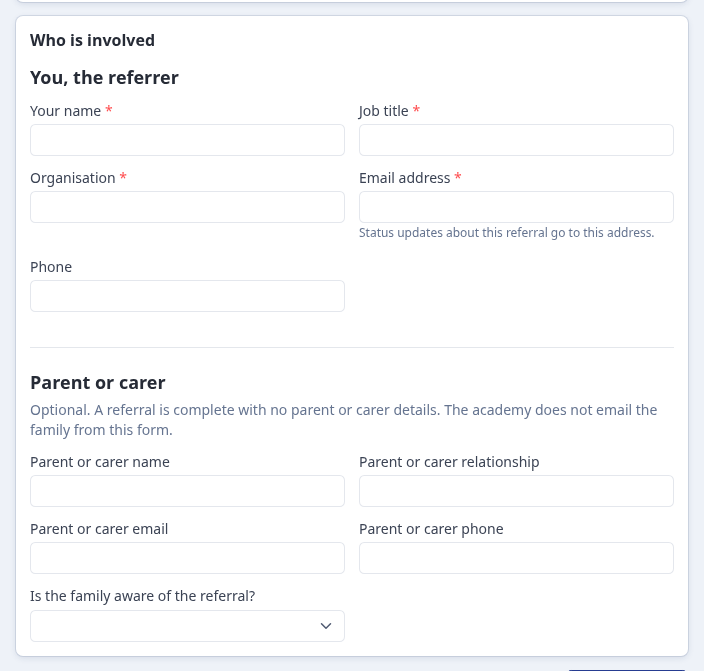
Fill in "Who is involved": your own name, role, organisation, email and phone as the referrer, and the parent or carer's contact details if you have them. This is how the receiving academy gets back to you - there is no account or login to set up.
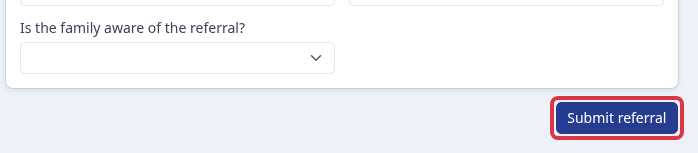
The form does not ask you to attach any document. Select "Submit referral" once every required field is filled in.
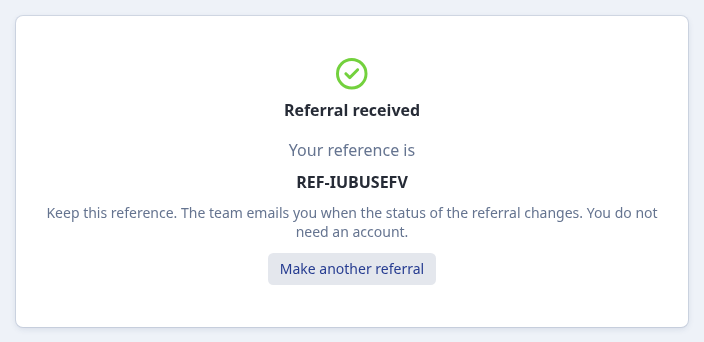
You land on a confirmation screen straight away, with a reference number. Keep this reference - it is the only thing you need to identify the referral later, and you still do not need an account.
- The receiving academy's staff review the referral and keep you updated by email as it moves forward - there is nothing to check or log into on your side.
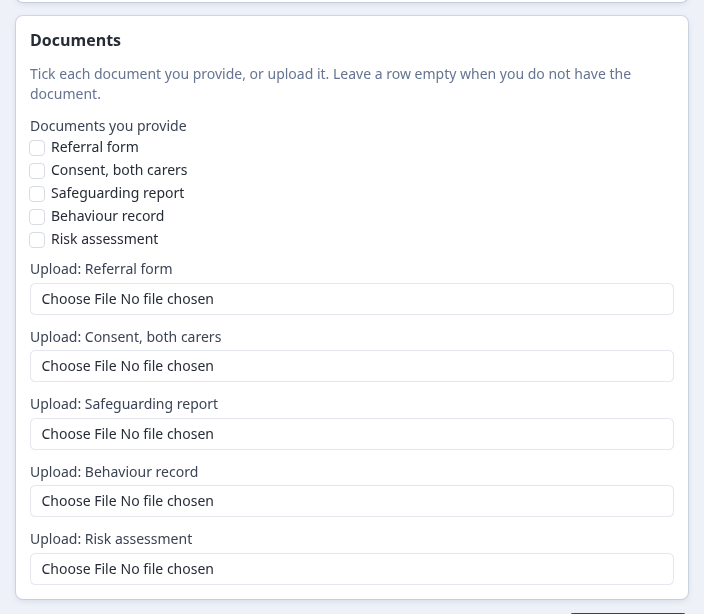
- If staff still need a document from you - for example a referral form, a safeguarding report, or a risk assessment, depending on the route you chose - they email you a second, separate link. That link opens a page listing exactly what is outstanding.
On that follow-up page, tick each document you can provide, or upload it directly; leave a row blank if you do not have that document. This page also needs no account or login.
What it does not do
- It does not let you pick the receiving school - the trust's panel decides the destination for every referral it receives.
- It does not collect documents on the first form - document requests only arrive afterwards, and only if staff ask for one.
- It does not require a login at any point, including the follow-up document page.
Questions staff ask
Do I need to create an account to refer a child?
No. Both the referral form and any follow-up document request are open links - nothing to sign up for.
I don't know which AP or special school the child should go to - what do I put?
Nothing: the form has no field for it. The link you were given already belongs to the trust that reviews the referral, and its panel decides which school takes the referral.
What if I'm missing a document when I submit?
Submit without it. If staff still need it, they send you a separate emailed link asking only for what's outstanding.