
This article will show you how you can add notes to a student's profile
Firstly, search for the student by the search bar at the top of the page

Or you can find the student by clicking into Registered Students and then typing in the "Search in table" field for the student you need. Once you have found the student, you can click on their name, in blue, and it will take you through to the student profile:

When you're on the student profile you will be able to see the Notes section on the right hand side:
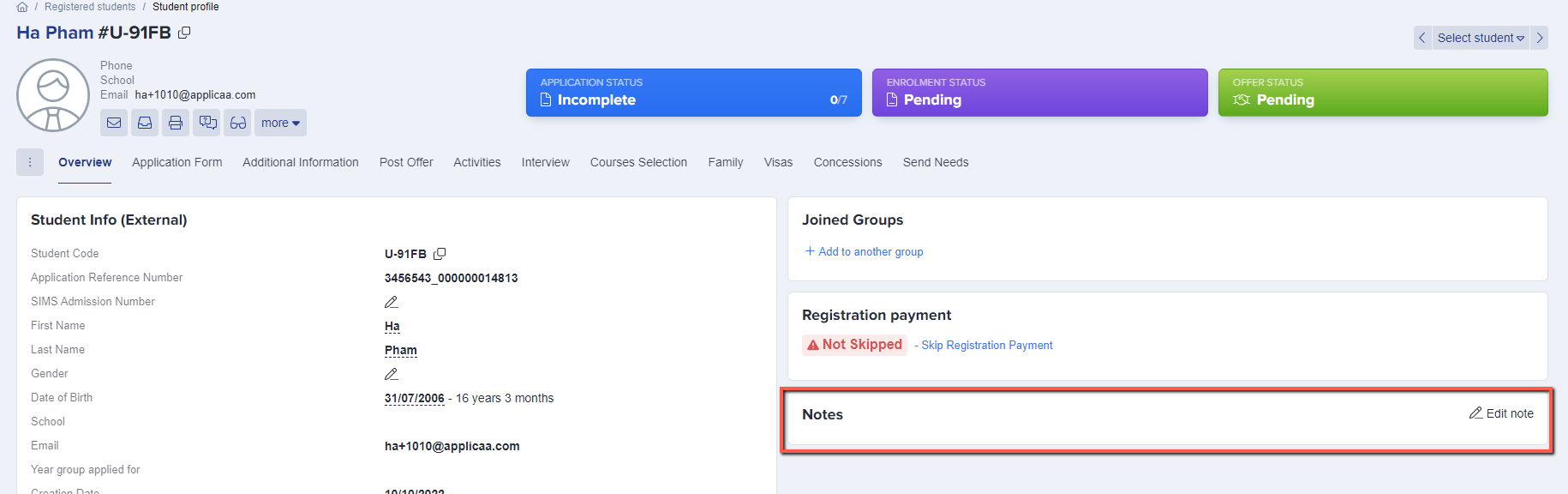
Click on "Edit Note" and then type your notes about the student. You can then click Save and it will appear in the Notes box:
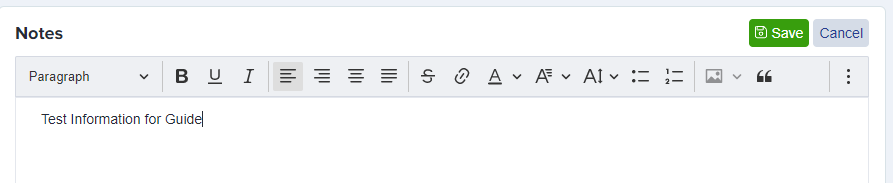

These notes are visible to staff, not to students.
Viewing students' notes in the Registered Students list
As well as opening each profile one by one, you can add a notes column to the Registered Students list so you can see every student's notes at a glance.
Go to Registered Students and choose your view from the "View" dropdown, then click the view settings icon next to it to open Column Settings.
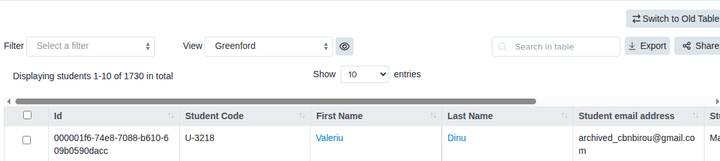
In the Column Settings window, click "Add Columns".
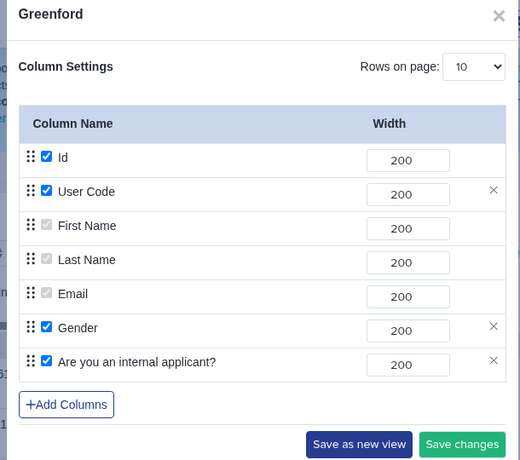
In the "Add columns" window, type "notes" into the field search and tick "Application notes", which sits under the "Student Info" category.
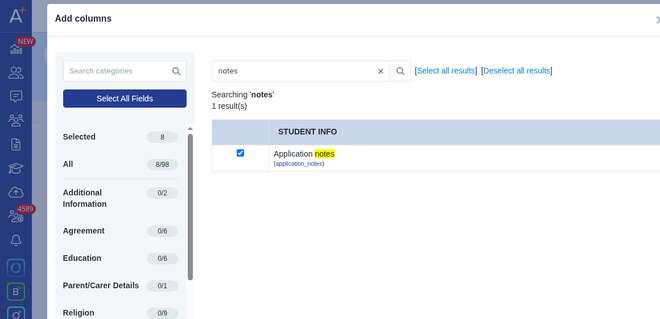
Click "Add Columns" to confirm your selection, then click "Save changes" back in the Column Settings window. The "Application notes" column now appears in the list, showing each student's saved notes alongside their other details.

The notes shown in this column are the same staff notes from each student's profile, and stay visible to staff only.