
Emma keeps every conversation your school has had with her, so you can find and reopen an earlier chat instead of losing it once you close the panel or start a new one.
Select the round Emma button to open the chat panel, then select "View chat history" at the top of the panel.
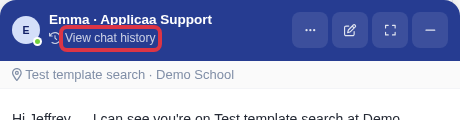
If Emma is already open full screen, select "History" in the toolbar instead.

The "Conversation history" list opens on the right. It holds the Emma chats of your whole school, not only your own.
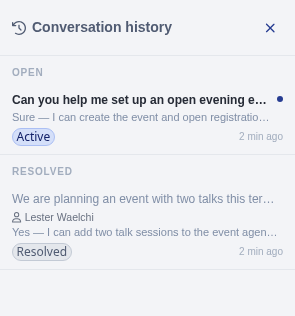
- Chats are grouped into "Open" and "Resolved" sections.
- Each row shows the conversation's title (its opening question, or "(Untitled chat)" if nothing was ever sent), a preview of the latest message, a status badge, and how long ago it was last updated.
- A chat that a colleague started shows that colleague's name under the title. Your own chats show no name.
- Scroll to the bottom of the list to load older conversations.
- A conversation joins the list only after its first message is sent. Nothing sent yet shows "No past conversations yet."
Select a conversation in the list to reopen it.
- One of your own chats resumes live - you can carry on typing where you left off.
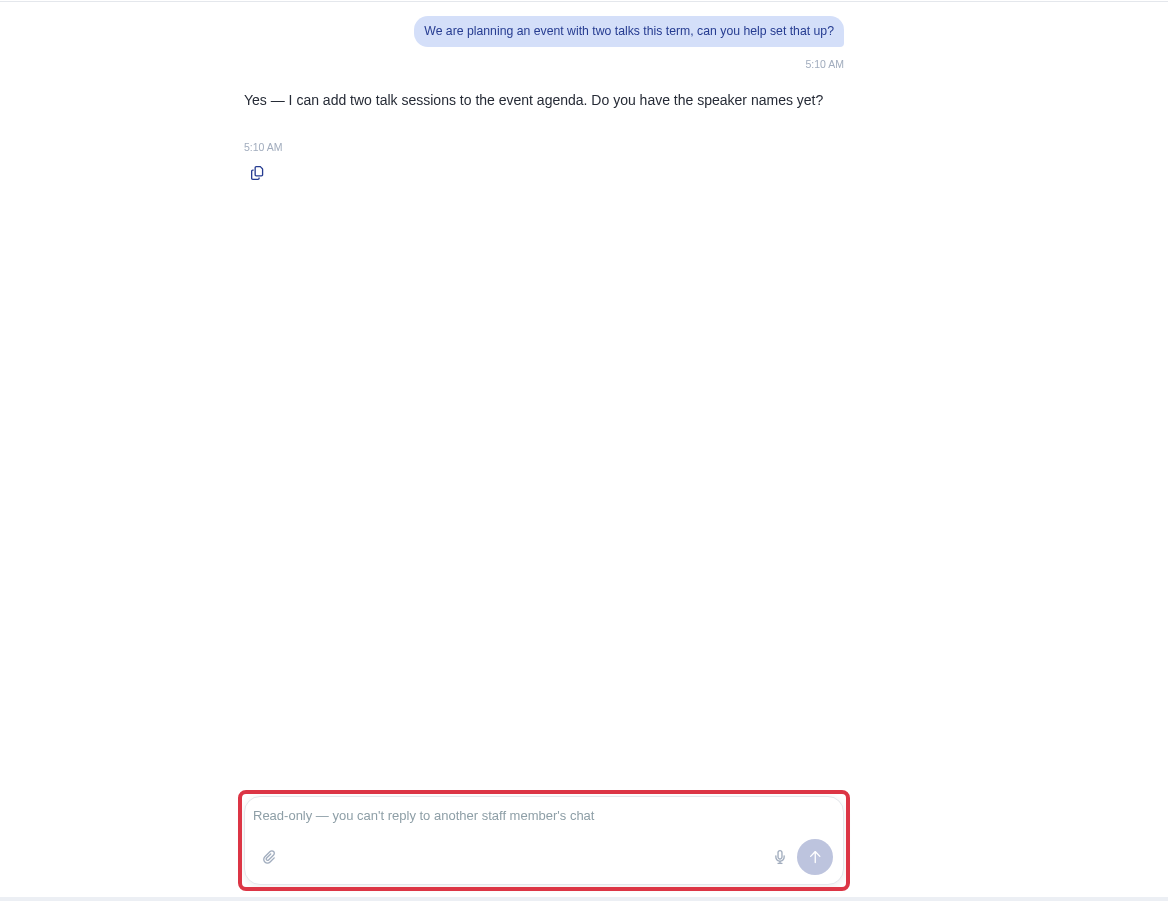
- A colleague's chat opens as a read-only transcript. The message box is locked and shows "Read-only - you can't reply to another staff member's chat".
Select "New chat" at any time to start a fresh conversation - your history stays exactly where you left it, ready to reopen.
What it does not do
- The list has no search box and no filter by person, role or date - you scroll and read the titles and previews to find the chat you want.
- Only the person who started a chat can reply in it, hand it to Applicaa support, or end it. Everyone else at your school can only read it.
Questions staff ask
Can I search my chat history by keyword?
No. The "Conversation history" list has no search box, so you find a past conversation by scrolling and reading the title and preview text of each row.
Why can't I reply in a colleague's conversation?
Emma's chat history is shared across your whole school so any colleague can pick up a conversation someone else started, but only the person who started it can write in it, hand it to Applicaa support, or end it. That keeps a single conversation from being answered by two people at once.