
Use these checks when a fee is absent or a payment option differs from the expected option. Fees use the student's applied year group. Offer-contract payment choices use a separate list.
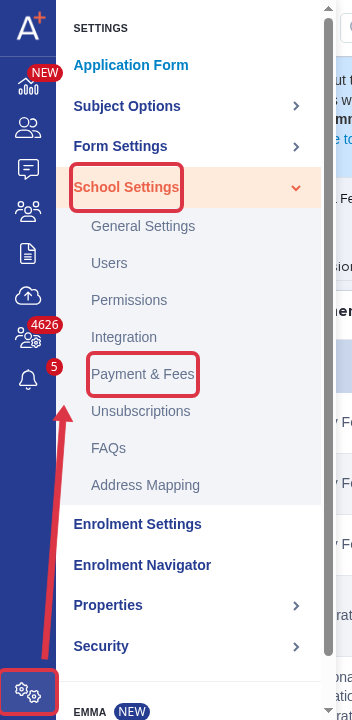
Go to Settings > School Settings > Payment & Fees.
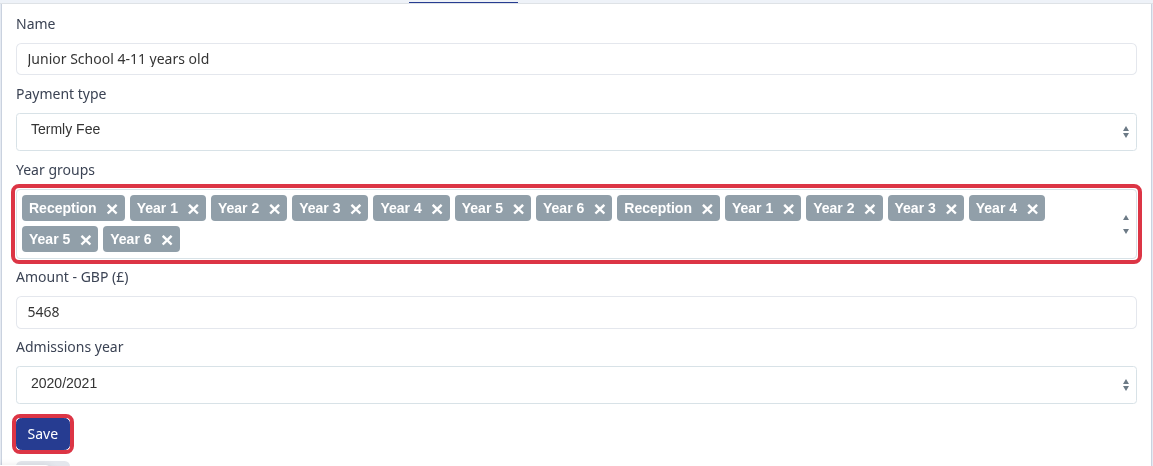
Open the fee editor. In Year groups, include the student's Applied year group, then select Save.
The Termly choice in the Bill Payers step is By termly direct debit instalments. A fee's Payment type does not change this offer-contract choice.

For a bank transfer, choose your form's non-direct-debit choice instead of Termly. This form calls that choice Other payment options.

- A fee is selected for a configured applied year group.
- Termly, monthly, and annual choices are direct-debit schedules.
If the fee still does not appear after this check, ask Emma to check the student's fee and offer data.