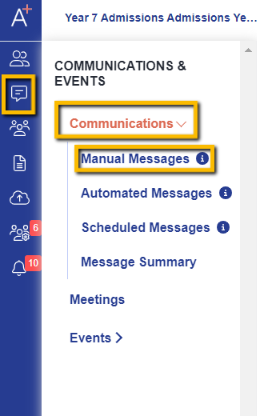
From your dashboard, click on Communications & Events, select Communications, and then Manual Messages.
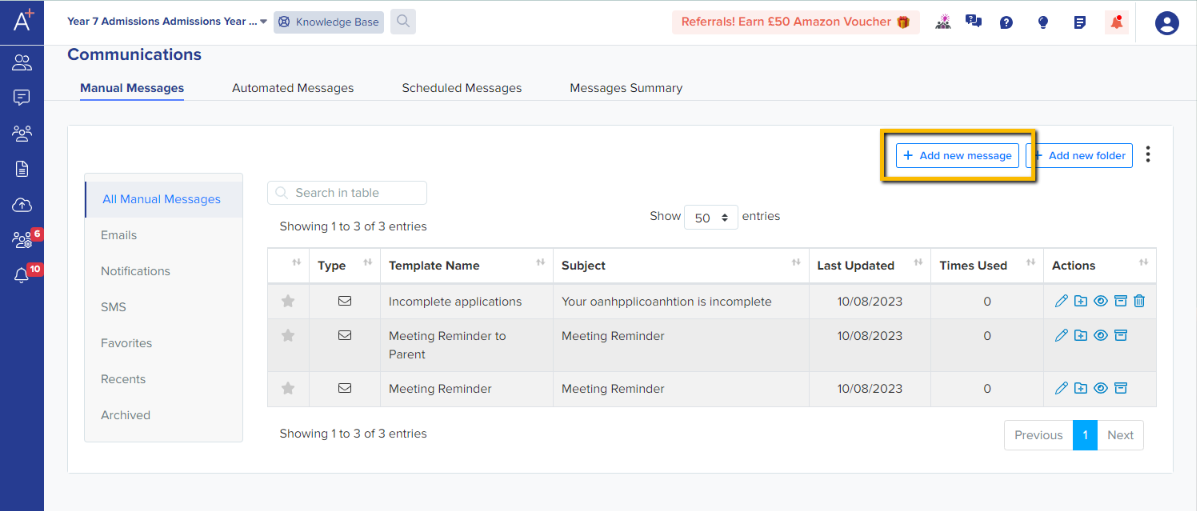
Click on Add new message to create your email template and fill out the required fields.
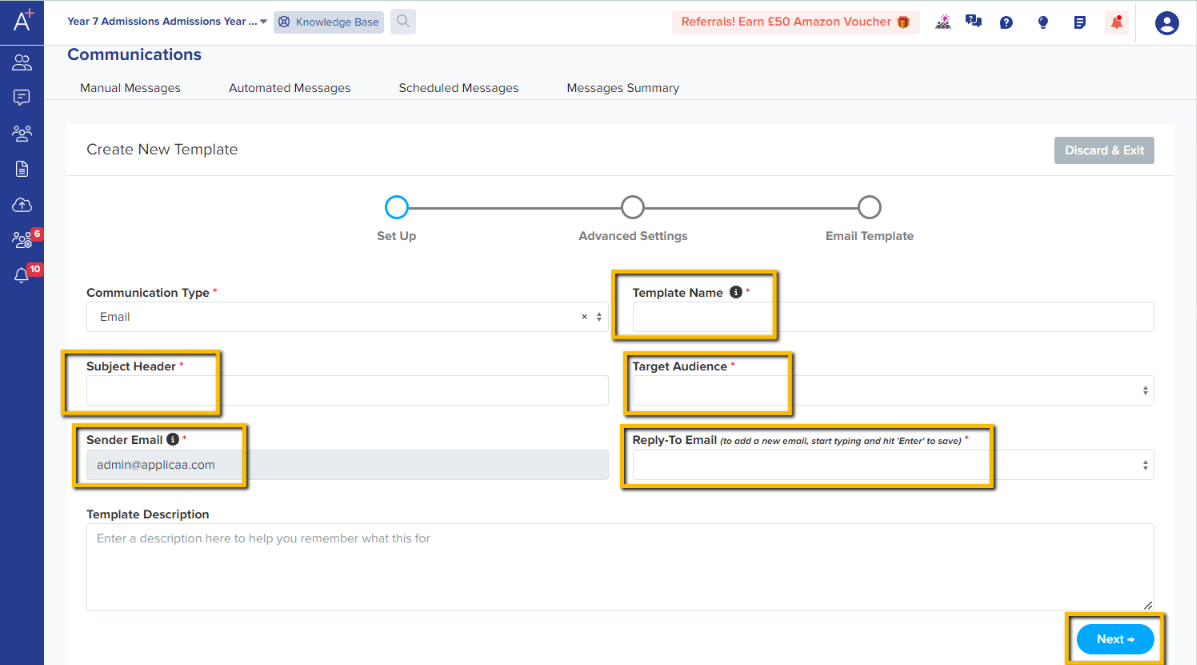
Template Name - not visible to event registrants
Subject Header - subject of the email that will be visible to event registrants
Target Audience - who the email is for
Note: Please select Event.
Sender Email - email address that will show as the sender of the email
Reply-to Email - email address that will get email replies from event registrants
Click on Next to continue to the next step.
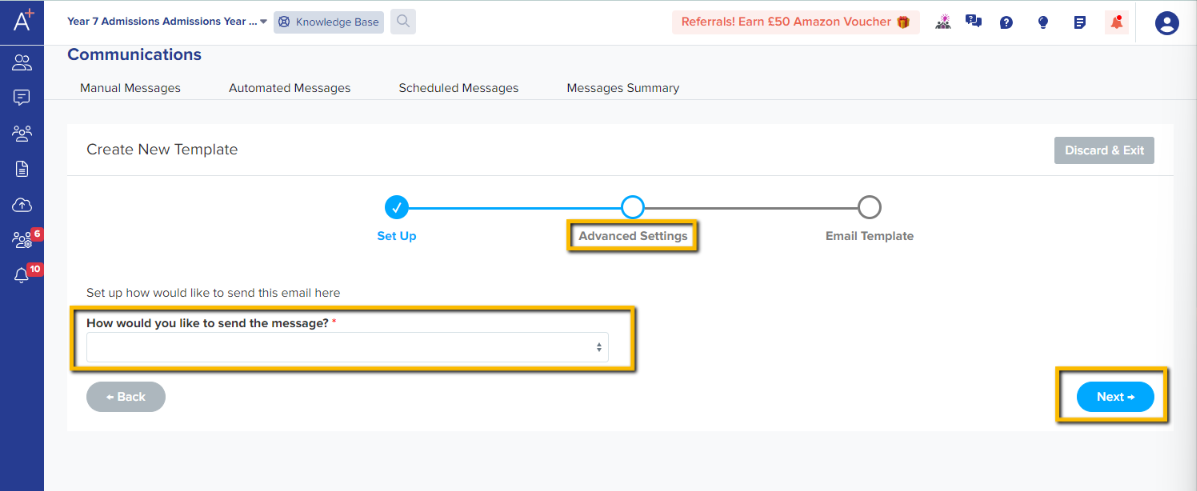
In the Advanced Settings step, you may specify how you would like to send the message. Please select manually and hit Next to continue.
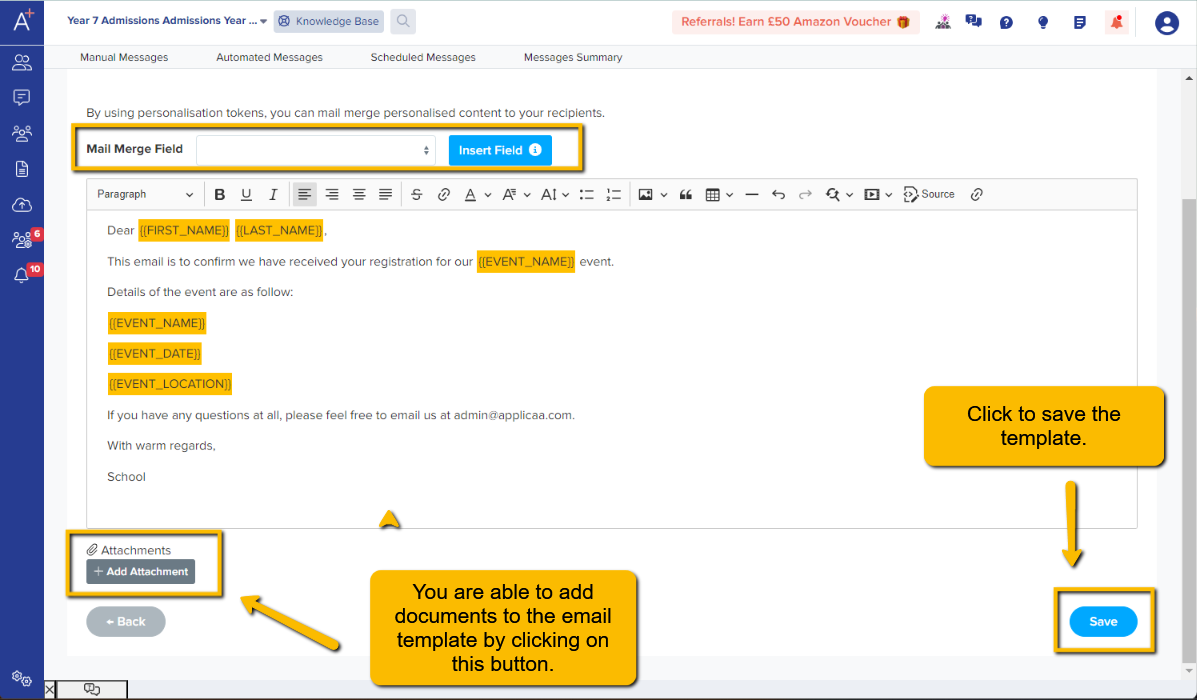
The Email Template step is where you can add the message you would like the template to have. There are Event Tokens you may use that work like Mail Merge allowing registrants to receive them email personalised to them.
Note: You may add a token by clicking on the Mail Merge Field dropdown, selecting the token and clicking on Insert Field. They will be highlighted when you add them.
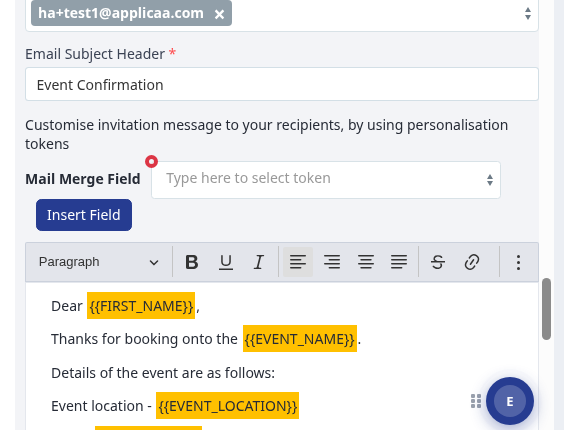
Mail merge fields for event and meeting emails
When you edit an event confirmation email, use the "Mail Merge Field" list and select a field before you select "Insert Field". Event email fields include "Event Name", "Event Date", "Event Location", "Number of Attendees", "Ticket Name", "Ticket Date" and "Ticket Description".
For a meeting invitation template, use {{START_DATE}} for the allocated meeting date and {{START_TIME}} for the allocated meeting time. You can also use {{END_TIME}} when you need the end time.
The event mail merge list does not include a waiting-list course field. Do not add a waiting-list token to an event email. Use the fields in the Mail Merge Field list for the email type you send.
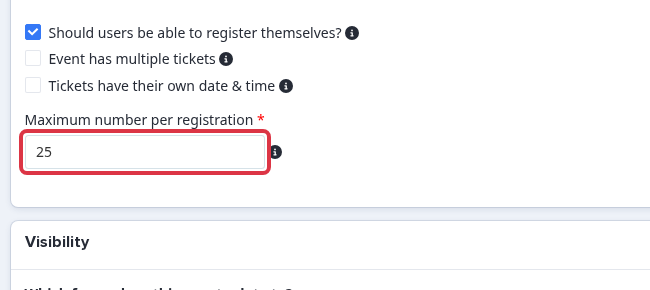
To limit how many places one person can book for an event, go to the event "Tickets" section and set "Maximum number per registration".