
Use these checks when the Edit control does not show in Event Calendar, or applicants cannot select an interview date and time from an invitation email.
Check Event access
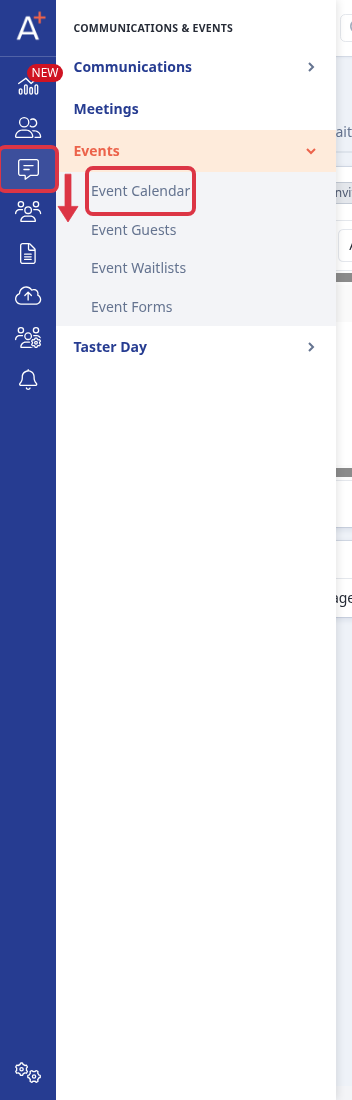
Go to Communications & Events > Events > Event Calendar.
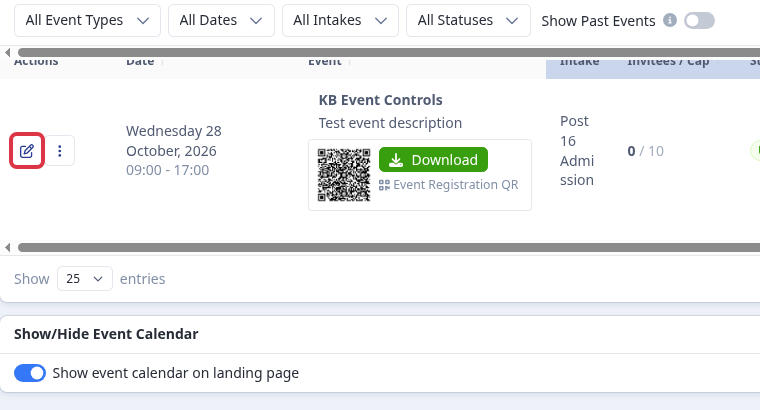
Find the event and check for the Edit control. A MAT event with View Only access lets staff view the event and registrations, but does not show the Edit control. Ask your MAT admin for Edit access when staff must change that event.
Check an interview invitation link
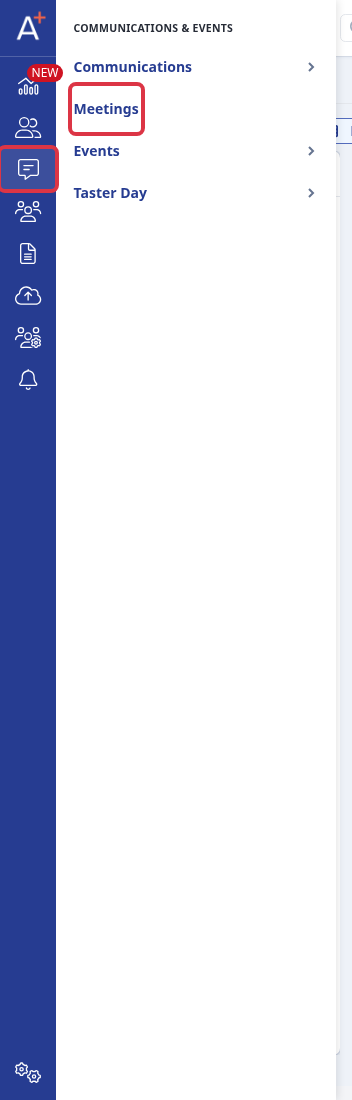
Go to Communications & Events > Meetings and open the affected meeting.
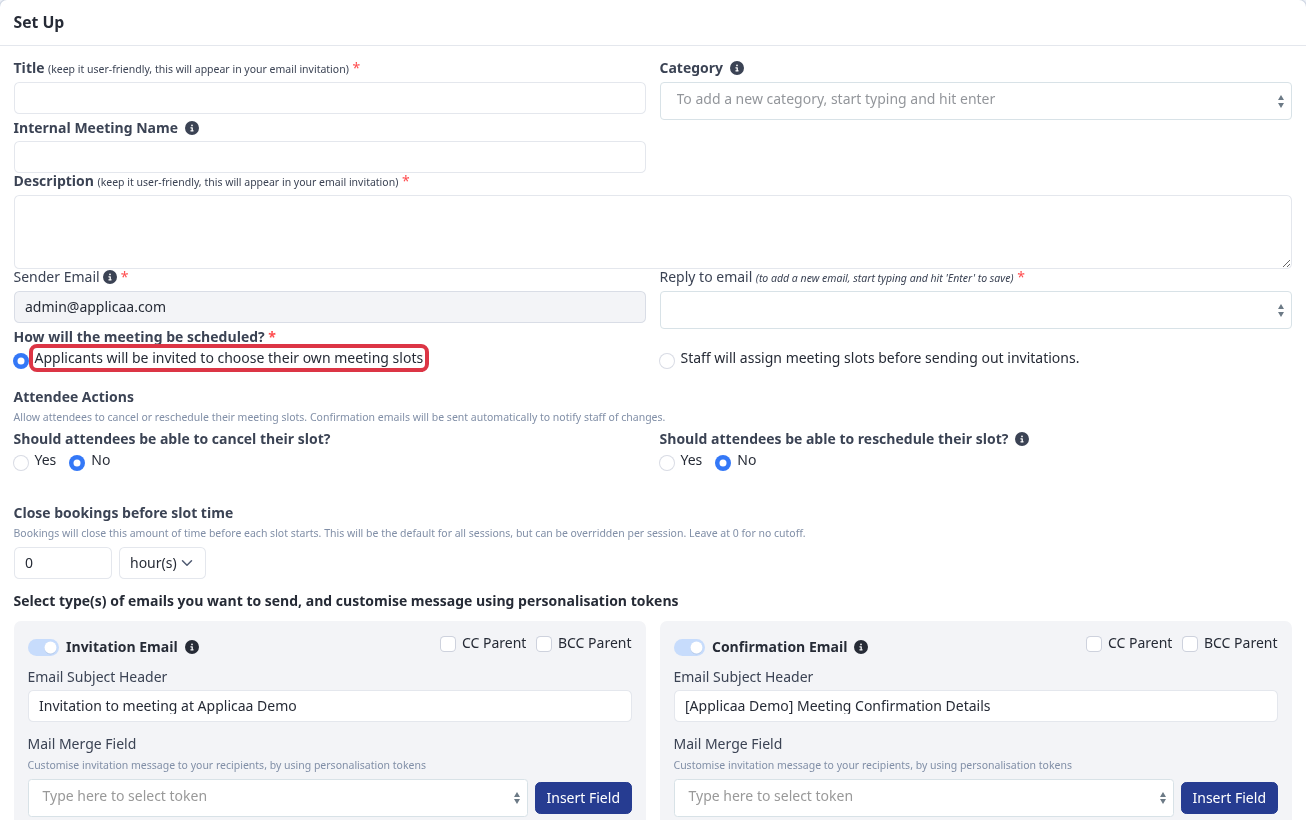
Under How will the meeting be scheduled?, select Applicants will be invited to choose their own meeting slots. Set Close bookings before slot time to 0 when you do not need a cutoff. A higher value closes bookings before each slot starts.
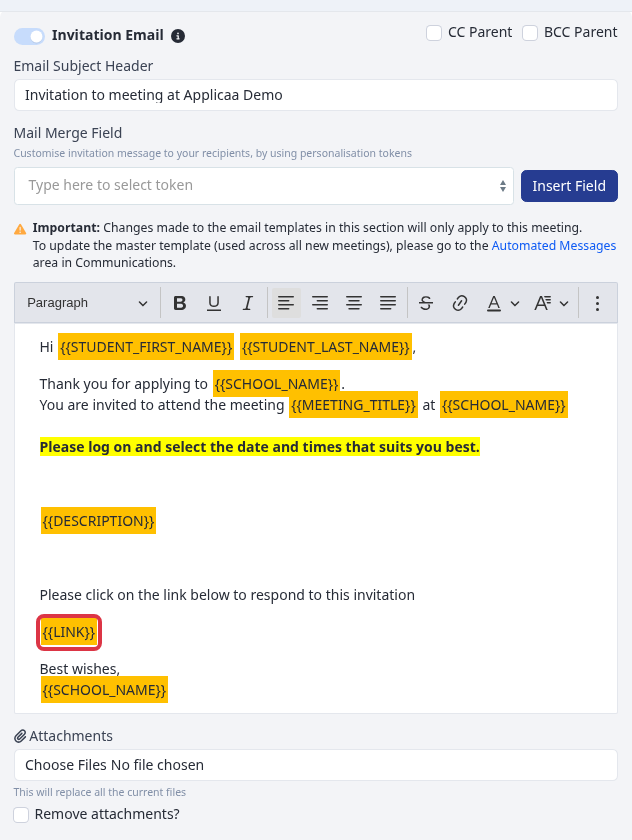
In Invitation Email, keep the {{LINK}} token. Admissions+ replaces the token with the applicant booking link when it sends the invitation.
Questions staff ask
- If an applicant does not select a slot, they see: Please select a suitable date & time for you.
- If another applicant takes the slot first, they see: Time slot is not available, please refresh the page and try again.
- If the booking cutoff has passed, they see: Bookings for this slot have closed.
- If the selected slot is no longer available, they see: Time slot is not available. Please select a suitable date & time for you.
If these checks do not resolve the problem, ask Emma in Admissions+ for help with the event or meeting.