
Use this guide when an applicant can sign in but cannot open a submitted application or enrolment form, or cannot reach a later phase. It explains the phase controls for all applicants. Use the related guides for a single student reset.
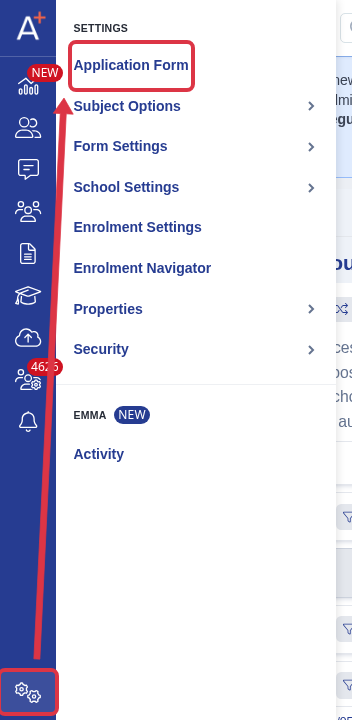
Go to Settings > Application Form.
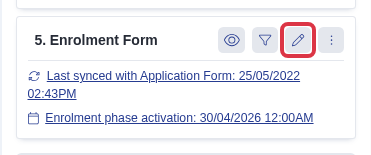
Open Application Phases & Settings (The Journey), then select the pencil button for the affected application, admission or enrolment phase.
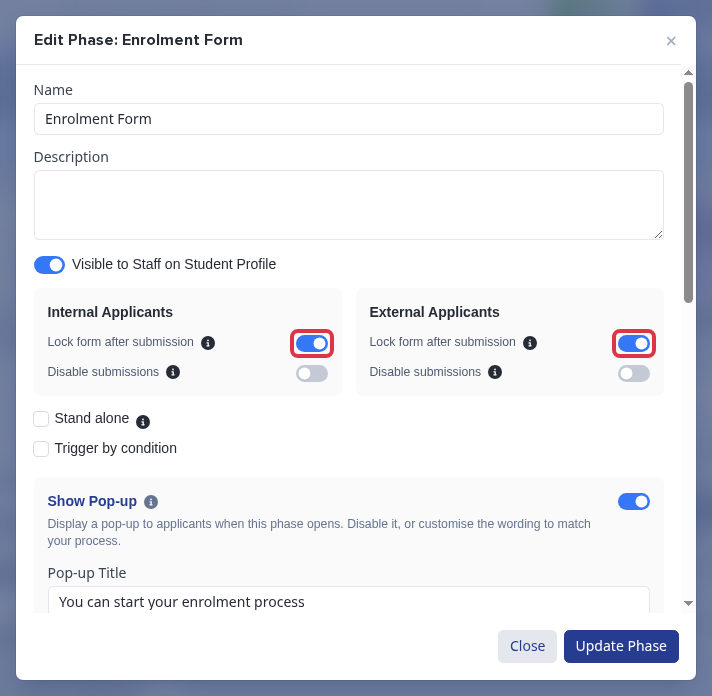
For applicants who have already submitted, turn off "Lock form after submission" for the affected Internal Applicants or External Applicants group. The change applies to that whole phase.
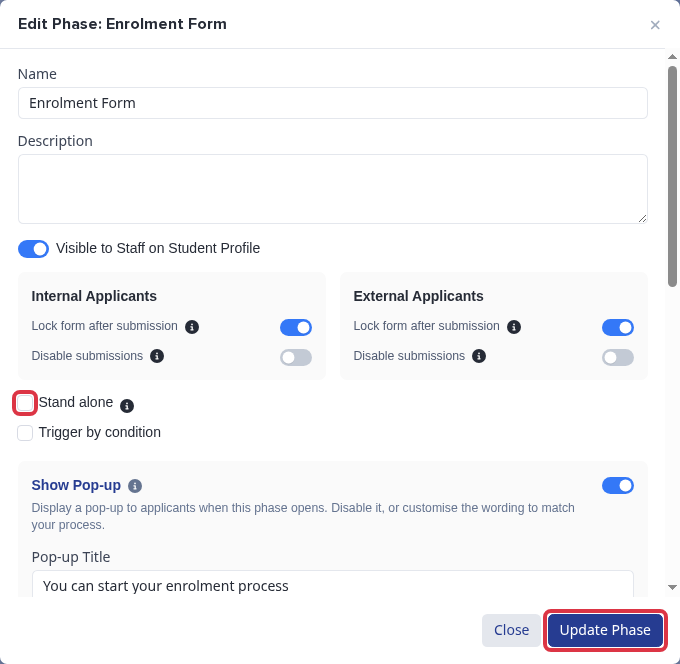
If a Freshers Day, dietary or policy phase must be available without waiting for an earlier journey phase, turn on "Stand alone" and select "Update Phase". Applicants can then complete that phase at any point in their journey.
What it does not do
- These controls apply to the whole phase. They cannot open only a new policy while preventing changes to completed answers in that same phase.
- They do not reset one applicant's completed application or enrolment progress.