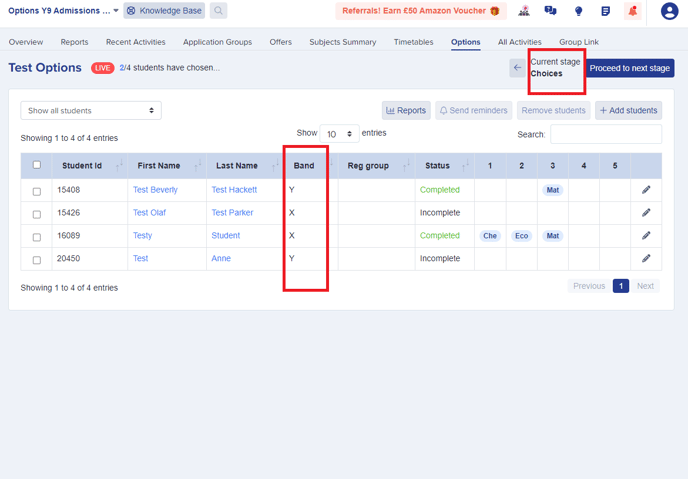
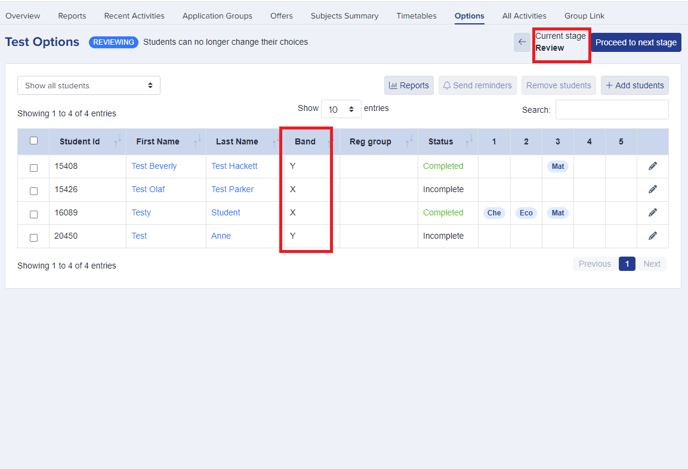
In Yr 9 Options Module, under 'Design Stage', you can save time by allocating students to bands by exporting a CSV file, assigning the bands in the file, and then quickly re-importing it.
In the Place Students step, click to export the list of students to a CSV.

Populate the CSV with the band allocations for your students and save the file so you can import it back into your Options form.
Click on 'Import bands' button to import the file back in, and the band information for the students will be assigned in bulk.
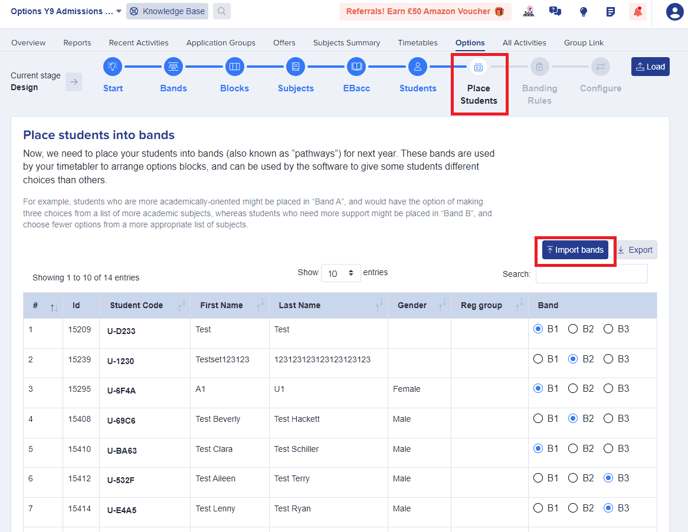
You can also see allocated bands for all students in many places now while working on your model. As well as seeing it in the Design stage as shown above, it is also available to see on your Choices Stage and Review Stage for quicker access and cross-referencing.