
You can manage your in-year applications and admissions in Admissions+, and it is included with every Admissions+ subscription. Each academic year needs its own In-Year form, and the quickest way to prepare the new cycle is to request a copy your existing In-Year form so all of its phases, steps and questions carry over to the new form.
In most cases Applicaa creates your new-cycle application forms in advance of the next academic year on your behalf, so check your Forms Area first - your In-Year form for the coming cycle may already be there. If your new form is not yet available, contact Support if you need a new form set up for you - ask Emma, or give us a call on 0203 667 0764.
What gets copied
- Phases, steps and questions from the form you choose as the Application Form Template.
- Form settings, application groups, courses and pathways.
- Email templates.
- Dashboard settings.
Once the new form is created, review its settings, dates and email templates for the new cycle before you make it live.
Changing an In-Year form that is already in use
Use this process to change the questions and visibility on an In-Year form. Keep a form that already has applicants. Admissions+ does not delete a form that has registered students.
In the Forms Area, select the In-Year form that you want to update.
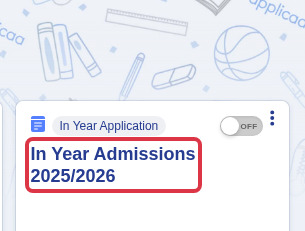
Select the journey step that contains the question that you want to change.

Select "I want to make more changes".

In the relevant section, select "New Question" to add a question.

To hide a question from internal applicants, clear "Visible on form" in the Internal column. Leave the External control selected when external applicants must still see it.
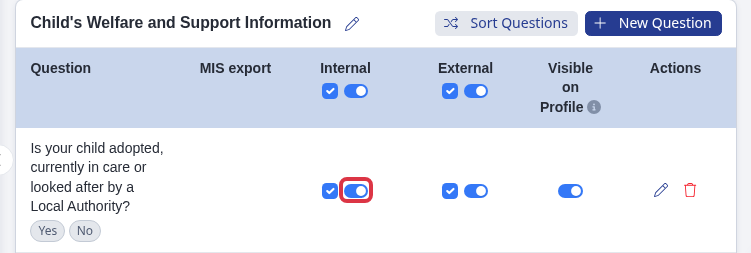
Changes to form configuration control what applicants see. They do not add a response to applications that staff or applicants already submitted. Edit an applicant record separately when you must change its supplied information.
- Use an existing In-Year form as the template for a new In-Year cycle. Do not copy a Year 7 form into an In-Year form.
- If an applicant is on the wrong academic-year form, move them to the correct form. The move resets their application progress, so read the linked guide before you continue.
- If you deliberately retire an old application and need the parent to register again with the same email, use the archived-form guidance in the linked guide.
In-Year setup guide
For a full walkthrough of preparing your In-Year form for the new cycle, watch the recording of the group training session.