
Note: Where you already have a list of parents to import, they will skip this step.
In order to get to this step click Settings > Application form > Parent Registration step


This will then show you questions/toggles that you can customize, and how to add particular questions you'd like parents to answer when registering their children.
If you would like parents to submit an enquiry rather than progress directly to the application form, please set enquiries to be approved first by switching this toggle on at this step. From here you're also be able to toggle on and off which phone numbers are required for parents to input :

Can I ask parents to choose a Principal's Talk?
Yes. Add a custom question to Parent Registration. The question asks a parent for a choice while they complete Parent Registration. It records their answer only. It does not sign a parent up for a talk, an event, a ticket, or a session.
Open the Parent's Details form and select New Question to add this question.
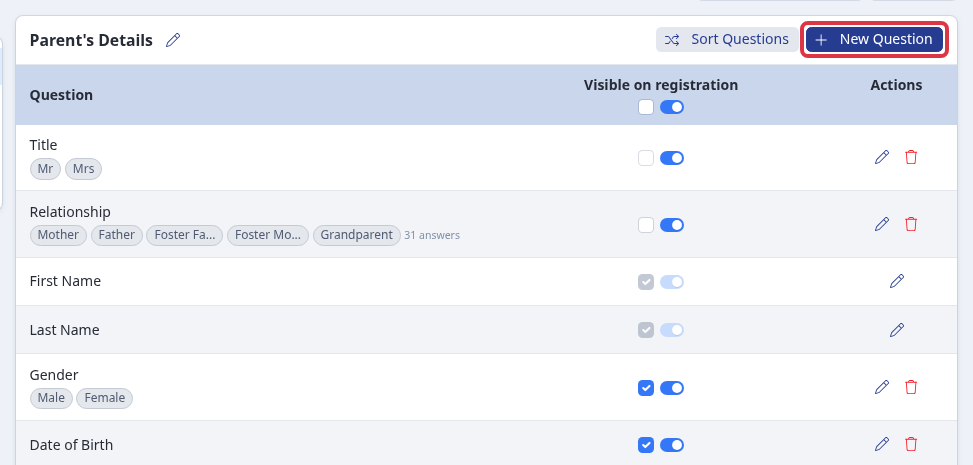
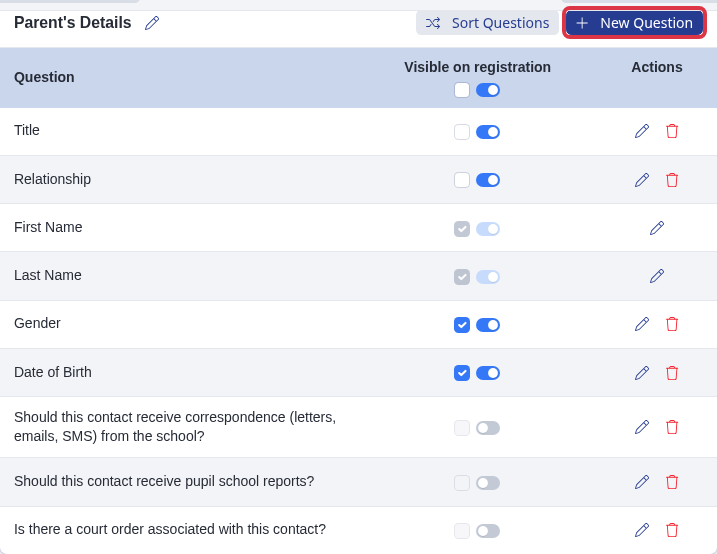
You can also add your own question to this step - for example, to ask parents to choose which talk or session they would like to attend. Open the Parent Registration step, click "I want to make more changes" on the form you want to add to (for example "Parent's Details"), then click New Question:
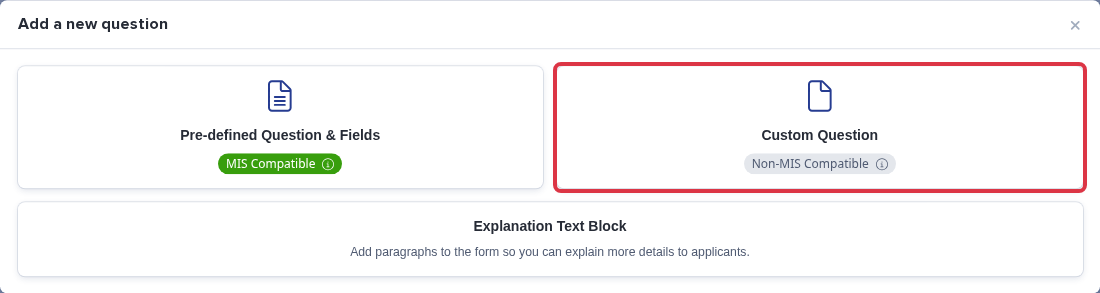
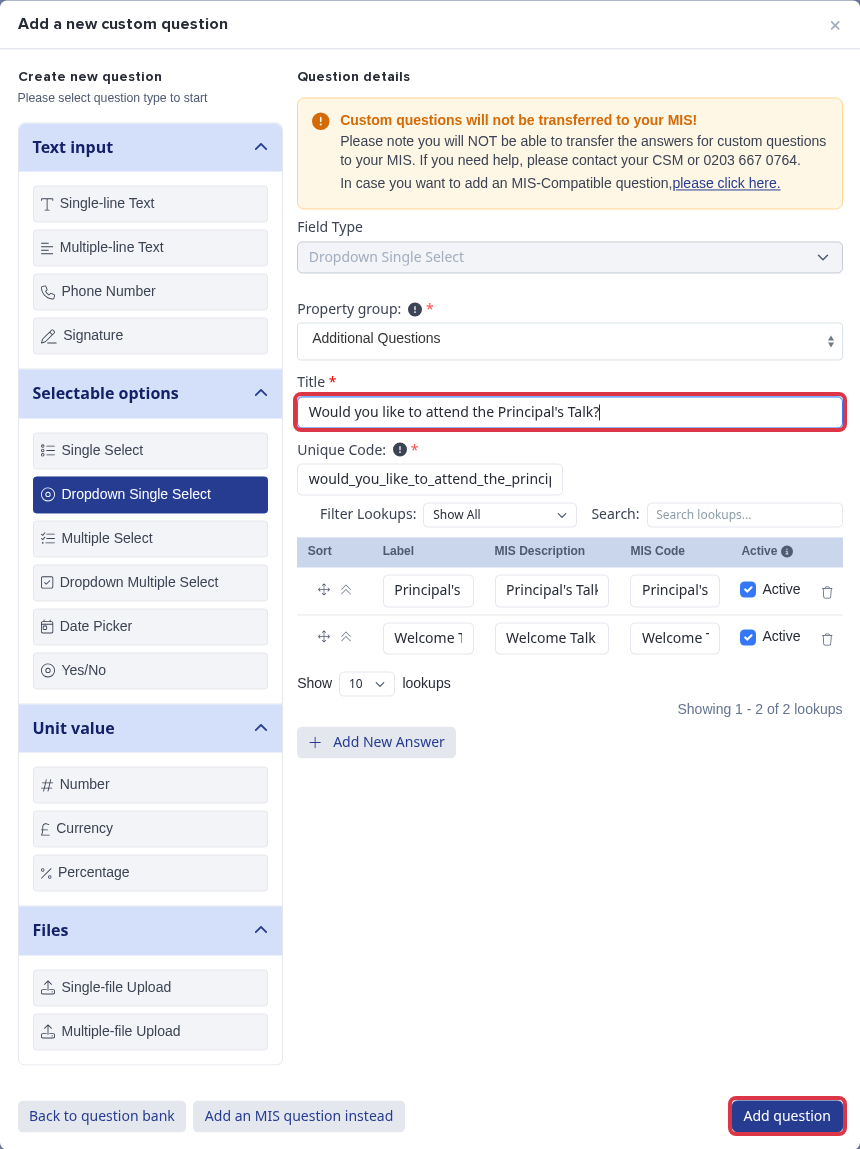
Choose Custom Question on the "Add a new question" pop-up. A custom question like this is not transferred to your MIS - the pop-up reminds you of this:
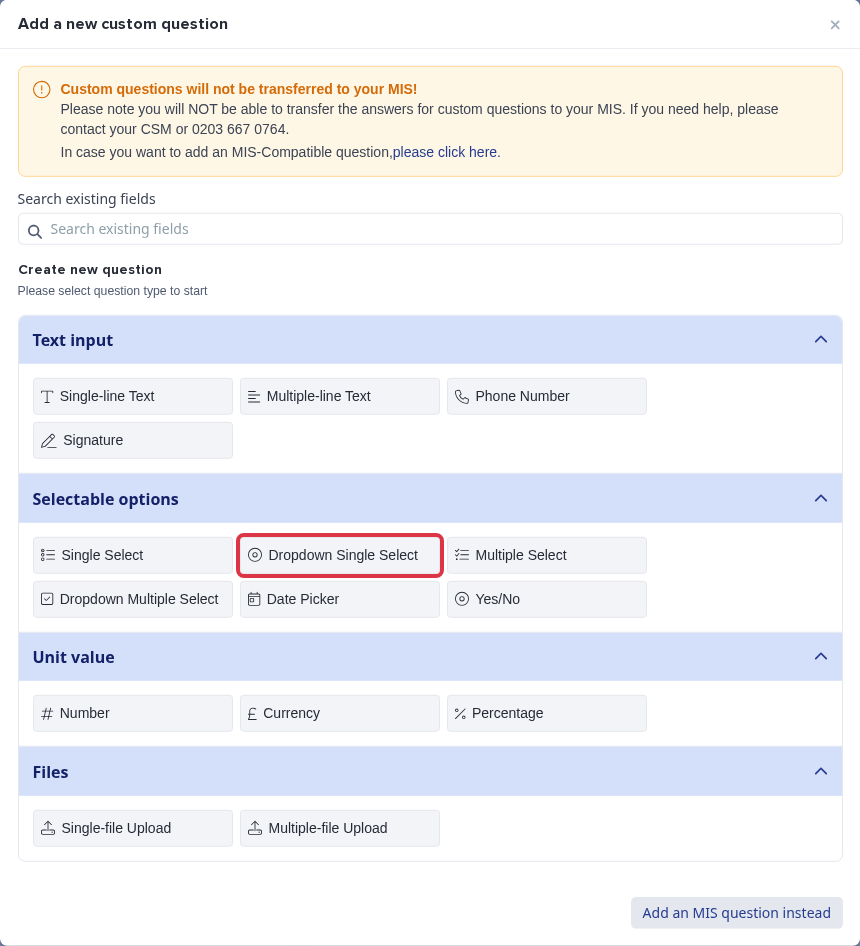
Under Selectable options, choose Dropdown Single Select if parents can only pick one option, or Dropdown Multiple Select if they can pick more than one:
Pick a Property group (for example "Additional Questions"), give the question a Title (for example "Would you like to attend the Principal's Talk?"), then click Add New Answer for each option you want parents to choose from and fill in its Label. Click Add question to save it to the form:
This question is saved as a normal registration answer - it only records which option the parent picked, the same as any other custom question. It does not create an event booking, a ticket, or a place on a session register. If you want parents to sign up for a timed session that you can track for attendance or capacity, set up a separate Event with its own registration form instead of a question on this step - see "How to Create a New Event Registration Form" under Related articles below.