
Use the Meetings area to find the slots assigned to a staff member, identify slots without an attendee, and export meeting-session records.
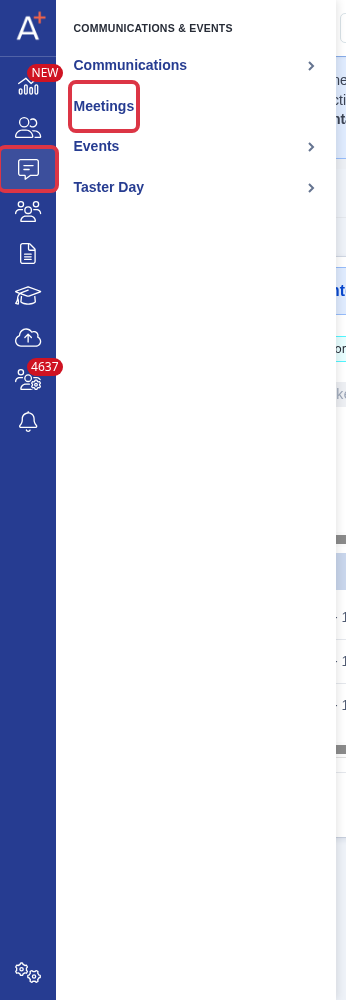
Go to Communications & Events > Meetings.
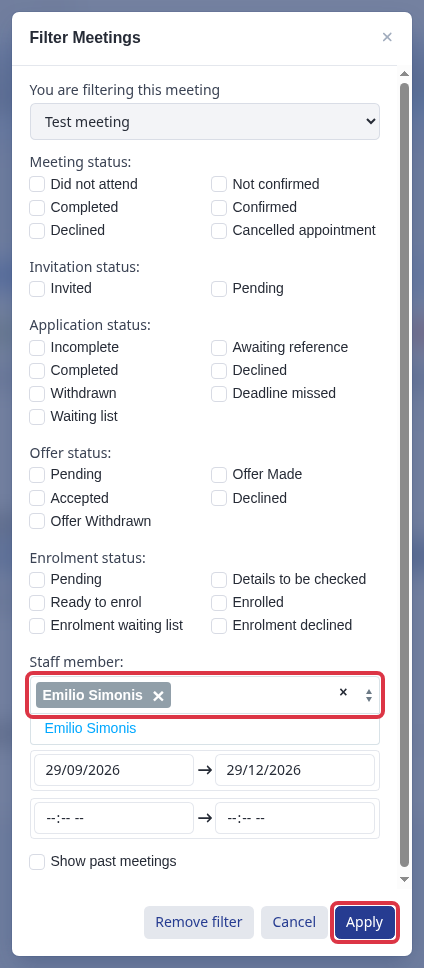
Open the meeting. Select the filter control, choose a person under Staff member, then select Apply. Select your own name to show the slots assigned to you.
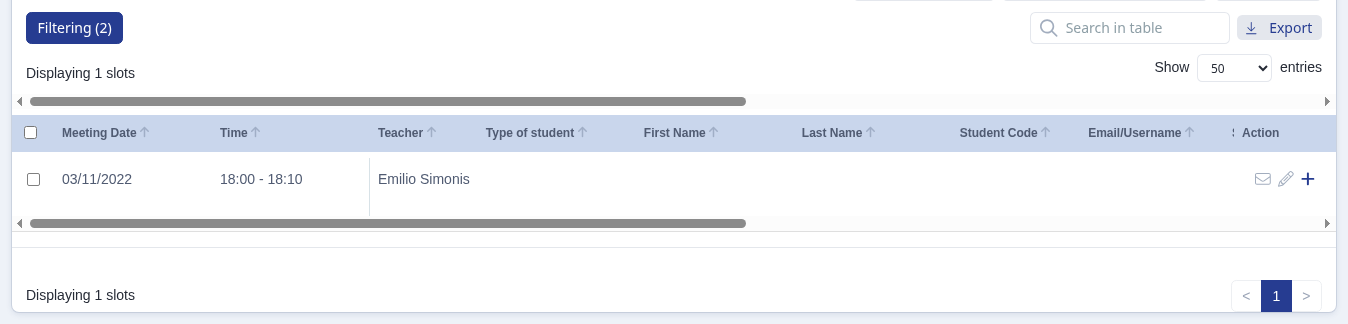
Review the filtered table. A row with empty First Name and Last Name has no attendee in that slot.
To let parents choose a date and time, open the meeting settings and select Applicants will be invited to choose their own meeting slots. If you select Staff will assign meeting slots before sending out invitations, staff allocate the slots and parents do not choose a date.

Select Next to save this part of the meeting setup and continue.

To export meeting sessions, select the rows you need. Select Export, then select Export as Excel or Export as CSV. The file downloads in the format you select.
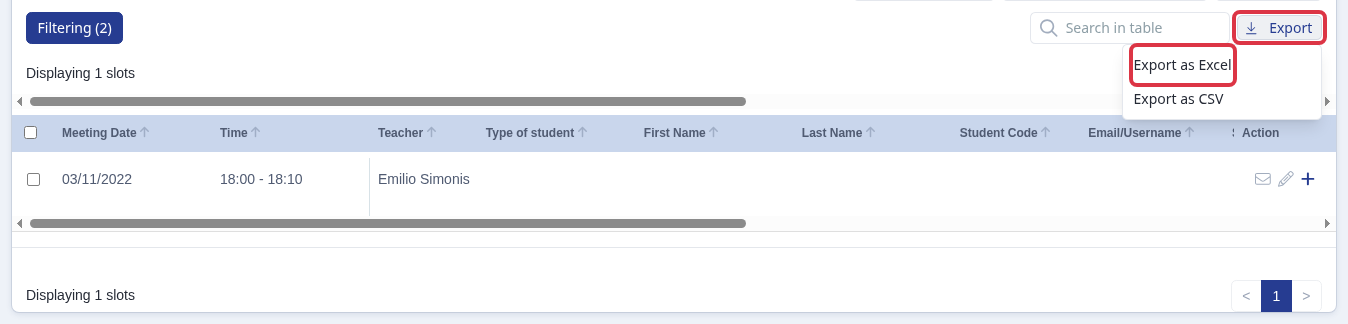
- If you select rows, the export contains those rows.
- If you do not select rows, the export contains the current search results. It contains all current rows when no search result exists.
- Use the staff filter with a meeting status, date range, or time range to narrow the table. The page shows Start time must be before end time when the start time is later than the end time.
Questions staff ask
Can I see a separate list of the meetings I attended?
No. The meeting-slot table filters slots by the staff member assigned to them. Filter by your own name to review your assigned slots.
Why cannot parents choose a meeting date?
The meeting uses the staff-assigned booking mode. Change it to the applicant-selected booking mode before you send invitations.
Why does my export not contain all invited people?
The export uses the selected rows, current search results, or current table rows. Clear or change filters to include the people you need before you export.