
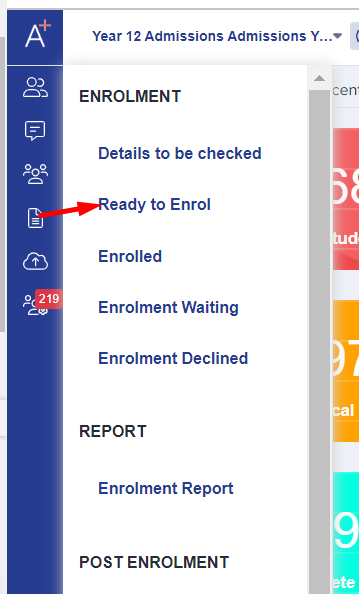
In your Ready to Enrol area, click on a student to load their subject choices.
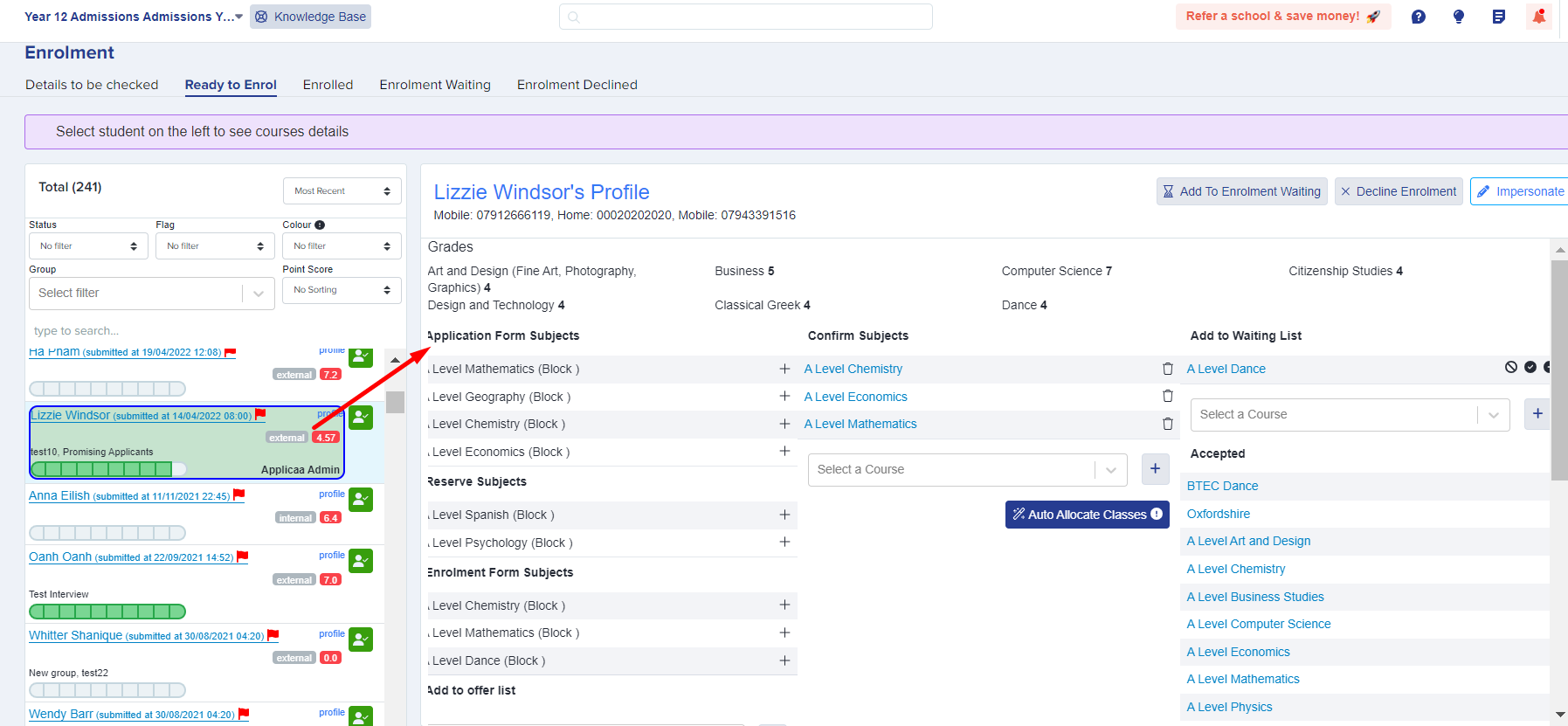
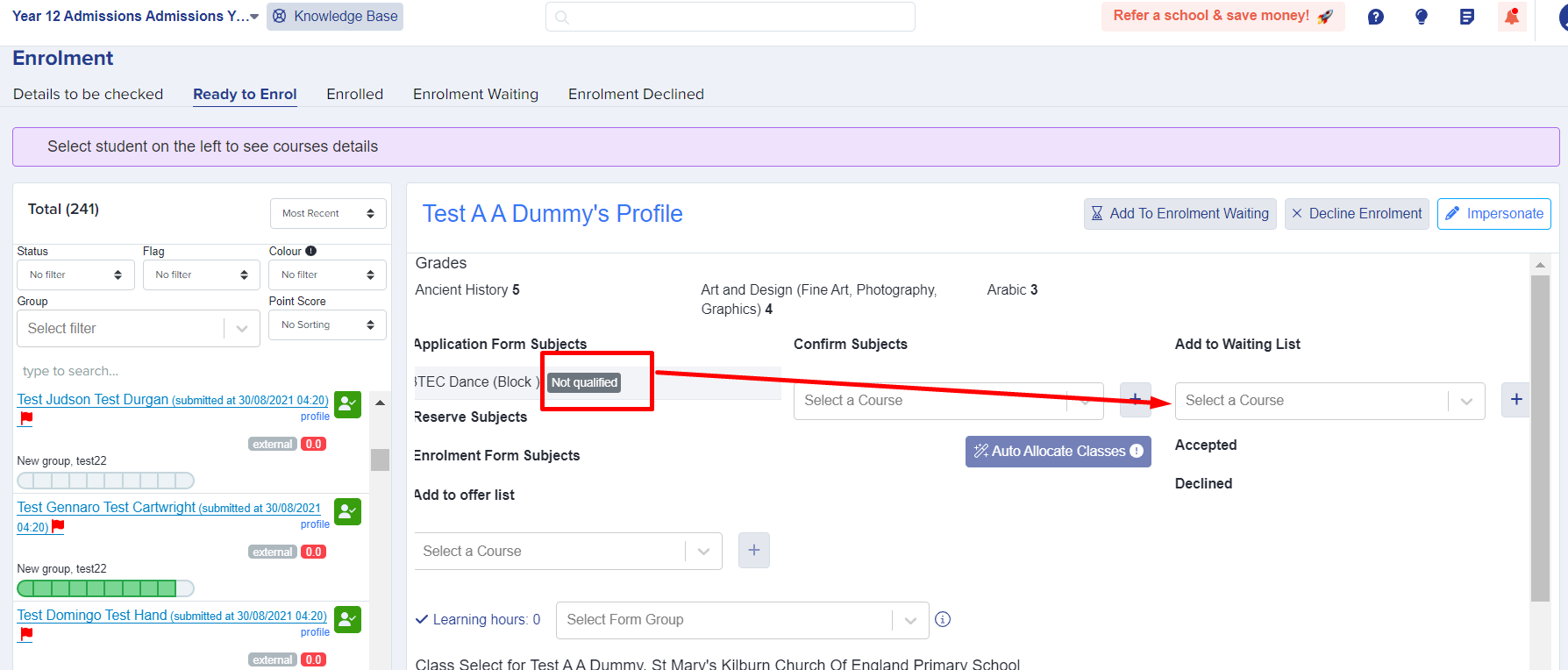
If a student has not met the entry requirements for a course, you will not be able to choose that course in the "confirm subjects" area - the waiting list allows you to bypass this in the event that you want to allow a student onto a course which they don't qualify for.
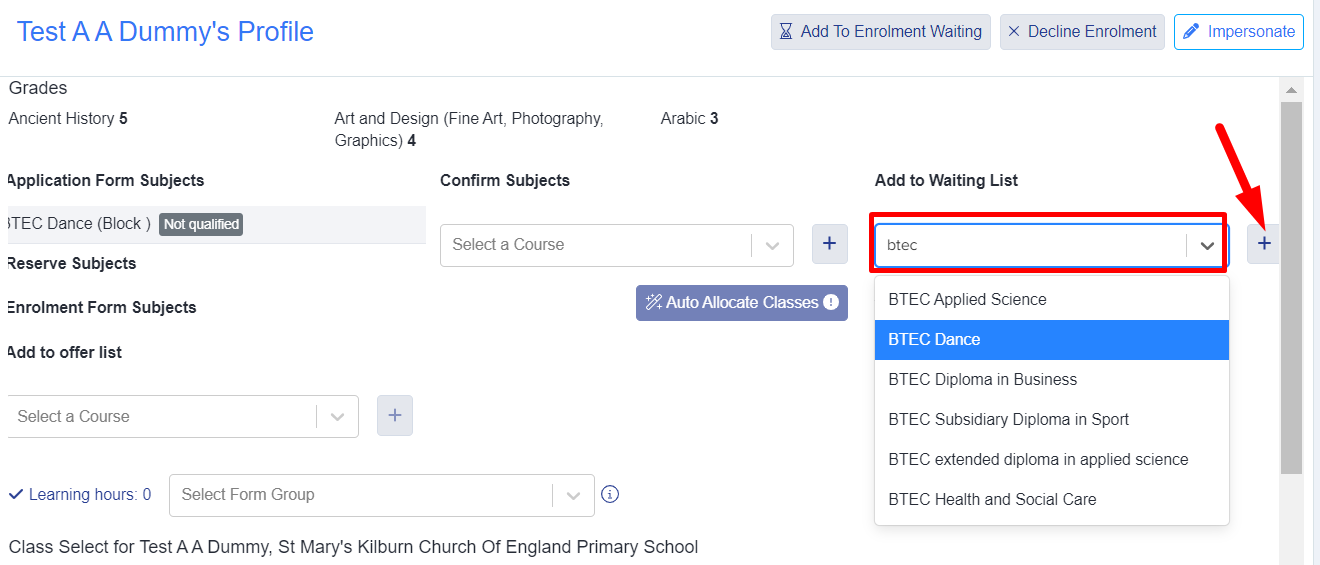
Find the course in the "add to waiting list" column and select it.
This will add the student onto the waiting list for that course, and you will see a tick and cross - tick to approve the student onto that course and cross to decline.
Once it's on the waiting list area, you will then be able to add that course in the "confirm subjects" column and proceed with the enrolment process.
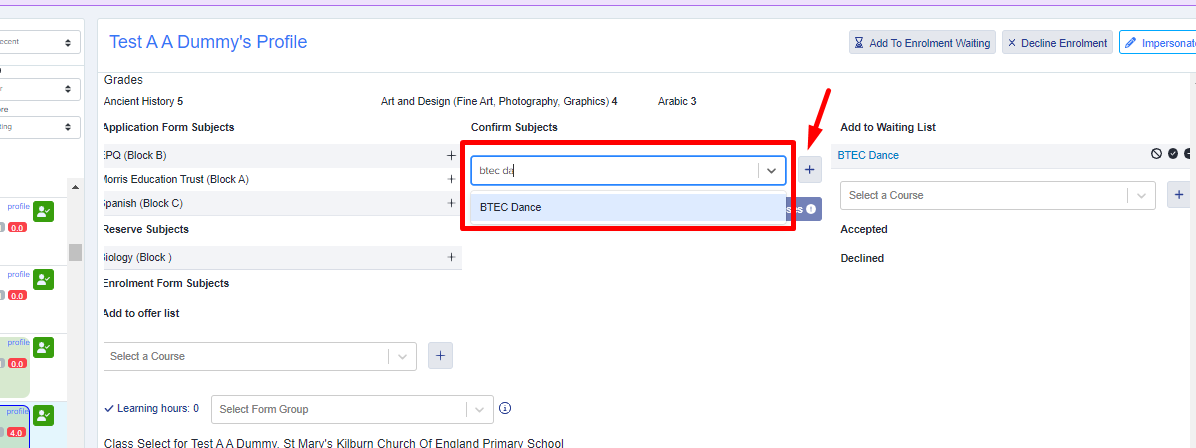
You do not have to approve or decline waiting list decisions straight away - you can revisit them later on when you are ready to make decisions.
Where to find the waiting lists
Open the application form dashboard and select "Subjects Summary". Select the number in the "Waiting List" column to see the applicants for that subject.

In "Pending approval", select "Accept" to approve a course. Select "Decline" to remove the course from the waiting list.

To remove an accepted waiting-list subject, find it in "Approved and ready to enrol" and select "Decline". This control stays available when the status shows "Enrolled".

Who can approve a waiting-list request
Go to "Settings", select "Enrolment Navigator" and open "Grade Requirements". Under "Waiting List Management", select "All Staff users" or "Specific Staff users".

All staff can add a student to a course waiting list. This setting controls who can approve or decline the request.
The "Waiting List" application status
A course waiting list and the "Waiting List" application status are separate lists. The application status applies to a whole application, for example a Nursery application.
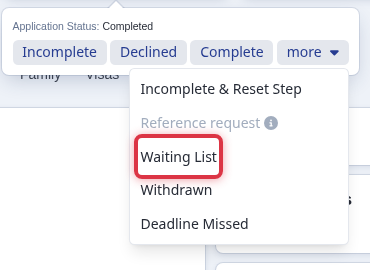
To set it, open a completed applicant’s "Application Status", select "more", then select "Waiting List".
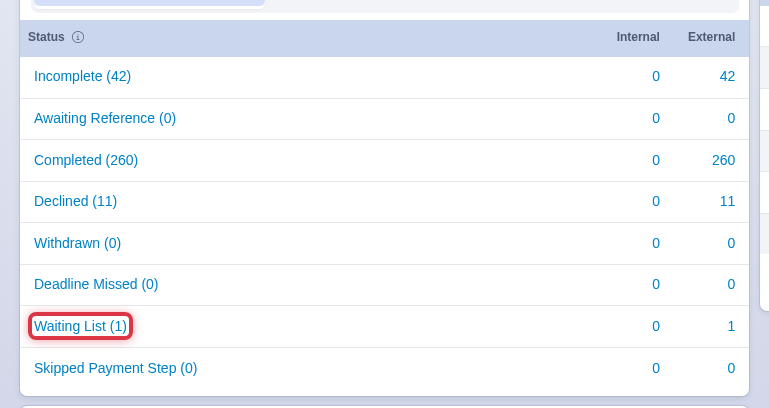
To find every applicant with this status, open the application form dashboard and select "Waiting List" in the application status table.
- A subject change after enrolment uses the same "Decline" control.
- Move an applicant to a different form only when the application belongs in the new academic-year cycle. The move resets the application to "Incomplete" and clears the course choices, and the waiting-list subjects with them. Build the waiting list again on the new form.
- The Email Template Library includes a "You’re on our waiting list" template for admissions communications.