
Use this guide when a Bromcom student export reports that an applicant already exists. Bromcom treats an on-roll student and a possible duplicate as different results.
Check the export result
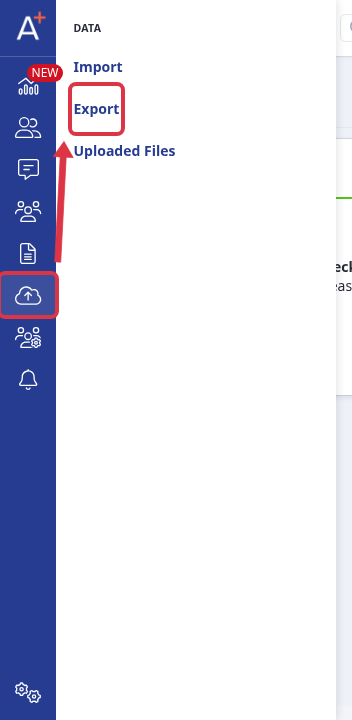
Open the application form, go to "Data" > "Export", and open the Bromcom export that you need to check.
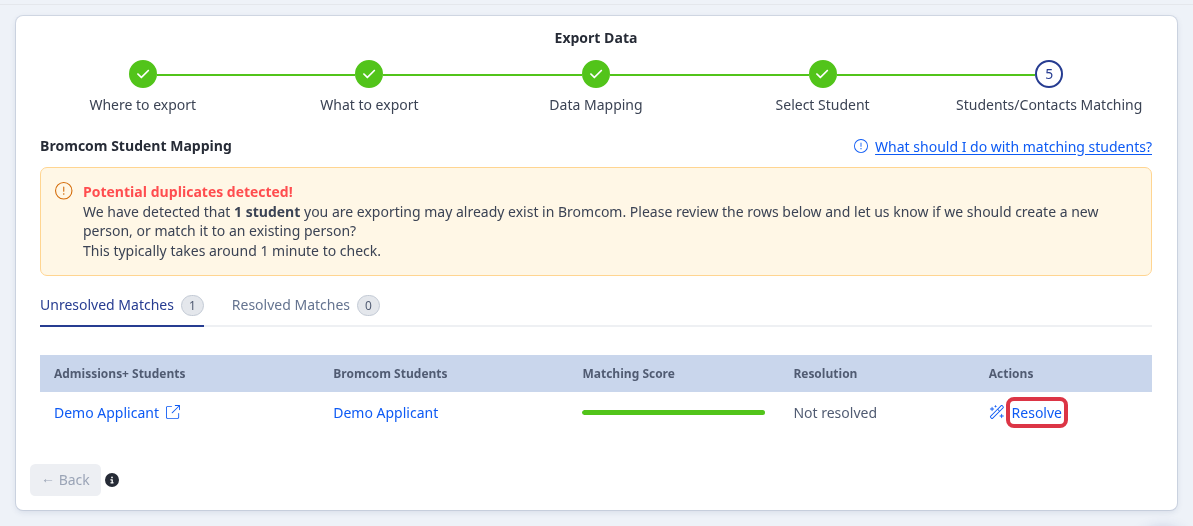
At "Students/Contacts Matching", select "Resolve" for each row that has the "Potential duplicates detected!" warning.
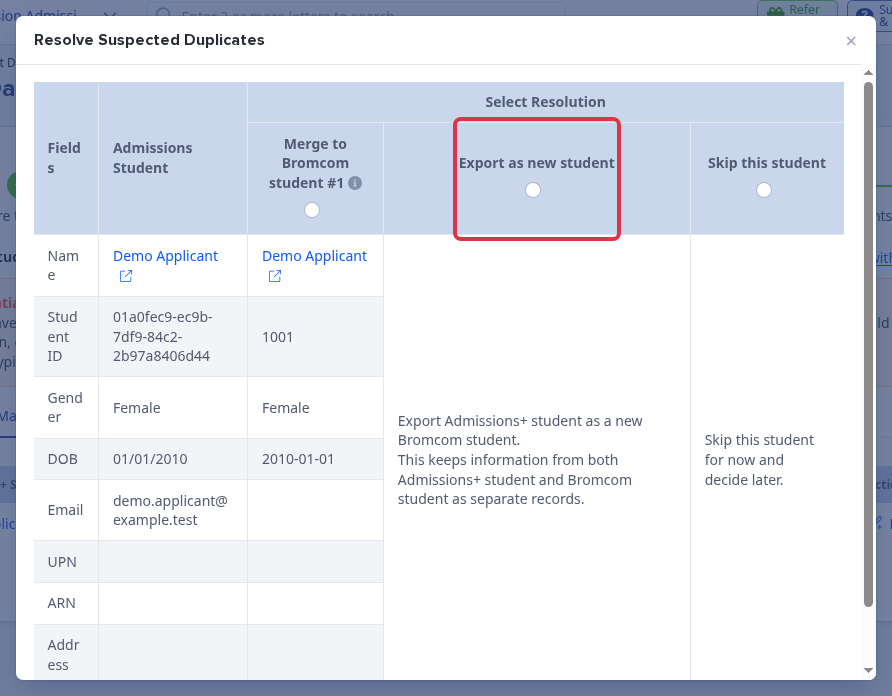
In "Resolve Suspected Duplicates", select "Export as new student" only when you intend to create a separate Bromcom pre-admission record. The choice keeps the Admissions+ and Bromcom records separate.
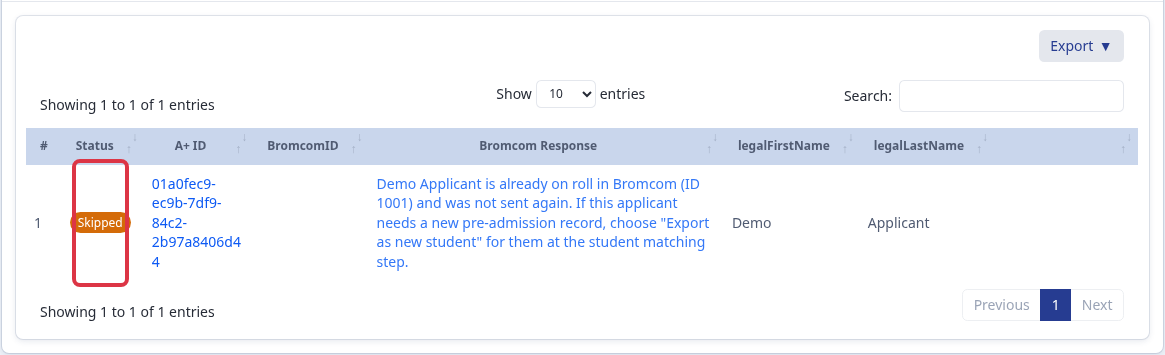
Open the export report and check the "Status" and "Bromcom Response" columns. A "Skipped" result means Bromcom found the applicant already on roll and Admissions+ did not send the record again.
What the result means
- An on-roll result is not an export failure and does not mean Admissions+ matched the wrong person. Admissions+ leaves the existing Bromcom record unchanged.
- If a completed form belongs to a student already on roll, the Bromcom export does not add or update data on that existing record.
- Use "Export as new student" only when you need a second, separate pre-admission record. It does not update the on-roll record.
- For a possible pre-admission duplicate, choose a "Merge to Bromcom student" option when the records are the same person. Blank Bromcom fields are filled from Admissions+ and conflicting Admissions+ values overwrite the Bromcom values.
Data that this export does not send
- The Bromcom export has no exam-results export option. It does not send exam results for external students.
- The contact mapping has no parent or carer date-of-birth field. A parent or carer date of birth does not transfer through the standard Bromcom export.
Bromcom integration must be enabled for the school before you use this export.