
1. What is it?
The Destination Tracker shows which post-16 places each Year 11 student has applied to and whether they still have an active application.
2. How it works
|
Step |
What happens |
|---|---|
|
1. Internal link-up |
Your school imports Year 11 pupils into Applicaa at the start of the academic year so they can apply to the sixth form. Each pupil’s email becomes their ApplicaaOne profile ID. |
|
2. Automatic tracking |
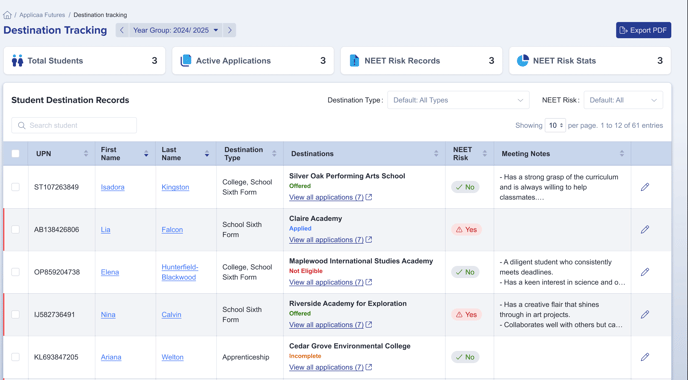
Whenever that pupil applied to a sixth form or college that uses Applicaa to manage their admissions, the system updates their ApplicaaOne profile with the latest status and a flag to note if a student is a NEET Risk based on whether they have any active applications. |
|
3. Dashboard view |
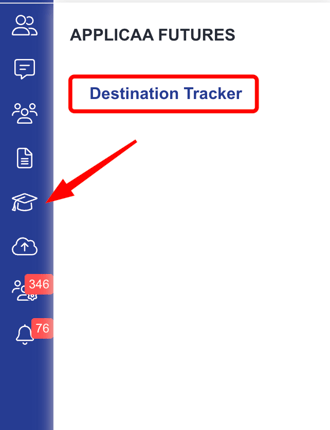
Careers/admissions staff from the student's current school see the destination data within their school's sixth form admissions form under the "Applicaa Futures" menu item. |
Note: A pupil must be marked Internal Applicant and have your school set as their "current school" in the Education step for their data to sync.
Dashboard View:
Non-Applicaa Destinations:
Students can add non-Applicaa destinations to their ApplicaaOne profile, giving schools a complete view of every application. Applicaa also emails timely reminders - especially in the run-up to the School Census - prompting students to keep their Destination Tracker up to date.
Missing Destinations:
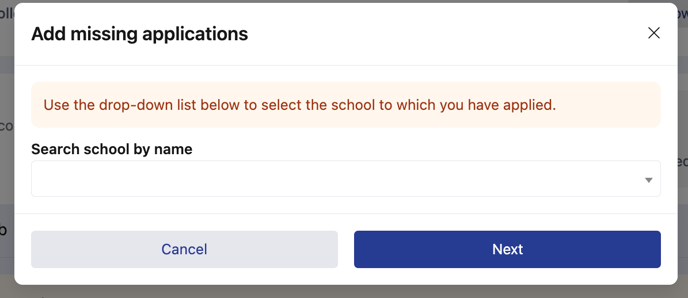
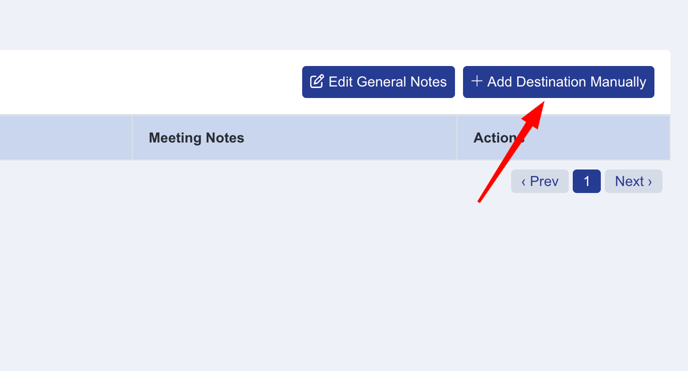
If a destination is still missing, after opening a student's destination tracker profile - staff at the student’s current school can enter it manually through the Destination Tracker.
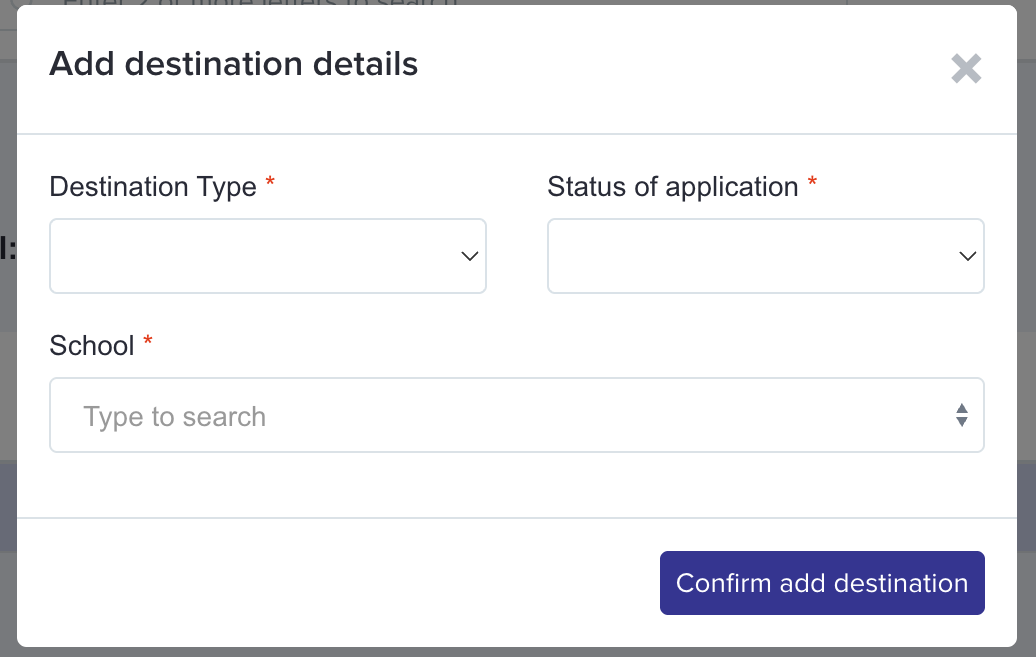
Set up Destination Tracker
Destination Tracker has no staff feature flag. Ask Applicaa Support to configure ApplicaaOne and a supported sixth-form form. The tracker becomes available after Support completes this work.
Importing Year 11 pupils does not turn Destination Tracker on. It creates or updates the pupil records that the tracker can use after Support makes it available.
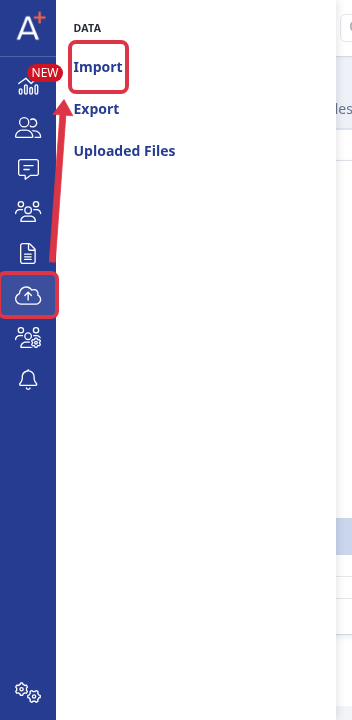
To import Year 11 pupil data, open the relevant sixth-form form. Go to Data > Import.
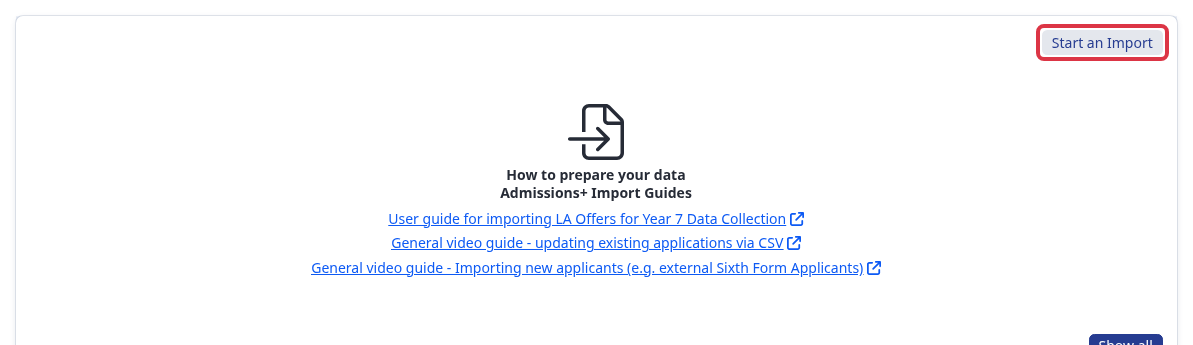
Select Start an Import.
Give the import a name. Under What would you like to update or import?, select Users.
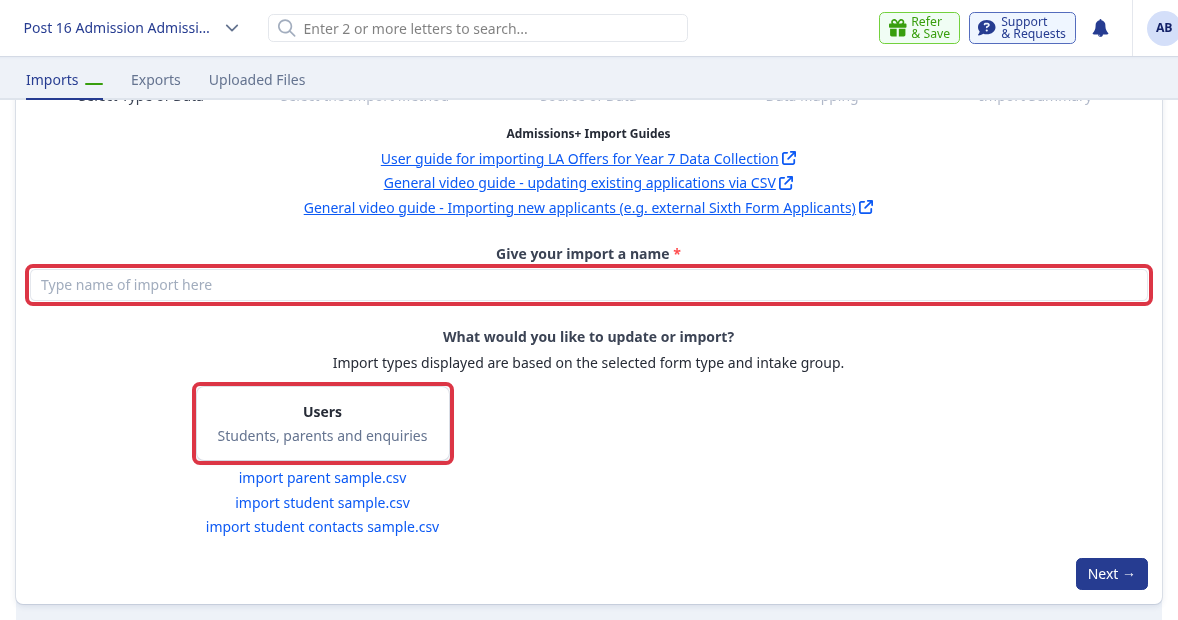
The available import types depend on the selected form type and intake group. Continue with the import route that matches your MIS or CSV source.
If you try to open Destination Tracker while ApplicaaOne is unavailable, Admissions+ shows ApplicaaOne is not available. If the form does not support Destination Tracker, Admissions+ shows Destination tracking is not available for your school.
Related articles
3. Why is Applicaa sharing this data with my school?
|
What |
Detail |
|---|---|
|
Statutory duty |
Schools must record post-16 destinations for the annual DfE School Census and local RONI tracking. |
|
Lawful basis |
UK GDPR Art 6 (1)(c) legal obligation and Art 6 (1)(e) public task. No additional consent required. |
|
Applicaa role |
Processor under the Data Protection Act 2018, acting strictly on the school’s written instructions. |
|
Privacy notice |
Our policy explicitly states that application and offer statuses are returned to pupils’ current schools for statutory purposes. |
Complies with the Education (Information About Individual Pupils) Regulations 2013 and UK GDPR.
4. Exactly what is shared?
|
Field |
Purpose |
|---|---|
|
Provider name & LA-estab / UKPRN |
Identifies the destination unambiguously. |
|
Application status |
Allows the school to see if the pupil still needs support. |
|
Subjects applied for |
Helps careers teams match pupils to appropriate advice. |
|
Date last updated |
Audit point; proves the information is current. |
5. Permitted use
|
Allowed |
Not allowed without a new lawful basis |
|---|---|
|
School Census returns |
Marketing / fund-raising |
|
Careers guidance meetings |
Commercial analytics |
|
Local-authority NEET tracking |
Sharing with third parties not named in your privacy notice |
For help with the import route, ask Emma in Admissions+ or use the helpdesk.