
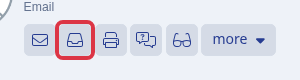
First, go to any student profile and the envelope icon will show you which emails have been sent; you can have a look at the content & status, and also check if someone's received an email. We call this the communication log button.

To view the content of the emails, you have two options. You can access the emails by clicking a thread on the left- hand side, or you can search for a specific key word in the subject line by typing in the search bar located at the top of the list.

Meaning of each statuses:
Dropped – ‘Sendgrid’ will drop an email when the contact on that email is in one of your suppression groups, the recipient email previously bounced, or that recipient has marked your emails as spam.
Delivered – the accepted response generated by the recipients’ mail server.
Bounce – If a server can’t or will not deliver a message, ‘Sendgrid’ files a bounce event. Bounces often are caused by outdated or incorrectly entered email address or in schools, because of fire walls or security. Many times you won’t know a bounced email address until it bounces, so this event can help you ensure it doesn’t bounce again by removing it from your lists.
Open – The response is generated when the recipient opens the email.
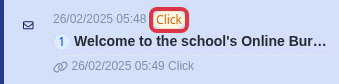
Click – Whenever a recipient clicks one of the click tracked links in your email. In the email history, Sendgrid displays the date, time and the URL for the link that was clicked.
Blocked – When your IP address has been blocked by an ISP or messaging organization. Blocks are less severe than bounces and do not result in permanent suppressions: Subsequent sends to blocked email address are not automatically suppressed.
You can also click the view button on the right side to preview the whole email that has been sent.

And you can easily identify the timestamp of when you sent an email, as well as view the age of the messages and the status of each email.

Note - if your emails are often bounced or rejected by students, please ask us to check if your DNS records are updated. (This means the emails will be sent from your email domain, not ours.) 0203 667 0764
When a welcome email does not arrive
On the applicant profile, select the "Communication Logs" button.
Open the welcome email and check its status.
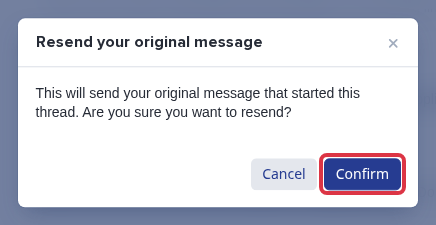
Select "Resend original".

Select "Confirm" to queue the original message again. The system shows "Success" and "Sending email...".
If the status is "Delivered" or "Open" but the recipient cannot find the email, ask them to check their junk or spam folder and allow-list the school email address.