
This guide contains the steps to ensure last year's form is closed off and your new form is set up and ready to launch for Year 12/Sixth Form applications
Ahead of each new intake you'll want to make sure last year's Year 12 (Sixth Form) form is closed off and your new cycle form is checked and ready before you open it to applicants. Your new Year 12 form for the next academic year is created for you by Applicaa in advance, so these vital checks are about reviewing and launching it rather than building it from scratch.
You can also watch the group training recording and download the "PDF Guide - New cycle Y12" from your platform's help centre:
Open your Forms Area
From the top-right menu open your forms list, labelled "Forms Area" (or "Multiple Form" if your school runs more than one form). Here you'll see every form with its year group, its live application counts and an on/off switch.
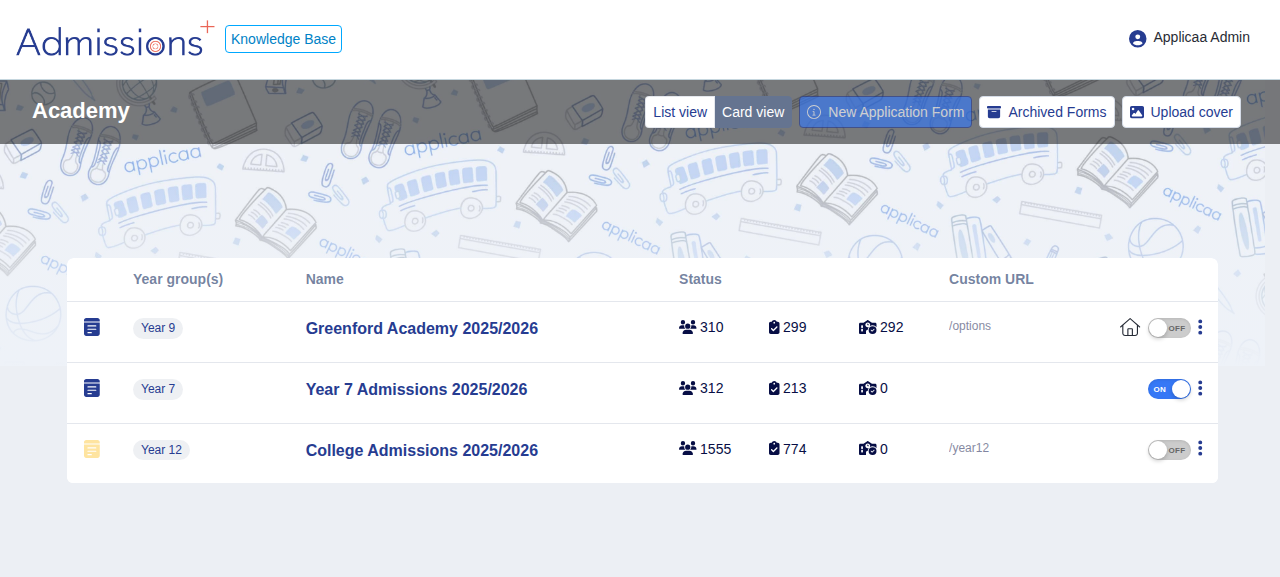
Your new Year 12 form for the upcoming cycle sits in this list alongside the current one. If you can't see a new Year 12/Sixth Form form for the next academic year, contact Support - Applicaa creates these in advance on your behalf.
Review the application journey for the new cycle
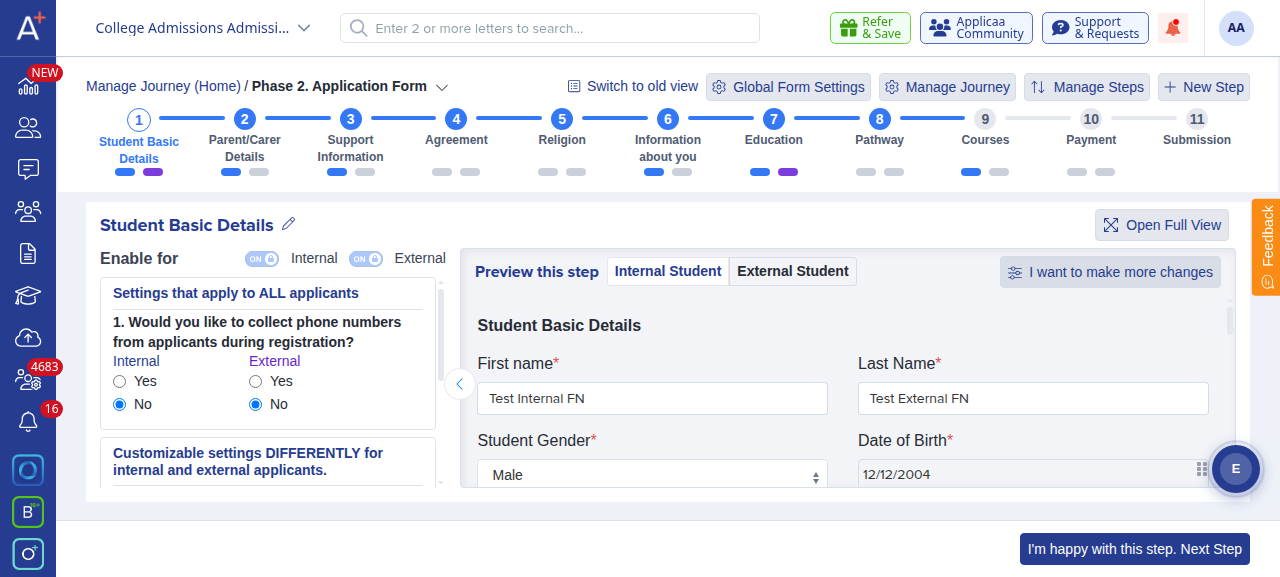
Open your new Year 12 form and go to "Customise Application" to review its journey. Each phase and step is shown across the top of the page. Use "Manage Journey" and "Manage Steps" to check the steps are correct, and use the "Internal" and "External" switches under "Enable for" to control which applicants see each step.
Close off last year's form
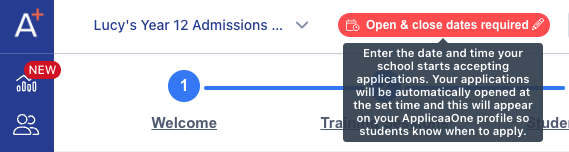
Set your Application's close date via the dedicated setting at the top of your dashboard:
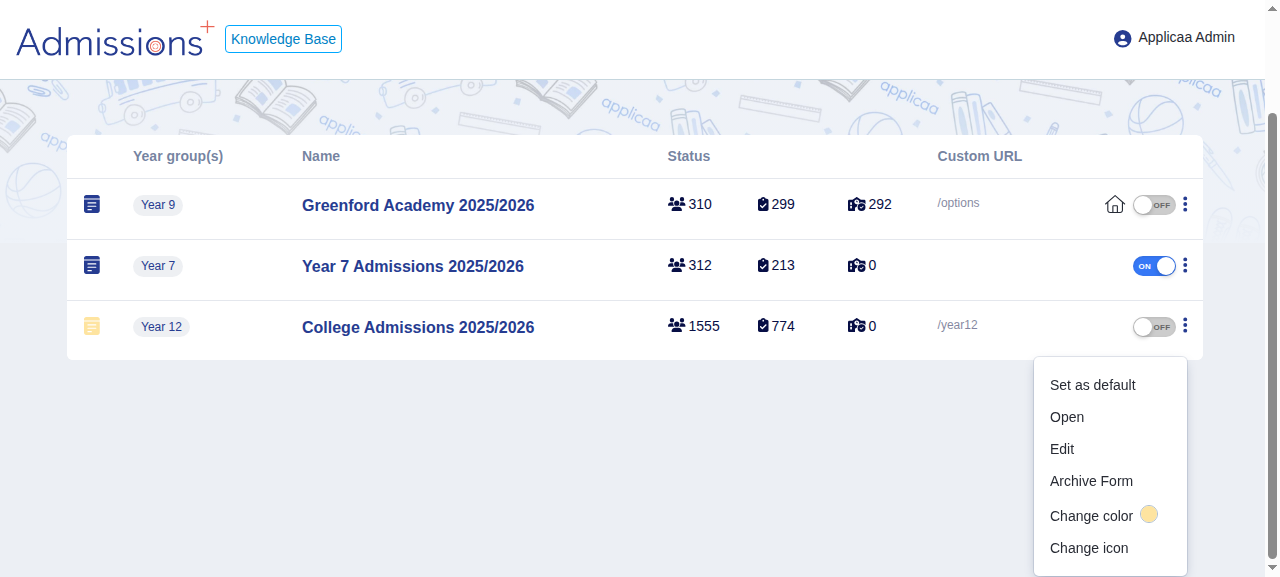
Back in your Forms Area, open the three-dot (kebab) menu on last year's Year 12 form and choose "Archive Form". A form has to be switched off before it can be archived - while it is still switched on you'll see the message "You cannot archive an active form".
Make your new Year 12 form active
When you're ready to launch, use the on/off switch on your new Year 12 form in your forms area to make that form active, and set your open and close dates on the dashboard of your new form.
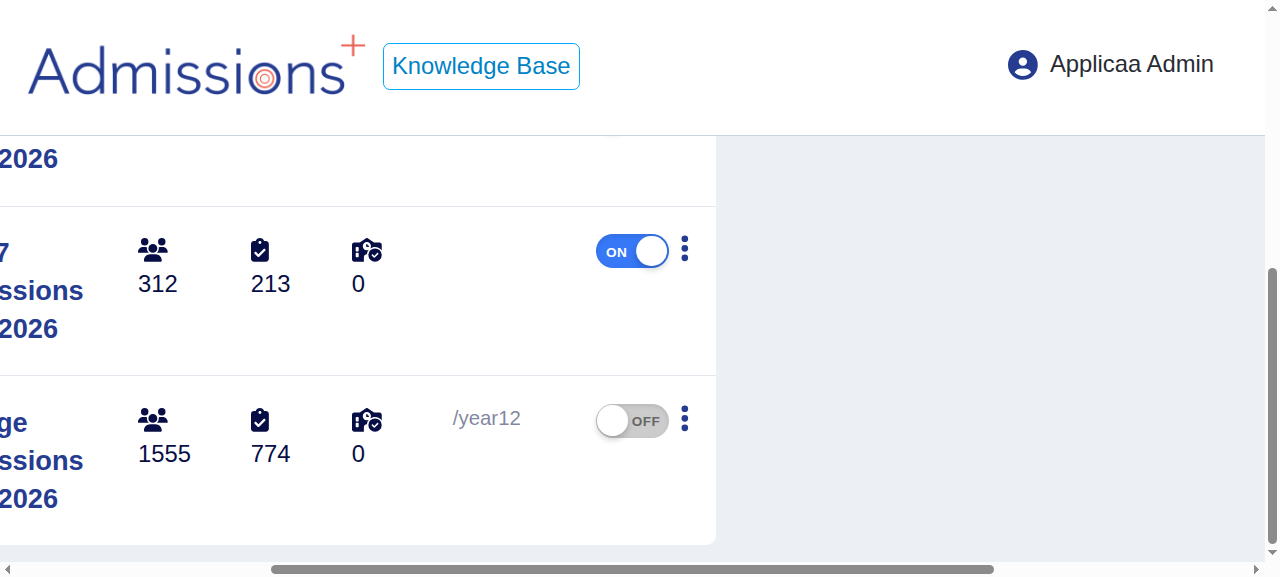
- Applicaa sets up your new Year 12/Sixth Form cycle form in advance - you review and launch it rather than creating it yourself.
Need a hand with any of these checks? Ask Emma using the help button inside your platform, or reach the team via the LiveChat in the bottom-right of your screen.