
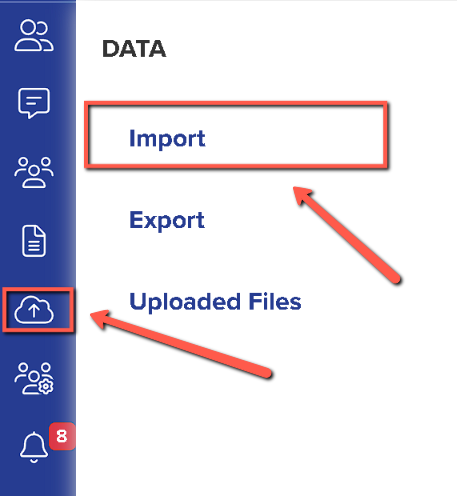
To do this you will need to go to Data > Import > Start an Import
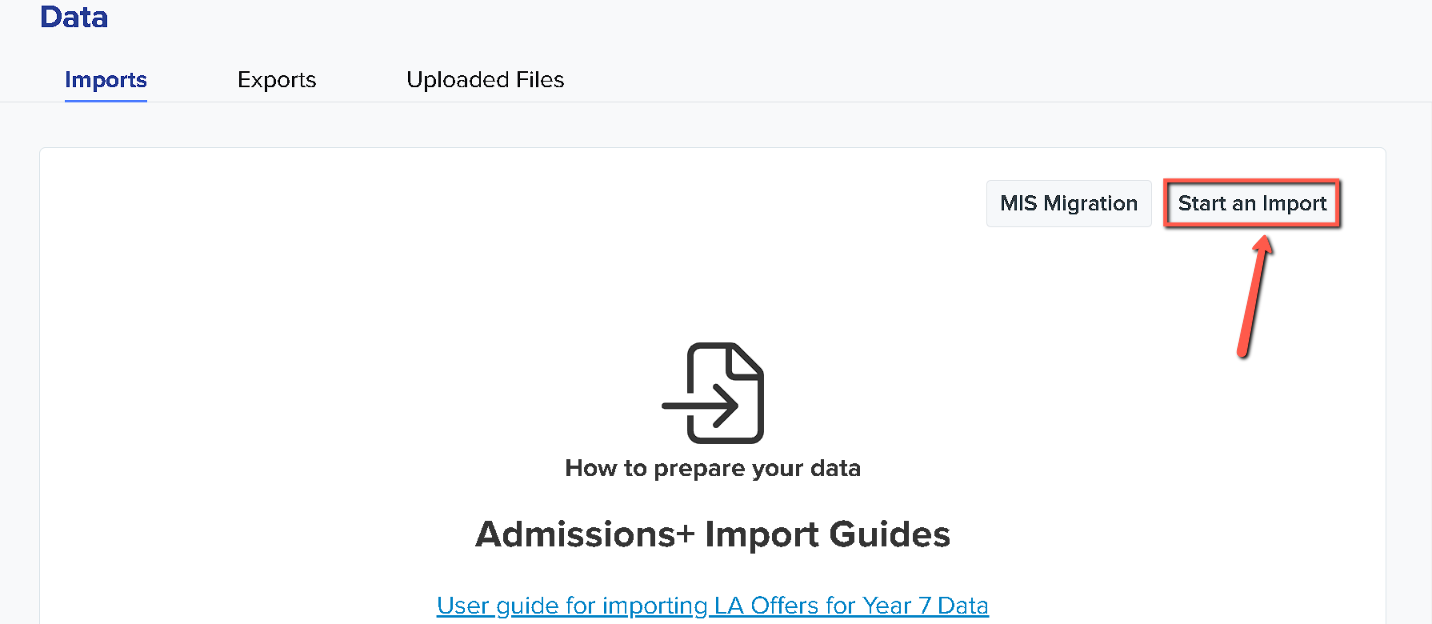
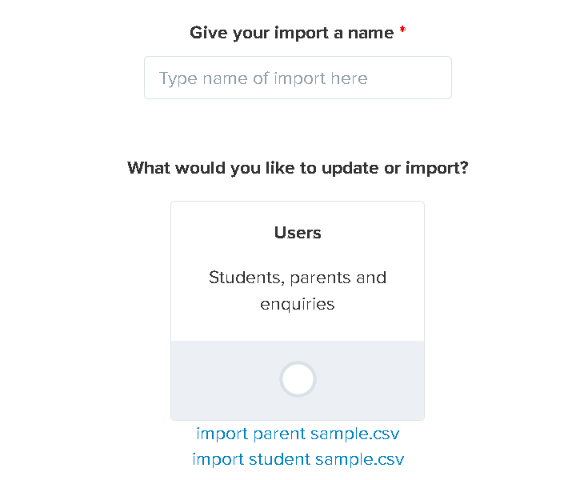
Once you have clicked "Start an Import", kindly give your import a name then select users as you will be importing students/parents and click Next.
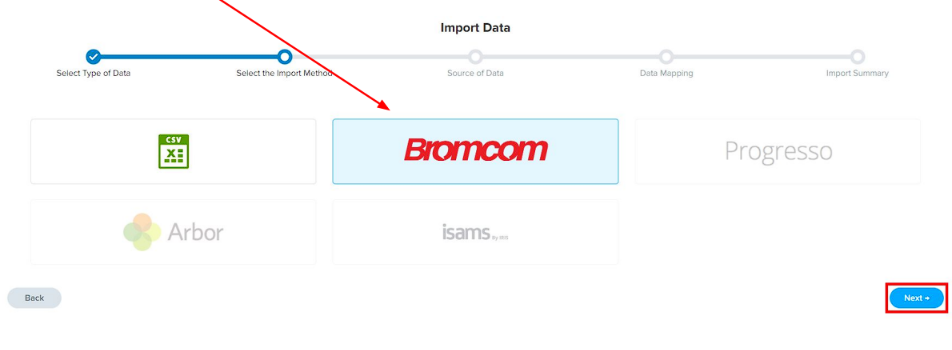
For the next step, you will need to select Bromcom as your Import Method then click Next.
Then on the Data Mapping step, click Next again. The Bromcom and Admissions+ properties will already be mapped. If anything hasn’t been mapped, it can manually be mapped to a property.
You may also use the Filter By Year dropdown to select a year on the Import Summary that looks like this.
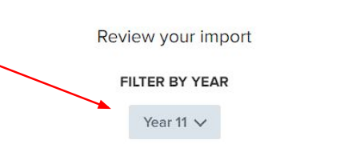
Once that is in place, you may click on "Select All" > "Next" > "Import" to import the students into Admissions+.
After the import process has finished, you may check the import that was done by clicking on "View Successful Import".
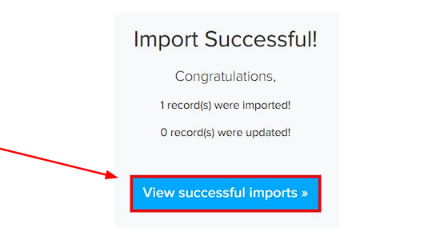
The final screen will let you edit, preview, and send a welcome email to your internal students.

Addresses that cannot be validated
After the import finishes, Admissions+ checks every imported home address against a UK postcode lookup, so it can calculate distance-based figures for the student. An address that does not match a UK postcode still imports, but it is listed under "Invalid Addresses" on the import's report screen, with a warning that distance calculations will not work for it.
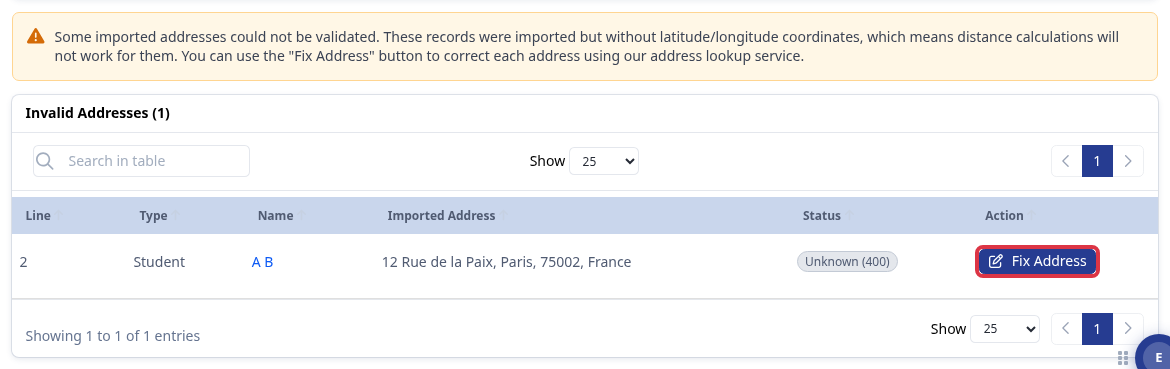
This includes a parent's address for a student who has come from overseas: the student and parent records import correctly, but the address itself cannot be matched by the UK lookup. Select "Fix Address" to open the address correction tool.
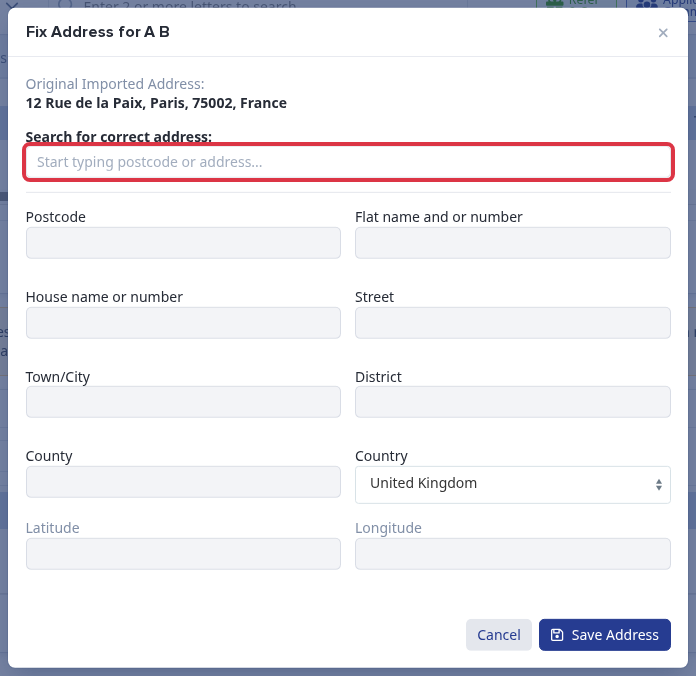
The "Search for correct address" field searches UK postcodes and addresses only. For a genuinely overseas address, no result is found, so the address cannot be matched here - leave it as is. The "Invalid Addresses" status does not stop the student record or the rest of the import; it only means distance calculations are not available for that address.
Editing a student's current school after import
The Bromcom import does not set or update a student's Current School - it is not part of the Bromcom data mapping, so you add or correct it directly on the student's own profile.
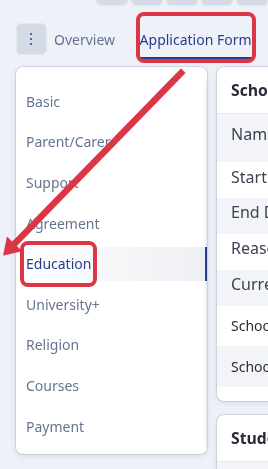
Open the student's profile, select the "Application Form" tab, then "Education" in the left-hand menu.
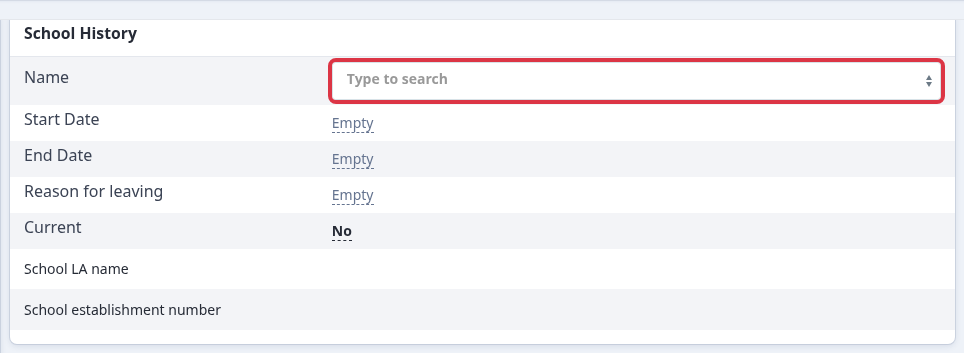
In the "School History" card, use the "Name" field to search for and select the correct school, and set "Current" to mark it as the student's current school.
Related articles