
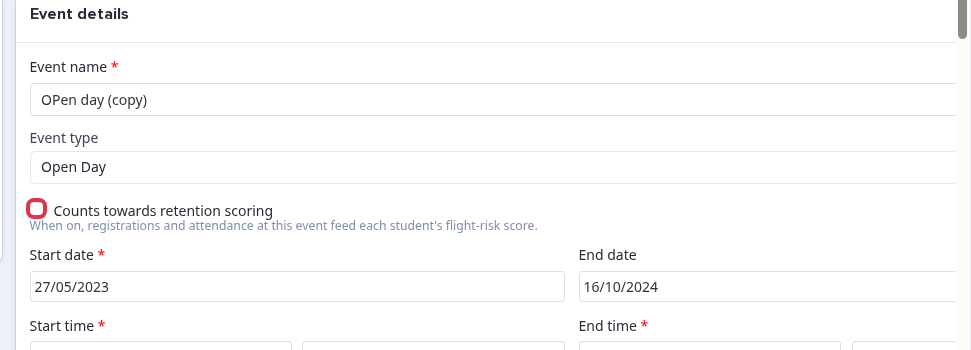
Use the "Counts towards retention scoring" setting when an event's registrations and attendance must contribute to Sixth Form flight-risk scoring.
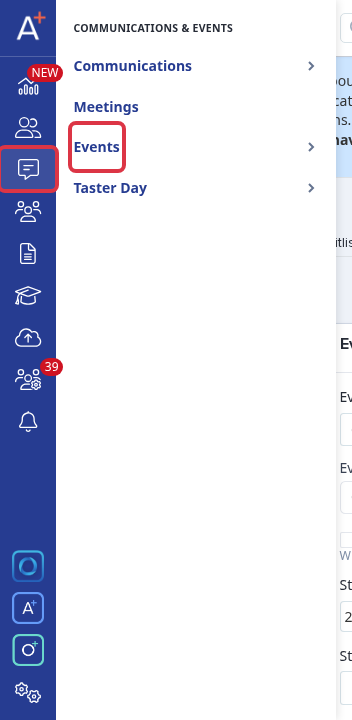
Go to "Communications & Events > Events", then open the event that you want to count.
In "Event details", select "Counts towards retention scoring".
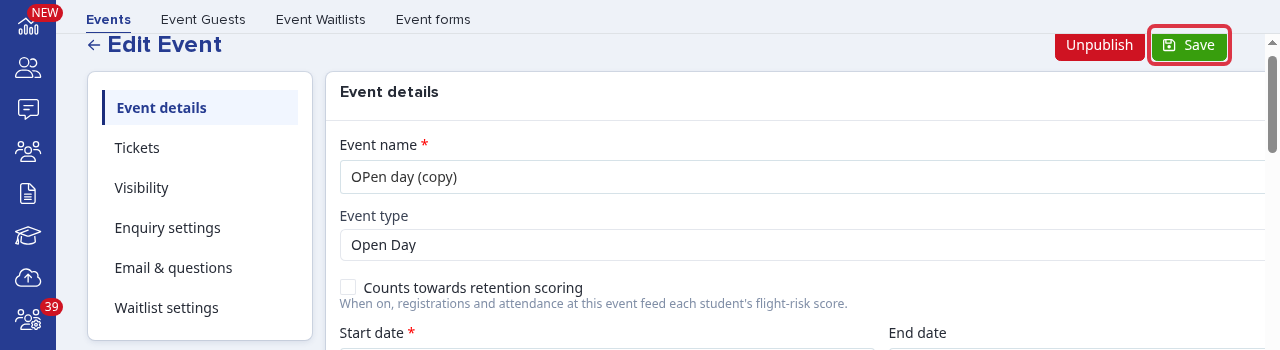
Select "Save".
How flight-risk scoring uses the event
- The score applies to internal students on an active-year "Sixth Form Application" form.
- The scheduled daily update runs at 3am. It uses survey intent at 50%, counted-event participation at 30%, and recent email engagement at 20% when those signals are available.
- For the counted-event signal, attendance gives the lowest risk, registration without attendance gives medium risk, and no registration gives the highest risk.
- Scores use Low (0–33), Medium (34–66), High (67–100), or "Insufficient data". Application and offer milestones can override the weighted score. An accepted offer or enrolment gives Low. A missed required milestone gives High.
Where results appear
Only a MAT group trust can view these results in "Student Retention". That area includes "Flight Risk" for risk tiers and high-risk students, and "Pipeline" for the cohort view. A standalone Independent school can select this event setting, but cannot view the retention dashboard.